Blog Best Intranet Platforms for 2026 (Top 10 Compared) Last updated: October 27, 2025 Calculating… The best intranet platforms for 2026 help organisations improve internal communication, employee engagement, and knowledge sharing. In this guide we compare the top intranet solutions including Oak Engage, Simpplr, Unily, Workvivo, LumApps, and Staffbase. Looking for intranet platforms specifically for large organisations? See our guide to the best enterprise intranet platforms for large organisations. Why intranet platforms matter for modern organisations Spent another year wrestling with outdated tools and disjointed systems? Messages get missed, updates are scattered and keeping everyone aligned feels like wading through custard. Communication shouldn’t be this hard, especially when your people are depending on clear, timely information to do their best work. It’s messy, slow and ultimately ineffective. Then you hear a rumour, a whisper through the grapevine. Your salvation might actually exist. An intranet. Not the dusty, old-school kind that is basically a filing cabinet with a login, but a modern space that brings social interaction, better engagement and everyday tools together in one place. A business-saving, sanity-restoring solution. Amazing. 2026 is finally going to be the year that internal comms knocks it out of the park. But then reality hits. Where do you even start? You might be convinced, but now you have to bring everyone else along for the ride. Better communication sounds great, but it often takes a little diplomacy to help senior leaders see the full value. To really get the ball rolling, you need answers. What questions are you likely to be asked? What does your organisation actually need? What would make work feel smoother, smarter, and more connected? And perhaps most importantly, what’s actually out there that’s worth your time and investment? What is a modern intranet? First things first, you need to understand what is on offer and how to figure out what you really need. These days intranets aren’t the clunky, inoperable beasts that they used to be (well, most of them). In fact, they’re smarter, sleeker, and far more intuitive. The best ones bring together communication, collaboration, and culture in a single, easy-to-use space that actually feels built for people, not just IT. You want something your employees will love to use. At Oak for example, we pride ourselves on our 84% employee adoption rate. Modern intranets make it simple to share updates, find information fast, celebrate wins, and keep everyone aligned without the usual chaos that comes with any business or organisation. Once you know what’s possible, it becomes a lot easier to spot what’s missing in your own setup and what kind of intranet could actually make work feel effortless again. A modern intranet should bring everything into one clear, accessible hub so your people can spend more time actually working and less time rummaging through folders or hunting for lost emails. With teams now scattered across HQs, frontlines, living rooms, and everywhere in between, having one place that keeps everyone connected isn’t a nice-to-have anymore, it’s essential. For most businesses, keeping people aligned across locations is the real challenge. The right intranet fixes that. It keeps everyone informed, engaged, and part of the conversation, no matter where they log in from. Get it right and your intranet stops being just another system to maintain, it becomes the engine that keeps everything moving smoothly. Investing in the right platform isn’t just about tidier comms; it’s about building a company that runs better, feels closer, and works smarter together. Key advantages of a modern intranet Centralised communication and collaboration Higher employee engagement Secure, compliant information sharing Support for remote and hybrid work model Encourages culture & communities Recommended reading : Making an Intranet Business Case How we evaluated the 2026 best intranet Choosing the right intranet platform can feel overwhelming, especially with so many solutions promising better communication, engagement, and collaboration. The best intranet platforms are the ones that genuinely improve how organisations communicate, connect desk based and frontline teams, and reduce information overload across the business. For this guide, we evaluated the leading intranet platforms of 2026 using a clear set of criteria focused on usability, employee communication, mobile access, integrations, scalability, and long-term adoption. Our research is based on real-world experience helping organisations improve internal communication, engagement, and operational clarity across distributed workforces. User experienceIf an intranet is difficult to use, employees simply will not adopt it. The best intranet platforms feel intuitive from day one, making it easy for employees to access updates, find information, and stay connected. Mobile accessibilityModern organisations need intranet platforms that work equally well for desk based and frontline employees. Mobile-first intranet access is essential for keeping distributed teams connected wherever work happens. Employee communicationA modern intranet should improve employee communication by reducing noise, centralising updates, and helping employees access the information most relevant to them. Integration capabilitiesThe best intranet software integrates seamlessly with tools like Microsoft 365, Teams, Slack, HR systems, and operational platforms to create a more connected digital workplace. Scalability and governanceAs organisations grow, intranet platforms need to support increasing communication complexity, content management, governance, and operational requirements without becoming difficult to manage. Non negotiables Security and complianceProtecting company information is essential. Leading intranet platforms should provide strong security controls, permissions, and compliance standards. Support and onboardingEven the best intranet software can struggle without proper onboarding and support. Strong implementation guidance and ongoing customer support are critical for long-term adoption and success. Long-term adoptionThe most effective intranet platforms are the ones employees continue using every day. Strong usability, relevant communication, and mobile accessibility all play a major role in sustained engagement. How much does an intranet cost Common intranet pricing models Model How it works Best fit Per-user subscription Monthly or annual fees charged per employee using the platform Organisations with predictable user numbers and clear growth plans Tiered licensing Pricing based on usage tiers or feature bundles Teams that want to scale features as needs evolve Enterprise licensing Custom pricing negotiated for large organisations or complex requirements Enterprises with thousands of users, strict compliance or advanced integrations Per-module add-ons Core platform pricing plus optional paid features Businesses seeking more flexibility over functionality On-premises licensing One-off software purchase plus ongoing maintenance costs Organisations requiring full data control or restricted network connectivity Most modern intranet platforms use cloud-based subscription models, providing ongoing updates, scalability and lower maintenance overhead. What drives cost up or down? Whether the final price sits at the lower or higher end depends on a few key factors: Number of users Cloud vs. on-premises hosting Integration with existing tools Custom branding and layout needs Content migration requirements Ongoing support and training packages Governance, compliance and security standards Platforms with stronger engagement capabilities, analytics and mobile access may deliver a higher long-term ROI, even if upfront licensing is higher. Remember, considering the cost of an intranet is one thing, but considering the potential losses of not using an intranet is equally as important. Employee disengagement can burn a hole in your wallet faster than many care to admit. Overview: top 10 best intranets 2026 Battling through fierce competition, Oak Engage consistently meets all the criteria as the definitive contender for the title of best intranet of 2026. Boasting seamless accessibility and connectivity, ideal for deskless workers, it’s proven itself as the one of the strongest modern intranet platforms available today. Nevertheless The class of 2026 brings a wave of platforms redefining what “connected” really means. Some are built for storytelling and social engagement, others for structure, compliance, and data integrity and the best blend both worlds seamlessly. Selecting the right intranet isn’t about chasing trends; it’s about matching technology to the heartbeat of your organisation. Understand what drives your teams, and the right platform won’t just connect them, it’ll empower them. Top contenders Oak Engage Simpplr Unily Workvivo LumApps Staffbase Interact Igloo Haiilo MangoApps Each platform brings its own strengths to internal communication, but the right choice depends on what matters most to your organisation. Think about how each solution supports your goals, your people and the way your teams work together. As you explore the options, you’ll start to see which platforms truly enable better connection, collaboration and clarity across your workforce and which will help you build a more engaged, future-ready digital workplace. 1. Oak Engage – connect your frontline organisation Best for: Desk based and frontline organisations looking to improve employee communication, engagement and operational clarity. Oak Engage is one of the best intranet platforms for 2026, helping organisations create a more connected, informed and engaged workforce. Designed for both desk based and frontline teams, Oak combines employee communication, operational updates and knowledge sharing in one connected platform. Its mobile-first design keeps employees connected wherever they work, while AI-powered targeting helps employees see the information most relevant to them. Oak Engage’s key strengths Oak Engage is built to connect distributed organisations with diverse and distributed workforces. Its mobile-first design ensures that deskless and frontline employees have the same access to company news, updates, and resources as office-based teams. By eliminating communication barriers, Oak helps create a more unified and inclusive and aligned workforce. Personalisation sits at the heart of the platform. Oak’s intelligent targeting tools and AI-powered news feeds deliver the most relevant content to each user, keeping communication clear, engaging, and purposeful – ideal for distributed organisations with desk based and frontline teams. Collaboration tools, social feeds, and recognition features foster a sense of belonging, helping ideas travel quickly and connecting people across teams, departments, and locations. Analytics and reporting provide valuable insight into engagement levels and content performance, enabling organisations to refine communication strategies and strengthen cultural alignment. With security certifications including ISO 27001 and Cyber Essentials Plus, Oak offers reliability and scalability for organisations of all sizes. Seamless integrations with Microsoft 365, Teams, Google Workspace, and more ensure that everything employees need is accessible within one connected digital workspace. Oak Engage also stands out for its industry-leading support, rated 9.5 on G2. From implementation to ongoing optimisation, its dedicated customer success team provides expert guidance to help organisations maximise adoption and impact. Oak helps organisations create clearer, more engaging employee communication across distributed workforces. Social feeds, recognition tools and personalised communication help employees stay informed, connected and aligned without overwhelming them with unnecessary noise. By combining communication, engagement and operational updates in one platform, Oak helps create a more connected employee experience for both desk based and frontline teams. Behind the scenes, Oak combines AI-powered communication tools, workflow automation and analytics to help organisations manage internal communication more effectively at scale. Employees can quickly access company news, policies, operational updates and resources, while integrations with Microsoft 365, Teams and Google Workspace help centralise communication and reduce friction across workplace systems. Summary Setting the industry standard for customer support Oak Engage is not only known for its powerful platform but also for its outstanding customer support. Rated 9.5 on G2 for service and satisfaction, Oak’s support team is recognised as one of the best in the industry. From implementation to everyday use, customers benefit from responsive, knowledgeable experts who genuinely care about their success. With proactive guidance, ongoing training and a people-first approach, Oak ensures every organisation gets the most from its intranet, backed by support that consistently sets the standard across the industry. Best in class Oak stands at the forefront of digital workplace solutions and best in class internal communication. Recognised by the Institute of Internal Communications as 2025’s Best Intranet and ClearBox’s Intranet Choice Winner Oak Engage has truly established itself as a favourite for employee across all industries and is the strongest contender for best intranet 2026. With a suite of intuitive technology at its back, Oak helps businesses communicate smarter and more efficiently, improving productivity, improving retention and reducing turnover. The ROI is measurable, impactful and transformative. “The results speak for themselves. Our industry has a high turnover, so to have 97% monthly engagement and 70% of the workforce onboarded in such a short space of time is a huge success. We can’t wait to see how Oak Engage will continue to help us achieve our employee engagement goals.” Nick Hollis, Head of Engagement, Burger King UK It’s time to transform the way your teams communicate and collaborate. Discover how Oak Engage can help you build a workplace your people truly value. Book a demo and see how Oak makes internal communication for your organisation effortless. Essential features Mobile-first designKeeps deskless and remote employees connected through a fully featured mobile app, ensuring equal access to communication and company culture. Personalised news and targetingDelivers tailored content and updates based on roles, interests, or locations to cut through information overload and improve relevance. Collaboration and social engagement toolsEncourages connection and teamwork with interactive feeds, recognition features, and spaces for idea sharing and feedback. Analytics and insightsProvides real-time reporting on content performance and employee engagement to support data-driven communication improvements. Security and integrationsBacked by ISO 27001 and Cyber Essentials Plus certification, Oak integrates seamlessly with Microsoft 365, Teams, and Google Workspace for a secure and unified experience. Customer success and supportProactive, people-first assistance from Oak’s award-winning support team ensures smooth onboarding and long-term platform success. Summary In summary, Oak Engage delivers a world beating, next-generation intranet experience designed to connect every employee, from the frontline to the head office. Its focus on personalisation, connection, and collaboration makes it an ideal choice for organisations looking to strengthen engagement and culture across hybrid and deskless workforces. 2. Simpplr – streamlined employee experience Simpplr focuses on creating a straightforward intranet experience designed to simplify communication and support employee engagement. The platform centres around ease of use, combining essential features with a clean, user-friendly design aimed at reducing friction in day-to-day work. Simpplr’s key strengths Simpplr’s interface is designed with simplicity in mind, making it accessible to a wide range of users. Its layout allows employees to navigate with confidence, which can encourage higher adoption and improve overall usability. Personalisation is another core aspect of the platform. Employees can tailor their dashboards to see the content and tools most relevant to their roles. This focus on individual experience helps teams access the information they need without unnecessary complexity. Simpplr also includes social and collaborative tools that enable employees to share updates, communicate and work together on projects. These features support internal connection and alignment, which can be particularly beneficial for distributed teams. Essential features User-friendly designA minimalist interface designed to promote accessibility and ease of navigation for all users. Customisable dashboardsFlexible layout options allow employees to personalise their experience and quickly access frequently used tools and resources. Summary In summary, Simpplr provides a clear and accessible approach to internal communication. It suits organisations looking for a simple, structured intranet solution that focuses on usability and personalisation rather than extensive customisation or complex functionality. 3. Unily – complex governance Unily is positioned as an intranet platform designed for large organisations that require a high level of configuration and control. It focuses on scalability and flexibility, offering options for businesses that prefer to tailor their digital workplace to specific structures or regions. Unily’s key strengths Unily’s approach centres on advanced customisation. The platform allows extensive branding and layout changes, giving organisations the ability to design an environment that aligns with their structure and identity. This can be valuable for businesses with multiple divisions or international teams that need a consistent framework. Analytics and reporting are another key component. Unily includes tools for tracking engagement and content performance, helping administrators monitor usage and make adjustments as needed. The platform integrates with a range of applications, supporting workflow continuity across existing systems. Its mobile experience reflects the desktop version, maintaining access for employees across devices and locations. Essential features Advanced customisationProvides flexibility in layout and branding to accommodate complex organisational requirements. Analytics and reportingDelivers insight into user activity and engagement to support platform management and optimisation. System integrationConnects with common business tools to maintain operational consistency across departments. While Unily’s level of flexibility may appeal to larger organisations, the complexity of setup and management may be less suitable for smaller teams or those seeking a straightforward, ready-to-use intranet solution. Summary In summary, Unily offers a comprehensive and configurable intranet designed primarily for complex governance. It provides strong capabilities for customisation and integration, though its depth and complexity may be best suited to organisations with the resources to manage and maintain a more intricate platform. 4. Workvivo – social intranet for connected teams Workvivo takes a social approach to internal communication, blending familiar social media-style interactions with workplace functionality. The platform focuses on helping organisations strengthen connection and engagement across their teams. Workvivo’s key strengths Workvivo places community and visibility at the centre of its experience. Employees can post updates, recognise colleagues and share feedback, creating a space for open interaction. These features are designed to make communication feel more natural and engaging day to day. The platform also supports company-wide announcements, allowing leaders to share important updates quickly and consistently. For organisations seeking to make communication more open and inclusive, this functionality can help promote transparency and alignment. Essential features Social networking functionalityFamiliar tools designed to encourage interaction and connection among employees. Engagement metricsReporting tools provide insight into participation and activity levels to help measure engagement over time. Personalised news feedsCurated updates tailored to individual users, helping employees focus on relevant information. Workvivo’s mobile app mirrors the desktop version, giving employees consistent access to content and communication wherever they work. Summary In summary, Workvivo delivers a social-style intranet experience aimed at enhancing visibility and communication across the organisation. It may be best suited to companies looking to create a more interactive and community-driven internal environment. 5. LumApps – Google Workspace integration LumApps has a strong integration-first approach, building its intranet experience around Google Workspace. The platform is primarily designed for organisations that already depend on Google’s suite of tools, offering a familiar and connected environment for communication and collaboration. LumApps’ key strengths The platform’s integration with Google Drive, Docs, and Calendar allows employees to access and collaborate on documents directly within the intranet. This setup helps reduce the need to switch between multiple applications and supports more efficient workflows for teams already embedded in the Google ecosystem. Beyond integration, LumApps provides features to support community engagement and knowledge sharing. Customisable dashboards and community hubs enable organisations to centralise information, share updates and improve internal visibility. These tools can help foster collaboration and make company-wide communication more consistent. LumApps also places emphasis on personalisation, allowing content to be tailored to roles, teams or locations. Its multilingual capabilities make it practical for global organisations that need to communicate effectively across regions and languages. Essential features Google Workspace integrationDirect access to tools such as Drive, Docs and Calendar within the intranet, helping streamline workflows for Google-based teams. Customisable dashboardsFlexible layouts that can be adapted for teams or departments to keep key information easy to access. Community hubs and personalisationSpaces designed to share updates, build engagement and deliver relevant content to specific audiences. LumApps combines integration with basic collaboration tools to create a central communication point for Google-focused organisations. However, its functionality may feel most natural to companies already invested in Google Workspace, rather than those seeking a broader or more standalone intranet solution. Summary In summary, LumApps offers an intranet experience built around the Google Workspace ecosystem. It provides an effective option for organisations that rely on Google tools and want a central platform to simplify communication, collaboration and information sharing within that environment. 6. Staffbase – Mobile-first internal communication Staffbase is built around a mobile-first approach to internal communication, designed for organisations with distributed or deskless workforces. The platform’s primary goal is to keep employees connected and informed, regardless of their location or role. Staffbase’s key strengths The core of Staffbase lies in its dedicated mobile app, which delivers real-time updates and notifications to on-the-go employees. This approach can be particularly useful for field workers, retail staff and other remote teams who need immediate access to news, policies or announcements. The platform provides a consistent user experience across devices, ensuring that communication feels familiar whether accessed via desktop or mobile. Its design aims to simplify how employees consume information, helping organisations maintain alignment across varied work environments. Staffbase also supports rich media formats such as video, imagery and audio, enabling more engaging communication. Security features, including encryption and compliance controls, are built in to safeguard information and support complex standards. Essential features Mobile-first designBuilt to ensure connectivity for deskless and remote employees, with instant updates available through its mobile app. Consistent user experienceA unified design across desktop and mobile that simplifies navigation and ensures reliable communication at every level. Rich media supportEnables content delivery through multiple formats, helping organisations engage employees through visual and interactive storytelling. Staffbase’s focus on mobile accessibility makes it a suitable option for organisations with large, dispersed teams that depend on timely, location-agnostic communication. However, its mobile-first structure may feel more specialised compared to platforms designed for deeper intranet functionality. Summary In summary, Staffbase delivers a communication platform centred on mobile access and ease of use. It is best suited to organisations that prioritise instant connectivity and consistent communication for on-the-go employees, providing a practical solution for keeping dispersed teams informed and engaged. 7. Interact – AI-powered knowledge sharing Interact focuses on using artificial intelligence to support knowledge management and improve how information is shared within organisations. The platform is designed to help employees find relevant content quickly, aiming to reduce duplication and remove communication silos—particularly in larger, information-heavy businesses. Interact’s key strengths The platform’s core capability lies in its AI-driven recommendations. By analysing user behaviour and content patterns, Interact automatically suggests relevant documents, updates and resources. This automation is intended to save time and make knowledge more accessible across teams and departments. Personalisation plays a central role in the user experience. Employees are shown content aligned with their role, department or interests, which can make internal communication feel more targeted and efficient. This approach supports the development of a more connected and informed workforce. Analytics and reporting provide visibility into how content performs and how employees engage with it. These insights help communication teams refine strategy, identify gaps and continuously improve how information flows through the business. Essential features AI-driven knowledge managementUses machine learning to recommend documents, news and resources that are most relevant to each user. Customisation and flexibilityAllows the creation of intuitive knowledge hubs that support both departmental and cross-functional collaboration. Analytics and reportingTracks engagement levels and content effectiveness, helping organisations understand and improve communication impact. Interact’s focus on AI and intelligent content delivery is suited to organisations looking to improve knowledge discoverability and reduce information overload. While its automated approach can enhance efficiency, it may feel more complex for smaller teams with simpler communication needs. Summary In summary, Interact provides an intranet solution built around intelligent knowledge management. Its use of AI and analytics helps organisations make better use of existing information and create a more connected, insight-driven workplace. 8. Powell – Microsoft 365 intranet experience Powell is a Microsoft 365-focused intranet platform designed to improve employee communication, knowledge sharing, and digital workplace usability within the Microsoft ecosystem. The platform builds on SharePoint and Microsoft Teams to create a more structured and user-friendly intranet experience for organisations already invested in Microsoft technologies. Powell’s key strengths Powell’s strongest differentiator is its deep Microsoft 365 integration. The platform enhances the usability of SharePoint and Teams by providing more structured communication, improved navigation, and a more consistent employee experience across Microsoft environments. The platform also supports governance and content management through templated structures, permissions, and centralised administration tools. This can help organisations improve consistency across departments and reduce intranet sprawl as communication environments grow more complex. Powell includes personalisation and targeting capabilities, allowing organisations to deliver more relevant communication to employees based on role, location, or department. Mobile accessibility helps employees stay connected across both office-based and distributed environments. Essential features Microsoft 365 integrationBuilt specifically for organisations using Microsoft 365, SharePoint, and Teams as core workplace tools. Structured governance and templatesSupports more consistent communication and intranet management across departments and business units. Personalised communicationDelivers targeted content and updates based on employee role, location, or organisational structure. Powell is particularly suited to organisations wanting to improve the usability and structure of Microsoft-based intranet environments without fully replacing their existing Microsoft ecosystem. Summary In summary, Powell is best suited to Microsoft-centric organisations looking to create a more structured and user-friendly intranet experience on top of SharePoint and Teams. Its focus on governance, consistency, and Microsoft integration makes it a strong option for organisations already operating heavily within the Microsoft ecosystem. 9. Haiilo – Employee engagement focus Haiilo centres its intranet offering around employee engagement and community building. The platform combines communication, recognition and collaboration tools in an effort to create a more connected and participatory work environment. Haiilo’s key strengths A defining aspect of Haiilo is its focus on fostering a community-like culture. The platform is designed to encourage interaction, recognition and open dialogue between employees, which can contribute to stronger morale and a greater sense of belonging. Haiilo also allows organisations to shape an environment that reflects their values and culture. Through content personalisation, news feeds and role-based visibility, employees can access updates and resources relevant to them, helping align teams with broader business goals. The platform supports multiple communication formats, from messaging and forums to recognition posts, giving organisations flexibility in how they connect with employees. Mobile accessibility extends this connection to remote or multi-site teams, ensuring everyone can stay informed and involved regardless of location. Analytics and reporting tools provide insight into engagement levels and content performance, helping organisations measure communication effectiveness and make informed improvements over time. Essential features Community building toolsEncourages participation and recognition through forums, messages and appreciation features. Personalisation and accessibilityDelivers tailored content to users based on role and interest, with full mobile functionality for employees on the go. Analytics and insightsTracks engagement and usage data to help refine communication strategies and improve impact. Haiilo’s emphasis on engagement and inclusion makes it suitable for organisations that want to strengthen community and feedback within their workforce. However, its focus on social-style communication may feel less aligned for businesses seeking a broader, all-in-one digital workplace solution. Summary In summary, Haiilo provides an intranet experience centred on participation and connection. Its tools are designed to help organisations build a sense of community, recognise achievement and maintain engagement across diverse and distributed teams. 10. MangoApps – All-in-one collaboration suite MangoApps delivers an all-in-one platform designed to centralise communication and collaboration. It combines multiple workplace tools in a single environment, aiming to simplify how teams share information, manage projects and stay connected. MangoApps’ key strengths One of MangoApps’ main differentiators is the breadth of functionality it offers within one platform. Core features include project and task management, document sharing, social networking tools and internal communication capabilities. This consolidated approach can reduce reliance on separate systems and streamline how employees access key resources. Flexibility and integration are central to the platform’s design. MangoApps connects with a variety of systems, allowing organisations to create a consistent experience across tools and departments. This helps reduce context switching and maintain productivity. The platform also provides options for layout and branding customisation, supporting consistency with organisational identity. Mobile access is built in, enabling employees to view updates and collaborate wherever they are, which can be especially beneficial for dispersed or hybrid teams. Analytics functionality gives visibility into usage and engagement patterns, allowing leaders to monitor adoption and make data-driven improvements. Essential features Comprehensive toolsetCombines communication, project management, document sharing and social collaboration features in a unified dashboard. Integration and flexibilitySupports compatibility with a range of software applications to maintain consistent workflows. Customisable design and mobile accessProvides user-friendly interfaces that can reflect company branding and are accessible across devices for remote or on-site teams. MangoApps’ broad feature set makes it suitable for organisations looking to consolidate multiple communication and collaboration functions into one tool. However, its scope may feel extensive for businesses that prefer a more focused or specialised intranet solution. Summary In summary, MangoApps offers a consolidated collaboration suite that brings communication, content sharing and project management into a single platform. Its adaptability and integration options make it a practical choice for organisations aiming to unify digital tools and streamline workplace communication. Intranet evaluation checklist Use this checklist to assess whether an intranet platform meets the needs of your organisation: Category 🤔 Look for 👀 Why It matters 🤷 Ease of use Intuitive navigation, minimal training required Drives adoption and engagement from day one Mobile experience Full functionality on mobile devices Supports remote and frontline workers effectively Search & content discovery Fast, accurate search, personalised content surfacing Saves time and ensures employees find what they need Employee engagement tools Social features, recognition, feedback channels Builds connection, morale and two-way communication Customisation & branding Flexible layouts and company-aligned design Reinforces culture and consistency across the business Integration capabilities Compatibility with Microsoft 365, Slack, HRIS etc. Avoids fragmented workflows and tool overload Analytics & Reporting Clear insights into content performance and usage Enables data-driven improvement and ROI measurement Security & Compliance Certifications, access controls, governance policies Protects sensitive data and meets industry standards Scalability Ability to grow with organisational needs Prevents platform limits as headcount and sites expand Content management Simple creation, targeting and scheduling tools Reduces admin time and improves content relevance Support & onboarding Dedicated success team, training resources Ensures smooth launch and long-term platform success Frontline Enablement Offline access, mobile-first workflows Connects employees who are typically harder to reach User feedback & personalisation Tailored experiences and space for employee input Improves relevance and ongoing engagement Trade-offs & considerations: How to choose the right intranet for your business Selecting the best intranet platform involves analysing specific organisational needs. It’s essential to weigh the various trade-offs each platform presents. Consider ease of use versus customisation. Some platforms offer simple interfaces but limited customisation, while others may offer more flexibility at the cost of complexity. Either way, it’s important to figure out what’s important for you and your stakeholders down the line. Recommended reading: 7 Steps to Buying an Intranet Key Considerations Include: Integration Needs: Ensure the intranet integrates seamlessly with existing tools User Support: Check the level of customer support and training provided. Cost: Evaluate the platform’s pricing structure for scalability and features. Another critical factor is scalability. As your business grows, your intranet should expand without significant overhauls or disruptions. It’s also crucial to involve key stakeholders in the decision process. This inclusive approach helps align the platform’s features with the organisation’s strategic goals. Lastly, consider the platform’s ability to foster engagement. Features promoting collaboration and communication are vital for boosting employee morale and productivity. Each organisation has unique requirements, making it important to balance technical capabilities with user experience in the selection process. Implementation, adoption, and ROI: making your intranet a success Implementing a new intranet platform requires meticulous planning and execution. Start by clearly defining your goals and aligning them with the platform’s capabilities. Successful adoption involves engaging employees from the outset. Involve them through feedback sessions and ensure they understand the intranet’s benefits. Recommended reading📖 : How to get started with your intranet Key Strategies for successful implementation: Training: Provide comprehensive training sessions for all users. Communication: Keep users informed of new features and updates. Feedback Channels: Establish channels for ongoing user feedback and improvements. Measuring the return on investment (ROI) is crucial for justifying the expense of an intranet platform. Track engagement metrics, productivity enhancements, reduced communication silos and understand how much money you’re saving. This data helps assess how the platform contributes to overall business goals. Adopting an intranet is not a one-time event; it’s a continuous journey. Regular updates based on user feedback keep the platform relevant and valuable. This commitment ensures the intranet evolves with the organisation’s changing needs. Ultimately, a well-planned implementation with a focus on user adoption leads to realising the full potential of your intranet investment. Conclusion: why Oak Engage Is the best intranet platform Well for starters, we’ve actually been voted the best intranet by the Institute of Internal Communications (IoiC) and Clearbox. And it’s not just the technology that gets the recognition. Our customers consistently rate our support as world-class, with top reviews on G2 showing that we care just as much about people as we do about product. Choosing the right intranet matters. It’s the difference between a workforce that’s simply informed and one that’s truly connected. Oak brings together powerful functionality with intuitive design and industry-leading support to help organisations communicate better, work smarter and stay aligned, no matter where their people are. As a trusted and award-winning digital workplace platform, Oak helps businesses boost engagement, streamline communication and strengthen culture from the ground up. Seamless integrations keep your favourite tools connected. Advanced analytics reveal what’s landing and where teams are most engaged. And with mobile access built in, everyone stays informed and inspired wherever work happens. Innovation sits at the heart of Oak. We are constantly improving, expanding and anticipating what organisations need next, whether that is smarter automation, deeper insights or more ways to bring people together. Choosing Oak is not just about solving today’s challenges, it is about investing in a platform that grows with you, supporting connection and success every step of the way.
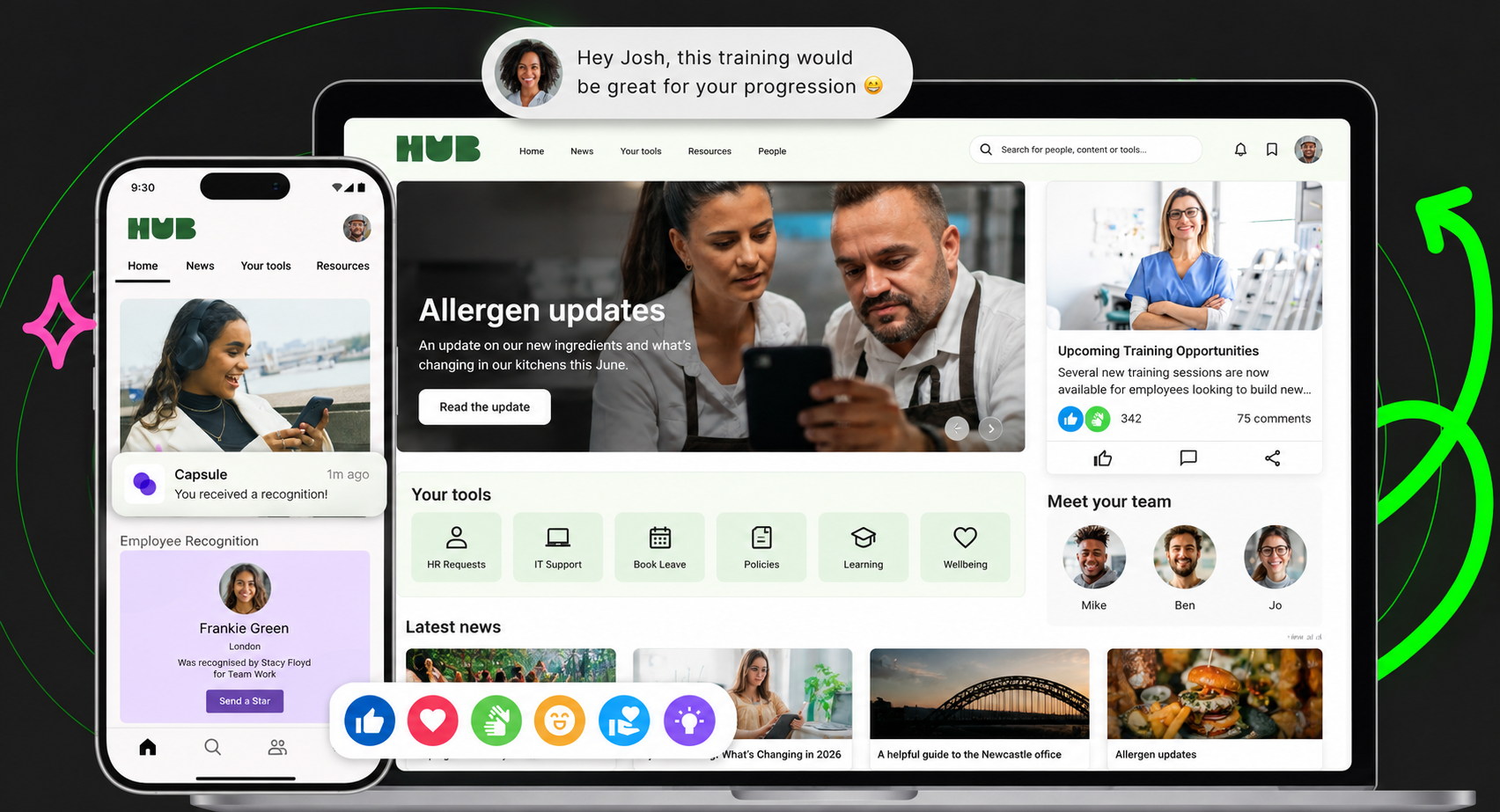
The best intranet platforms for 2026 help organisations improve internal communication, employee engagement, and knowledge sharing. In this guide we compare the top intranet solutions including Oak Engage, Simpplr, Unily, Workvivo, LumApps, and Staffbase. Looking for intranet platforms specifically for large organisations? See our guide to the best enterprise intranet platforms for large organisations.
Why intranet platforms matter for modern organisations Spent another year wrestling with outdated tools and disjointed systems? Messages get missed, updates are scattered and keeping everyone aligned feels like wading through custard. Communication shouldn’t be this hard, especially when your people are depending on clear, timely information to do their best work. It’s messy, slow and ultimately ineffective. Then you hear a rumour, a whisper through the grapevine. Your salvation might actually exist. An intranet. Not the dusty, old-school kind that is basically a filing cabinet with a login, but a modern space that brings social interaction, better engagement and everyday tools together in one place. A business-saving, sanity-restoring solution. Amazing. 2026 is finally going to be the year that internal comms knocks it out of the park. But then reality hits. Where do you even start? You might be convinced, but now you have to bring everyone else along for the ride. Better communication sounds great, but it often takes a little diplomacy to help senior leaders see the full value. To really get the ball rolling, you need answers. What questions are you likely to be asked? What does your organisation actually need? What would make work feel smoother, smarter, and more connected? And perhaps most importantly, what’s actually out there that’s worth your time and investment? What is a modern intranet? First things first, you need to understand what is on offer and how to figure out what you really need. These days intranets aren’t the clunky, inoperable beasts that they used to be (well, most of them). In fact, they’re smarter, sleeker, and far more intuitive. The best ones bring together communication, collaboration, and culture in a single, easy-to-use space that actually feels built for people, not just IT. You want something your employees will love to use. At Oak for example, we pride ourselves on our 84% employee adoption rate. Modern intranets make it simple to share updates, find information fast, celebrate wins, and keep everyone aligned without the usual chaos that comes with any business or organisation. Once you know what’s possible, it becomes a lot easier to spot what’s missing in your own setup and what kind of intranet could actually make work feel effortless again. A modern intranet should bring everything into one clear, accessible hub so your people can spend more time actually working and less time rummaging through folders or hunting for lost emails. With teams now scattered across HQs, frontlines, living rooms, and everywhere in between, having one place that keeps everyone connected isn’t a nice-to-have anymore, it’s essential. For most businesses, keeping people aligned across locations is the real challenge. The right intranet fixes that. It keeps everyone informed, engaged, and part of the conversation, no matter where they log in from. Get it right and your intranet stops being just another system to maintain, it becomes the engine that keeps everything moving smoothly. Investing in the right platform isn’t just about tidier comms; it’s about building a company that runs better, feels closer, and works smarter together. Key advantages of a modern intranet Centralised communication and collaboration Higher employee engagement Secure, compliant information sharing Support for remote and hybrid work model Encourages culture & communities Recommended reading : Making an Intranet Business Case
How we evaluated the 2026 best intranet Choosing the right intranet platform can feel overwhelming, especially with so many solutions promising better communication, engagement, and collaboration. The best intranet platforms are the ones that genuinely improve how organisations communicate, connect desk based and frontline teams, and reduce information overload across the business. For this guide, we evaluated the leading intranet platforms of 2026 using a clear set of criteria focused on usability, employee communication, mobile access, integrations, scalability, and long-term adoption. Our research is based on real-world experience helping organisations improve internal communication, engagement, and operational clarity across distributed workforces. User experienceIf an intranet is difficult to use, employees simply will not adopt it. The best intranet platforms feel intuitive from day one, making it easy for employees to access updates, find information, and stay connected. Mobile accessibilityModern organisations need intranet platforms that work equally well for desk based and frontline employees. Mobile-first intranet access is essential for keeping distributed teams connected wherever work happens. Employee communicationA modern intranet should improve employee communication by reducing noise, centralising updates, and helping employees access the information most relevant to them. Integration capabilitiesThe best intranet software integrates seamlessly with tools like Microsoft 365, Teams, Slack, HR systems, and operational platforms to create a more connected digital workplace. Scalability and governanceAs organisations grow, intranet platforms need to support increasing communication complexity, content management, governance, and operational requirements without becoming difficult to manage. Non negotiables Security and complianceProtecting company information is essential. Leading intranet platforms should provide strong security controls, permissions, and compliance standards. Support and onboardingEven the best intranet software can struggle without proper onboarding and support. Strong implementation guidance and ongoing customer support are critical for long-term adoption and success. Long-term adoptionThe most effective intranet platforms are the ones employees continue using every day. Strong usability, relevant communication, and mobile accessibility all play a major role in sustained engagement.
How much does an intranet cost Common intranet pricing models Model How it works Best fit Per-user subscription Monthly or annual fees charged per employee using the platform Organisations with predictable user numbers and clear growth plans Tiered licensing Pricing based on usage tiers or feature bundles Teams that want to scale features as needs evolve Enterprise licensing Custom pricing negotiated for large organisations or complex requirements Enterprises with thousands of users, strict compliance or advanced integrations Per-module add-ons Core platform pricing plus optional paid features Businesses seeking more flexibility over functionality On-premises licensing One-off software purchase plus ongoing maintenance costs Organisations requiring full data control or restricted network connectivity Most modern intranet platforms use cloud-based subscription models, providing ongoing updates, scalability and lower maintenance overhead. What drives cost up or down? Whether the final price sits at the lower or higher end depends on a few key factors: Number of users Cloud vs. on-premises hosting Integration with existing tools Custom branding and layout needs Content migration requirements Ongoing support and training packages Governance, compliance and security standards Platforms with stronger engagement capabilities, analytics and mobile access may deliver a higher long-term ROI, even if upfront licensing is higher. Remember, considering the cost of an intranet is one thing, but considering the potential losses of not using an intranet is equally as important. Employee disengagement can burn a hole in your wallet faster than many care to admit.
Overview: top 10 best intranets 2026 Battling through fierce competition, Oak Engage consistently meets all the criteria as the definitive contender for the title of best intranet of 2026. Boasting seamless accessibility and connectivity, ideal for deskless workers, it’s proven itself as the one of the strongest modern intranet platforms available today. Nevertheless The class of 2026 brings a wave of platforms redefining what “connected” really means. Some are built for storytelling and social engagement, others for structure, compliance, and data integrity and the best blend both worlds seamlessly. Selecting the right intranet isn’t about chasing trends; it’s about matching technology to the heartbeat of your organisation. Understand what drives your teams, and the right platform won’t just connect them, it’ll empower them. Top contenders Oak Engage Simpplr Unily Workvivo LumApps Staffbase Interact Igloo Haiilo MangoApps Each platform brings its own strengths to internal communication, but the right choice depends on what matters most to your organisation. Think about how each solution supports your goals, your people and the way your teams work together. As you explore the options, you’ll start to see which platforms truly enable better connection, collaboration and clarity across your workforce and which will help you build a more engaged, future-ready digital workplace. 1. Oak Engage – connect your frontline organisation Best for: Desk based and frontline organisations looking to improve employee communication, engagement and operational clarity. Oak Engage is one of the best intranet platforms for 2026, helping organisations create a more connected, informed and engaged workforce. Designed for both desk based and frontline teams, Oak combines employee communication, operational updates and knowledge sharing in one connected platform. Its mobile-first design keeps employees connected wherever they work, while AI-powered targeting helps employees see the information most relevant to them. Oak Engage’s key strengths Oak Engage is built to connect distributed organisations with diverse and distributed workforces. Its mobile-first design ensures that deskless and frontline employees have the same access to company news, updates, and resources as office-based teams. By eliminating communication barriers, Oak helps create a more unified and inclusive and aligned workforce. Personalisation sits at the heart of the platform. Oak’s intelligent targeting tools and AI-powered news feeds deliver the most relevant content to each user, keeping communication clear, engaging, and purposeful – ideal for distributed organisations with desk based and frontline teams. Collaboration tools, social feeds, and recognition features foster a sense of belonging, helping ideas travel quickly and connecting people across teams, departments, and locations. Analytics and reporting provide valuable insight into engagement levels and content performance, enabling organisations to refine communication strategies and strengthen cultural alignment. With security certifications including ISO 27001 and Cyber Essentials Plus, Oak offers reliability and scalability for organisations of all sizes. Seamless integrations with Microsoft 365, Teams, Google Workspace, and more ensure that everything employees need is accessible within one connected digital workspace. Oak Engage also stands out for its industry-leading support, rated 9.5 on G2. From implementation to ongoing optimisation, its dedicated customer success team provides expert guidance to help organisations maximise adoption and impact. Oak helps organisations create clearer, more engaging employee communication across distributed workforces. Social feeds, recognition tools and personalised communication help employees stay informed, connected and aligned without overwhelming them with unnecessary noise. By combining communication, engagement and operational updates in one platform, Oak helps create a more connected employee experience for both desk based and frontline teams. Behind the scenes, Oak combines AI-powered communication tools, workflow automation and analytics to help organisations manage internal communication more effectively at scale. Employees can quickly access company news, policies, operational updates and resources, while integrations with Microsoft 365, Teams and Google Workspace help centralise communication and reduce friction across workplace systems. Summary Setting the industry standard for customer support Oak Engage is not only known for its powerful platform but also for its outstanding customer support. Rated 9.5 on G2 for service and satisfaction, Oak’s support team is recognised as one of the best in the industry. From implementation to everyday use, customers benefit from responsive, knowledgeable experts who genuinely care about their success. With proactive guidance, ongoing training and a people-first approach, Oak ensures every organisation gets the most from its intranet, backed by support that consistently sets the standard across the industry. Best in class Oak stands at the forefront of digital workplace solutions and best in class internal communication. Recognised by the Institute of Internal Communications as 2025’s Best Intranet and ClearBox’s Intranet Choice Winner Oak Engage has truly established itself as a favourite for employee across all industries and is the strongest contender for best intranet 2026. With a suite of intuitive technology at its back, Oak helps businesses communicate smarter and more efficiently, improving productivity, improving retention and reducing turnover. The ROI is measurable, impactful and transformative. “The results speak for themselves. Our industry has a high turnover, so to have 97% monthly engagement and 70% of the workforce onboarded in such a short space of time is a huge success. We can’t wait to see how Oak Engage will continue to help us achieve our employee engagement goals.” Nick Hollis, Head of Engagement, Burger King UK It’s time to transform the way your teams communicate and collaborate. Discover how Oak Engage can help you build a workplace your people truly value. Book a demo and see how Oak makes internal communication for your organisation effortless. Essential features Mobile-first designKeeps deskless and remote employees connected through a fully featured mobile app, ensuring equal access to communication and company culture. Personalised news and targetingDelivers tailored content and updates based on roles, interests, or locations to cut through information overload and improve relevance. Collaboration and social engagement toolsEncourages connection and teamwork with interactive feeds, recognition features, and spaces for idea sharing and feedback. Analytics and insightsProvides real-time reporting on content performance and employee engagement to support data-driven communication improvements. Security and integrationsBacked by ISO 27001 and Cyber Essentials Plus certification, Oak integrates seamlessly with Microsoft 365, Teams, and Google Workspace for a secure and unified experience. Customer success and supportProactive, people-first assistance from Oak’s award-winning support team ensures smooth onboarding and long-term platform success. Summary In summary, Oak Engage delivers a world beating, next-generation intranet experience designed to connect every employee, from the frontline to the head office. Its focus on personalisation, connection, and collaboration makes it an ideal choice for organisations looking to strengthen engagement and culture across hybrid and deskless workforces. 2. Simpplr – streamlined employee experience Simpplr focuses on creating a straightforward intranet experience designed to simplify communication and support employee engagement. The platform centres around ease of use, combining essential features with a clean, user-friendly design aimed at reducing friction in day-to-day work. Simpplr’s key strengths Simpplr’s interface is designed with simplicity in mind, making it accessible to a wide range of users. Its layout allows employees to navigate with confidence, which can encourage higher adoption and improve overall usability. Personalisation is another core aspect of the platform. Employees can tailor their dashboards to see the content and tools most relevant to their roles. This focus on individual experience helps teams access the information they need without unnecessary complexity. Simpplr also includes social and collaborative tools that enable employees to share updates, communicate and work together on projects. These features support internal connection and alignment, which can be particularly beneficial for distributed teams. Essential features User-friendly designA minimalist interface designed to promote accessibility and ease of navigation for all users. Customisable dashboardsFlexible layout options allow employees to personalise their experience and quickly access frequently used tools and resources. Summary In summary, Simpplr provides a clear and accessible approach to internal communication. It suits organisations looking for a simple, structured intranet solution that focuses on usability and personalisation rather than extensive customisation or complex functionality. 3. Unily – complex governance Unily is positioned as an intranet platform designed for large organisations that require a high level of configuration and control. It focuses on scalability and flexibility, offering options for businesses that prefer to tailor their digital workplace to specific structures or regions. Unily’s key strengths Unily’s approach centres on advanced customisation. The platform allows extensive branding and layout changes, giving organisations the ability to design an environment that aligns with their structure and identity. This can be valuable for businesses with multiple divisions or international teams that need a consistent framework. Analytics and reporting are another key component. Unily includes tools for tracking engagement and content performance, helping administrators monitor usage and make adjustments as needed. The platform integrates with a range of applications, supporting workflow continuity across existing systems. Its mobile experience reflects the desktop version, maintaining access for employees across devices and locations. Essential features Advanced customisationProvides flexibility in layout and branding to accommodate complex organisational requirements. Analytics and reportingDelivers insight into user activity and engagement to support platform management and optimisation. System integrationConnects with common business tools to maintain operational consistency across departments. While Unily’s level of flexibility may appeal to larger organisations, the complexity of setup and management may be less suitable for smaller teams or those seeking a straightforward, ready-to-use intranet solution. Summary In summary, Unily offers a comprehensive and configurable intranet designed primarily for complex governance. It provides strong capabilities for customisation and integration, though its depth and complexity may be best suited to organisations with the resources to manage and maintain a more intricate platform. 4. Workvivo – social intranet for connected teams Workvivo takes a social approach to internal communication, blending familiar social media-style interactions with workplace functionality. The platform focuses on helping organisations strengthen connection and engagement across their teams. Workvivo’s key strengths Workvivo places community and visibility at the centre of its experience. Employees can post updates, recognise colleagues and share feedback, creating a space for open interaction. These features are designed to make communication feel more natural and engaging day to day. The platform also supports company-wide announcements, allowing leaders to share important updates quickly and consistently. For organisations seeking to make communication more open and inclusive, this functionality can help promote transparency and alignment. Essential features Social networking functionalityFamiliar tools designed to encourage interaction and connection among employees. Engagement metricsReporting tools provide insight into participation and activity levels to help measure engagement over time. Personalised news feedsCurated updates tailored to individual users, helping employees focus on relevant information. Workvivo’s mobile app mirrors the desktop version, giving employees consistent access to content and communication wherever they work. Summary In summary, Workvivo delivers a social-style intranet experience aimed at enhancing visibility and communication across the organisation. It may be best suited to companies looking to create a more interactive and community-driven internal environment. 5. LumApps – Google Workspace integration LumApps has a strong integration-first approach, building its intranet experience around Google Workspace. The platform is primarily designed for organisations that already depend on Google’s suite of tools, offering a familiar and connected environment for communication and collaboration. LumApps’ key strengths The platform’s integration with Google Drive, Docs, and Calendar allows employees to access and collaborate on documents directly within the intranet. This setup helps reduce the need to switch between multiple applications and supports more efficient workflows for teams already embedded in the Google ecosystem. Beyond integration, LumApps provides features to support community engagement and knowledge sharing. Customisable dashboards and community hubs enable organisations to centralise information, share updates and improve internal visibility. These tools can help foster collaboration and make company-wide communication more consistent. LumApps also places emphasis on personalisation, allowing content to be tailored to roles, teams or locations. Its multilingual capabilities make it practical for global organisations that need to communicate effectively across regions and languages. Essential features Google Workspace integrationDirect access to tools such as Drive, Docs and Calendar within the intranet, helping streamline workflows for Google-based teams. Customisable dashboardsFlexible layouts that can be adapted for teams or departments to keep key information easy to access. Community hubs and personalisationSpaces designed to share updates, build engagement and deliver relevant content to specific audiences. LumApps combines integration with basic collaboration tools to create a central communication point for Google-focused organisations. However, its functionality may feel most natural to companies already invested in Google Workspace, rather than those seeking a broader or more standalone intranet solution. Summary In summary, LumApps offers an intranet experience built around the Google Workspace ecosystem. It provides an effective option for organisations that rely on Google tools and want a central platform to simplify communication, collaboration and information sharing within that environment. 6. Staffbase – Mobile-first internal communication Staffbase is built around a mobile-first approach to internal communication, designed for organisations with distributed or deskless workforces. The platform’s primary goal is to keep employees connected and informed, regardless of their location or role. Staffbase’s key strengths The core of Staffbase lies in its dedicated mobile app, which delivers real-time updates and notifications to on-the-go employees. This approach can be particularly useful for field workers, retail staff and other remote teams who need immediate access to news, policies or announcements. The platform provides a consistent user experience across devices, ensuring that communication feels familiar whether accessed via desktop or mobile. Its design aims to simplify how employees consume information, helping organisations maintain alignment across varied work environments. Staffbase also supports rich media formats such as video, imagery and audio, enabling more engaging communication. Security features, including encryption and compliance controls, are built in to safeguard information and support complex standards. Essential features Mobile-first designBuilt to ensure connectivity for deskless and remote employees, with instant updates available through its mobile app. Consistent user experienceA unified design across desktop and mobile that simplifies navigation and ensures reliable communication at every level. Rich media supportEnables content delivery through multiple formats, helping organisations engage employees through visual and interactive storytelling. Staffbase’s focus on mobile accessibility makes it a suitable option for organisations with large, dispersed teams that depend on timely, location-agnostic communication. However, its mobile-first structure may feel more specialised compared to platforms designed for deeper intranet functionality. Summary In summary, Staffbase delivers a communication platform centred on mobile access and ease of use. It is best suited to organisations that prioritise instant connectivity and consistent communication for on-the-go employees, providing a practical solution for keeping dispersed teams informed and engaged. 7. Interact – AI-powered knowledge sharing Interact focuses on using artificial intelligence to support knowledge management and improve how information is shared within organisations. The platform is designed to help employees find relevant content quickly, aiming to reduce duplication and remove communication silos—particularly in larger, information-heavy businesses. Interact’s key strengths The platform’s core capability lies in its AI-driven recommendations. By analysing user behaviour and content patterns, Interact automatically suggests relevant documents, updates and resources. This automation is intended to save time and make knowledge more accessible across teams and departments. Personalisation plays a central role in the user experience. Employees are shown content aligned with their role, department or interests, which can make internal communication feel more targeted and efficient. This approach supports the development of a more connected and informed workforce. Analytics and reporting provide visibility into how content performs and how employees engage with it. These insights help communication teams refine strategy, identify gaps and continuously improve how information flows through the business. Essential features AI-driven knowledge managementUses machine learning to recommend documents, news and resources that are most relevant to each user. Customisation and flexibilityAllows the creation of intuitive knowledge hubs that support both departmental and cross-functional collaboration. Analytics and reportingTracks engagement levels and content effectiveness, helping organisations understand and improve communication impact. Interact’s focus on AI and intelligent content delivery is suited to organisations looking to improve knowledge discoverability and reduce information overload. While its automated approach can enhance efficiency, it may feel more complex for smaller teams with simpler communication needs. Summary In summary, Interact provides an intranet solution built around intelligent knowledge management. Its use of AI and analytics helps organisations make better use of existing information and create a more connected, insight-driven workplace. 8. Powell – Microsoft 365 intranet experience Powell is a Microsoft 365-focused intranet platform designed to improve employee communication, knowledge sharing, and digital workplace usability within the Microsoft ecosystem. The platform builds on SharePoint and Microsoft Teams to create a more structured and user-friendly intranet experience for organisations already invested in Microsoft technologies. Powell’s key strengths Powell’s strongest differentiator is its deep Microsoft 365 integration. The platform enhances the usability of SharePoint and Teams by providing more structured communication, improved navigation, and a more consistent employee experience across Microsoft environments. The platform also supports governance and content management through templated structures, permissions, and centralised administration tools. This can help organisations improve consistency across departments and reduce intranet sprawl as communication environments grow more complex. Powell includes personalisation and targeting capabilities, allowing organisations to deliver more relevant communication to employees based on role, location, or department. Mobile accessibility helps employees stay connected across both office-based and distributed environments. Essential features Microsoft 365 integrationBuilt specifically for organisations using Microsoft 365, SharePoint, and Teams as core workplace tools. Structured governance and templatesSupports more consistent communication and intranet management across departments and business units. Personalised communicationDelivers targeted content and updates based on employee role, location, or organisational structure. Powell is particularly suited to organisations wanting to improve the usability and structure of Microsoft-based intranet environments without fully replacing their existing Microsoft ecosystem. Summary In summary, Powell is best suited to Microsoft-centric organisations looking to create a more structured and user-friendly intranet experience on top of SharePoint and Teams. Its focus on governance, consistency, and Microsoft integration makes it a strong option for organisations already operating heavily within the Microsoft ecosystem. 9. Haiilo – Employee engagement focus Haiilo centres its intranet offering around employee engagement and community building. The platform combines communication, recognition and collaboration tools in an effort to create a more connected and participatory work environment. Haiilo’s key strengths A defining aspect of Haiilo is its focus on fostering a community-like culture. The platform is designed to encourage interaction, recognition and open dialogue between employees, which can contribute to stronger morale and a greater sense of belonging. Haiilo also allows organisations to shape an environment that reflects their values and culture. Through content personalisation, news feeds and role-based visibility, employees can access updates and resources relevant to them, helping align teams with broader business goals. The platform supports multiple communication formats, from messaging and forums to recognition posts, giving organisations flexibility in how they connect with employees. Mobile accessibility extends this connection to remote or multi-site teams, ensuring everyone can stay informed and involved regardless of location. Analytics and reporting tools provide insight into engagement levels and content performance, helping organisations measure communication effectiveness and make informed improvements over time. Essential features Community building toolsEncourages participation and recognition through forums, messages and appreciation features. Personalisation and accessibilityDelivers tailored content to users based on role and interest, with full mobile functionality for employees on the go. Analytics and insightsTracks engagement and usage data to help refine communication strategies and improve impact. Haiilo’s emphasis on engagement and inclusion makes it suitable for organisations that want to strengthen community and feedback within their workforce. However, its focus on social-style communication may feel less aligned for businesses seeking a broader, all-in-one digital workplace solution. Summary In summary, Haiilo provides an intranet experience centred on participation and connection. Its tools are designed to help organisations build a sense of community, recognise achievement and maintain engagement across diverse and distributed teams. 10. MangoApps – All-in-one collaboration suite MangoApps delivers an all-in-one platform designed to centralise communication and collaboration. It combines multiple workplace tools in a single environment, aiming to simplify how teams share information, manage projects and stay connected. MangoApps’ key strengths One of MangoApps’ main differentiators is the breadth of functionality it offers within one platform. Core features include project and task management, document sharing, social networking tools and internal communication capabilities. This consolidated approach can reduce reliance on separate systems and streamline how employees access key resources. Flexibility and integration are central to the platform’s design. MangoApps connects with a variety of systems, allowing organisations to create a consistent experience across tools and departments. This helps reduce context switching and maintain productivity. The platform also provides options for layout and branding customisation, supporting consistency with organisational identity. Mobile access is built in, enabling employees to view updates and collaborate wherever they are, which can be especially beneficial for dispersed or hybrid teams. Analytics functionality gives visibility into usage and engagement patterns, allowing leaders to monitor adoption and make data-driven improvements. Essential features Comprehensive toolsetCombines communication, project management, document sharing and social collaboration features in a unified dashboard. Integration and flexibilitySupports compatibility with a range of software applications to maintain consistent workflows. Customisable design and mobile accessProvides user-friendly interfaces that can reflect company branding and are accessible across devices for remote or on-site teams. MangoApps’ broad feature set makes it suitable for organisations looking to consolidate multiple communication and collaboration functions into one tool. However, its scope may feel extensive for businesses that prefer a more focused or specialised intranet solution. Summary In summary, MangoApps offers a consolidated collaboration suite that brings communication, content sharing and project management into a single platform. Its adaptability and integration options make it a practical choice for organisations aiming to unify digital tools and streamline workplace communication.
Intranet evaluation checklist Use this checklist to assess whether an intranet platform meets the needs of your organisation: Category 🤔 Look for 👀 Why It matters 🤷 Ease of use Intuitive navigation, minimal training required Drives adoption and engagement from day one Mobile experience Full functionality on mobile devices Supports remote and frontline workers effectively Search & content discovery Fast, accurate search, personalised content surfacing Saves time and ensures employees find what they need Employee engagement tools Social features, recognition, feedback channels Builds connection, morale and two-way communication Customisation & branding Flexible layouts and company-aligned design Reinforces culture and consistency across the business Integration capabilities Compatibility with Microsoft 365, Slack, HRIS etc. Avoids fragmented workflows and tool overload Analytics & Reporting Clear insights into content performance and usage Enables data-driven improvement and ROI measurement Security & Compliance Certifications, access controls, governance policies Protects sensitive data and meets industry standards Scalability Ability to grow with organisational needs Prevents platform limits as headcount and sites expand Content management Simple creation, targeting and scheduling tools Reduces admin time and improves content relevance Support & onboarding Dedicated success team, training resources Ensures smooth launch and long-term platform success Frontline Enablement Offline access, mobile-first workflows Connects employees who are typically harder to reach User feedback & personalisation Tailored experiences and space for employee input Improves relevance and ongoing engagement
Trade-offs & considerations: How to choose the right intranet for your business Selecting the best intranet platform involves analysing specific organisational needs. It’s essential to weigh the various trade-offs each platform presents. Consider ease of use versus customisation. Some platforms offer simple interfaces but limited customisation, while others may offer more flexibility at the cost of complexity. Either way, it’s important to figure out what’s important for you and your stakeholders down the line. Recommended reading: 7 Steps to Buying an Intranet Key Considerations Include: Integration Needs: Ensure the intranet integrates seamlessly with existing tools User Support: Check the level of customer support and training provided. Cost: Evaluate the platform’s pricing structure for scalability and features. Another critical factor is scalability. As your business grows, your intranet should expand without significant overhauls or disruptions. It’s also crucial to involve key stakeholders in the decision process. This inclusive approach helps align the platform’s features with the organisation’s strategic goals. Lastly, consider the platform’s ability to foster engagement. Features promoting collaboration and communication are vital for boosting employee morale and productivity. Each organisation has unique requirements, making it important to balance technical capabilities with user experience in the selection process.
Implementation, adoption, and ROI: making your intranet a success Implementing a new intranet platform requires meticulous planning and execution. Start by clearly defining your goals and aligning them with the platform’s capabilities. Successful adoption involves engaging employees from the outset. Involve them through feedback sessions and ensure they understand the intranet’s benefits. Recommended reading📖 : How to get started with your intranet Key Strategies for successful implementation: Training: Provide comprehensive training sessions for all users. Communication: Keep users informed of new features and updates. Feedback Channels: Establish channels for ongoing user feedback and improvements. Measuring the return on investment (ROI) is crucial for justifying the expense of an intranet platform. Track engagement metrics, productivity enhancements, reduced communication silos and understand how much money you’re saving. This data helps assess how the platform contributes to overall business goals. Adopting an intranet is not a one-time event; it’s a continuous journey. Regular updates based on user feedback keep the platform relevant and valuable. This commitment ensures the intranet evolves with the organisation’s changing needs. Ultimately, a well-planned implementation with a focus on user adoption leads to realising the full potential of your intranet investment.
Conclusion: why Oak Engage Is the best intranet platform Well for starters, we’ve actually been voted the best intranet by the Institute of Internal Communications (IoiC) and Clearbox. And it’s not just the technology that gets the recognition. Our customers consistently rate our support as world-class, with top reviews on G2 showing that we care just as much about people as we do about product. Choosing the right intranet matters. It’s the difference between a workforce that’s simply informed and one that’s truly connected. Oak brings together powerful functionality with intuitive design and industry-leading support to help organisations communicate better, work smarter and stay aligned, no matter where their people are. As a trusted and award-winning digital workplace platform, Oak helps businesses boost engagement, streamline communication and strengthen culture from the ground up. Seamless integrations keep your favourite tools connected. Advanced analytics reveal what’s landing and where teams are most engaged. And with mobile access built in, everyone stays informed and inspired wherever work happens. Innovation sits at the heart of Oak. We are constantly improving, expanding and anticipating what organisations need next, whether that is smarter automation, deeper insights or more ways to bring people together. Choosing Oak is not just about solving today’s challenges, it is about investing in a platform that grows with you, supporting connection and success every step of the way.