

Blog
Last updated:
October 13, 2026
20
min read

What is a frontline employee workplace hub?
A frontline employee workplace hub is a mobile app that gives non-desk workers a proper starting point for their shift. It connects retail, healthcare, manufacturing, and hospitality teams to company news, shift rotas, SOPs, and HR tools on their personal phones (or preferred device like a tablet or laptop) no corporate email or desk computer required.
The goal is simple: stop making people hunt through paper noticeboards, group chats, email chains, and shared drives just to do their jobs. A good hub doesn't force you to bin your existing tools either, it integrates your workforce's most used tools all together so your team only has to use one app. Take Glory Global, for example:
“The mobile app makes the intranet quick and easy to use. I can follow the latest news on the global business and new projects straight from my phone, just like a regular news app. It really helps me stay up to date. Compared to the old intranet, everything is faster and much simpler to access. Using the intranet mobile app fits perfectly with how we work today and genuinely saves me time.”
Angelo Maiorano, Field Service Engineer, Switzerland
As a result of their mobile app connecting both frontline, field based and desk based workers they've sustained 91% quarterly engagement and have reconnected 60% of the workforce by upgrading their employee workplace hub.
If you're struggling with frontline adoption and trying to connect your frontline employees, desk based staff and improve your digital employee experience, we can help. By bringing internal comms, key documents, software access, and automated workflows into one central intranet built for everyone, wherever they work.
Best frontline employee workplace hubs at a glance
| Platform | Best For | Key Strengths | Access Model |
|---|---|---|---|
| Oak Engage | Connecting frontline & desk-based workforces | Mobile intranet, AI search, personalized engagement, App Launcher | App / Mobile / Desktop / SSO |
| Microsoft Teams (Frontline) | Enterprise communication & Microsoft 365 setups | Shifts, Walkie-Talkie feature, task assignment, Viva Engage | App / Mobile / Desktop |
| goHappy | Low-friction & app-free communication | SMS links, QR codes, no app/login required, updates & broadcasts | App-free / Text / QR |
| Quinyx Employee Hub | Frontline operations & workforce management | Roster scheduling, task checklists, compliance forms, messaging | App / Mobile |
| Workday | HR & workforce-led enterprise environments | Self-service scheduling, pay access, automated hiring, HRIS integration | App / Web |
| LumApps | Enterprise frontline employee experiences | Mobile employee hub, AI search, Beekeeper operational tools | App / Web |
| WorkJam | Large workforces requiring workforce orchestration | Task management, scheduling, microlearning, shift swapping | App / Mobile |
| YOOBIC | Frontline operations, learning & execution | Microlearning, store execution checklists, team communication | App / Mobile |
| Flip | Staff without corporate email | AI workflows, HR self-service, news feeds, secure messaging | App / Mobile |
| Connecteam | All-in-one frontline operations | Shift scheduling, forms, task management, team chat | App / Mobile |
| MangoApps | Configurable employee super-apps | Workplace tools, centralized knowledge, communication, scheduling | App / Mobile / Web |
| Blink | Deskless team connection & peer recognition | Mobile-first workspace, shift rosters, peer recognition, policies | App / Mobile |
Core features of modern frontline workforce software
A modern frontline employee workplace hub replaces outdated breakroom noticeboards, paper forms, and chaotic group chats with one clean digital experience built specifically for non-desk teams.
- Mobile-first access: Lets hourly staff log in with a mobile app on personal or work phones using SMS links, QR codes, or light credentials, completely bypassing the need for corporate email.
- Rota planning: Gives shift workers immediate visibility into digital rotas, shift swaps, checklists, and standard operating procedures (SOPs).
- Two-way communication & targeted messaging: Replaces paper processes with targeted push notifications, personalised news, built in instant messenger and feedback tools.
- Powerful AI search: Answers policy, benefit, and operational questions instantly with secure, smart AI algorithms that are built on the data you give it permission to access.
- HR integrations: Bring your employees most used HR tools and apps such as pay information, IT support, benefits and rewards, training resources, holiday requests, onboarding, and compliance training into one app to make work admin seamless and simple.
- Tasks forms and workflows: Frontline employees often interact with repeatable processes during every shift.These could include:
- Safety checks
- Equipment requests
- Incident reports
- Opening and closing processes
- Policy acknowledgements
- HR requests
- Approvals
- Feedback forms
- Analytics: Adoption matters. Organisations should be able to understand whether employees are using the hub and whether communication is reaching the intended audience. Capabilities such as intranet analytics can help teams understand communication reach, content engagement and adoption patterns.
Why mobile access matters for frontline employees
Mobile access is one of the clearest differences between a traditional workplace intranet and a true frontline hub.
Frontline employees may spend their working day:
- On a shop floor
- In a warehouse
- At a construction site
- Travelling between customers
- Caring for patients
- Working in a restaurant
- Operating machinery
- Moving between locations
Technology has to work within that environment. Employees should be able to open the hub, identify what matters and take action without navigating an experience built primarily for somebody sitting at a desktop computer.
A strong mobile experience can also support frontline employee engagement by giving employees more consistent access to company information, colleagues and workplace resources. Hays Travel explained how their frontline employee hub has made all the difference:
“If we look at the Hub now versus what it was, it is absolutely night and day. It is nothing short of revolutionary for the business. Being able to cut through the noise for our retail branch teams has transformed their morning routines, making them better informed and more productive.”
Michael Smiles, Technology Change Manager at Hays Travel
Read the full Hays Travel customer story here.
How we compared frontline employee workplace hubs
We evaluated the platforms in this guide against what matters most to deskless and shift-based teams, from accessing essential information on a mobile phone to completing daily tasks and staying connected with the wider organisation.
Our assessment considered five key areas.
1. Mobile accessibility and ease of adoption
Frontline employees shouldn't need a corporate laptop or desktop to access the information they need. We considered mobile-first design, ease of login, access for employees without corporate email addresses and the simplicity of getting started.
2. Day-to-day operations
We examined how each platform supports shift rotas, task lists, digital forms, workflows, time tracking and HR self-service. We also considered whether these functions are native capabilities or depend on integrations with other systems.
3. Communication, knowledge and employee engagement
We looked at internal news, targeted communications, search, knowledge management, training, feedback and employee recognition. The aim was to understand how effectively each platform connects frontline employees with colleagues, managers and head office.
4. Enterprise capability and integrations
We considered integrations with HR, payroll, scheduling and collaboration systems, alongside the ability to support different sites, departments, languages and employee groups as an organisation grows.
5. Independent reviews and external recognition
We used G2 customer ratings and review volumes as supporting indicators of user experience, alongside relevant G2 Grid® Leader recognition where verified. We also considered ClearBox Consulting's published intranet evaluations where relevant.
G2 ratings represent customer feedback and are not specific to every feature or deployment. Review counts vary, and some profiles cover a wider product suite. ClearBox's evaluations provide a separate perspective on intranet capabilities; inclusion in an assessment or an award is not the same as formal certification.
We have not created an overall ranking based solely on these scores. Instead, we matched each platform to its strongest use case, because the best solution for a retailer managing complex shifts may be very different from the best hub for a manufacturer connecting factory-floor staff with head office.
The 12 best frontline employee workplace hubs in 2026
1. Oak Engage
Best for: Connecting frontline and desk-based employees through one central workplace hub.
G2 customer rating: 4.5/5 from 61 reviews.
ClearBox evaluation: Recognised as a leading product in ClearBox's 2026 report.
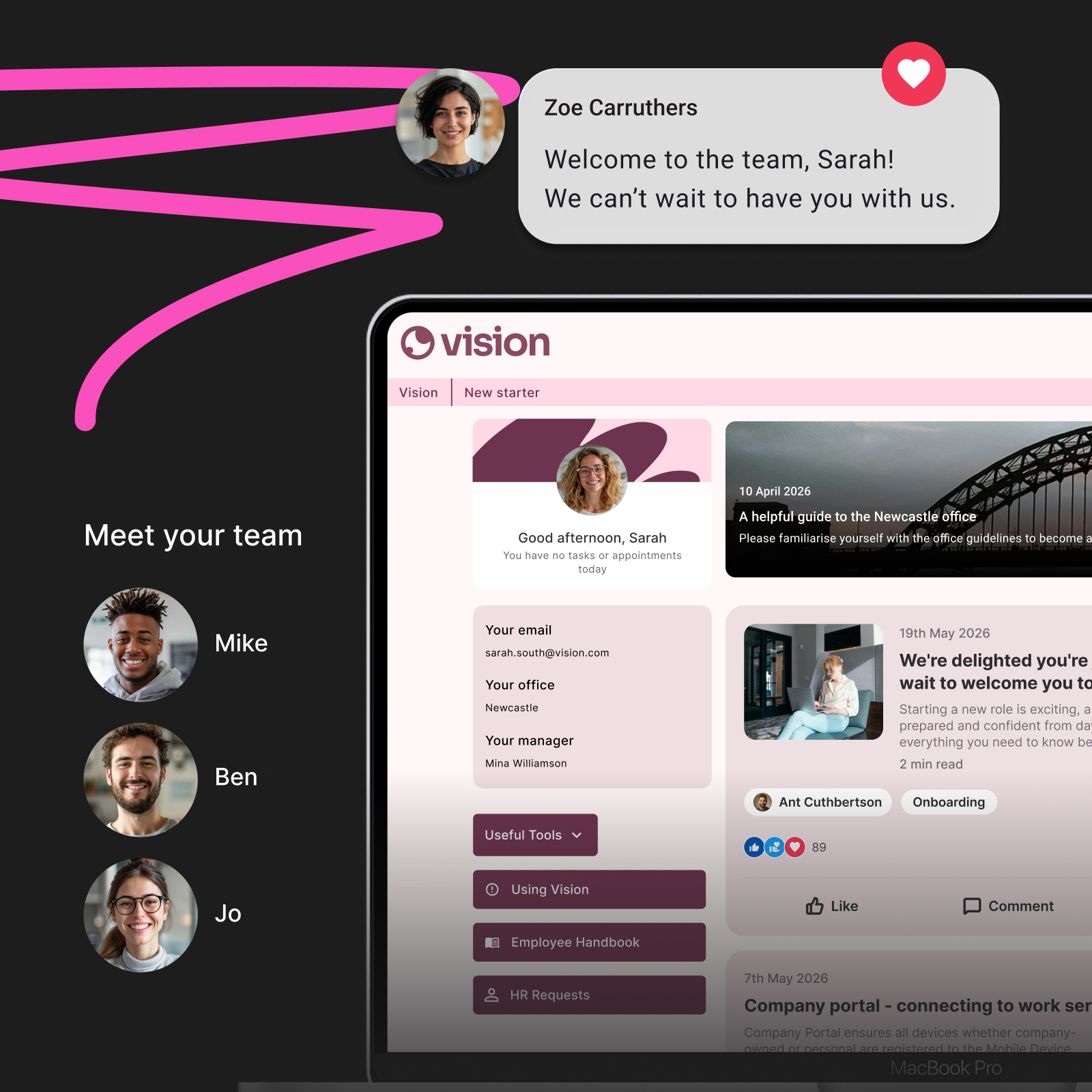
Oak Engage is a mobile-first intranet and employee engagement platform built to bring news, tools, and services into a single experience. Instead of pushing frontline teams into a separate silo, Oak connects deskless and office staff in the same digital space while personalizing company content based on role, site, or department.
- Pros:
- Connects office and deskless workers within a single, unified digital workplace.
- Oak's App Launcher can be personalised to each employee so they can have their most used apps front and centre and acts as a single gateway to third-party scheduling, HR, feedback and payroll tools using SSO, meaning all important tools are just one click away.
- AI-powered search helps employees find relevant policies and information.
- Targeted communications reduce irrelevant updates for different sites and roles.
- Cons / considerations:
- Oak focuses on employee experience and internal communication rather than roster generation. However for complex shift scheduling and workforce management, Oak has two official technology partners ELMO and Rotageek who specialise in HR workforce management and shift management.
2. Microsoft Teams (Frontline Solutions)
Best for: Enterprises looking to use their existing Microsoft 365 setup for frontline teams.
G2 customer rating: 4.4/5 from more than 19,000 reviews.
Microsoft Teams offers targeted features for hourly and operational staff. By adapting its mobile experience, Teams brings together shift planning, task assignments, and social updates via Viva Engage.
- Pros:
- Uses your existing Microsoft 365 licensing and security model.
- Includes a built-in Shifts app and a digital Walkie-Talkie feature.
- Connects directly with Microsoft Viva Engage and Power Apps.
- Cons / considerations:
- The interface and feature set can feel complex for employees who rarely use desktop collaboration software.
- Frontline licensing, permissions and administration require careful planning.
- The overall G2 score reflects Microsoft Teams broadly, not specifically its frontline features.
Best of both worlds: Oak Engage inside Microsoft Teams
If your organisation already uses Microsoft Teams, you don't have to choose between Teams and a dedicated employee intranet. Oak integrates directly into Microsoft Teams, giving your workers full access to their Oak intranet without ever leaving the Teams app.
- One single home for work: Employees get Oak's personalised news, smart AI search, and document hubs natively inside their existing Teams sidebar.
- Higher engagement, less app fatigue: Staff get the operational tools of Teams (like Walkie-Talkie and Shifts) alongside Oak’s targeted internal comms, saving them from toggling between different platforms.
- Simpler IT rollouts: Frontline teams log into Teams as normal and instantly gain access to Oak through single sign-on (SSO).
Learn more about Oak and Microsoft Teams.

3. Quinyx Employee Hub
Best for: Frontline operations, workforce management, and scheduling.
G2 customer rating: 4.3/5 from 535 reviews for Quinyx overall.
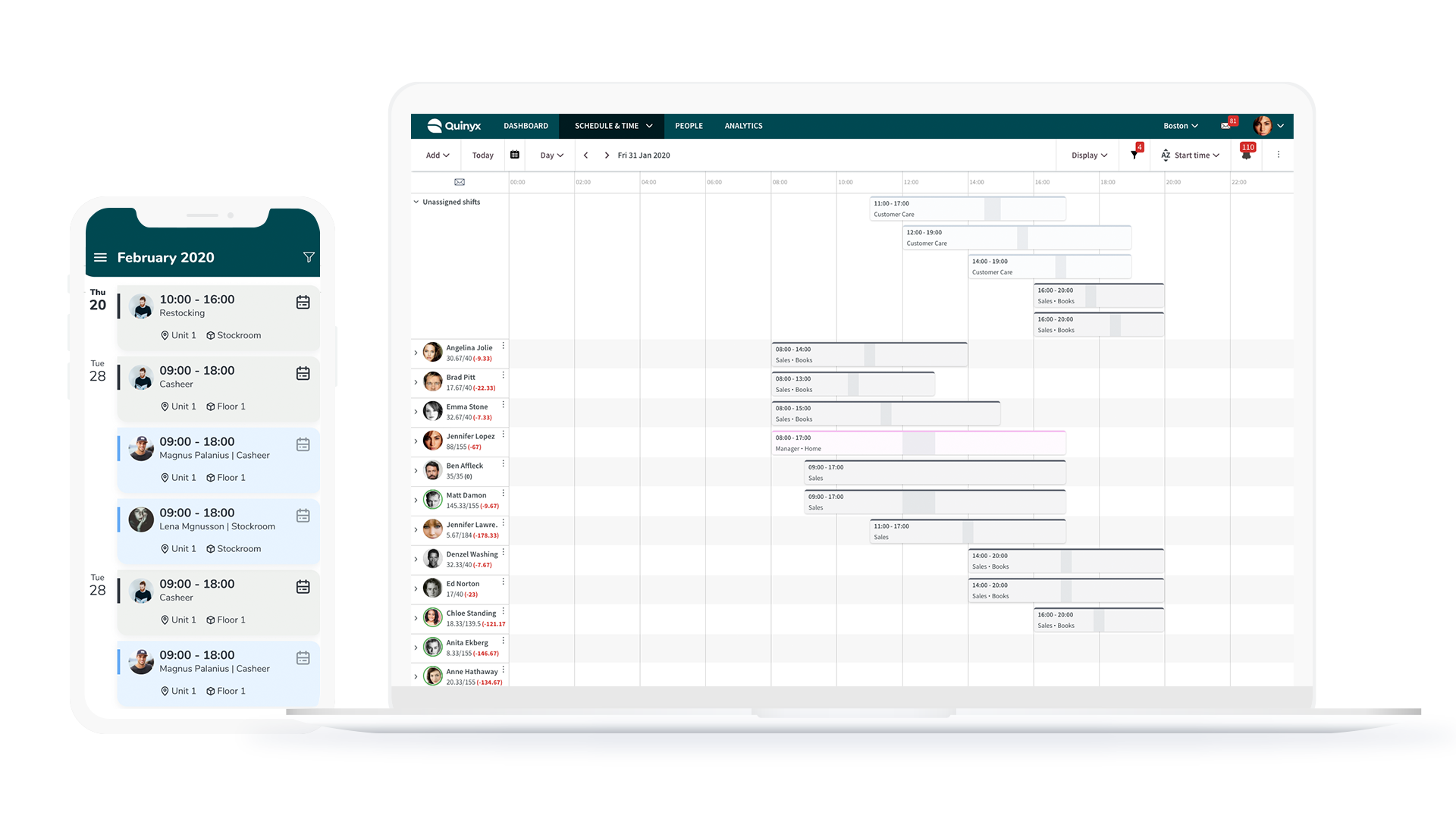
Quinyx Employee Hub sits inside the broader Quinyx frontline workforce software suite, bringing task management, chat, and rotas into one mobile app. It targets fast-paced environments like retail and hospitality where scheduling and compliance forms drive daily work.
- Pros:
- Deep integration between shift scheduling, time tracking, and communication.
- Automated task management and digital compliance checklists.
- Strong AI labor forecasting and roster optimization features.
- Cons / considerations:
- Built around shift management, making it less ideal if your main goal is an enterprise-wide intranet or culture hub.
4. goHappy
Best for: App-free access without requiring corporate email or app downloads.
G2 customer rating: 5/5 from 34 reviews.
goHappy drops the app store requirement entirely by sending updates and links straight to workers' phones via SMS or QR codes. This approach eliminates app downloads, forgotten passwords, and email dependencies.
- Pros:
- Requires zero app downloads or traditional intranet logins.
- Delivers high reach and open rates across non-desk teams.
- Links straight to existing HR, benefit, and scheduling portals.
- Cons / considerations:
- Lacks a full social feed, document editing capabilities, or structured chat channels.
5. LumApps
Best for: Enterprise-grade frontline and deskless employee experiences.
G2 customer rating: 4.4/5 from 165 reviews.
LumApps combines enterprise intranet functionality with frontline tools. Following its Beekeeper integration, it delivers a mobile hub with news, digital forms, schedules, and AI search.
- Pros:
- Strong enterprise intranet and content management features.
- Combines corporate communications with Beekeeper’s operational tools.
- Excellent multilingual support and automated translation.
- Cons / considerations:
- Higher setup complexity and price point; can be overkill for smaller setups.
6. Workday Frontline Workforce Solutions
Best for: Organizations centered around HR, payroll, and workforce planning.
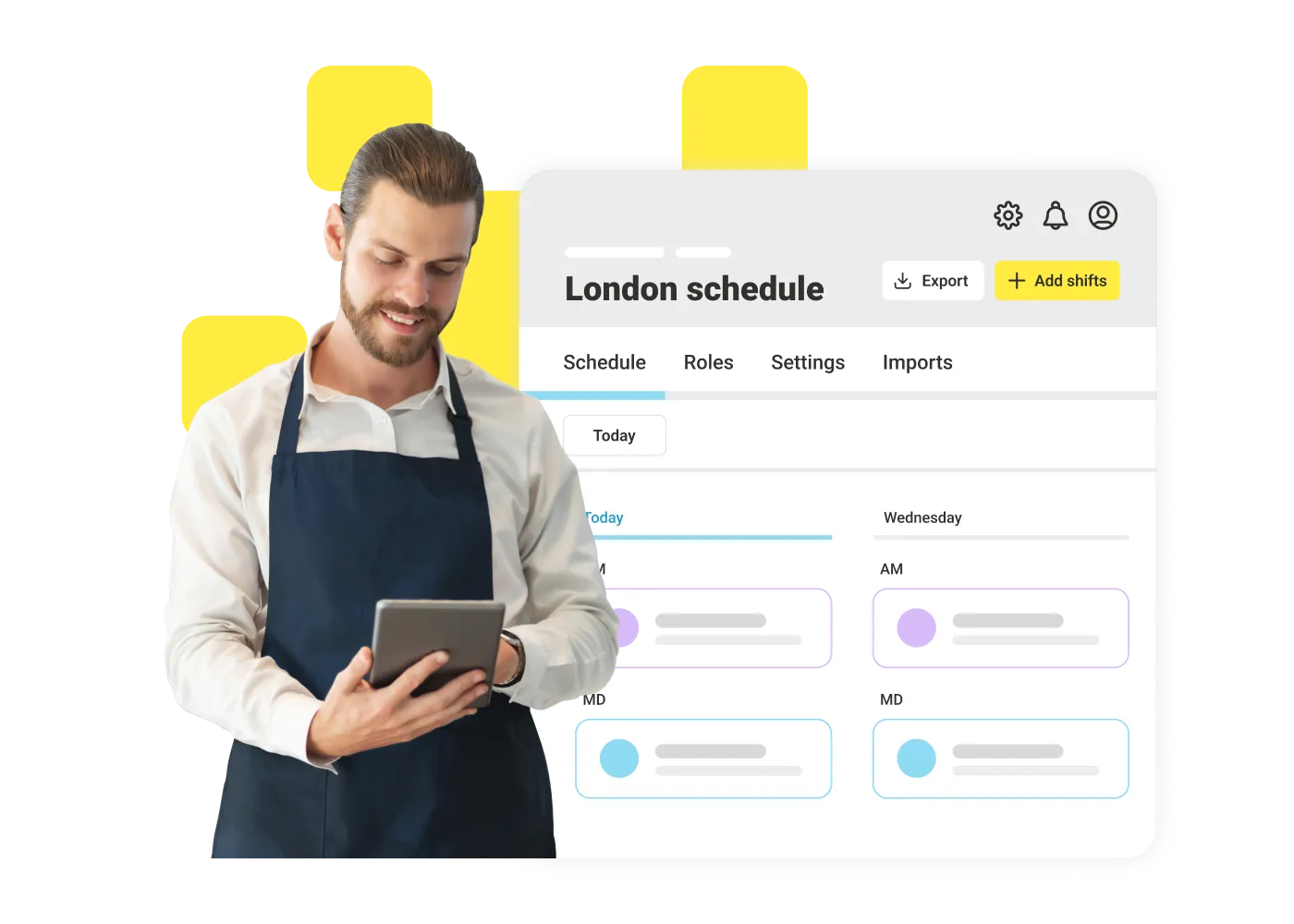
Workday delivers frontline tools directly inside its enterprise HR platform. Rather than focusing on daily newsfeeds, Workday emphasizes self-service tasks like shift scheduling, pay tracking, time entries, and hiring workflows.
- Pros:
- Direct access to payroll, benefits, and HR tools.
- Uses a single system of record for employee data and schedules.
- Clear pay visibility and simple shift-swapping features.
- Cons / considerations:
- Prioritizes transactional HR tasks over social engagement or rich internal communications.
7. WorkJam
Best for: Large frontline workforces requiring complex workforce orchestration.
G2 customer rating: 4.5/5 from 60 reviews.
WorkJam coordinates scheduling, task execution, chat, and learning in a single mobile application. It helps enterprise operations manage complex shift workflows across large deskless teams.
- Pros:
- Advanced management for schedules, tasks, and training.
- Strong task auditing, shift claiming, and compliance tracking.
- Consolidates multiple operational tools into one mobile interface.
- Cons / considerations:
- Demands significant initial setup and change management to configure.
8. YOOBIC
Best for: Operational execution, site audits, and mobile microlearning.
G2 customer rating: 4.6/5 from 409 reviews. G2 Grid® Leader recognition is also listed on its profile.
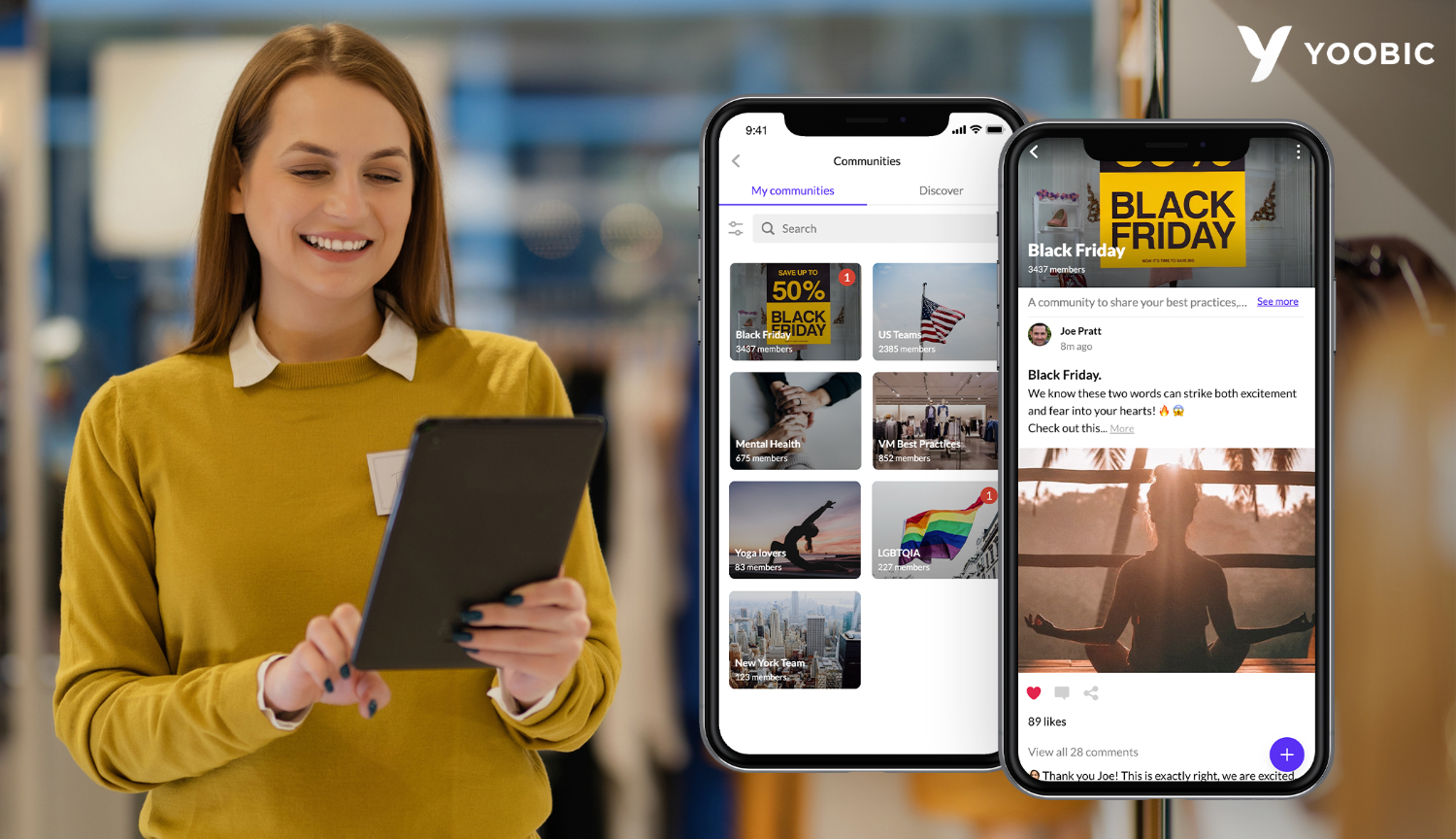
YOOBIC focuses on frontline task management and training. It is widely used in retail and hospitality where site managers need to verify operational standards and deliver bite-sized training on the shop floor.
- Pros:
- Visual task tracking, including photo verification for store displays.
- Bite-sized microlearning modules embedded into daily routines.
- Strong tracking tools for area and branch managers.
- Cons / considerations:
- Focused mainly on store execution and tasks rather than company-wide internal comms.
9. Flip
Best for: Frontline workforces without corporate email or desktop access.
G2 customer rating: 4.8/5 from 44 reviews.
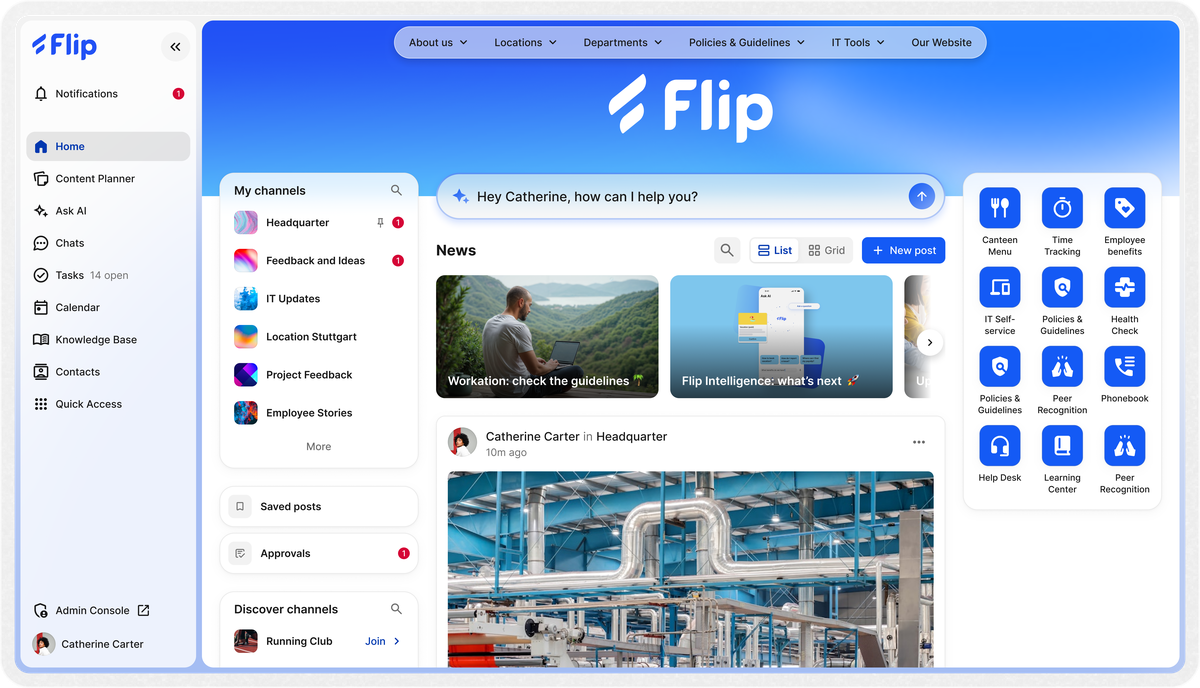
Flip is an AI-assisted employee app designed for non-desk staff. It provides a single home for company news, secure chat, automated workflows, and HR tools without requiring corporate emails or work laptops.
- Pros:
- Uses mobile numbers or personal credentials instead of work emails.
- Built-in AI assistant speeds up policy lookups and translations.
- Clean interface modeled on consumer messaging apps.
- Cons / considerations:
- Less suitable for companies needing deep desktop document management.
10. Connecteam
Best for: All-in-one frontline operations and daily workforce management.
G2 customer rating: 4.6/5 from more than 3,500 reviews. G2 Grid® Leader recognition is also listed on its profile.
Connecteam gives managers an all-in-one platform to coordinate shift staff. It combines shift rotas, time tracking, digital forms, and team messaging in a straightforward mobile app.
- Pros:
- Combines scheduling, time clocks, forms, and chat in one place.
- Quick deployment with transparent, modular pricing.
- Simple form builder for daily operational updates.
- Cons / considerations:
- May lack the advanced governance and deep integrations required by global enterprises.
11. MangoApps
Best for: Modular employee super-apps tailored for deskless teams.
G2 customer rating: 4.2/5 from 126 reviews.
MangoApps offers a customizable app platform that brings internal communication, knowledge bases, schedules, and daily workflows together. It serves as a super-app for companies aiming to cut down on software clutter.
- Pros:
- Flexible layout that adapts easily to different employee groups.
- Combines knowledge management with real-time operational feeds.
- Large library of pre-built integrations.
- Cons / considerations:
- The wide range of features can feel complex if you only need lightweight chat.
12. Blink
Best for: Unifying deskless communications, shift access, and peer recognition.
G2 customer rating: 4.6/5 from 404 reviews.
Blink is a mobile workplace designed to give frontline teams fast access to daily tools, company updates, rotas, and peer feedback. It aims to reduce staff turnover by giving employees a simple entry point for their workday.
- Pros:
- High adoption rates thanks to a simple social feed design.
- Secure access without relying on corporate email addresses.
- Native recognition and peer appreciation features.
- Cons / considerations:
- Lacks a native complex workforce management engine, relying on third-party integrations for advanced scheduling.
How to choose the right hub for your workforce
Selecting the right frontline workforce software comes down to your primary operational priority:
- Unifying culture and intranet access: Platforms like Oak Engage, LumApps, or MangoApps bridge the gap between office and deskless staff.
- Shift scheduling and task execution: Tools like Quinyx, WorkJam, or Connecteam put rotas and checklists front and center.
- Zero corporate email accounts or low app adoption: goHappy (app-free SMS/QR) or Flip remove onboarding friction.
- Maximizing current HRIS investments: Workday or Microsoft Teams let you extend enterprise tools directly to deskless teams.
Start with the employee journey rather than the software demo.
Ask:
- How do frontline employees currently receive important updates?
- Do employees have corporate email accounts?
- What devices can they access during work?
- How do they currently check their rota?
- Which applications do they use most often?
- How many separate logins are required?
- Where do employees find workplace policies?
- Which processes still depend on paper?
- Can communication be targeted by role or location?
- How do frontline employees provide feedback?
- Can employees quickly find answers?
- Do you need native scheduling or simply easier access to an existing scheduling platform?
- Does the platform integrate with existing workplace technology?
- Can you measure adoption and engagement?
The answers should determine which type of platform you need. A retailer looking to coordinate store tasks may have very different requirements from a healthcare organisation primarily trying to improve access to communication and policies. Similarly, an organisation already invested heavily in Workday may approach the project differently from one looking to create a completely new company-wide intranet.
Which frontline employee workplace hub is right for you?
The best choice depends on the work your employees need to do, the systems you already use and the problems you're trying to solve.
- For a unified employee intranet: Oak Engage is worth shortlisting if you want to connect frontline and office-based teams through personalised communications, knowledge and workplace tools.
- For an existing Microsoft environment: Microsoft Teams is a natural starting point, particularly when you already use Microsoft 365.
- For scheduling and workforce management: Quinyx, Connecteam and WorkJam are worth evaluating when shift coordination and daily operations are central requirements.
- For operational execution and learning: YOOBIC is a strong candidate for businesses that need to coordinate tasks, verify standards and deliver training across multiple sites.
- For enterprise employee experience: LumApps and MangoApps are worth considering when broad communications, integrations and employee services are important.
- For mobile-first employee access: Flip, goHappy and Blink offer approaches suited to organisations that struggle to reach employees through conventional desktop-first systems.
- For HR-led employee services: Workday is a logical option when the priority is connecting frontline employees to the organisation's existing HR and workforce infrastructure.
G2 ratings and ClearBox evaluations can help you validate your shortlist, but neither should replace a practical assessment with your own employees and managers.
Before making a decision, test the mobile experience with real frontline workers, check how the platform integrates with your existing systems, and confirm the licensing, implementation and ongoing administration costs.
Ultimately, the best frontline workplace hub is the one your employees can access easily, trust to provide the right information and use every day to get their work done.
Frontline workplace hub vs. workforce management (WFM) software
While their capabilities overlap, these tools serve different core purposes:
- Workforce management (WFM) software focuses on back-office operations: shift algorithms, labor forecasting, attendance tracking, compliance, and payroll.
- Frontline workplace hubs focus on the employee experience. They give staff a central mobile gateway for news, knowledge, team chat, forms, and tools.
The best modern hubs integrate directly with WFM systems or offer lightweight scheduling features so employees have one simple place to start their day.
Connecting workforces globally
Whether it’s healthcare in the US or a busy restaurant chain in London, keeping distributed workforces connected is a universal challenge. That’s why organizations across the US and the UK rely on us to bridge the gap between leadership, office teams, and frontline staff.
Here in the US, we're helping companies solve complex engagement challenges at scale:
- Sevita: With ~42,000 employees—many of whom didn't have company email—Sevita achieved an impressive 84% adoption rate after launching our platform.
- MFA Oil: Streamlining daily communication for ~2,000 employees across midwestern operations.
- OEC: Connecting over 1,500 dispersed employees and communicating quickly and efficiently from one app.
- Pluralsight: Replaced their old system, enabling 2,000 employees to find and use critical information with ease.
And our momentum doesn't stop at the Atlantic. Overseas, household UK names like Five Guys, NatWest and Burger King rely on us to keep their frontline teams connected and engaged every single day.
Frequently asked questions
What is a frontline employee workplace hub?
A frontline employee workplace hub is a centralised, usually mobile-first platform that gives frontline and deskless employees access to communication, workplace information, tools and operational resources.
It can bring together areas such as company updates, shift access, HR systems, forms, training, policies and everyday workplace applications.
What are the best frontline employee workplace hubs?
Leading options in 2026 include Oak Engage, Quinyx Employee Hub, LumApps, WorkJam, YOOBIC, Workday, Flip, Connecteam, MangoApps and goHappy.
The right option depends on whether your priorities are communication, intranet access, workforce management, scheduling, tasks, learning or a combination of these.
Do frontline employees need an app?
Not necessarily.
A mobile app is one common way to give frontline employees workplace access, but some platforms can also be accessed through a browser or other mobile experience.
The important requirement is that employees can access the hub easily using the devices available to them.
Can a frontline workplace hub include shift scheduling?
Yes.
Some platforms provide shift scheduling directly.
Others connect employees with an existing workforce management or scheduling system through integrations, links or an application launcher.
Can a frontline workplace hub replace an intranet?
It depends on the platform.
Some frontline hubs are primarily operational apps.
Others, including Oak Engage and LumApps, connect frontline experiences with broader intranet functionality.
Organisations with both office and frontline employees should consider whether they want separate systems or one environment shared across the workforce.
Can frontline employees use a workplace hub without corporate email?
Yes, depending on the platform.
Several frontline-focused products are specifically designed for employees who do not have a traditional corporate email address or assigned laptop.
Authentication and access models should therefore be reviewed carefully during procurement.
What is the difference between a frontline hub and workforce management software?
Workforce management software focuses heavily on areas such as scheduling, labour planning, time and attendance.
A frontline workplace hub usually has a broader role, connecting employees with communication, workplace information, applications and services.
Some platforms increasingly combine both approaches.
