
Blog
Last updated:
October 16, 2026
min read

You've invested in a new intranet. You've spent months planning the launch, organising content and getting everyone excited about the platform. Then comes the problem nobody wants to talk about. Your frontline employees aren't using it. Maybe they've downloaded the app but haven't opened it since. Maybe they're still asking managers for information that's already available on the intranet. Or maybe half your workforce hasn't even registered.
Sound familiar? Frontline intranet adoption is one of the biggest challenges facing organisations with employees working across shops, hospitals, factories, warehouses and hospitality venues.
And the problem often isn't that employees don't want to engage with the business.
It's that the technology hasn't been designed around how they actually work.
Let's look at why companies struggle with frontline employee intranet adoption, how to identify what's going wrong and, most importantly, what you can do to fix it.
Why do companies struggle with frontline intranet adoption?
Companies typically struggle with frontline intranet adoption because employees cannot easily access the platform, don't find the content relevant or have little reason to use it during their working day.
Traditional intranets have largely been designed around desk-based employees with company email addresses, regular computer access and time to browse workplace information.
But frontline employees work differently.
A restaurant employee might have a few minutes between shifts to check an update. A healthcare worker needs information quickly, often while moving between locations. Someone working on a factory floor might have no practical access to a desktop computer during their working day.
Give those employees a complicated desktop-style intranet, and adoption is always going to be difficult.
The challenge is creating something that's accessible, genuinely useful and worth coming back to.
The 10 biggest frontline intranet adoption challenges
1. Employees don't have company email addresses
Let's start with one of the biggest obstacles. Many frontline employees don't have a corporate email address. Yet plenty of workplace systems still assume everyone can register, sign in and recover their account through one. It's a straightforward problem with serious consequences. If an employee can't access your intranet, they can't read company updates, find policies, participate in workplace conversations or access the resources you've invested in. For organisations with large deskless workforces, this can create a digital divide between head office and the frontline.
Review the complete employee access journey, particularly for people without company email.
Consider:
- How employees receive their initial login details
- Whether alternative secure authentication methods are supported
- How employees reset forgotten credentials
- Whether temporary, seasonal and new employees can be onboarded efficiently
- How accounts are disabled when someone leaves
Ask a frontline employee to complete the registration process without assistance.
If they can't do it easily, something needs to change.
What to measure: Registration completion, failed login attempts, access-related support requests and time to first successful login.
For a closer look at this challenge, read our guide to communicating with deskless employees without email.
2. The intranet was designed for people sitting at desks
Here's a common mistake. A business develops a fantastic intranet experience for employees working at headquarters, then assumes it'll work just as well for everyone else.Except it doesn't. A desktop homepage with complicated menus, long articles and endless links might be manageable on a large monitor. On a smartphone, it's another story. Frontline employees need to access information quickly, often during a short break or between tasks. They shouldn't need to navigate six different pages just to find an updated policy.
Give frontline employees a practical reason to use the intranet by making everyday resources easy to access.
- Rotas, payslips and holiday requests
- Training and onboarding materials
- HR resources and company policies
- Relevant team updates
You don't need to replace existing HR, payroll or scheduling systems. Instead, use your intranet as a central hub that makes these tools easier to find and access.
What to measure: Mobile usage, task completion, navigation difficulties and time taken to find common resources.
3. Employees don't have a reason to use it
This is where many intranet projects come unstuck. The business launches an employee platform filled with leadership updates, corporate announcements and company news. There's nothing necessarily wrong with any of that. But what's in it for the employee? If someone works in a warehouse and needs to check their shift pattern, the latest executive announcement probably isn't their first priority. If an employee has to open a different application to access everything they actually need, why would they keep returning to the intranet?
Give people a practical reason to use the platform.
That might include quick access to:
- Rotas and shift information
- Payslips and employee benefits
- Holiday requests
- Training and onboarding materials
- HR resources
- Company policies
- Relevant team updates
These services don't all have to be built into your intranet.
A modern employee platform can also connect people to the specialist systems their business already uses.
That's an important distinction.
Rather than replacing every scheduling, payroll and HR application, you can make those tools easier to reach through one familiar destination.
What to measure: Repeat visits, engagement with everyday resources, frequently accessed tools and feedback on ease of use.
4. Everyone receives the same communication
Imagine working in a restaurant in Manchester and opening your employee app to find announcements about a head office meeting in London, an unrelated department's project and events happening in another country. It's not particularly useful, is it? Now imagine that happening every day. When employees continually receive information that doesn't relate to them, important messages can become harder to notice. Eventually, people stop paying attention.
Make communication relevant to the person receiving it.
Instead of publishing everything to everyone, consider targeting updates based on:
- Location
- Department
- Job role
- Employee group
- Relevant operational responsibilities
For example, a healthcare organisation could distribute a location-specific update to affected employees without unnecessarily sending the same message to its entire workforce.
At Oak, our Smart Delivery capabilities help organisations personalise internal communication, making workplace information more relevant to different audiences.
What to measure: Reach, engagement and acknowledgement rates by audience, alongside employee feedback about content relevance.
The goal isn't simply to send fewer messages. It's to make the messages people receive more useful.
5. Important information is impossible to find
There's nothing quite like knowing a document exists somewhere on your intranet but having absolutely no idea where to find it. For frontline employees, that's particularly frustrating. They often need answers quickly and don't have the luxury of spending ten minutes searching through outdated pages. Poor navigation, duplicated documents and inconsistent naming can all create unnecessary barriers. And once employees lose confidence in the intranet, they'll often return to asking a colleague or manager instead.
Organise your intranet around employee needs rather than your company's organisational chart.
Use straightforward labels such as Pay and benefits, Training and Book time off, rather than forcing employees to understand internal department structures.
You should also:
- Review frequently used searches
- Identify searches that produce poor results
- Remove or archive outdated documents
- Assign owners to important content
- Test navigation with employees from different roles
- Make critical information accessible from mobile devices
AI-assisted workplace search can help employees find relevant information, but it's not a substitute for accurate, well-managed content.
What to measure: Search success, repeated searches, frequently requested documents and employee feedback on information accessibility.
For more on intranet structure, see our guide to designing an intranet people actually use.
6. Frontline managers weren't involved in the rollout
Your Internal Communications team might love the new intranet. Your HR department might be excited about its capabilities. And IT might be delighted that everything has launched successfully. But what about the people managing frontline teams? Managers have an important role in helping employees understand why a new platform matters. If they're unfamiliar with it, struggling to use it themselves or simply haven't had time to introduce it properly, adoption can suffer. This becomes particularly challenging across organisations with hundreds of sites and different shift patterns.
Bring managers into the project before launch.
Ask them which questions employees repeatedly raise, what information is difficult to distribute and which workplace tasks take up unnecessary time.
Then show managers how the platform helps address those challenges.
Provide simple demonstrations, practical resources and guidance they can share with their teams.
You could also recruit frontline employees as local champions, giving the business feedback on what's working and where improvements are needed.
What to measure: Adoption differences between locations, participation in onboarding and feedback from employees and managers.
7. Employees are tired of downloading another app
We've all experienced it. Another application. Another password. Another notification. For employees already navigating scheduling systems, HR portals, training tools and workplace messaging apps, introducing another platform can feel like more work rather than less. This is particularly problematic when the new intranet simply duplicates information available elsewhere.
Think about the employee's complete digital experience.
Can your intranet make existing tools easier to access? Can it connect company communication with frequently used applications? Can you reduce unnecessary navigation between disconnected systems?
For some organisations, that could mean using a mobile intranet as a central employee hub.
For others, providing reliable links to existing applications may be enough.
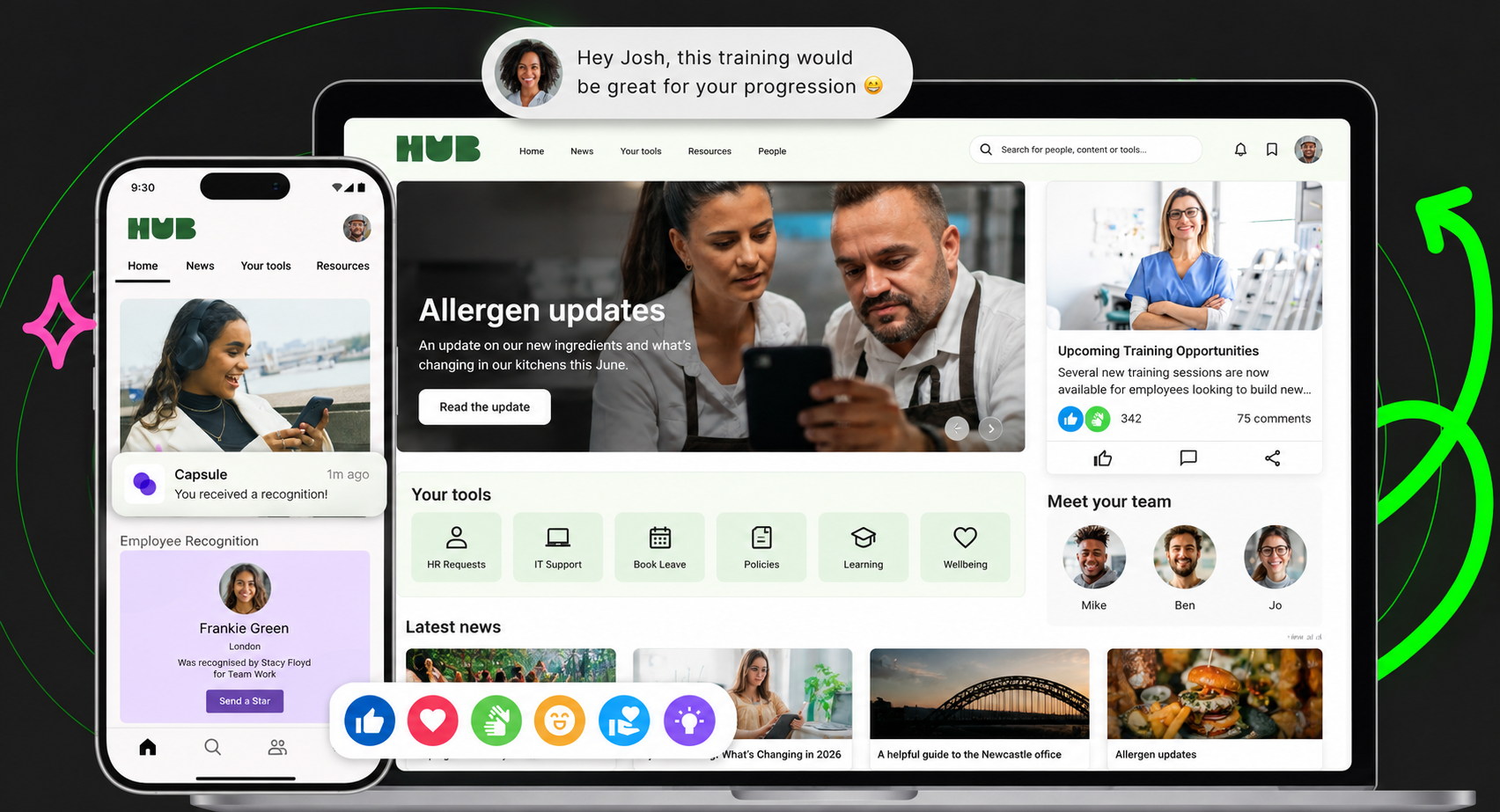
At Oak, our frontline intranet software helps businesses bring company communication, workplace information and access to everyday tools together, supporting employees whether they're working on the frontline or at a desk.
What to measure: Usage of connected resources, employee feedback on app complexity and the number of steps required to complete common activities.
8. Employees have concerns about using personal devices
For organisations with large frontline workforces, personal mobile devices can provide an important route to digital communication. But employers shouldn't assume every employee wants to use their own phone for work. Employees may have questions about personal privacy, mobile data, notifications outside working hours or whether workplace applications can access information on their devices. Others may not have suitable devices or reliable connectivity.These concerns deserve proper consideration.
Work with IT, HR and employee representatives to establish clear access arrangements.
Explain:
- What information the application can access
- How employee data is protected
- Whether using a personal device is optional
- What alternative access arrangements exist
- How notifications are managed outside working hours
- How accounts and permissions are maintained
For US organisations, review relevant federal and state employment requirements and internal policies. UK employers should likewise consider applicable employment, privacy and data protection obligations.
What to measure: Access-related concerns, device availability, onboarding feedback and differences in adoption between employee groups.
9. Nobody maintains the intranet after launch
Launching an intranet is an achievement. But it's not the finish line. A platform might perform brilliantly during its first few weeks, only for engagement to decline as content becomes outdated, links stop working and useful information gets buried. Before long, employees are back to using their old channels. And the intranet becomes another system everyone is expected to use but nobody particularly trusts.
Treat content management as an ongoing responsibility.
Assign owners to key sections, establish review dates and remove information that's no longer relevant.
Internal Communications can oversee publishing standards, while HR, IT and operational teams maintain the content they're responsible for.
You should also establish a clear process for employees to flag inaccurate or missing information.
What to measure: Content freshness, broken links, overdue reviews, search performance and repeat engagement.
10. The business measures registrations instead of actual adoption
Let's say 90% of your workforce registered for the new intranet. Sounds fantastic. But what happens if only 25% are returning to use it regularly? A registration figure tells you how many employees completed an
initial action. It doesn't necessarily tell you whether the platform is improving communication or making work easier. And this distinction matters.
Set clear definitions for the metrics you're reporting.
Instead of focusing exclusively on downloads and sign-ups, measure:
- Employees who can successfully access the platform
- Weekly and monthly active users
- Repeat engagement with important resources
- Reach and acknowledgement of critical updates
- Employee feedback and satisfaction
- Differences in adoption across locations and roles
You should also look at outcomes beyond the platform itself. Are managers spending less time answering routine questions? Can employees find essential information more easily? Are important communications reaching the people who need them?
What to measure: Sustained active usage and measurable improvements in the problems the intranet was introduced to solve.
How to diagnose why frontline employees aren't using your intranet
Before changing your intranet, you need to know what's actually going wrong.
Low adoption is a symptom. The underlying cause can look very different across organisations.
For example, a hospital might have employees who can't access the platform without corporate email.
A retailer might have strong registration rates but low engagement because the content isn't relevant to store teams.
A manufacturing business might find that employees rely on line managers because important documents are too difficult to locate.
These situations require different solutions.
Here's how we'd approach the diagnosis.
Step 1: Look at the entire employee journey
Follow the process from first receiving an invitation to successfully completing a useful task.
Can the employee register? Can they find what they need? Does the platform work on their device?
Don't just test with office-based employees.
Include people who work across different locations, shifts, departments and levels of technical confidence.
Step 2: Identify where usage drops off
Review the available data and look for patterns.
Do employees register but never return? Are some sites much less active than others? Are important announcements reaching one audience but not another?
If you're seeing different behaviours across locations, investigate the differences before making organisation-wide changes.
Step 3: Speak to frontline employees
Analytics can tell you what's happening. Employees can help explain why.
Ask practical questions:
- When did you last need information from the company?
- Where did you look for it?
- What was difficult?
- What would make the intranet more useful?
- Which tools do you use regularly?
The answers might be surprisingly simple.
Step 4: Prioritise the biggest obstacles
Don't attempt to change everything at once.
If employees can't log in, fix access first.
If they can log in but can't find anything useful, prioritise content and navigation.
If employees find information easily but rarely return, focus on everyday relevance and engagement.
The point is to solve the problem you actually have.

A practical 90-day plan to improve frontline intranet adoption
Improving adoption doesn't necessarily require another lengthy implementation project.
With a clear understanding of what's going wrong, organisations can begin making meaningful improvements.
Here's a suggested 90-day framework.
TimelineMain priorityRecommended actionsHow to assess progressDays 1–30Understand the problemsAudit access, review usage data, interview employees and identify problem locationsEstablish a baseline and agree prioritiesDays 31–60Make targeted improvementsSimplify access, improve navigation, connect useful tools and pilot changesMeasure registration, task success and initial engagementDays 61–90Reinforce and improveExpand successful changes, support managers, collect feedback and review contentCompare repeat usage and employee outcomes against baseline
Days 1–30: Find the problems worth solving
Start with the evidence.
Review employee registration and usage, speak to operational managers and ask frontline employees to perform common tasks.
Your aim is to identify the two or three barriers having the greatest impact.
For example, if employees frequently struggle to access their rota, investigate how that process could be simplified.
If frontline teams rarely engage with company communication, examine whether those updates are relevant and appropriately targeted.
Agree who owns each problem and establish baseline measures.
Days 31–60: Fix the friction
Now introduce targeted improvements.
That might involve streamlining onboarding, reorganising content, improving mobile navigation or bringing essential workplace links into a more accessible location.
Pilot changes with a representative group of frontline employees before rolling them out more widely.
And listen to what they say.
If employees still struggle to find their payslip or understand an important announcement, your improvements aren't finished.
Days 61–90: Build lasting habits
By this stage, you should have a clearer understanding of what helps employees use the intranet.
Work with managers to reinforce the most useful features.
Introduce regular content reviews, improve communication targeting and make it straightforward for employees to suggest changes.
Continue tracking active usage and engagement.
Remember, the goal isn't to encourage people to open the intranet for the sake of it.
It's to make the platform genuinely useful.
This 90-day plan is a recommended implementation framework, not a guaranteed timeline or adoption outcome.
How companies have overcome intranet adoption challenges
It's easy to talk about improving adoption.
But what does it actually look like when organisations put these ideas into practice?
Here are some examples from businesses using Oak Engage.
Sevita: Giving 42,000 US healthcare employees access to one intranet
United States | Healthcare | 42,000 employees | 84% reported adoption
Sevita faced a major communication challenge.
Its previous intranet was accessible only to the 20% of employees with company-issued email addresses.
For an organisation with thousands of frontline caregivers working across different locations, that left a significant proportion of its workforce without the same access to important information.
Sevita needed a better way to reach its people, improve access to HR resources and support employees throughout their working experience.
Working with Oak Engage, it introduced Sevita Source, a central destination for communication, employee information, HR resources and onboarding.
Importantly, the organisation involved representatives from different levels of its workforce in developing the platform.
The results demonstrate the difference accessible workplace technology can make.
Sevita reported 84% adoption across its 42,000-employee workforce, with 35,662 employees active on the platform.
For an organisation where many employees previously had limited intranet access, that's a significant achievement.
The lesson? If employees can't access your intranet, adoption will always be difficult. Start by removing the barriers.
MFA Oil: Making workplace information more useful and relevant
United States | Missouri | Approximately 2,000 users
MFA Oil, an energy cooperative based in Missouri, needed to replace an outdated intranet.
The business was struggling to keep its existing platform updated and wanted more control over content, stronger personalisation and better opportunities for employees to connect.
Working with Oak, MFA Oil introduced a more intuitive intranet experience across mobile and desktop.
The platform brought together workplace information, communication and social features, helping employees connect regardless of their job role.
Personalised content also allowed the organisation to make information more relevant to individual employees.
There's an important lesson here.
Improving intranet adoption isn't always about adding more content. Often, it's about helping employees see the information that actually matters to them.
OEC: Improving information access across a dispersed workforce
United States | Ohio | Automotive technology
OEC needed a better way to connect employees working across different locations.
Without a central intranet, accessing consistent information and communicating important updates was challenging.
Working with Oak Engage, OEC brought company documents and workplace information into one place.
The platform also introduced push notifications, location-specific pages and mandatory reads to support important communications.
For organisations with distributed teams, this is particularly relevant.
Employees shouldn't have to rely on being in the right location, speaking to the right manager or searching through disconnected systems to access important information.
Pluralsight: Improving usability and employee engagement
United States | Technology | Approximately 2,000 users
US-headquartered Pluralsight faced difficulties with an intranet that was complex to navigate and offered limited flexibility.
Working with Oak, the organisation introduced Life@PS, a new employee intranet with improved search, navigation and access to workplace resources.
The organisation reported:
- 96% of users onboarded
- 70% monthly engagement
- 97% quarterly engagement
Pluralsight also reported 10,000 searches during its launch quarter.
While this isn't specifically a frontline workforce case study, it demonstrates how usability, accessible information and effective navigation can support employee adoption.
Read the Pluralsight case study.
Five Guys: Making an employee app part of everyday working life
UK and Europe | Hospitality | Approximately 10,000 users | 97% reported adoption
Five Guys needed a better way to communicate with restaurant employees who weren't regularly checking company emails.
Its existing communication methods included noticeboards and updates distributed to individual stores.
Working with Oak, Five Guys introduced Chatty Patty, a branded employee app bringing together company updates, recognition, training materials, rotas and payslips.
The application was designed around the workforce, with particular attention given to ease of use and the Five Guys identity.
It achieved a reported 97% adoption rate.
The key takeaway is that frontline employees are more likely to find value in a platform that supports their everyday needs, rather than one that simply delivers corporate announcements.
Read the Five Guys case study.
These figures are individual customer-reported outcomes. Adoption, onboarding and engagement metrics may be defined differently between organisations, so they should not be treated as directly comparable benchmarks or guaranteed results.
How to measure frontline intranet adoption properly
If you're responsible for improving intranet adoption, you need to be clear about what success looks like.
And that goes beyond downloads.
Different metrics tell you different things.
MetricWhat it tells youWhy it mattersRegistration rateHow many eligible employees have registeredHelps identify onboarding and access barriersActivation rateHow many employees complete a meaningful first actionIndicates whether employees can begin using the platform successfullyWeekly active usersHow many employees return within a weekHelps measure regular usageMonthly active usersHow many employees use the platform within a monthShows broader ongoing participationContent reachWhether targeted information reaches its intended audienceHelps evaluate communication effectivenessAcknowledgement rateWhether required updates have been acknowledgedUseful for important policies and communicationsSearch successWhether employees can find informationHighlights navigation and knowledge issuesTask completionWhether employees can complete important activitiesConnects usage with practical valueEmployee feedbackHow employees experience the platformExplains the reasons behind the numbers
Not every metric will be available in every intranet platform, and some outcomes may require additional research or measurement.
Don't compare every employee in the same way
A healthcare employee working rotating shifts may use your intranet very differently from someone working at headquarters.
The same applies to retail assistants, factory workers, delivery teams and office-based employees.
That doesn't necessarily mean one group is more engaged than another.
Look at what employees need from the platform and whether they're successfully getting it.
For example, an employee who only needs to access a policy occasionally shouldn't automatically be considered disengaged because they aren't opening the platform every day.
The most meaningful measures are connected to the outcomes your organisation wants to achieve.
When should you improve your existing intranet, and when should you replace it?
Here's an important point.
Low intranet adoption doesn't automatically mean you need a new intranet.
Sometimes, the problem is how the platform has been configured, introduced or maintained.
If employees can access your existing intranet but struggle with content relevance or confusing navigation, you might be able to resolve those issues without replacing the technology.
But there are situations where the platform itself becomes a barrier.
Improve your existing intranet if:
- The necessary mobile functionality is already available
- Employees can access the platform securely
- Content relevance and navigation are the main problems
- Existing workplace tools can be connected effectively
- Better onboarding and manager involvement could improve adoption
- The platform offers the reporting you need
Consider replacing your intranet if:
- Frontline employees can't access it easily
- The mobile experience is fundamentally unsuitable
- Essential information and communication capabilities are missing
- The platform can't support your workforce's authentication requirements
- Employees need a more connected experience across workplace systems
- Your current platform can't meet important operational or employee experience requirements
If your organisation includes both frontline and desk-based employees, we'd also recommend thinking carefully about whether separate solutions are necessary.
Having one intranet for headquarters and another employee platform for frontline teams can create disconnected experiences.
A more joined-up approach can make communication, information and workplace resources accessible to people regardless of where they work.
That's what we focus on at Oak.
Our frontline intranet platform helps organisations connect employees through mobile-first communication, personalised content, employee engagement and access to existing workplace tools.
And when employees can access the information they need without unnecessary barriers, you've got a much stronger foundation for meaningful adoption.
If you're evaluating providers, our guide to the best intranets for frontline workers compares the different options.
Frequently asked questions about frontline intranet adoption
Why do frontline employees not use company intranets?
Frontline employees may struggle to use company intranets because they lack corporate email addresses, have limited computer access or find the platform difficult to navigate on mobile devices.
Low adoption can also result from irrelevant content, confusing onboarding, poor communication and a lack of useful everyday resources.
Improving adoption starts with identifying which barriers affect your workforce.
How can companies improve frontline intranet adoption?
Companies can improve frontline intranet adoption by simplifying employee access, providing a mobile-friendly experience, personalising communication and making important workplace resources easy to find.
Involving frontline managers and employees in the rollout can also help identify problems before they affect the wider workforce.
Long-term success depends on maintaining useful content, gathering feedback and measuring ongoing usage.
What is a good intranet adoption rate?
There isn't one universal intranet adoption rate that applies to every organisation.
The right measure depends on workforce size, employee roles, the purpose of the platform and how adoption is defined.
For example, Oak customer Sevita reported 84% adoption across its 42,000-employee workforce, while Five Guys reported 97% adoption of its employee app.
These are useful customer examples, but they shouldn't be treated as targets that every business can expect to achieve.
Can frontline employees use an intranet without company email?
Yes. Some modern intranet platforms support secure access for employees who don't have corporate email addresses.
The available registration and authentication methods vary by provider, so organisations should confirm how employees can register, access the platform and manage their accounts before choosing software.
How do you keep frontline employees using an intranet after launch?
Give employees ongoing reasons to return.
That means maintaining accurate information, delivering relevant communication, making workplace tools easy to access and responding to employee feedback.
Regularly review engagement and usage across different locations and roles to identify where improvements may be needed.
What's the difference between intranet registration and adoption?
Registration tells you how many employees have signed up.
Adoption is a broader measure of whether employees have started using the platform successfully and continue to find value in it.
An employee might register once without ever returning. That's why businesses should consider activation, repeat usage, employee feedback and other meaningful outcomes alongside registrations.
Should frontline and desk-based employees use the same intranet?
They can, provided the platform supports the different ways they work.
Frontline employees often need mobile access, straightforward authentication and quick access to workplace information. Desk-based employees may use more extensive knowledge, collaboration and publishing capabilities.
A modern intranet can support both groups while personalising the information and tools available to different employees.
How long does it take to improve intranet adoption?
It depends on the problem you're trying to solve.
Some access or navigation issues may be resolved relatively quickly, while changing employee habits and improving long-term engagement can take longer.
A structured 30/60/90-day improvement plan can help organisations identify problems, test solutions and measure progress, but there's no guaranteed timeframe or adoption outcome.
What should US organisations consider when improving frontline intranet adoption?
US organisations should pay particular attention to mobile access, employees without company email, geographically dispersed workforces, personal-device policies and relevant employment and privacy requirements.
They should also assess compatibility with existing HR, payroll and workforce management systems.
For organisations with teams across multiple states or facilities, relevant communication targeting and consistent access to workplace resources are particularly important.
Final thoughts: Make your intranet worth using
Let's face it. Getting employees to register for an intranet is one thing.
Getting them to actually use it is another.
And when your workforce is spread across different shifts, locations and working environments, it can feel like an uphill battle.
But frontline intranet adoption doesn't have to be complicated.
Start by understanding what employees need.
Make the platform easy to access. Give people useful information, not unnecessary noise. Bring everyday workplace tools closer together and listen when employees tell you something isn't working.
Most importantly, remember that frontline employees are part of the same organisation as everyone sitting at headquarters.
They deserve the same access to communication, information and opportunities to connect with colleagues.
At Oak Engage, we help businesses bring frontline and desk-based employees together through one mobile-first intranet.
From Sevita's reported 84% adoption across its 42,000 US employees to Five Guys' 97% employee app adoption, we've seen how organisations can improve access and connection when technology is designed around their people.
Struggling to get your frontline employees using your intranet?
Explore our frontline intranet software or book a personalised demo to see how Oak could help your organisation connect its workforce.
