
Blog
Last updated:
October 14, 2026
20
min read
.png)
Let's face it, finding the best frontline software isn't easy. There are plenty of platforms promising to connect your workforce, improve communication and make everyone's working day simpler. But with so many options, how do you know which one is right for your business? The first thing to understand is that not all frontline software does the same job. Expecting a blanket approach to fix your intranet's adoption is not going to work.
Some frontline engagement platforms help managers organise shifts, track time and coordinate daily tasks. Others help businesses communicate with employees, share important information and bring everyday digital workplace tools into one place. And some combine elements of both.
If you're managing teams across shops, hospitals, warehouses, manufacturing sites or hospitality venues, the distinction matters. The last thing you need is another piece of software that creates more work for everyone.
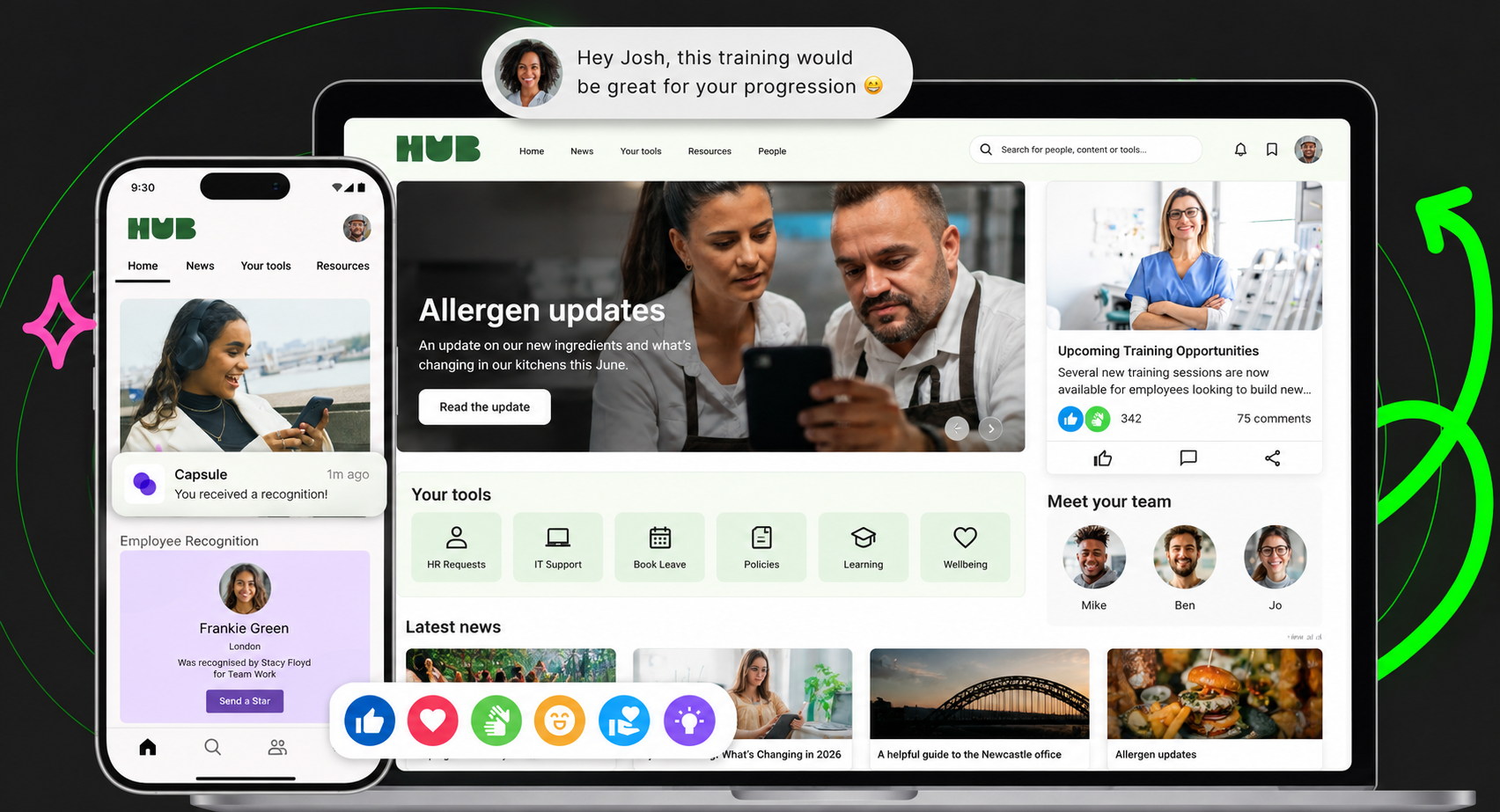
The best frontline software platforms in 2026 include Oak Engage, Staffbase, MangoApps, Blink, LumApps, Connecteam, WorkJam, YOOBIC, Quinyx Employee Hub and goHappy.
For businesses looking to connect frontline and desk-based employees through one intranet, Oak Engage is a particularly strong choice. But depending on your priorities, a specialist workforce management or operational platform might be more suitable.
We've compared ten options, looking at their features, strengths, limitations and the types of businesses they're best suited to.
What is the best frontline software in 2026?
The best frontline software depends on what your business needs to achieve. If communication and employee engagement are your priorities, you'll want a different solution from a business focused on workforce scheduling or operational task management.
Here's how ten of the leading options compare.
Our recommendation: For organisations that need to keep frontline and desk-based employees informed, connected and engaged, Oak Engage offers a strong combination of mobile communication, workplace information, personalisation and integration with existing business tools.
If your biggest challenge is managing shifts, labour requirements or frontline task execution, a specialist platform such as Connecteam, Quinyx, WorkJam or YOOBIC deserves a closer look.
The key is choosing software that solves your actual problems, rather than simply buying the platform with the longest feature list.
What is frontline software?
Frontline software helps businesses support employees who work away from a traditional desk.
Think retail assistants, healthcare workers, restaurant teams, warehouse employees, manufacturing operatives and field-based staff.
These employees keep businesses running, but they're often the hardest people to reach through traditional workplace technology.
They might not have company email addresses. They work different shifts, move between locations and rarely have time to sit at a computer checking company updates.
Frontline software helps bridge that gap by giving employees easier access to the communication, resources and services they need.
But there are three main types of platform worth understanding before you start comparing vendors.
Frontline communication and intranet software
These platforms help businesses communicate with employees, share workplace information, improve engagement and connect people across the organisation.
They typically include company news, mobile apps, notifications, documents, knowledge, surveys and access to workplace systems.
Oak Engage, Staffbase and LumApps fall into this category.
They're particularly relevant when your business needs to improve communication between head office and frontline teams, or create one connected experience for employees working in different ways.
Frontline workforce management software
Workforce management platforms focus on the operational side of managing employees.
That includes scheduling, time tracking, shift management, absence management and workforce planning.
Connecteam and Quinyx are examples of platforms with this focus.
They're useful when managers need better control over shifts, staffing and everyday workforce administration.
Frontline operations software
Operational platforms help businesses coordinate tasks, training and activities across different locations.
For example, a retailer might use this type of software to distribute a new store checklist, assign tasks and see which locations have completed them.
WorkJam and YOOBIC are particularly relevant to these requirements.
Of course, these categories overlap. Some platforms combine communication, workforce management and operational capabilities.
The important question is whether you need to manage frontline work, connect frontline employees or do both.
Understanding that distinction will help you choose the right platform without paying for functionality you don't need.
How we compared the frontline software platforms
There's more to choosing frontline software than ticking off a list of features.
A platform might look impressive during a demonstration, but that doesn't necessarily mean employees will find it useful when they're halfway through a busy shift.
We considered the factors that matter most for businesses with frontline and desk-based employees:
- Mobile accessibility: How employees can access the platform away from a desk, including whether company email is required.
- Internal communication: How businesses share updates, target messages and keep different teams informed.
- Employee engagement: Whether employees can contribute, give feedback, recognise colleagues and feel connected.
- Workplace information: How easily employees can find policies, documents, procedures and answers.
- Everyday usefulness: Whether employees can access rotas, payslips, HR services and the tools they regularly need.
- Operational functionality: The availability of scheduling, task management, learning and workflows.
- Integrations: How each platform works alongside existing workplace technology.
- Workforce suitability: Whether the platform supports frontline teams, desk-based employees or both.
- Customer evidence: Publicly documented outcomes, customer examples and relevant independent recognition.
A note about our comparison
This guide is published by Oak Engage, and we've included our own platform alongside nine alternatives.
Our assessment is based on publicly available product information, customer case studies and industry evidence reviewed in October 2026. We haven't independently tested every product, and the order reflects the focus of this article rather than a universal ranking.
Different businesses have different requirements, so we've highlighted where each platform fits best and what you should consider before choosing it.
The 10 best frontline software platforms compared

1. Oak Engage — Best for connecting frontline and desk-based employees
Best for: Businesses that want one intranet platform to keep their entire workforce informed, connected and engaged.
Oak Engage is an award-winning, mobile-first intranet platform that brings communication, employee engagement, workplace information and everyday tools together.
It's designed for businesses with employees working across different roles, locations and devices, whether that's someone at head office, on a manufacturing floor, in a hospital or working in a restaurant.
And that's where Oak really comes into its own.
Rather than having one communication experience for office employees and another for frontline teams, Oak helps businesses connect everyone through one platform.
Employees can access company news, relevant documents, recognition, HR resources and workplace applications from their mobile or desktop.
For Internal Communications and HR teams, that means having one central place to reach employees, personalise communication and understand what's actually getting through.
Key features
- Mobile-first intranet: Give employees access to company communication and workplace information wherever they work.
- Smart Delivery: Personalise communication based on employee needs, helping people see content that's relevant to them.
- Aria AI: Help employees find information and answers from workplace content.
- Targeted communication: Reach different departments, roles and locations with relevant updates and notifications.
- Employee engagement: Bring employees together through recognition, communities, surveys and social features.
- Workplace integrations: Connect existing applications, including Microsoft 365, HR systems and other business tools.
- Content and knowledge: Give employees a central place to find documents, policies, resources and important information.
- Analytics: Measure employee adoption, communication reach and engagement.
Why Oak stands out
One of Oak's biggest strengths is its ability to make existing workplace technology easier to access.
Let's say your business already has a payroll system, a scheduling platform and a separate HR application.
You might not need to replace any of them. You just need to make it easier for employees to get to the right information without jumping between disconnected systems.
Oak can bring access to those tools into one intranet experience, alongside your internal communication, employee engagement and company knowledge.
It also means frontline employees aren't treated as a separate audience who only receive the occasional company announcement.
They can access relevant information, contribute to conversations, recognise colleagues and feel part of the wider business.
Proven results in the United States
Sevita, a US healthcare organisation with approximately 42,000 employees, previously had an intranet accessible only to the 20% of employees with company-issued email accounts.
That left much of its workforce without the same access to company information and resources.
With Oak Engage, Sevita introduced Sevita Source, bringing workplace communication, HR information and employee resources into one platform.
The result? 84% intranet adoption across its 42,000-employee workforce.
It's a strong example of what can happen when workplace information becomes accessible to people who previously had limited access.
Oak also works with US organisations including MFA Oil, OEC and Pluralsight, alongside major UK and European employers such as Five Guys and Burger King UK.
Independent recognition
Oak Engage achieved a top-five overall score in ClearBox Consulting's 2026 Intranet and Employee Experience Platforms report.
Oak also received recognition for Community Builder, Best for Value and AI Innovator.
Things to consider
Oak focuses on communication, knowledge, employee engagement and creating a connected workplace experience.
It's not designed to replace every specialist workforce management system.
If your main requirement is advanced workforce forecasting, shift scheduling or time and attendance management, you may want a specialist solution alongside your intranet.
Why choose Oak Engage?
If you need to connect frontline and desk-based employees, cut through communication overload and make workplace information easier to find, Oak offers a strong combination of features and documented customer results.
Explore our frontline intranet software to see how it works for employees across different roles, locations and industries.

2. Staffbase — Best for enterprise internal communications
Best for: Large organisations that need to manage employee communication across multiple channels.
Staffbase is an employee experience platform combining an intranet, employee app and multichannel communication tools.
It's particularly relevant to businesses with large, distributed workforces where Internal Communications teams need to coordinate updates across different locations, departments and communication channels.
Rather than relying on one employee app, Staffbase supports communication through channels including mobile, intranet, email and digital signage.
Key features
- Enterprise intranet and mobile employee app
- Targeted employee communication
- Multichannel content publishing
- Employee engagement and feedback
- Workplace knowledge and information access
- Communication analytics
- Integrations with enterprise workplace systems
- Frontline-focused workflows and employee services
Why choose Staffbase?
Staffbase is a strong option for organisations where managing communication at scale is a priority.
Its multichannel approach gives communications teams different ways to reach employees depending on how and where they work.
It also has independent recognition for its frontline capabilities, receiving ClearBox's Frontline & Mobile Focus badge in 2026.
Things to consider
Staffbase has a broad enterprise communication offering, so it's worth checking which features are included in the package you're considering.
If your requirements are relatively straightforward, you may not need the full breadth of functionality.
Best fit: Large enterprises with complex communication requirements across frontline and office-based teams.
Explore Staffbase's frontline communication tools.

3. MangoApps — Best for combining frontline communication and operations
Best for: Businesses looking to bring employee communication, workplace information and operational workflows into one platform.
MangoApps offers a broad employee platform that brings together communication, knowledge, HR services and frontline operations.
Its employee app is designed around the everyday needs of deskless and hourly workers, including access to shifts, training, workplace updates and employee services.
This makes it an interesting option for businesses looking to consolidate several workplace functions.
Key features
- Mobile frontline employee app
- Targeted communication and messaging
- Knowledge and information management
- Scheduling and shift-related functionality
- Tasks and operational workflows
- Employee training and learning
- HR self-service
- Recognition and engagement
Why choose MangoApps?
MangoApps puts particular emphasis on bringing operational activity and employee communication together.
For example, employees can use the platform for company updates alongside activities such as checking schedules, completing tasks or accessing HR services.
That can be useful for organisations looking to consolidate operational workflows rather than simply connect separate tools.
Things to consider
MangoApps covers a wide range of requirements, so it's important to understand which capabilities are included in your proposed configuration.
If you already have well-established payroll, scheduling and HR systems, assess whether replacing functionality makes sense or whether connecting those systems would be a simpler approach.
Best fit: Businesses that want to combine communication and wider frontline operations within one platform.
Explore MangoApps' employee app.

4. Blink — Best for mobile-first employee communication
Best for: Businesses that need an accessible mobile communication app for frontline employees.
Blink is an employee experience platform built around mobile communication and employee connection.
It's particularly relevant to organisations where employees work across different locations, often without access to a company computer.
Blink combines targeted newsfeeds, messaging, employee engagement and workplace resources within a mobile app.
Key features
- Mobile employee communication
- Newsfeeds and company updates
- Secure employee messaging
- Employee communities
- Workplace tool access
- Employee engagement features
- Onboarding and mobile access options
Why choose Blink?
Blink's mobile-first approach makes it relevant to large deskless workforces.
Employees can use familiar mobile features to stay informed, interact with colleagues and access workplace resources.
This can help businesses move away from relying on emails, noticeboards and information passed through managers.
Things to consider
If your business needs a comprehensive company intranet with extensive content management, knowledge and publishing requirements, compare those capabilities carefully.
Best fit: Organisations prioritising mobile communication and employee interaction across a predominantly frontline workforce.

5. LumApps — Best for enterprise employee hubs and frontline workflows
Best for: Large organisations looking to connect corporate intranet capabilities with frontline communication and workflows.
LumApps is an enterprise intranet and employee experience platform designed to connect employees with company communication, knowledge and workplace tools.
Its frontline proposition has expanded following its combination with Beekeeper, bringing frontline communication and operational workflows into the wider LumApps environment.
This is particularly relevant to businesses looking for a connected experience across headquarters, field-based teams and operational employees.
Key features
- Enterprise intranet
- Mobile employee access
- Targeted internal communication
- Knowledge management and search
- AI-supported workplace information
- Employee engagement features
- Frontline workflows through Beekeeper
- Enterprise workplace integrations
Why choose LumApps?
LumApps offers a broad employee hub approach, connecting communication and knowledge with frontline capabilities.
For larger organisations, this provides an option for supporting employees across different working environments without maintaining entirely separate communication strategies.
Things to consider
LumApps and Beekeeper are being brought together progressively. Buyers should confirm which capabilities are currently available, which are separate and how future integration plans affect their requirements.
Best fit: Enterprise organisations looking for an intranet and employee hub with frontline workflow capabilities.
Explore LumApps and Beekeeper.

6. Connecteam — Best for managing frontline schedules and teams
Best for: Small and growing businesses that need scheduling, time tracking and employee management.
Connecteam is an employee management platform designed to help businesses organise teams and coordinate everyday work.
It brings scheduling, communication and operational management into a mobile application.
For businesses where managers spend significant time organising shifts, assigning work and monitoring attendance, this can be particularly useful.
Key features
- Employee scheduling
- Time and attendance tracking
- Task management
- Team messaging
- Operational checklists
- Employee training
- Forms and workflows
- Mobile access
Why choose Connecteam?
Connecteam is particularly useful when scheduling and workforce administration are the main problems you need to solve.
A hospitality business, for example, might use it to organise shifts, assign tasks and communicate changes to employees across several locations.
Things to consider
Connecteam is more workforce-management-focused than a traditional enterprise intranet.
Businesses looking to create one company-wide destination for communication, knowledge, employee engagement and office-based collaboration should assess whether they need additional functionality.
Best fit: Smaller and growing frontline businesses prioritising workforce management.

7. WorkJam — Best for large-scale frontline operations
Best for: Enterprises that need to coordinate operational tasks, communication and learning across large frontline workforces.
WorkJam is a frontline workforce platform focused on improving how businesses coordinate employees and operational activities.
It combines communication with workforce orchestration, task management, learning and shift-related processes.
For organisations operating across hundreds of locations, the ability to connect communication with operational execution can be particularly valuable.
Key features
- Frontline employee communication
- Task management
- Operational workflows
- Shift-related functionality
- Employee learning
- Knowledge access
- Enterprise integrations
- Operational reporting
Why choose WorkJam?
WorkJam is well suited to businesses that need employees to complete specific operational activities, not just receive information.
For example, a retailer could use the platform to communicate a new process, distribute related tasks and monitor completion across its stores.
Things to consider
WorkJam's operational focus might be more than your business needs if your primary requirement is better company communication and a modern intranet.
Best fit: Large frontline organisations looking to improve operational coordination and task execution.

8. YOOBIC — Best for retail operations and frontline learning
Best for: Retail, hospitality and multi-site businesses that need consistent operational execution.
YOOBIC brings frontline task management, employee communication and learning into one platform.
It's designed to help businesses coordinate everyday operations, deliver training and keep employees aligned across multiple locations.
For retailers, this might include rolling out new processes, managing store checklists and helping employees complete training.
Key features
- Operational task management
- Digital checklists
- Frontline communication
- Mobile learning
- Training and onboarding
- Store execution
- Reporting and analytics
- Knowledge resources
Why choose YOOBIC?
YOOBIC stands out for its focus on connecting communication with operational activity and learning.
Rather than simply sending an announcement about a new process, businesses can also assign tasks and provide the training employees need to carry it out.
Things to consider
If you're looking primarily for a company intranet that connects office employees and frontline staff, a broader employee experience platform may be a better fit.
Best fit: Multi-site businesses prioritising operational consistency, training and task management.

9. Quinyx Employee Hub — Best for shift-based workforce management
Best for: Businesses that need scheduling, workforce management and frontline communication.
Quinyx is a workforce management platform that helps organisations plan staffing requirements, manage schedules and support shift-based employees.
Its Employee Hub brings communication, tasks and workplace resources closer to the operational systems employees already use.
This makes it relevant to businesses where workforce planning and shift management are central to day-to-day operations.
Key features
- Employee scheduling
- Time and attendance
- Workforce planning
- Employee communication
- Task management
- Operational resources
- Mobile employee access
- Workforce reporting
Why choose Quinyx?
Quinyx is particularly relevant when workforce management is your leading priority.
For businesses already using its scheduling functionality, Employee Hub provides another way to connect employees with information and tasks.
Things to consider
Quinyx is not primarily a conventional enterprise intranet.
If your organisation needs a wider company communication and employee engagement platform, you may want to evaluate complementary software.
Best fit: Shift-based organisations looking to combine workforce management and employee communication.

10. goHappy — Best for frontline communication without another app
Best for: Businesses that want to reach frontline employees through mobile communication without requiring a new app installation.
goHappy takes a different approach to frontline software.
Its platform uses SMS communication and mobile browser access to help employees receive announcements and find workplace information.
Through its Frontline Engagement Hub, businesses can provide access to documents, resources, company updates and links to other workplace systems.
Key features
- SMS employee communication
- Mobile browser access
- Frontline information hub
- Company announcements
- Document sharing
- Employee targeting
- Engagement analytics
- Access to existing workplace resources
Why choose goHappy?
One of goHappy's main advantages is its low-friction approach to employee access.
Rather than requiring every employee to download another application, businesses can share information through text messages, links and QR codes.
That makes it particularly relevant when traditional employee app adoption is a concern.
Things to consider
goHappy offers a different experience from a full enterprise intranet.
Organisations looking for extensive knowledge management, employee communities or a broader connected digital workplace should assess whether the platform offers everything they need.
Best fit: Frontline organisations prioritising accessible, app-free communication.
Which frontline software should your organisation choose?
With so many different platforms available, choosing the right one comes down to understanding what employees actually need.
Here's how we'd narrow down the options.
When is an intranet the better choice?
If your organisation already has scheduling, payroll and HR systems, your biggest challenge might not be the technology itself.
It might be that employees struggle to access it.
That's where a modern intranet can make a difference.
Rather than asking people to navigate several disconnected systems, an intranet can give them one familiar place to access company communication, information and the workplace applications they already use.
It's particularly useful for businesses with both frontline and desk-based employees, where communication can easily become fragmented.
You can explore this in more detail in our guide to the best intranet platforms for frontline workers.
When do you need workforce management software?
If your main problem is organising shifts, forecasting labour requirements, recording attendance or coordinating specific operational tasks, workforce management software may be a better starting point.
These platforms provide specialist functionality that a conventional intranet won't necessarily include.
Can you use both?
Absolutely.
For many larger organisations, the best approach is to connect specialist workforce management systems with a broader employee experience platform.
The result is a more joined-up working environment, without necessarily replacing software that already does its job well.
Frontline software in practice: US and UK customer examples
It's one thing to look at a platform's feature list. It's another to see how businesses are actually using it.
At Oak, we've worked with organisations across the United States, the UK and Europe to tackle the challenges of connecting employees who work in different ways.
Here are four examples.
Sevita — Bringing 42,000 US healthcare employees together
Location: United States
Industry: Healthcare
Employees: Approximately 42,000
Reported adoption: 84%
Sevita faced a challenge familiar to many large frontline organisations.
Its existing intranet was accessible only to the 20% of employees with company-issued email addresses.
That meant much of its workforce couldn't access the same information and resources as office-based colleagues.
Sevita introduced Oak Engage to create Sevita Source, one central place for workplace communication, HR information, onboarding and employee resources.
The platform achieved 84% adoption across its workforce.
For a large healthcare organisation with employees spread across different locations and working patterns, that's a meaningful example of improved access to company information.
MFA Oil — Connecting employees across a US organisation
Location: Missouri, United States
Industry: Energy
Users: Approximately 2,000
MFA Oil wanted to replace an outdated intranet and improve the way employees accessed information.
The business needed more flexibility over content, better personalisation and opportunities for employees to connect across different roles.
Using Oak, MFA Oil introduced a more intuitive intranet with mobile and desktop access, relevant communication and social features.
The result was a more accessible workplace environment that supported both information sharing and employee connections.
OEC — Improving information access across locations
Headquarters: Ohio, United States
Industry: Automotive technology
OEC needed to improve the way information was shared across a geographically dispersed workforce.
With Oak Engage, the organisation brought documents and company information into one place while introducing capabilities such as push notifications and mandatory reads.
This helped give employees more consistent access to workplace resources and important communication.
Five Guys — Connecting restaurant teams across the UK and Europe
Region: UK and Europe
Industry: Hospitality
Employees: Approximately 10,000
Reported adoption: 97%
Five Guys needed a better way to communicate with restaurant teams who weren't regularly checking company emails.
Working with Oak, the business introduced Chatty Patty, a branded employee app that brought company updates, recognition, training materials and access to everyday workplace tools together.
The platform achieved 97% adoption.
It's a useful example of why frontline software needs to offer more than company announcements.
When employees can access information and tools that matter to their working day, they have more reasons to use the platform regularly.
Read the Five Guys case study.
These are individual customer results, not guaranteed outcomes for every organisation.
What features should you look for in frontline software?
Not every platform needs every feature. But there are a few things we'd recommend looking at before making your decision.
1. Mobile access that works for your employees
If your people don't work at desks, your software shouldn't depend on them sitting at one.
Look for a platform that gives frontline employees access to the information they need from a mobile device.
And don't overlook the login process. If employees don't have corporate email accounts, you'll need to understand exactly how they'll access the platform.
2. Communication that reaches the right people
Sending the same message to everyone isn't always effective.
A healthcare employee in one location may need completely different information from someone elsewhere in the organisation.
Targeting helps businesses make communication more relevant while reducing unnecessary noise.
It's especially important in larger organisations with multiple locations, roles and departments.
3. Access to everyday workplace tools
Your employees probably already use several systems.
That might include payroll, rotas, HR services, learning platforms or operational applications.
Good frontline software should make those tools easier to access, whether through native functionality or integrations.
Be clear about the difference when comparing platforms.
4. Information employees can actually find
There's little value in having hundreds of documents if nobody can find the right one.
Look for clear navigation, good search functionality and a sensible approach to managing company knowledge.
If AI-powered search is available, ask how it uses approved company information and respects access permissions.
5. Employee engagement and two-way communication
Frontline employees shouldn't feel like they're the last to hear what's happening.
Giving people opportunities to contribute, recognise colleagues and share feedback helps create a stronger connection with the wider business.
Our Frontline Divide research found that 75% of the UK frontline workers surveyed felt isolated from their company culture and community.
That's a reminder that good communication isn't simply about getting messages out. It's about helping people feel included.
6. Integrations with existing systems
Before investing in new software, consider what you're already using.
Does the platform connect with Microsoft 365? Your HR system? Your payroll and scheduling applications?
Can employees access those services without unnecessary steps?
These questions are particularly important if your organisation already has a substantial technology stack.
7. Analytics that show what's working
An employee downloading an app doesn't automatically mean they're using it.
Look for analytics that help you understand communication reach, adoption and engagement over time.
And think about the outcomes you're trying to improve.
That might mean more employees accessing important information, greater participation in company communication or fewer routine questions being passed through managers.
The most useful metrics are the ones connected to the problem you're solving.
What should US organisations consider when choosing frontline software?
For US businesses with employees spread across different states, facilities and locations, choosing frontline software comes with some additional considerations.
Reaching employees without company email
This is especially important in industries such as healthcare, hospitality, retail and manufacturing.
Ask how employees access the platform, how accounts are managed and what happens when employees don't have corporate email addresses.
Sevita's experience is a useful example of why this matters.
Supporting different locations and working patterns
A distributed workforce needs communication that's relevant to different employees.
Check whether the platform can personalise information based on roles, departments, locations and other appropriate employee groups.
Working with existing US business systems
If your organisation already uses established HR, payroll or workforce management applications, make sure you understand how the new software will fit alongside them.
Not every platform needs to replace those systems.
Security and access management
Consider how employee information is protected, how permissions work and whether the platform meets your organisation's relevant security and regulatory requirements.
These requirements will vary depending on your industry and the information being accessed.
Proven US customer experience
Ask providers for examples of organisations with similar workforce requirements.
Oak's work with Sevita, MFA Oil and OEC demonstrates experience supporting US organisations with distributed communication and information requirements.
For a further US intranet example, Pluralsight's Oak deployment reported 96% onboarding and 70% monthly engagement.
Customer examples won't tell you everything about a platform, but they're a useful way to understand how it performs beyond a product demonstration.
How to evaluate frontline software before buying
Before making a decision, we'd recommend asking vendors to demonstrate how their platform works in realistic situations.
Not just the dashboard. Not just the newest features. The things your employees will actually need to do.
Here are five scenarios worth testing.
1. A new employee needs to access the platform
Ask the vendor to demonstrate the onboarding journey for someone who doesn't have a company email account.
How do they receive access? How do they sign in? How easy is it to find information on their first day?
2. An important update needs to reach selected locations
Ask how a communications manager can create, target and distribute an announcement.
Can they reach the right employee groups without sending the same update to everyone?
And how can they see whether people have engaged with it?
3. An employee needs their rota or payslip
Show the complete journey.
Can they find the right application? Is the information available directly, through an integration or through a separate system?
How many steps does it take?
4. Someone needs to find an important policy
Ask the vendor to demonstrate how employees find information from their mobile.
If AI search is included, ask how answers are connected to trusted workplace content.
5. A manager needs to coordinate frontline tasks
If operational task management is a priority, ask how tasks are assigned, monitored and completed.
Check whether the functionality is native or requires another application.
One final thing: Involve frontline employees in the evaluation.
They're the people who'll be using the software every day, and they're often best placed to identify where an apparently simple process becomes unnecessarily complicated.
Final thoughts: Choosing the right frontline software
There's no shortage of frontline software out there. But the best solution isn't necessarily the one that promises to do everything. It's the one that makes work easier for your employees.
If you're struggling with workforce scheduling and operational tasks, specialist platforms such as Connecteam, WorkJam or Quinyx may be the right place to start. But if your challenge is keeping frontline and desk-based employees informed, connected and engaged, a modern intranet could make all the difference. That's where Oak Engage comes in. We bring company communication, workplace information, employee engagement and everyday tools together in one mobile-first intranet.
Whether your employees are working in a hospital, on a shop floor, in a restaurant or at head office, Oak makes it easier to get the information they need and stay connected to the wider business.
And we've got the customer results to back it up, from Sevita's 84% adoption across 42,000 US employees to Five Guys' 97% adoption across its restaurant workforce.
Want to see how Oak could work for your organisation?
Explore our frontline intranet platform or book a personalised demo to see how we can help bring your workforce together.
