

Building a business case for a new intranet means showing your leadership team why the investment matters to the wider organisation. Rather than focusing entirely on software features, a successful intranet business case explains how a better employee experience can address communication gaps, improve access to information and support business objectives.
For many organisations, the challenge is not recognising that their existing systems need improving. It is demonstrating the cost of disconnected communication, outdated information and inefficient processes in a way that finance, IT, HR and senior leadership can understand.
Whether you're replacing a legacy platform, planning your first business intranet or evaluating modern intranet software, this guide explains how to define your requirements, estimate business value, compare solutions and build a proposal that supports an informed investment decision.
An intranet business case is a proposal that explains why an organisation should invest in a new or improved intranet. It identifies existing business problems, documents intranet requirements, evaluates potential solutions, estimates costs and benefits, and outlines how the project will be delivered and measured.
1. Map the intranet to strategic objectives
Senior leaders want to understand how an investment contributes to the organisation's priorities. Before presenting a list of intranet features, identify the challenges the business is already trying to solve.
The strongest proposals connect an intranet project to measurable objectives such as employee retention, operational efficiency, compliance and communication effectiveness.
Employee retention
Improve the employee experience by making onboarding, company information and recognition more accessible.
Measures to consider: New-starter retention, onboarding satisfaction and employee feedback.
Operational efficiency
Make workplace knowledge easier to find and reduce the need to search multiple systems or repeatedly contact support teams.
Measures to consider: Time to find information, repeated HR and IT queries and task completion time.
Communication and culture
Give employees more consistent access to company updates, important resources and opportunities to connect with colleagues.
Measures to consider: Communication reach, employee understanding and participation.
Practical tip: Speak to internal communications, HR, IT, operations and frontline representatives before finalising your objectives. Different teams may experience different problems with the current intranet.
2. Shift from vanity metrics to strategic outcomes
Metrics such as page views and logins can help demonstrate whether employees are using an intranet, but they do not prove its value on their own.
A stronger business case connects platform usage to improvements in communication, knowledge access, employee experience and everyday operations.
| Business challenge | How an intranet can help | What to measure |
|---|---|---|
| Information silos | Centralise access to workplace knowledge, documents and departmental information. | Search success, time to find resources and duplicated support requests. |
| New-starter turnover | Make onboarding resources, policies and employee support easier to access. | Onboarding completion, new-starter feedback and early employee retention. |
| Communication gaps | Deliver targeted updates to different teams, locations and employee groups. | Audience reach, acknowledgement rates and understanding of key messages. |
| Disconnected frontline teams | Give deskless workers secure mobile access to essential information. | Mobile adoption, active users and access to operational updates. |
| Fragmented workplace tools | Provide one accessible entry point to existing applications and resources. | Time spent switching systems, task completion and support demand. |
Establish a baseline before implementation wherever possible. Employee surveys, search testing, HR enquiries, communication reports and existing software analytics can all provide useful evidence.
Don't discard adoption metrics. Logins, active users and content engagement help explain whether employees are actually using the platform. The important step is connecting those measures to a meaningful business outcome.
3. Make the cost of inaction clear
One of the most effective ways to support an intranet business case is to demonstrate what happens if existing problems remain unresolved.
Poor knowledge access, duplicated administration, inconsistent communication and disconnected systems can consume employee time and create avoidable operational friction.
Calculate the potential productivity impact
Consider an illustrative organisation where 500 employees each spend 15 minutes per working day searching for information they cannot easily find.
Illustrative cost of poor information access
What if the intranet reduced that time by 20%? That would represent 25 hours of employee time potentially released each working day, or approximately 5,500 hours over 220 working days.
This is a scenario, not a guaranteed saving. Released time only creates financial value when it can be translated into productive capacity, avoided expenditure or another measurable benefit.
Your business case should use internal evidence wherever possible and distinguish between potential productivity improvements and cash savings that the organisation can realise.
Consider the wider cost of doing nothing
Employee turnover
If employees struggle with onboarding, workplace information or feeling included, examine whether those experiences contribute to wider retention challenges.
Operational duplication
Identify repeated HR and IT enquiries, manual communication processes and duplicated content management tasks.
Communication risk
Consider the consequences of important updates not reaching the relevant employees, particularly where safety or compliance information is involved.
Technology inefficiency
Review overlapping software subscriptions, manual workarounds, maintenance requirements and fragmented access to business applications.
For a more detailed framework, read our guide on how to measure intranet ROI.
4. Address budget, costs and overall value
Leadership needs a realistic view of what the organisation will spend, what the implementation involves and which outcomes justify the investment.
Present the total cost of ownership rather than relying on the quoted licence price alone.
Implementation investment
- Platform setup and configuration
- Content migration and restructuring
- Integrations and authentication setup
- Internal project management
- Employee training and launch activity
Annual operating investment
- Software licensing or subscription
- Support and service agreements
- Content administration and governance
- Additional integrations or services
- Ongoing training and adoption activity
Compare the proposed investment with the costs of maintaining existing systems. If your organisation already uses SharePoint, for example, distinguish between document management capabilities you want to retain and the communication or employee experience requirements that remain unmet.
Finance tip: Present a three-year view of costs and benefits. Include conservative, expected and optimistic scenarios, with clear assumptions for employee adoption and any productivity improvements.
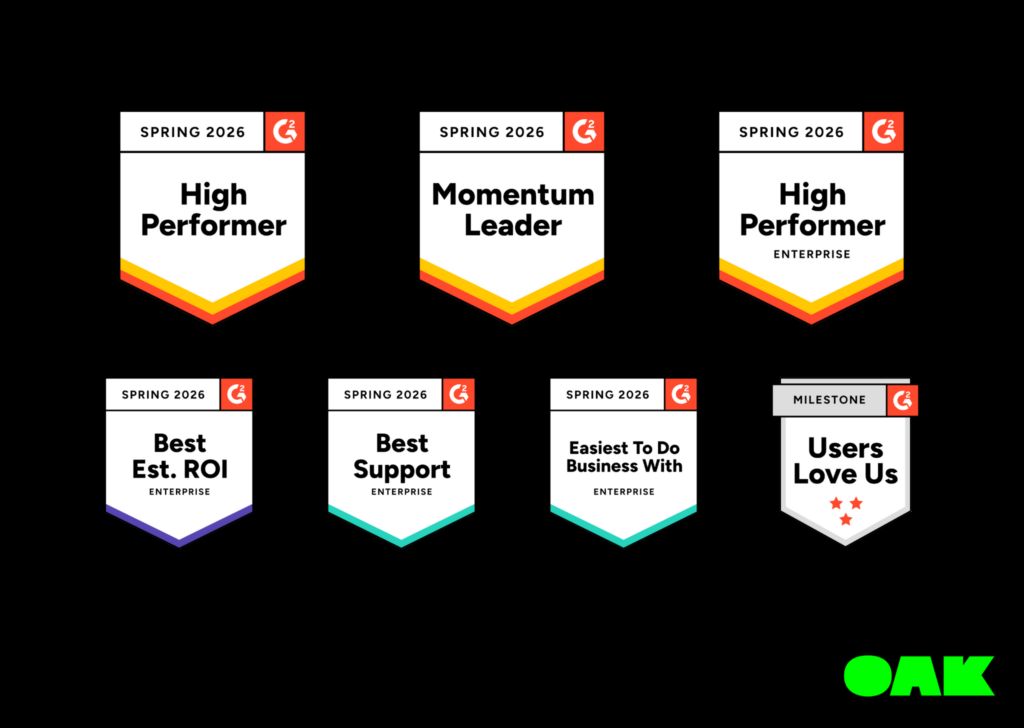
Recognised for estimated intranet ROI
Oak Engage received G2's Best Estimated ROI for Enterprise Intranets recognition in its Spring 2026 awards.
This is useful supporting evidence when comparing providers, although estimated ROI recognition does not guarantee a particular financial return for an individual organisation.
5. Simplify intranet capabilities for stakeholders
An executive team does not need a demonstration of every product feature before understanding why an intranet is worth considering.
Instead, translate the technology into practical business benefits. This is particularly important when explaining why a modern intranet for business may provide value beyond an existing employee portal or collection of workplace applications.
Centralised knowledge and AI search
Business value: Employees can find policies, documents, answers and guidance more easily, reducing unnecessary searching and repeated requests for information.
Targeted employee communication
Business value: Relevant information can reach specific locations, departments and employee groups, supporting consistent communication.
Mobile intranet access
Business value: Frontline and deskless employees can access important information without depending on a desktop computer or traditional office working arrangements.
Explore Oak's mobile intranet app.
Workplace integrations
Business value: Employees can access commonly used HR, Microsoft 365 and other business applications through a more consistent workplace experience.
Show how it works in practice
Customer evidence can help leadership understand what implementation and adoption look like beyond a product demonstration.
Customer example: US healthcare organisation Sevita introduced an Oak-powered intranet for its workforce of approximately 42,000 employees and reported 84% platform adoption. The project also improved access to internal communication and HR resources. Read the Sevita case study.
Customer results are evidence of what a platform can support, not a forecast of what every organisation will achieve.
6. Define your intranet requirements before requesting approval
An intranet business case should explain not only why investment is needed, but what the new solution must be able to deliver.
Creating an intranet requirements document helps avoid selecting software based solely on an impressive demonstration. It also gives stakeholders a common set of criteria when reviewing potential suppliers.
Essential intranet requirements to consider
Desktop and mobile usability, accessible navigation and support for employees without work email.
Targeted news, announcements, notifications and reporting on communication reach.
Searchable information, document access, content ownership and update processes.
Connections to Microsoft 365, HR systems, employee tools and relevant business applications.
Authentication, permissions, content approvals, data protection and administrative controls.
Reporting on usage, communication effectiveness and employee access across different groups.
What should an intranet requirements document include?
For each requirement, record the business problem it addresses, the employees affected, its priority, the responsible stakeholder and how a provider must demonstrate that the requirement has been met.
| Requirement | Priority | Business justification | How to validate |
|---|---|---|---|
| Mobile access without a company email | Must have | Reach frontline and deskless workers | Test the registration and login journey |
| Targeted communication | Must have | Deliver relevant information to teams | Demonstrate audience targeting and reporting |
| Integration with HR systems | Must have | Simplify access to employee information | Review supported integrations and scope |
| Customised social communities | Should have | Support employee connections | Test community creation and moderation |
These priorities are illustrative and should be adapted to your organisation. A business with a large frontline workforce may place greater emphasis on mobile access, while a highly regulated organisation may prioritise permissions and content governance.
Next step: Use Oak's intranet requirements checklist to develop a more detailed requirements document for your project.
7. Compare intranet providers against your business needs
Once your requirements are documented, evaluate intranet providers using the same criteria. This makes the recommendation easier to explain to leadership and reduces the risk of subjective selection.
Different providers have different strengths. Some focus on multinational governance and content management, while others prioritise employee communication, social engagement, mobile accessibility or integration with existing workplace technology.
Questions to ask potential intranet providers
Can employees actually use it?
Ask providers to demonstrate access for frontline, desk-based and remote workers using realistic employee scenarios.
How does it fit existing systems?
Confirm integrations, authentication, document management and any dependencies on additional software.
What will implementation require?
Establish who handles migration, configuration, training and testing, as well as the internal resources needed.
How will success be measured?
Review analytics, reporting capabilities, customer evidence and the level of support available after launch.
Your final recommendation should explain which supplier best meets your requirements, what trade-offs were considered and why the additional investment is justified.
Comparing the market? See our comparison of the 10 best intranet software platforms for 2026 for a closer look at leading providers, their capabilities and the organisations they are best suited to.
8. Build an intranet implementation plan
A business case becomes more credible when stakeholders can see how the intranet project will move from approval to launch and ongoing adoption.
Your intranet implementation plan should identify responsibilities, decision points, technical dependencies, content migration requirements and success measures.
Discovery
Confirm objectives, user groups, requirements, budget, stakeholders and success measures.
Configuration
Establish branding, permissions, navigation, integrations and platform settings.
Migration and testing
Review existing content, move essential resources, test employee journeys and train administrators.
Launch and adoption
Introduce the platform, support employees, monitor performance and refine the experience.
Implementation times vary according to workforce size, technical complexity, content quality, integrations and internal decision-making.
Include a realistic timeline rather than promising a particular launch date before requirements and scope have been confirmed.
Planning support: Learn more about Oak Engage's implementation and support process, including discovery, configuration, employee training and launch preparation.
Key takeaway: how to present your intranet business case
When presenting to senior stakeholders, lead with the problems your business is experiencing and the measurable improvements you want to achieve.
Support your recommendation with stakeholder feedback, current performance data, cost estimates, supplier evaluation and an achievable implementation plan.
"Our current systems make it harder than necessary for employees to access information, stay informed and work efficiently. By investing in a modern intranet, we have an opportunity to improve communication reach, simplify access to workplace resources and create a more consistent employee experience. We've identified the requirements, costs and success measures needed to evaluate the investment properly."
The goal is not simply to secure approval for another software platform. It's to demonstrate how an intranet can help solve existing business challenges, with a clear plan for measuring whether the investment delivers value.
Intranet business case FAQs
What should an intranet business case include?
An intranet business case should include the current business problem, strategic objectives, stakeholder requirements, expected benefits, costs, risks, supplier evaluation, implementation plan and measures of success.
What is the difference between an intranet business case and an intranet requirements document?
The business case explains why an intranet investment should be approved. An intranet requirements document explains what the proposed platform must do, who it needs to support and how its capabilities will be evaluated. Both support the same procurement project, but serve different purposes.
How do you calculate the ROI of a business intranet?
Compare the total cost of ownership with financial benefits that can reasonably be attributed to the platform. These may include reduced software expenditure, avoided administrative costs and measurable productivity improvements. Use baseline data, transparent assumptions and realistic adoption forecasts.
Can you access a business application through an intranet?
Yes. Modern intranets can provide access to workplace applications such as HR systems, payroll portals, Microsoft 365, scheduling tools and document platforms. The available connections and level of integration depend on the intranet provider and the third-party application.
How do you select the right intranet provider?
Start with your documented requirements, then evaluate providers against employee accessibility, communication capabilities, knowledge management, security, integrations, implementation support and total cost. Use consistent demonstration scenarios and compare evidence rather than feature lists alone.
How long does an intranet implementation take?
An intranet implementation timeline depends on the organisation's size, the existing technology environment, migration requirements, integrations and workforce rollout. Agree the scope and responsibilities before setting a launch date.
Download your intranet business case template
Ready to build your proposal? Our step-by-step intranet business case template helps you organise your research, identify stakeholder priorities, outline costs and define the business value of your intranet project.
Get the free business case template