

Looking for Workvivo alternatives? Wondering whether your current Workvivo setup is really delivering what your people need, or if you’ve simply learned to work around its quirks? It’s a common moment for many teams. Workvivo has some great qualities and has helped plenty of organisations build community, but as workplaces evolve, expectations change too. Maybe you’re noticing gaps in structure, flexibility or scalability. Maybe your content is growing faster than your platform can keep up. Or maybe you’re just curious whether there’s something out there that fits your organisation a little more naturally. Either way, now is a great time to choose a new intranet. Organisations evaluating alternatives to Workvivo often compare platforms such as Staffbase, Simpplr, Unily, and Oak Engage, particularly where governance, structured communication, and frontline reach are important.
Choosing the right employee communication or intranet platform isn’t about abandoning what you have, it’s about making sure you have a solution that truly supports your communication goals, your workforce mix and the way your people actually work. Workvivo’s social-intranet approach has earned it recognition, but many organisations are now looking for more robust content management, deeper personalisation, stronger mobile performance or better alignment with both desk-based and frontline teams. This guide brings together a detailed, evidence-led look at the strongest alternatives to Workvivo, comparing each one based on real user feedback, platform capability and long-term fit, so you can make a confident, well-informed decision about what comes next.
Workvivo: key strengths, limitations and what alternatives must deliver
Below is a summary of Workvivo’s key positives and limitations based on recent G2 user feedback, followed by the qualities a competitor must have to be considered a strong replacement.
| Category | Workvivo Positives | Workvivo Limitations | What a Strong Alternative Must Offer |
|---|---|---|---|
| Engagement & Social Feed | Highly praised for its social-media-style interface, recognition tools and ability to foster connection and culture. | Users mention performance lag, slower mobile loading and occasional notification overwhelm. | Comparable engagement features with better performance, cleaner notification control and faster load times. |
| Ease of Use & Adoption | Frequently described as intuitive and straightforward; easy to onboard new users. | Some reviews note confusing navigation or inconsistencies across devices. | A user experience that is equally intuitive across mobile and desktop, with clear navigation and minimal friction. |
| Mobile & Deskless Support | Mobile access is valued for frontline and hybrid teams. | Some mobile users report crashes, slow rendering and difficulty accessing content on older devices. | A fast, stable mobile app with offline capability, push notifications that are easy to manage, and strong deskless UX. |
| Content & Knowledge Hub | Provides intranet-style features and a centralised feed with updates and documents. | Users mention limited depth in search, governance or advanced knowledge-management features. | Strong search, structured pages, robust governance, and the ability to personalise content for roles, regions and teams. |
| Integration & Scalability | Works effectively for many mid-market organisations and supports standard integrations. | Feedback includes limitations around advanced customisation, scalability and integration depth as needs grow. | More flexible integration, enterprise scalability, configurable workflows, and stable performance at large user counts. |
How we selected and assessed Workvivo alternatives
To build this list, we took a thoughtful, evidence-led approach. We analysed verified customer reviews, expert commentary and platform documentation from a wide range of independent sources to understand what organisations truly value and where their frustrations often sit. We paid particular attention to insights from platforms like G2, where Workvivo has more than 2,500 reviews. These consistently highlight Workvivo’s strengths around engagement and community-building, while also calling out areas where users feel the platform has room to grow, such as performance, navigation and the depth of content governance. By looking at trends rather than one-off opinions, we developed a clear view of what really matters when teams evaluate Workvivo’s fit.
From there, we created a suitability framework to determine what a strong alternative should offer. This included mobile accessibility for deskless teams, deeper content-management capabilities, personalisation and targeting, governance support, scalability, integration options and the overall user experience. Each platform we’ve included demonstrated credible strengths in several of these areas, backed by customer sentiment and documented product capability. The result is a curated selection designed to help organisations of all sizes find a platform that genuinely aligns with their priorities, whether that’s more structure, more simplicity, more mobile power or more room to grow.
Top 16 Workvivo alternatives
| Platform | Best For | Key Strengths | Frontline Support | Scalability | Pricing |
|---|---|---|---|---|---|
| 1. Oak Engage | Organisations needing reliable communication across frontline + HQ | Mobile-first, precise targeting, innovative search (ClearBox), award-winning support (IoIC), high G2 satisfaction, structured content areas | Excellent | Excellent | Custom |
| 2. Staffbase | Multi-channel enterprise communications | Mobile + email + desktop + signage; governance; editorial workflows | Moderate | High | Custom |
| 3. Simpplr | Organisations needing strong content structure | AI personalisation, clean UX, strong search, governed hierarchy | Limited | High | Custom |
| 4. Unily | Global enterprises needing deep customisation | Advanced branding, integrations, personalisation, analytics | Moderate | Very High | Custom |
| 5. Firstup | Enterprise lifecycle communication automation | Automated journeys, segmentation, multi-channel delivery | Good | High | Custom |
| 6. Beekeeper | Frontline-heavy operational environments | Mobile-first, shift tools, checklists, real-time alerts | Excellent | Moderate | Custom |
| 7. Blink | Fast, lightweight frontline communication | Simple mobile UX, micro-content, chat, rapid updates | Strong | Moderate | Quote |
| 8. HR Cloud | Small–mid orgs wanting HR + comms | Onboarding, directories, recognition + comms | Moderate | Moderate | Custom |
| 9. LumApps | Enterprises using Google/Microsoft ecosystems | Structured intranet, multilingual support, deep integrations | Limited | High | Custom |
| 10. Jostle | Organisations wanting simplicity | Clean UX, low training, basic comms & documents | Limited | Moderate | Quote |
| 11. MangoApps | Orgs wanting all-in-one suite | Intranet + LMS + tasks + workflows + groups | Good | High | Custom |
| 12. MyHub | Small–mid orgs needing quick deployment | Template-based, simple intranet, fast rollout | Limited | Moderate | Subscription / Quote |
| 13. Igloo | Orgs needing governance & structure | Strong navigation, hubs/spaces, content governance | Limited | High | Custom |
| 14. Claromentis | Teams needing structured content + workflows | Document management, knowledge, modular intranet | Limited | High | Quote |
| 15. Intrexx | Orgs needing bespoke intranet/portal builds | Low-code portal builder, workflow customisation, multilingual | Limited | High | Custom |
| 16. Noodle | Compliance-heavy orgs needing SaaS or on-prem | Document management, traditional intranet, structured hubs | Limited | Moderate | From ~$125/mo (SaaS) |
The strongest Workvivo alternatives most commonly shortlisted by organisations include Oak Engage, Staffbase, Simpplr, Unily, and Firstup.
1. Oak Engage
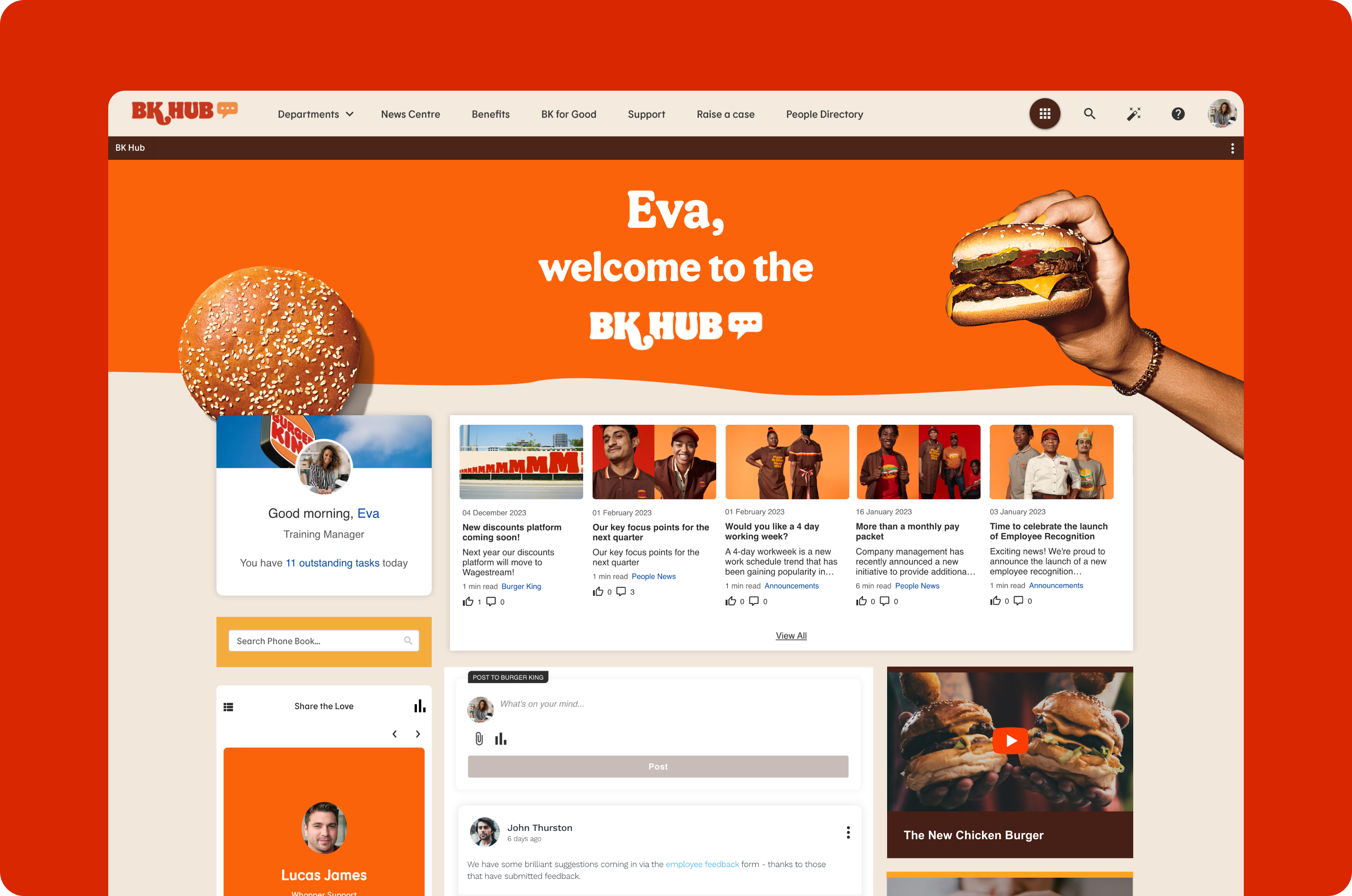
Oak Engage is one of the most frequently shortlisted platforms when organisations evaluate Workvivo alternatives, especially for structured communication and frontline engagement. While Workvivo is known for its sense of community, many organisations need more clarity, reliability and structure as their workforce grows. Oak’s mobile-first experience, targeted content delivery and intuitive app make it easy for people on the move to stay informed, wherever and whenever they work. This focus on practical, real-world communication is reflected in Oak’s higher satisfaction ratings on G2 across the employee newsfeed, support and overall experience.
Oak also stands out for its ability to scale with complex, multi-location organisations. As communication demands increase, platforms that rely heavily on a single feed or limited targeting can start to feel restrictive. Oak takes a different approach, giving organisations the tools to communicate with precision and purpose. ClearBox has recognised Oak for its innovative search and content delivery, helping employees quickly find what they need without added friction, something especially valuable in busy operational environments. Combined with recognition from the IoIC and consistently strong customer feedback, Oak provides a more dependable, scalable and inclusive alternative to Workvivo. It’s an intranet solution built to keep every employee connected, aligned and engaged, wherever they are in the organisation.
Key Features
-
Advanced search and content discovery tools
-
Role-based and department-specific homepages
-
Smart delivery of targeted internal communications
-
Mobile app for deskless and frontline workers
-
Analytics dashboards to measure engagement
-
Spaces, hubs and structured content areas
Pros
-
Strong employee communication features (newsfeeds, announcements, campaigns)
-
Highly personalised employee experience with targeted content
-
Very strong mobile app for frontline workers
-
Deep Microsoft 365 and SharePoint integrations
-
Modern UI and easy adoption
-
High configurability without heavy IT involvement
Cons
-
Not as widely known globally as some older intranet players
-
Smaller marketplace of third-party integrations compared to giants like SharePoint or LumApps
Ideal Use-Cases
-
Organisations needing a modern, highly engaging intranet
-
Hybrid or frontline-heavy workforces
-
Companies wanting a Microsoft-aligned intranet without SharePoint’s complexity
-
Businesses wanting high engagement, content targeting, surveys and pulse checks
Workvivo vs Oak Engage: Key stats at a glance
| Category | Oak Engage | Workvivo | What This Shows |
|---|---|---|---|
| Quality of Support (G2) | 96% satisfaction | 95% satisfaction | Oak’s support is consistently rated slightly higher, reflecting its partnership-led approach. |
| Employee Newsfeed Experience | 100% satisfaction | 94% satisfaction | Oak’s newsfeed is rated more intuitive and engaging, ensuring employees actually use and enjoy it. |
| Employee-Generated Content (EGC) | 95% satisfaction | Strong, but lower than Oak | Oak better supports two-way communication and open contribution across the workforce. |
| Search & Findability | Praised by ClearBox for its “novel approach to search” | Not highlighted in analyst reviews | Oak makes it easier for employees to find what they need without frustration or backtracking. |
| AI & Smart Delivery | Built-in AI (Aria) for personalised, targeted content delivery | Limited capabilities in comparison | Oak ensures messages reach the right people at the right time, helping reduce noise and improve relevance. |
Pricing
-
Custom/quote-based

2. Staffbase
Staffbase is a strong contender for organisations that need to manage communications across multiple channels at scale. Unlike platforms that focus on a single experience — such as a mobile feed or intranet — Staffbase brings email, mobile apps, desktop access and even digital signage together in one place. This makes it easier for communications teams to coordinate campaigns, manage editorial calendars and reach different workforce segments. Larger organisations, or those with varied communication channels, often shortlist Staffbase because of its ability to centralise messaging and measure engagement across all touchpoints.
However, its broad feature set makes Staffbase more suitable for organisations with the resources to fully manage and govern a content-heavy environment. It is not intended to be a quick, lightweight deployment. It’s designed for teams that already have structured internal communications functions or those planning to build one. Staffbase can be powerful, but it’s most effective when paired with dedicated resources, governance and clear comms strategy. For enterprises prioritising multi-channel consistency and content governance, Staffbase is a viable alternative to Workvivo.
Pros
-
Strong employee app for frontline workers
-
Good news publishing and top-down comms
-
Clean, simple UI
-
Quick to deploy
Cons
-
Like Firstup, not a full digital workplace
-
Limited collaboration functionality
-
Content structure is simpler and less flexible
Ideal Use-Cases
-
Retail, hospitality, manufacturing
-
Organisations prioritising mobile-first comms
-
Companies wanting a simple, fast-to-launch employee app
Key Features
-
Multi-channel distribution: mobile, desktop, email, signage
-
Targeted communications and audience segmentation
-
Editorial planning tools and campaign management
-
Analytics and content performance tracking
-
Integrations with Microsoft 365 and other enterprise systems
Pricing
-
Fully custom pricing
3. Simpplr
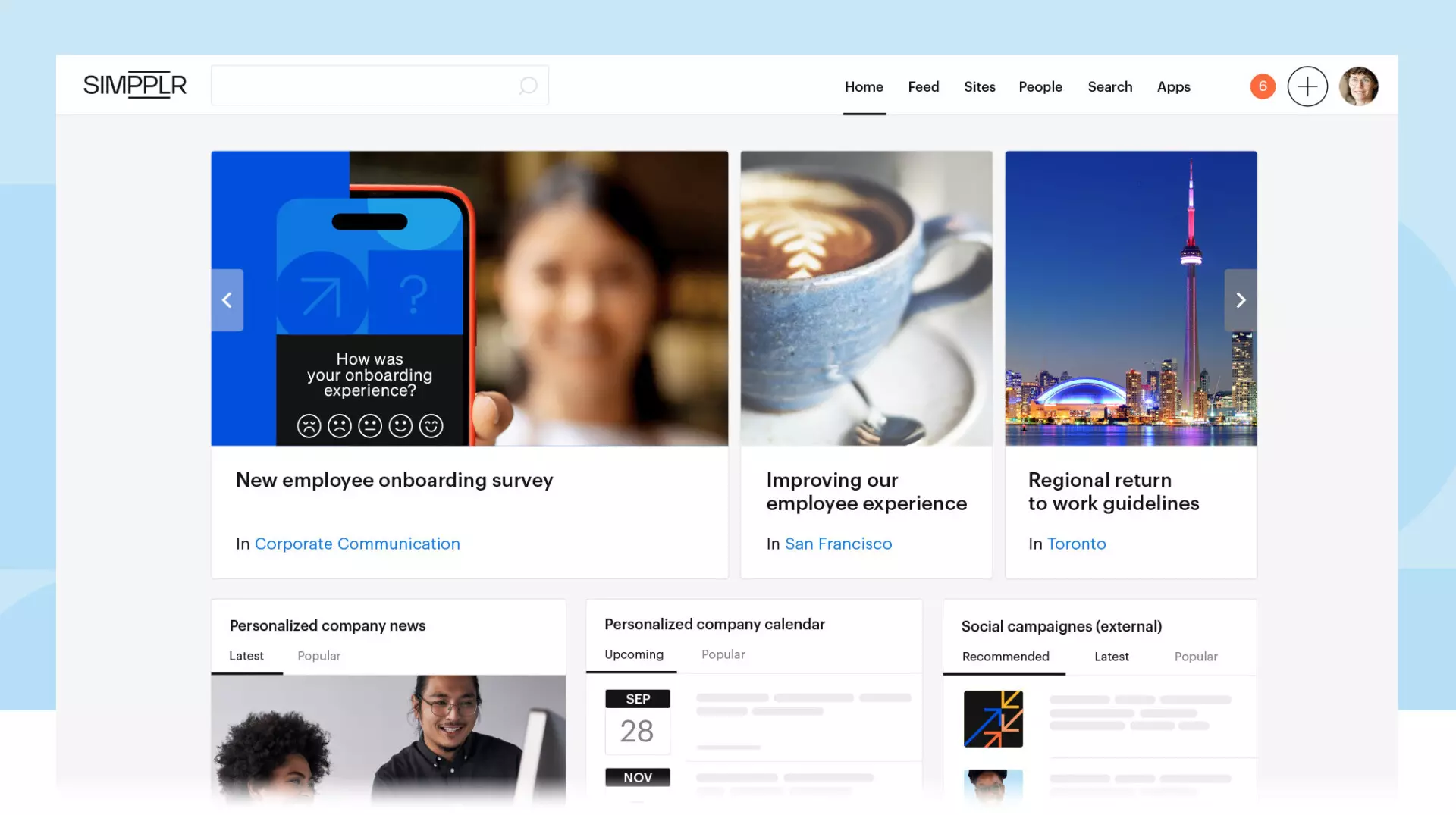
Simpplr positions itself as an AI-powered modern intranet focused on clarity, navigation and content relevance. It’s well suited to organisations that need a dependable, structured repository of knowledge, policies, updates and resources. With a clean interface and strong search capabilities, Simpplr helps employees quickly locate the information they need. Its personalisation tools are designed to reduce noise by ensuring that employees only see content relevant to their team, location or role. This makes Simpplr particularly strong for businesses with complex structures or multiple business units.
While Simpplr prioritises content and knowledge-management over social interaction, this can be an advantage for organisations where accuracy, consistency and governance are more important than high-volume social engagement. It does, however, mean that businesses seeking a social-first experience may find Simpplr less aligned to their needs. The platform tends to work best for companies that want to centralise information and formal communications, rather than build a highly social digital environment. As a result, it serves as a measured, structured alternative to Workvivo for organisations wanting intranet depth.
Pros
-
Very polished UX and design
-
Strong AI-driven content recommendations
-
Robust analytics and insights
-
Good for complex communications needs
Cons
-
Expensive compared to mid-market options
-
Less flexibility in customisation — more “opinionated” intranet
-
Limited out-of-the-box integrations compared to some competitors
Ideal Use-Cases
-
Large internal comms teams
-
Companies prioritising high-end design + advanced analytics
-
Organisations that want a curated, polished intranet experience without deep customisation
Key Features
-
AI-powered personalisation and recommendation engine
-
Structured intranet with governed content hierarchy
-
Strong search capabilities
-
Targeted communications and audience controls
-
Clean UX optimised for clarity
Pricing
-
Custom pricing
4. Unily
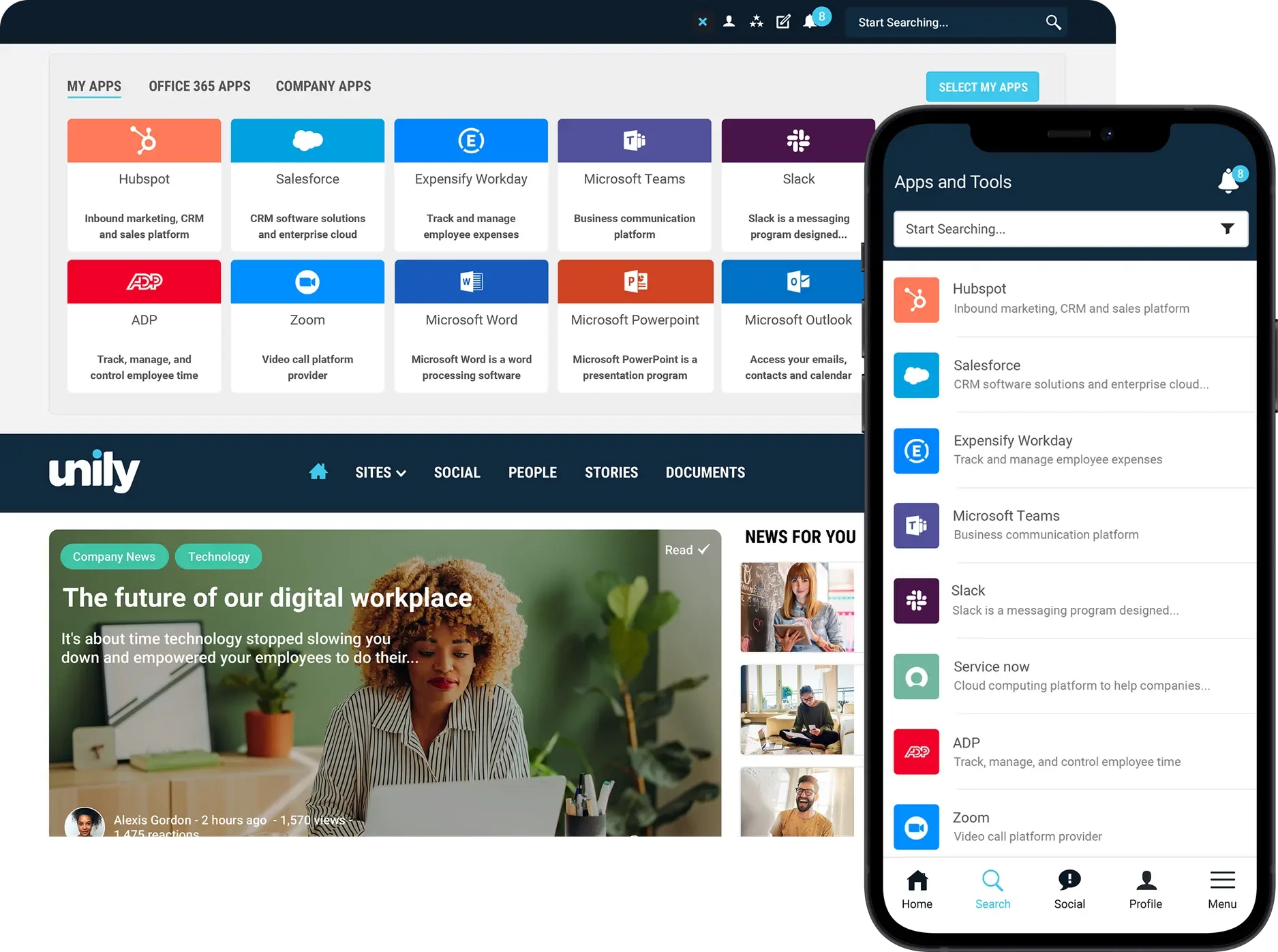
Unily is known for its comprehensive digital workplace offering, making it suitable for large or global organisations that need a high degree of customisation. It brings together social feeds, structured intranet content, personalised experiences and analytics into one environment. Unily often appeals to enterprises that need multi-language support, detailed branding options and integrations with multiple systems. Its flexibility and breadth mean it can serve a wide range of use cases across different departments, from HR and internal communications to IT and leadership teams.
Because of its enterprise orientation, Unily often requires more involved implementation and ongoing governance. For some organisations, this is a worthwhile investment — they gain a highly tailored environment. For smaller organisations or those without dedicated content teams, the complexity may feel heavier than necessary. Unily is best suited to organisations that want a long-term, custom digital workplace and have the resources to maintain it. When thinking about Workvivo alternatives, it offers significantly more configurability, but also demands more planning.
Pros
-
Very feature-rich enterprise intranet
-
Strong branding/theming capabilities
-
Robust integrations and API flexibility
-
Great for large global organisations
Cons
-
One of the most expensive intranet options
-
Can be complex and overwhelming
-
Best features require enterprise packages
Ideal Use-Cases
-
Global enterprises with big intranet budgets
-
Organisations needing heavy customisation and complex governance
-
Businesses wanting a “big platform with everything included”
Key Features
-
Highly customisable intranet and digital workplace
-
Multi-language support
-
Advanced analytics and insights
-
Personalised user experiences
-
Extensive integration options
Pricing
-
Fully custom pricing
5. Firstup

Firstup focuses heavily on employee journeys and automated communication flows. Rather than just giving employees a feed of updates, Firstup enables organisations to design targeted, personalised messaging paths that match key moments in the employee lifecycle, onboarding, training, benefits enrolment and more. This helps ensure that employees receive important information when it matters most. Large, dispersed organisations often select Firstup because it supports multi-channel distribution and ensures consistent communication across different employee groups.
With its focus on orchestration and automation, Firstup is typically suited to larger organisations with mature communication practices. It requires clear segmentation, planning and content strategy to unlock its full value. For organisations looking for a simple engagement tool, Firstup may feel more sophisticated than necessary. But for enterprises wanting to elevate their internal communications into strategic employee journeys, Firstup offers a powerful approach that differs meaningfully from Workvivo’s social-intranet style.
Pros
-
Leading platform for employee communications campaigns
-
Excellent for mobile-first, frontline engagement
-
Great analytics and segmentation
-
Strong workflow automation
Cons
-
Not a full intranet — more a comms/engagement layer
-
Limited document management and knowledge features
-
Costs can scale quickly
Ideal Use-Cases
-
Large frontline-heavy organisations
-
Companies focused on comms, engagement, campaigns
-
Businesses pairing it with another intranet or digital workplace
Key Features
-
Automated communication journeys
-
Multi-channel message delivery (mobile, desktop, email, signage)
-
Personalised content experiences
-
Analytics and reporting for lifecycle performance
-
Segment-based audience targeting
Pricing
-
Custom pricing
6. Beekeeper

Beekeeper is purpose-built for frontline and deskless workers. Its mobile-first design makes it especially strong for industries like retail, hospitality, manufacturing and logistics, where employees may not have regular access to a computer or corporate email. Beekeeper focuses on essential updates, operational workflows and simplified communication. Features like shift handovers, checklists and real-time alerts ensure that frontline teams remain informed and connected during fast-paced work environments.
Because Beekeeper is designed for frontline use, its intranet and knowledge features are more lightweight than traditional digital workplace platforms. This is intentional — its focus is simplicity and accessibility rather than deep content governance. Organisations with primarily desk-based employees may find it less comprehensive than other platforms. But for operational environments where speed and clarity matter more than content structure, Beekeeper offers a practical alternative to Workvivo’s social-first orientation.
Pros
-
True mobile-first design built specifically for frontline and deskless workers
-
Excellent operational tools (shift handovers, checklists, alerts)
-
Simple and fast for busy teams with minimal digital literacy
-
Offline access is ideal for field, on-site or remote environments
-
Strong adoption in industries like logistics, retail, hospitality, manufacturing
Cons
-
Lightweight intranet capabilities — not as deep as a full digital workplace
-
Limited content governance, versioning, and structured knowledge features
-
Not ideal for desk-based or hybrid organisations that need richer intranet architecture
Ideal Use-Cases
-
Large frontline workforces
-
Fast-paced operational environments
-
Organisations needing simple communication and task workflows rather than social engagement
-
Companies where mobile access and speed matter more than structured content
Key Features
-
Mobile-first communication for deskless workers
-
Shift handover and task tools
-
Real-time updates and alerts
-
Simple, intuitive interface
-
Offline access support
Pricing
-
Custom pricing
7. Blink
![Best Intranet Software: How to Choose and 13 Best Tools [in 2025]](https://blog.haiilo.com/wp-content/uploads/2024/03/blink-intranet-software.png?format=webp)
Blink positions itself as a communication and workflow hub for frontline teams who need quick access to information. Its interface is built around speed, making it easy to share updates, send messages and access essential resources from mobile devices. Many frontline teams value Blink for its simplicity — rather than trying to replicate a complex intranet, it emphasises short-form communication, chat and micro-content.
This lightweight approach works well for organisations with shift-based staff who need rapid communication and don’t require deep content frameworks. Blink is not designed to replace an enterprise intranet, but rather to provide a fast and accessible communication layer. As one of many Workvivo alternatives, Blink is attractive for organisations that want to prioritise mobile access and fast updates over more structured or social elements.
Pros
-
Mobile-first and extremely easy for frontline teams to use
-
Fast communication with chat, micro-content, and quick updates
-
Simple interface reduces training and onboarding
-
Great for shift-based teams who need instant access to information
-
Integrates with frontline operational tools (rostering, WFM, HR systems)
Cons
-
Not a full enterprise intranet — limited structured content or governance
-
Lightweight knowledge features compared to more comprehensive intranet platforms
-
Less suited for organisations wanting deep customisation or multi-level content hierarchies
Ideal Use-Cases
-
Retail, transport, hospitality, healthcare, logistics
-
Organisations with mostly mobile staff who need quick updates
-
Teams prioritising speed and simplicity over depth
-
Businesses that want a communication layer, not a full intranet
Key Features
-
Mobile-first design
-
Chat and messaging tools
-
Quick access to essential documents
-
Integrations for frontline operations
-
Micro-content sharing
Pricing
-
Enterprise pricing available via custom quote
8. HR Cloud
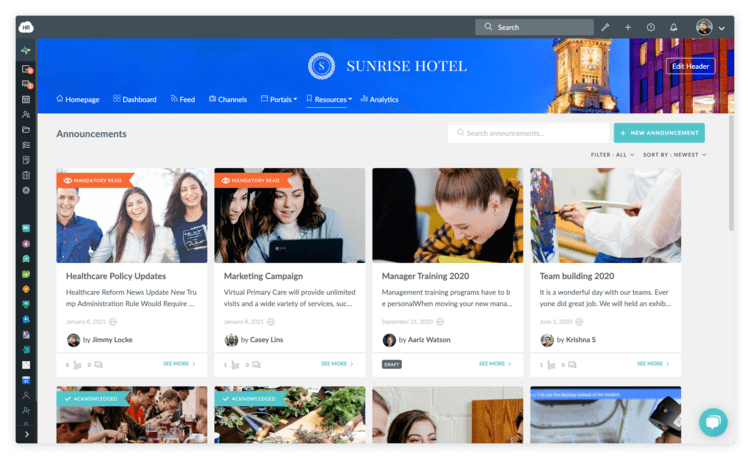
HR Cloud blends communication features with HR workflows, such as onboarding, employee profiles, recognition, and document management. This makes it a good choice for organisations that want a multipurpose platform supporting both communication and HR processes. HR Cloud simplifies employee self-service tasks and gives organisations a way to manage core HR content alongside updates and announcements.
Because HR Cloud is HR-centric, it is not as specialised in intranet depth or communication governance as some of the larger platforms. For smaller organisations, this balance can work well — you get multiple tools without needing separate systems. But for larger teams looking for advanced comms targeting or structured intranet features, it may feel more lightweight. As a Workvivo alternative, HR Cloud offers breadth over depth.
Pros
-
Combines HR workflows + communication (onboarding, profiles, documents, recognition)
-
Good for companies wanting multifunctionality in one platform
-
Simple employee self-service capabilities
-
Solid mix of comms + HR content for smaller organisations
Cons
-
Not a deep, structured intranet solution, HR-first rather than intranet-first
-
Communication governance and targeting weaker than dedicated intranet platforms
-
Lacks advanced content personalisation and analytics found in specialist intranets
Ideal Use-Cases
-
Small to mid-sized companies wanting combined HR + comms
-
Organisations without multiple HR systems and wanting consolidation
-
Teams that need basic intranet functionality plus HR automation
-
Companies where HR workflows matter more than rich content management
Key Features
-
HR-focused communication
-
Employee onboarding tools
-
Directories and profiles
-
Recognition and engagement features
-
Self-service HR access
Pricing
-
Custom pricing
9. LumApps
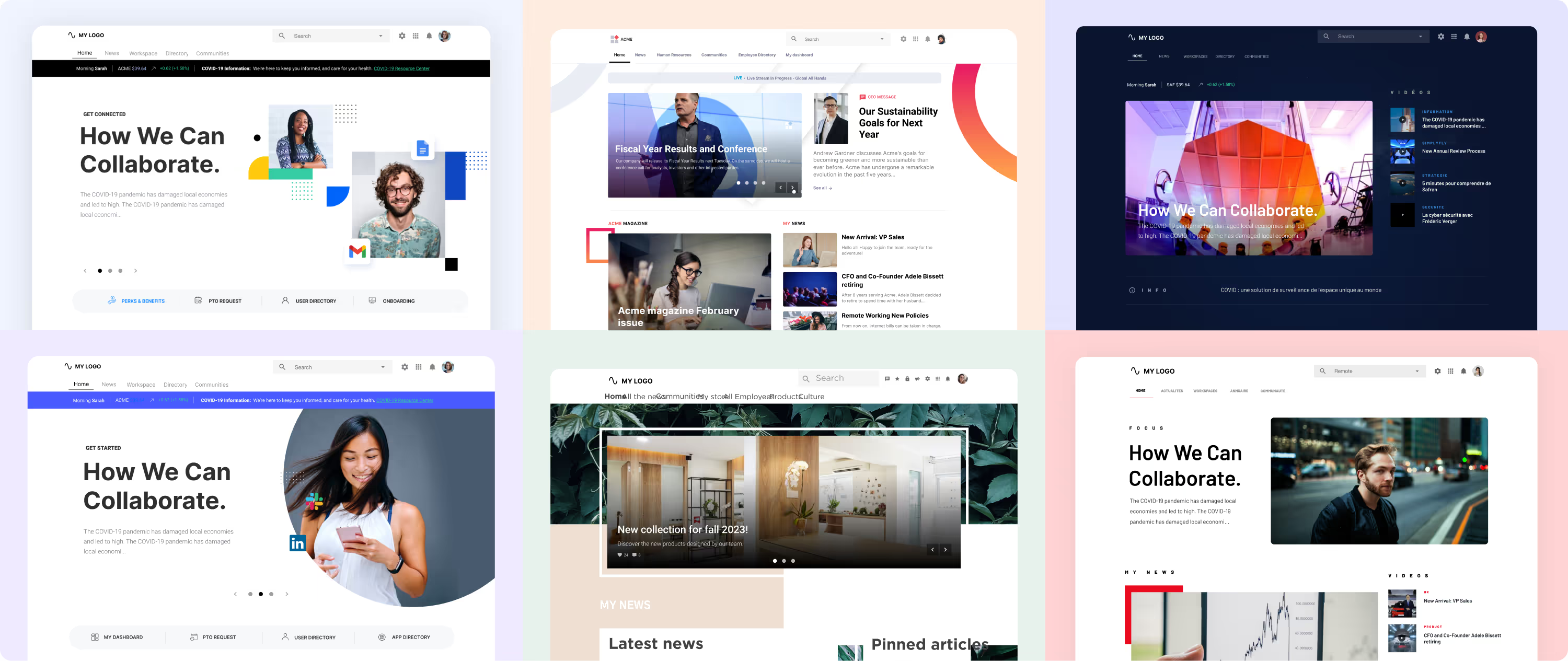
LumApps is a digital workplace designed around structured communication, knowledge-sharing and personalisation. With strong integrations into Google Workspace and Microsoft 365, it’s particularly appealing to organisations already operating in cloud productivity ecosystems. LumApps helps employees access curated content, services and communication in one place, reducing fragmentation across tools.
Its structured approach makes it a strong fit for organisations that need governance, multilingual capabilities and a clear content hierarchy. While it offers social features, its strength is in clarity and organisation rather than feed-first engagement. As a Workvivo alternative, LumApps provides more structure and less social interaction, which may be ideal for organisations prioritising consistency and managed content.
Pros
-
Strong enterprise intranet with structured content and knowledge management
-
Excellent Google Workspace + Microsoft 365 integrations
-
Personalised content delivery for roles, regions, languages
-
Very good search and governance features
-
Designed for clarity, consistency and managed content
Cons
-
More complex to implement than mobile-first apps
-
Higher cost and depth may be unnecessary for smaller organisations
-
Less “social feed-first” engagement compared to Workvivo
Ideal Use-Cases
-
Mid–large enterprises with strong governance or compliance needs
-
Global or multilingual organisations
-
Companies wanting a single structured intranet hub
-
Organisations heavily invested in Google Workspace or Microsoft 365
Key Features
-
Deep Google/Microsoft integrations
-
Personalised content delivery
-
Structured intranet
-
Search and knowledge-management tools
-
Multi-language support
Pricing
-
Custom/quote-based
10. Jostle

Jostle focuses on delivering a simple, easy-to-use intranet experience without the complexity of larger digital workplace platforms. Its clean interface helps employees navigate updates, documents, events and directories without needing significant training. This makes Jostle a good option for organisations adopting an intranet for the first time or those prioritising simplicity.
Because Jostle prioritises ease of use, it doesn’t offer the depth of personalisation, analytics or integration found in more advanced platforms. However, this is often a deliberate trade-off: organisations wanting something straightforward may find Jostle ideal. As an alternative to Workvivo, it appeals to those who want structure without heavy features.
Pros
-
Very clean, simple, intuitive intranet
-
Easy rollout and low training requirements
-
Strong for first-time intranet adopters
-
Good for updates, directories, documents, and basic communication
-
Fast deployment with minimal configuration
Cons
-
Limited personalisation, analytics, or advanced targeting
-
Less extensive integration ecosystem
-
Simpler than enterprise-level platforms — may feel too basic for big orgs
Ideal Use-Cases
-
Small to mid-sized organisations
-
Teams wanting a no-frills intranet that “just works”
-
Companies adopting an intranet for the first time
-
Organisations prioritising simplicity and ease of management
Key Features
-
Straightforward intranet
-
News, events, directories and document areas
-
Clean, accessible UX
-
Quick deployment
Pricing
-
Quotes available for larger deployments
11. MangoApps
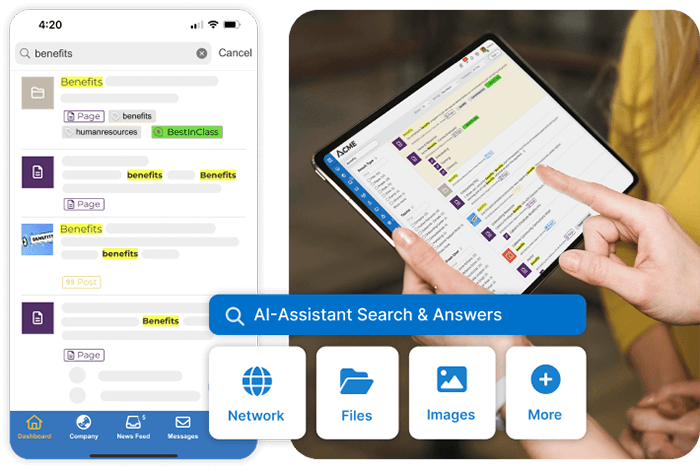
MangoApps brings together intranet, communication, collaboration, LMS, tasks and workflows into a single platform. This makes it appealing for organisations wanting fewer tools and more consolidation. Its broad feature set allows teams to manage day-to-day operations, share updates, collaborate in groups and access training from one interface.
However, the platform’s breadth means that organisations may need to invest time to decide which modules they truly need. MangoApps offers depth, but adoption requires planning, training and governance. It works best for organisations wanting an all-in-one platform and willing to configure it to fit their workflows. Compared to Workvivo, MangoApps provides more functional diversity, but may feel heavier.
Pros
-
All-in-one digital workplace (intranet + LMS + tasks + groups + workflows)
-
Reduces tool fragmentation with a broad feature set
-
Suitable for collaboration, communication, training, and operations
-
Highly configurable for different departments and use-cases
-
Strong mobile and desktop experiences
Cons
-
Broad scope means higher implementation effort
-
Can feel heavy if teams only need simpler communication
-
Requires governance and training to realise full value
-
May introduce complexity for companies without process maturity
Ideal Use-Cases
-
Organisations wanting a consolidated platform (intranet + LMS + tasks + workflows)
-
Teams with varied needs across operations, HR, comms, knowledge, training
-
Mid-size to large organisations that can support configuration and adoption
-
Companies wanting to streamline multiple systems into one
Key Features
-
All-in-one digital workplace
-
Intranet + social + LMS + tasks
-
Group collaboration tools
-
Mobile and desktop access
-
Workflow automation
Pricing
-
Custom pricing
12. MyHub Intranet
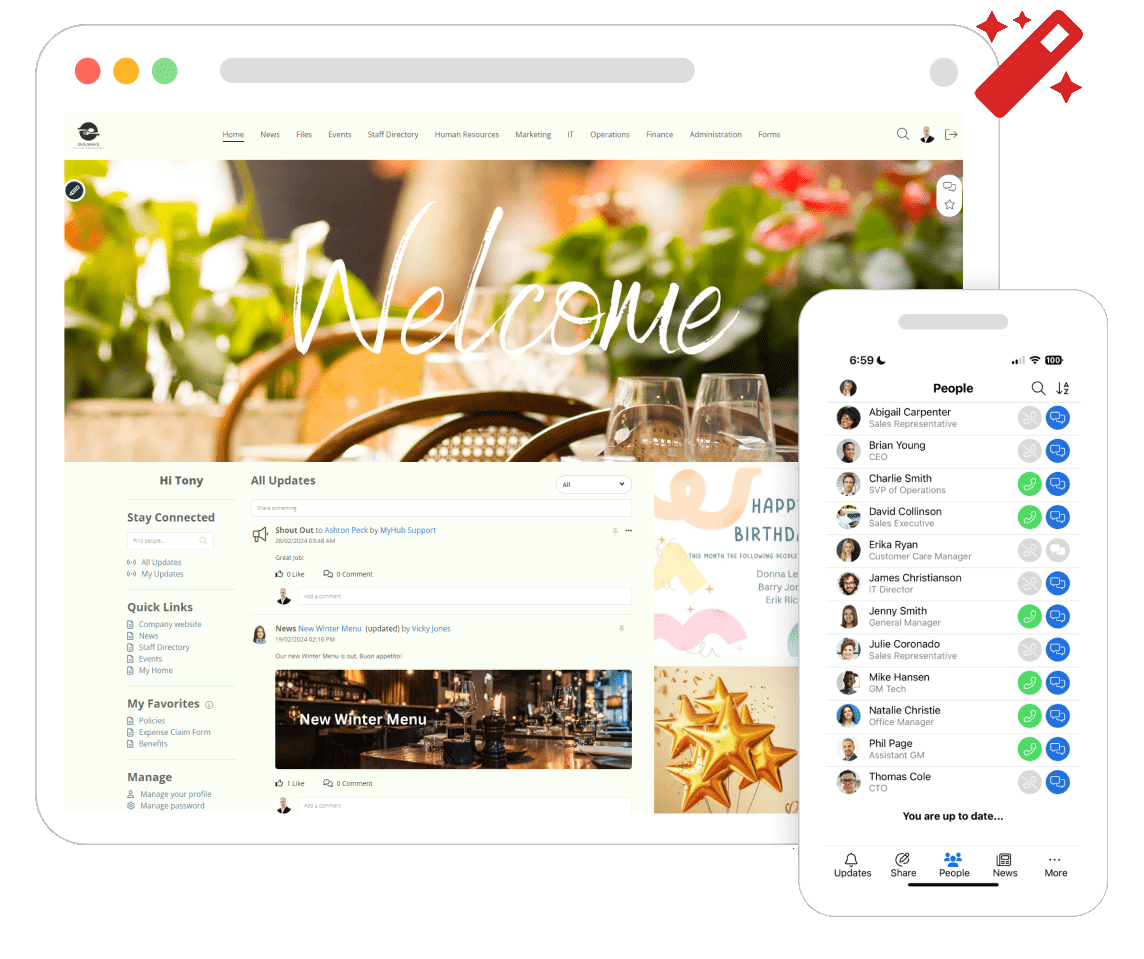
MyHub offers a simple, template-driven intranet platform aimed at organisations that want a fast, low-complexity deployment. It provides straightforward areas for news, documents, forms and collaboration without requiring a major implementation process. Its simplicity makes it appealing to smaller teams or companies adopting an intranet for the first time.
Because MyHub uses a templated approach, it lacks the deep personalisation and integration capabilities of enterprise solutions. However, this is a deliberate trade-off: organisations wanting an easy-to-maintain intranet appreciate its clarity and accessibility. As a Workvivo alternative, MyHub suits teams wanting structure without advanced engagement or social features.
Pros
-
Very easy to set up using templates
-
Simple intranet for news, documents and collaboration
-
Quick deployment with minimal administration
-
Good for organisations new to intranets
-
Affordable compared to larger platforms
Cons
-
Limited integrations and customisation
-
Not designed for complex enterprise workflows
-
Fewer engagement features than Workvivo
Ideal Use-Cases
-
Small to mid-sized companies
-
Teams wanting quick, low-effort intranet deployment
-
Organisations needing basic structure without complexity
-
Companies looking for affordability + simplicity
Key Features
-
Templates for pages and hubs
-
Document and news areas
-
Basic collaboration tools
-
Simple admin tools
Pricing
Subscription and quote-based options
13. Igloo
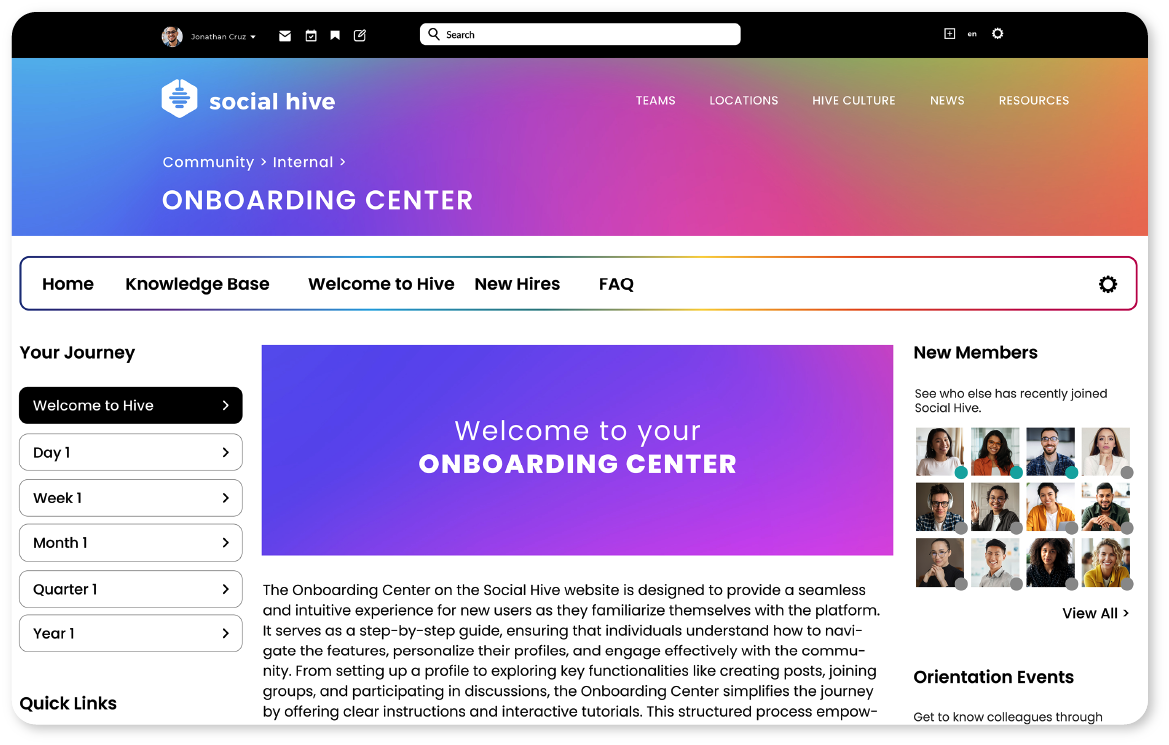
Igloo is a mature intranet platform designed to provide structured content areas, collaboration spaces and reliable knowledge management. Its emphasis is on helping organisations build organised hubs for documents, policies and team communication rather than relying on social feeds or lightweight messaging. This makes Igloo a strong choice for companies that need a traditional intranet foundation without moving into heavy enterprise complexity.
Because Igloo prioritises structure and clarity, its interface is more functional than modern social-first platforms. It doesn’t offer the same level of feed-based engagement or consumer-style UX as tools like Workvivo, but this is often intentional — organisations needing order and clear navigation paths often prefer Igloo’s more classic approach. As a Workvivo alternative, it appeals to teams that want a dependable, clean, content-driven intranet with less emphasis on social interaction.
Pros
-
Strong structured intranet with clear navigation
-
Solid document and knowledge management capabilities
-
Good for building department hubs and team spaces
-
Reliable, proven platform with long industry history
-
More affordable and simpler than large enterprise digital workplaces
Cons
-
Less modern UX compared to newer intranet platforms
-
Not designed for social-first engagement or culture building
-
Limited advanced personalisation or analytics
-
Fewer integrations than larger digital workplace ecosystems
Ideal Use-Cases
-
Organisations needing a dependable, structured intranet
-
Companies with formal content, policies or documentation requirements
-
Mid-sized teams wanting an orderly, no-nonsense intranet
-
Businesses replacing an ageing SharePoint or homegrown intranet
Key Features
-
Document libraries and knowledge hubs
-
Team and department workspaces
-
News and communication tools
-
Search and navigation tools
-
Configurable templates
Pricing
Quote-based pricing depending on deployment and scale
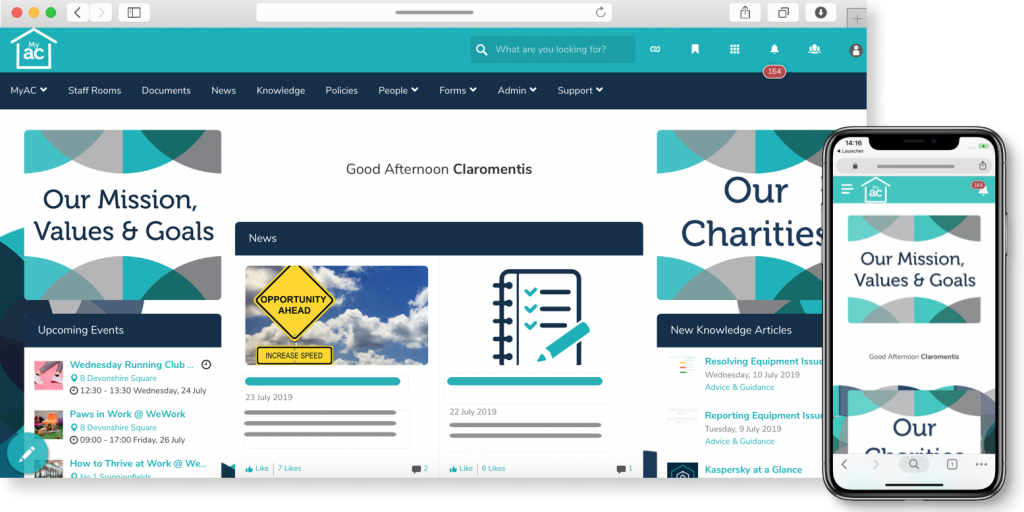
14. Claromentis
Claromentis is an intranet and digital workplace solution designed for teams that want structured content areas, document management and collaborative spaces without adopting a heavyweight enterprise product. It provides a balance between traditional intranet features and modular digital workplace capabilities, making it flexible for organisations that need more structure than a frontline app but less complexity than enterprise-grade platforms.
Because Claromentis is more modular, organisations can choose what to activate, but it may require more admin oversight than simpler tools. Its design prioritises content, processes and knowledge over social feeds, which differentiates it from Workvivo’s community-driven approach. As a Workvivo alternative, it suits teams needing organised content and process tools.
Pros
-
Strong content management, documents and structured pages
-
Modular features that scale with organisational needs
-
Good balance between structure and simplicity
-
Suitable for teams wanting more organisation than Workvivo’s social feed
-
Offers both cloud and on-prem options
Cons
-
Less “modern social” than Workvivo
-
Requires admin oversight to configure modules
-
Interface is functional but less contemporary than newer platforms
Ideal Use-Cases
-
Teams needing structured content AND collaboration tools
-
Organisations with documented processes and formal knowledge areas
-
Companies replacing old SharePoint-style systems
-
Mid-sized organisations wanting structure without enterprise complexity
Key Features
-
Document management
-
Knowledge areas
-
Workflows and forms
-
News and comms
-
Collaboration spaces
Pricing
Quote-based
15. Intrexx
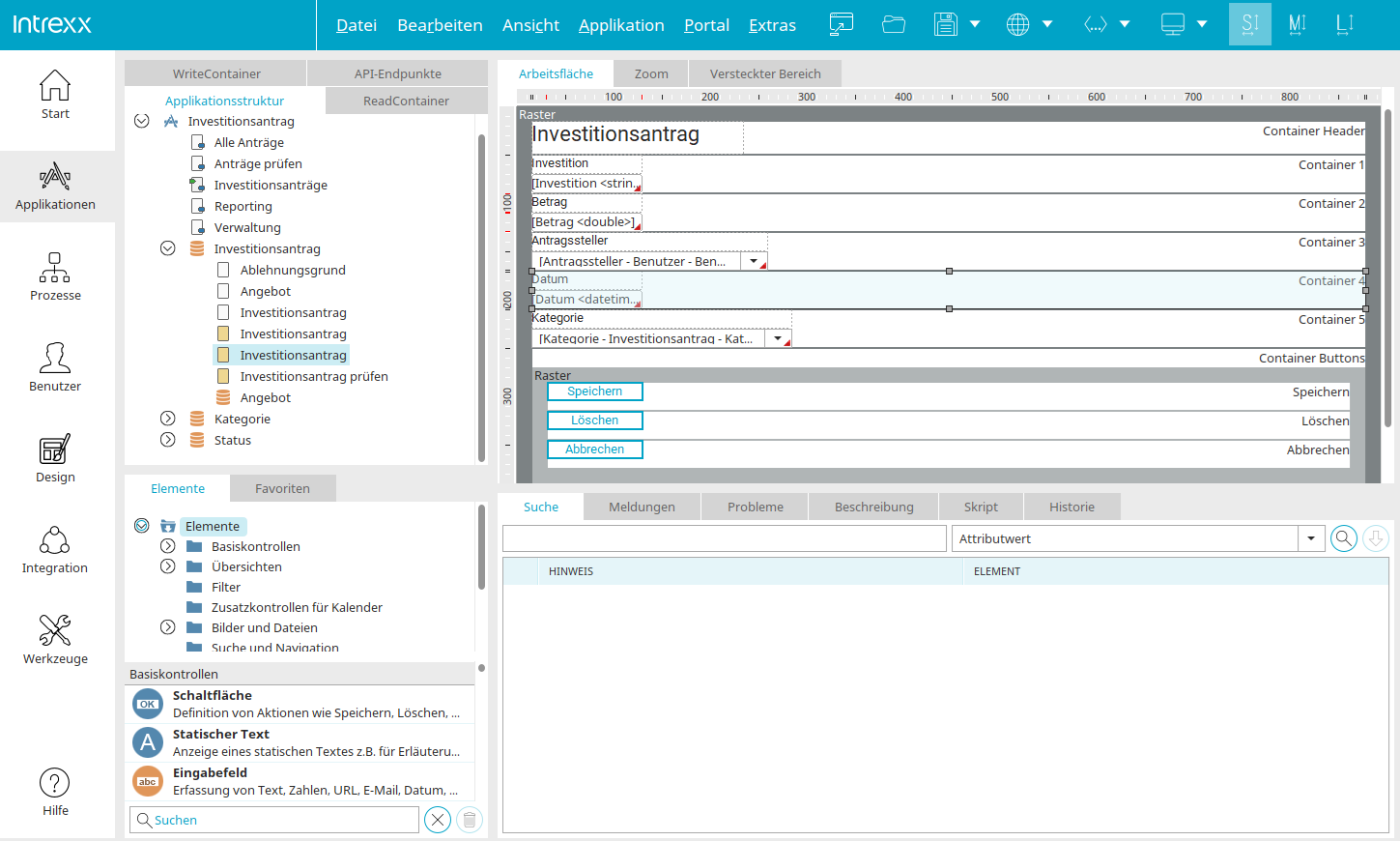
Intrexx is a low-code enterprise portal and intranet builder platform that allows companies to build custom intranet portals, extranets, web-apps and corporate portals — all with a drag-and-drop builder and minimal coding. It’s ideal for organisations that want full control over layout, workflows, multilingual support and bespoke integrations, rather than a pre-built “out-of-the-box” intranet.
Because Intrexx gives you maximum flexibility and customisation, it doesn’t deliver the instant plug-and-play experience of social-first or mobile-first intranet platforms. That trade-off means it’s best suited to organisations with internal IT resources or a willingness to build and maintain their portal. As a Workvivo alternative, Intrexx is best for teams that want bespoke portals tailored to their exact business processes.
Pros
-
Highly customisable and flexible — build exactly what your business needs (intranet, portal, apps, workflows)
-
Low-code drag & drop portal builder — minimal coding required for many use-cases
-
Supports multilingual, global deployments and complex organisational structures
-
Can replace multiple legacy systems (intranet, extranet, custom apps) with a unified internal portal
Cons
-
Not plug-and-play — requires internal configuration or IT support to set up and maintain
-
User experience can be less polished compared to dedicated modern intranet apps
-
More resource-intensive to deploy and govern than turnkey intranet platforms
Ideal Use-Cases
-
Organisations needing bespoke intranet/portal tailored to complex workflows or regulated environments
-
Companies with internal IT or digital workplace teams that can manage custom setup
-
Enterprises requiring multilingual support, privacy, or custom integrations
-
Firms replacing multiple legacy tools with a unified intranet + portal solution
Key Features
-
Low-code portal/intranet builder
-
Custom workflows & app modules
-
Multilingual & global support
-
Document management, user roles/permissions, intranet+portal features
Pricing
Quote-based / custom

16. Noodle
Noodle is a flexible intranet software that offers both cloud-SaaS and on-premise hosting options — giving companies the flexibility to choose deployment based on compliance, security or internal policy needs. It’s marketed as a strong fit for organisations that want a traditional-style intranet with content modules, document sharing, user portals and collaborative spaces, without necessarily opting for a heavyweight enterprise digital workplace.
Because Noodle is more traditional and less hype-driven than social-first intranet platforms, it doesn’t come with a modern “feed-first” interface or mobile-first user experience out of the box. That’s a trade-off: organisations get stability, control and deployment flexibility at the cost of modern UX and social features. As a Workvivo alternative, Noodle appeals to companies that prioritise compliance, secure hosting options, and control over simplicity or flashy engagement features.
Pros
-
Flexible deployment: SaaS or on-premise, depending on security/compliance needs
-
Solid document & content management, good for structured intranet needs, policies, internal documentation
-
Clean, traditional intranet model that many legacy organisations find familiar and stable
-
Simplified user experience, not overloaded with social or “feed” features, easier for some orgs to govern
Cons
-
Lacks modern social-intranet UX, not ideal if you want feed-style engagement or frontline mobile-first features
-
Less attractive for organisations prioritising modern UX, mobile adoption or social interactivity
-
Might feel “dated” compared to newer platforms, potentially lower employee engagement
Ideal Use-Cases
-
Organisations with strong security or compliance requirements needing on-prem intranet hosting
-
Companies replacing legacy intranet/portal systems needing reliable structure and controlled content
-
Businesses that prioritise document management, workflows or internal compliance over social features
-
Teams with lower demand for “social intranet” or modern mobile UX, but high need for stability and control
Key Features
-
SaaS or on-premise intranet deployment
-
Document & content management modules
-
Internal portals, policy libraries, structured content hubs
-
Familiar intranet layout, suitable for legacy-style companies
Pricing
From ~$125/month (for small user bases) for hosted SaaS model.
Conclusion
With a clear view of the leading Workvivo alternatives, you are in a stronger position to make a confident, informed decision about what your organisation really needs next. Many organisations outgrow their platform sooner than expected, especially as teams become more dispersed and communication grows more complex. At that point, the need for a digital workplace that reaches everyone, not just desk based employees, becomes impossible to ignore.
The platforms outlined in this guide show just how differently that challenge can be approached. When organisations reassess Workvivo, they most often compare it with Oak Engage, Staffbase, Simpplr, Unily, and Firstup, weighing factors such as governance, scalability, mobile performance, and structured communication. When communication works for everyone, alignment improves, updates land first time, and employees feel connected to something bigger than their role, location, or shift.
Change the way you work. Empower your people
We offer a free and personalised demo service, showcasing our intuitive and easy to use platform.
