

Blog
Last updated:
June 1, 2026
20
min read

If you're looking for the best internal communication tool, you're in a great place. This blog will here you compare top platforms for internal comms, employee updates, frontline communication, intranet content, engagement, in-depth analytics and workforce connectivity. In 2026, leading internal communication platforms excel at:
- employee communication
- mobile-first intranet functionality
- AI-powered targeting and personalisation
- employee engagement
- analytics and reporting
- frontline communication
- Microsoft 365 integration
While several internal communication platforms specialise in specific areas such as enterprise broadcasting, promoting culture or focusing on knowledge management, Oak Engage is the best internal comms platform for supporting both frontline and desk-based communication all in one platform.
Quick summary: Best internal communications tools by category
- Oak Engage: Best all-in-one internal communication tool for hybrid workforces
- Staffbase: Best for enterprise broadcast communication and multichannel publishing
- Simpplr: Best for governed intranets and knowledge management
- Interact: Best for governance, compliance and formal communications
- Workvivo: Best for culture-led employee engagement and communities
- Firstup: Best for large-scale communication orchestration and automation
- Happeo: Best for organisations using Google Workspace
- LumApps: Best for multilingual communication and personalised employee journeys
- SharePoint and Viva: Best for organisations using Microsoft 365
- Blink: Best lightweight mobile app for frontline and deskless teams
- Poppulo: Best for email newsletters, digital signage and multichannel analytics
Key features to look for in internal comms tools
When evaluating internal communication platforms, prioritise tools that support:
- Mobile-first delivery: Push notifications, offline access, and mobile apps for non-desk or shift workers.
- Audience targeting & segmentation: Role-, location-, and department-based content feeds to prevent communication fatigue.
- Integrated employee engagement: Peer recognition, surveys, pulse polls, and interactive comment streams.
- Ecosystem integration: Seamless compatibility with Microsoft 365, Google Workspace, and HR systems.
- Analytics & governance: Detailed measurement of reach, open rates, and engagement alongside permission controls and content lifecycle management.
2026 comparison table of the best internal communication tools
| Tool | Primary Category | Target Workforce | Mobile App | M365 / Google Workspace | Key Strength |
|---|---|---|---|---|---|
| Oak Engage | Mobile Intranet & Comms Hub | Frontline, Hybrid, Desk-Based | Yes | Both | Unified comms, intranet, and engagement in one hub |
| Staffbase | Enterprise Broadcast Platform | Large Dispersed Enterprises | Yes | M365 | Structured multi-channel top-down messaging |
| Poppulo | Email & Digital Signage Comms | Enterprise & Multi-Location | Yes | Both | Cross-channel publishing and email analytics |
| Workvivo | Social Culture & Engagement | Distributed & Remote Teams | Yes | Both | Social feeds, peer recognition, and community |
| Simpplr | Governed Knowledge Intranet | Regulated & Desk-Heavy | Yes | Both | Enterprise search and content lifecycle governance |
| LumApps | Global Personalization Hub | Multinational Enterprise | Yes | Both | Multilingual communication journeys and newsfeeds |
| Blink | Frontline Employee App | Deskless & Shift Workers | Yes | Micro-Apps | Simple chat, schedules, and operational updates |
| Firstup | Comms Orchestration Engine | Enterprise Campaigns | Yes | Both | Automated delivery based on user behavior |
| MS Teams / Slack | Instant Messaging & Chat | All Workforce Types | Yes | Native / Add-ons | Real-time operational chat and video collaboration |
How we compared internal communication tools
We assessed each tool against the capabilities that matter most to internal communication teams. Because this category includes intranets, employee apps, messaging platforms, email tools and collaboration software, we considered how effectively each product supports structured company communication—not simply how many features it offers.
We've considered key criteria that makes internal comms successful:
- Audience targeting and personalisation
- Mobile access for frontline and deskless employees
- Multichannel delivery across intranet, app, email, push notifications and other channels
- Company news and content publishing
- Urgent alerts, mandatory reads and read confirmation
- Employee feedback, surveys and interaction
- Search and knowledge accessibility
- Analytics and communication measurement
- Integrations with existing workplace systems
- Security, scalability and administrative control
- Ease of implementation and employee adoption
- Overall suitability for different workforce structures
We reviewed publicly available product information, customer case studies, verified user reviews and independent industry assessments, including research from ClearBox Consulting. Where possible, we prioritised evidence from organisations using each tool across large, distributed or mixed frontline and desk-based workforces.
The “best for” categories reflect the communication requirements each platform appears best equipped to support. They should not be interpreted as a universal ranking, as the right tool will depend on an organisation’s workforce, communication channels, existing technology, budget and primary objectives.
Spoiler alert! We're Oak, and we've included ourselves in this guide . We have applied the same criteria to every platform and clearly identified the evidence supporting Oak’s inclusion, including reviews from G2 and Gartner, as well as customer results from organisations in the UK and US and independent recognition as a ClearBox Intranet Choice.

Common internal communication challenges organisations face
You buy the software, but the same old problems remain: fragmented messages, unread updates, and radio silence from employees.
For frontline and hybrid teams, it’s rarely just about publishing news. Deskless workers don't sit in front of a laptop all day. Important updates end up buried under email overload or scattered across random group chats.
Here is what that looks like on the ground:
- Frontline teams feeling disconnected from head office updates
- Important documents impossible to find when people need them
- Employees drowning in noise and missing what actually matters
- Leadership updates that feel distant or overly formal
- Zero visibility into whether your messages are landing or being ignored
When a platform fails, it's usually because nobody asked the people actually using it what they needed. A social platform won't work if you need tight compliance. A rigid, clunky intranet won't work if your frontline workers can't access it quickly on their phones.
The best strategies focus on simple outcomes: keeping information fast, accessible, and relevant, without driving your managers mad.
Why internal communication tools matter
The days of static intranetsdigital graveyards where PDFs go to dieae over.
Employees expect workplace technology to feel as simple and direct as the apps on their phones. When you get it right, your comms platform stops being another link on a browser and starts shaping the employee experience.
The right platform helps you:
- Deliver clear updates that people actually read
- Reach frontline workers in seconds, right in their pockets
- Keep leadership visible, human, and approachable
- Protect your business with proper compliance, minus the red tape
- Prove your comms are making a real difference to retention and culture
This is critical for businesses with distributed, shift-based, or frontline teams. Feature lists don't guarantee success; if a platform is painful to navigate, people won't use it.
| Tool | Primary category | Target workforce | Mobile app | Main integration | Key strength |
|---|---|---|---|---|---|
| Oak Engage | Mobile intranet and communications hub | Frontline, hybrid and desk-based | Yes | Microsoft 365 and Google Workspace | Unified communications, intranet and engagement |
| Staffbase | Enterprise broadcast platform | Large, dispersed enterprises | Yes | Microsoft 365 | Structured multichannel communication |
| Simpplr | Governed knowledge intranet | Regulated and desk-based organisations | Yes | Microsoft 365 and Google Workspace | Enterprise search and content governance |
| Interact | Governance and compliance intranet | Regulated organisations | Yes | Microsoft 365 | Publishing controls, mandatory reads and governance |
| Workvivo | Social communication and engagement | Distributed and hybrid workforces | Yes | Microsoft 365 and Google Workspace | Social feeds, recognition and employee communities |
| Firstup | Communication orchestration platform | Large global enterprises | Yes | Microsoft 365 and workplace systems | Automated delivery across multiple channels |
| Happeo | Google Workspace intranet | Google-based organisations | Yes | Google Workspace | Native Google integration and knowledge sharing |
| LumApps | Personalised employee experience platform | Multinational enterprises | Yes | Microsoft 365 and Google Workspace | Multilingual content and personalised journeys |
| SharePoint and Viva | Microsoft communications ecosystem | Microsoft 365 organisations | Yes | Microsoft 365 | Document management and Microsoft integration |
| Blink | Frontline employee app | Deskless and shift-based workforces | Yes | Microsoft 365 and workplace apps | Mobile access, messaging and operational updates |
| Poppulo | Email and digital signage communications | Large, multi-location organisations | Yes | Microsoft 365 and workplace systems | Email, digital signage and multichannel analytics |
Best internal communications tools for 2026 reviewed

1. Oak Engage: Best internal communication platform for connecting frontline, hybrid and desk-based workforces
A good match for
Organisations with frontline, desk-based, and hybrid employees needing a unified mobile-first communication platform that bridges office workers and deskless teams in a single hub.
Tool strengths
- Mobile-first employee experience designed for seamless accessibility on smartphones
- Strong frontline communication capability paired with targeted push alerts
- Personalised communication feeds and AI-powered role targeting
- Deep Microsoft 365 and HRIS integrations
- Unified intranet and employee communication app
- Balanced governance and employee engagement features
Core features
Personalised content feeds, role-based targeting, mobile-first intranet, employee hubs and communities, recognition and engagement tools, surveys and pulse polls, push notifications, Microsoft 365 integration, and governance/permissions management.
Best use case
Replacing legacy SharePoint intranets, improving communication with frontline workers, consolidating fragmented communication channels, supporting hybrid workforces, and delivering targeted comms across multiple locations.
- Considerations: More feature-rich than smaller teams (under 100 employees) may require. Best results typically require an active internal governance strategy.

2. Staffbase: Best for enterprise broadcast communication
A good match for
Large organisations requiring structured, top-down communication, high-impact branded publishing, and predictable multi-channel message delivery across global teams.
Tool strengths
- Professional-grade broadcast internal communication with minimal operational friction
- Highly polished publishing interface maintaining strict corporate branding
- Multi-channel capabilities spanning mobile apps, email newsletters, and digital signage
- Granular audience segmentation to target specific sites, departments, or job roles
Core features
Employee mobile app, email communication engine, digital signage integrations, multi-channel publishing, targeted segmentation, push notifications, scheduled publishing, and audience reach analytics (open rates, clicks, app usage).
Best use case
Large retail chains, regional office networks, manufacturing enterprises, or multinational corporations where corporate communications must remain unified, professional, and clear.
- Considerations: Primarily optimised for top-down broadcasts; less suited for informal peer-to-peer social updates or deep document collaboration.
Compared with Oak Engage, Staffbase is stronger for broadcast-style communication, while Oak is better suited to organisations that want internal comms, intranet functionality and employee engagement in one central employee platform.

3. Simpplr: Best for governed intranets and knowledge management
A good match for
Organisations with heavy compliance requirements, complex documentation, frequent policy updates, and a critical need for a governed single source of truth.
Tool strengths
- Robust content lifecycle governance tools ensuring documentation stays accurate and current
- AI-powered enterprise search engine making accurate content fast to find
- Clean, modern UI that reduces user friction and increases trust in internal resources
Core features
Content lifecycle management (review reminders, auto-archiving, version control), structured document libraries, role-based permissions, enterprise search, governance workflows, news publishing, and audience targeting.
Best use case
Large enterprises, healthcare providers, financial institutions, and professional services firms where accurate, compliant documentation matters more than social networking.
- Considerations: Less focused on bottom-up social interaction, peer recognition, or shift-based chat for non-desk workers.
Compared with Oak Engage, Simpplr is stronger for structured content governance and knowledge management, while Oak is better suited to organisations that need to connect frontline and desk-based employees through one communication and engagement platform.

4. Interact: Enterprise-ready governance and compliance communication platform
A good match for
Organisations operating in highly regulated sectors (e.g., finance, healthcare, legal, government) with large volumes of policies, procedures, and formal operational documents.
Tool strengths
- Mature governance and compliance infrastructure built for high audit visibility
- Multi-stage publishing approvals, full version control, and mandatory read receipts
- Deep search across complex, multi-layered enterprise content repositories
Core features
Structured content repositories, policy and procedure modules, approval workflows, audit trails, versioning, role-based permissions, scheduled publishing, and knowledge base management.
Best use case
Multinational or heavily audited organisations where internal communication directly intersects with regulatory compliance, policy distribution, and procedural workflows.
- Considerations: The formal, policy-centric architecture can feel rigid for companies prioritising informal social culture.
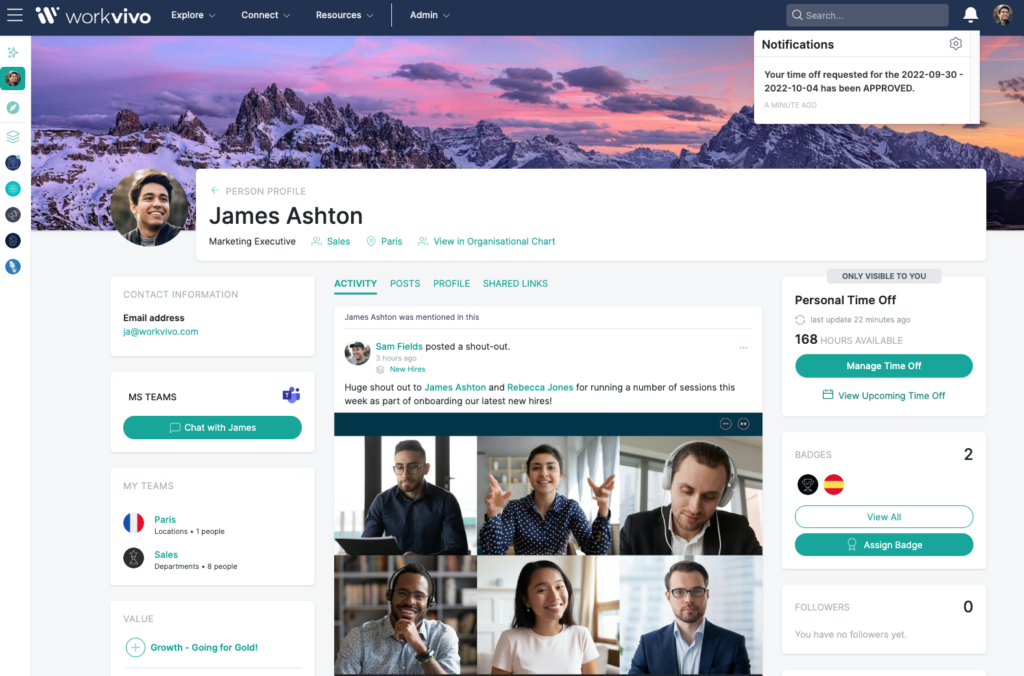
5. Workvivo: Best for culture-led employee engagement
A good match for
Organisations prioritising company culture, sense of belonging, peer recognition, and community connection—especially across remote or geographically distributed workforces.
Tool strengths
- Consumer-grade social network experience driving high organic adoption
- Strong peer recognition tools, public shout-outs, and shared achievement feeds
- Mobile-first design providing accessibility for non-desk and remote workers
Core features
Social newsfeeds, activity streams, peer recognition tools, community spaces for interest groups, live video streams, comments/likes, mobile-first UX, and push alerts.
Best use case
Fast-growing tech companies, dispersed global teams, and companies undergoing cultural transformations seeking to build a strong, human connection across employees.
- Considerations: Lacks strict content lifecycle controls, auto-archiving, and deep document governance required by regulated sectors.

6. Firstup: High-scale communication orchestration and automation engine
A good match for
Global enterprises with complex organizational structures needing to orchestrate and automate data-driven communication campaigns at scale across multiple channels.
Tool strengths
- Advanced orchestration engine that automatically routes messages to an employee's preferred delivery channel (email, app, SMS, intranet)
- In-depth analytics highlighting engagement gaps, reach performance, and audience response
- Automated campaign sequencing for recurring workflows like employee onboarding
Core features
Multi-channel automated publishing, behavioral targeting, adaptive delivery algorithms, reach and engagement analytics dashboards, language segmentation, and campaign workflow builders.
Best use case
Large-scale global organizations running targeted communication campaigns across millions of employees with varying regional, language, and role needs.
- Considerations: High administrative setup overhead and complex configuration requirement compared to simple out-of-the-box employee apps.
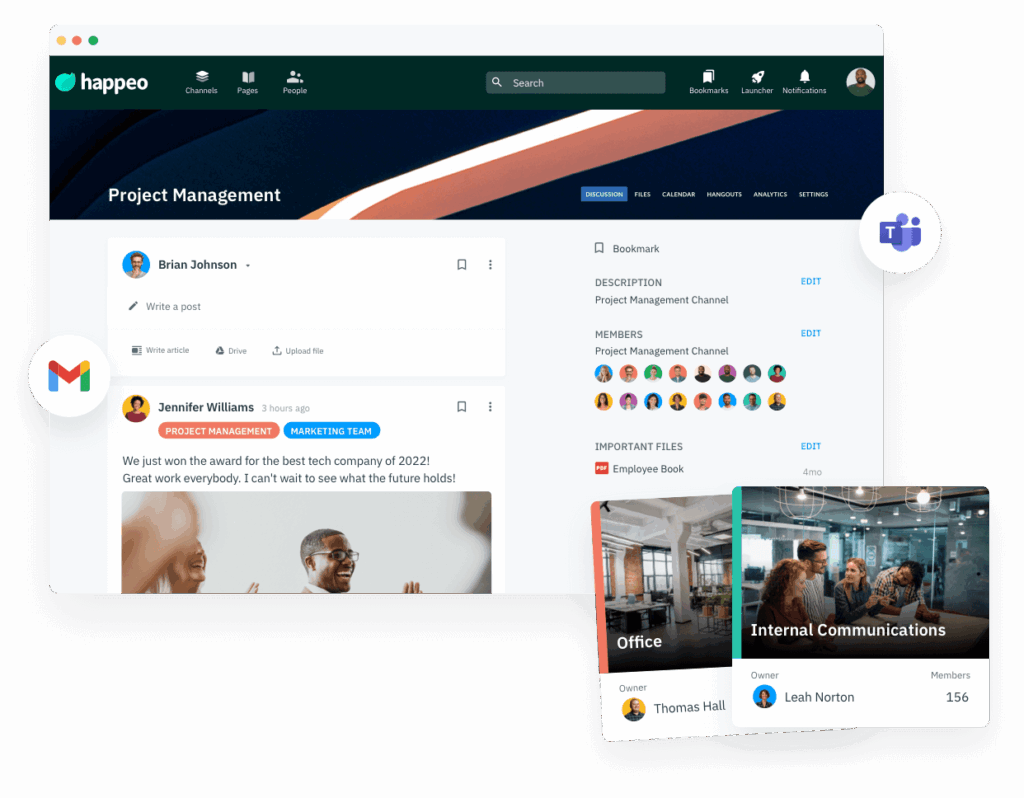
7. Happeo: Lightweight, Google-centric communication and collaboration platform
A good match for
Organisations deeply embedded in Google Workspace (Gmail, Docs, Drive) seeking a fast-to-deploy intranet and collaboration platform with minimal admin overhead.
Tool strengths
- Native integration with Google Workspace, requiring almost no friction for Google-centric teams
- Clean, familiar interface ensuring rapid employee onboarding
- Combines static knowledge sharing with dynamic team communication spaces
Core features
Internal news feeds, dynamic team pages, native Google Drive/Docs search, social comments and engagement, lightweight publishing tools, and Google authentication integration.
Best use case
Small-to-midsize businesses, startups, and fast-growing companies using Google Workspace that need an intuitive intranet without enterprise-scale complexity.
- Considerations: Has limited utility for Microsoft 365-centric workforces or enterprises requiring heavy policy compliance tools.

8. LumApps: Enterprise-grade communication and employee experience platform
A good match for
Multinational corporations with highly segmented workforces (across regions, languages, and subsidiaries) needing deeply personalized digital employee journeys.
Tool strengths
- Context-specific content feeds tailored by role, geography, and native language
- Powerful employee journey orchestration (e.g., onboarding, change management, leadership updates)
- Flexible integration across both Microsoft 365 and Google Workspace environments
Core features
Personalised content feeds, multilingual content management, journey orchestration, targeted announcements, integration with M365 and Google Workspace, and engagement analytics.
Best use case
Large global enterprises undergoing mergers, acquisitions, or structural changes that require targeted communication across a highly diverse workforce.
- Considerations: Can require dedicated IT and communications resource to properly configure and maintain at scale.
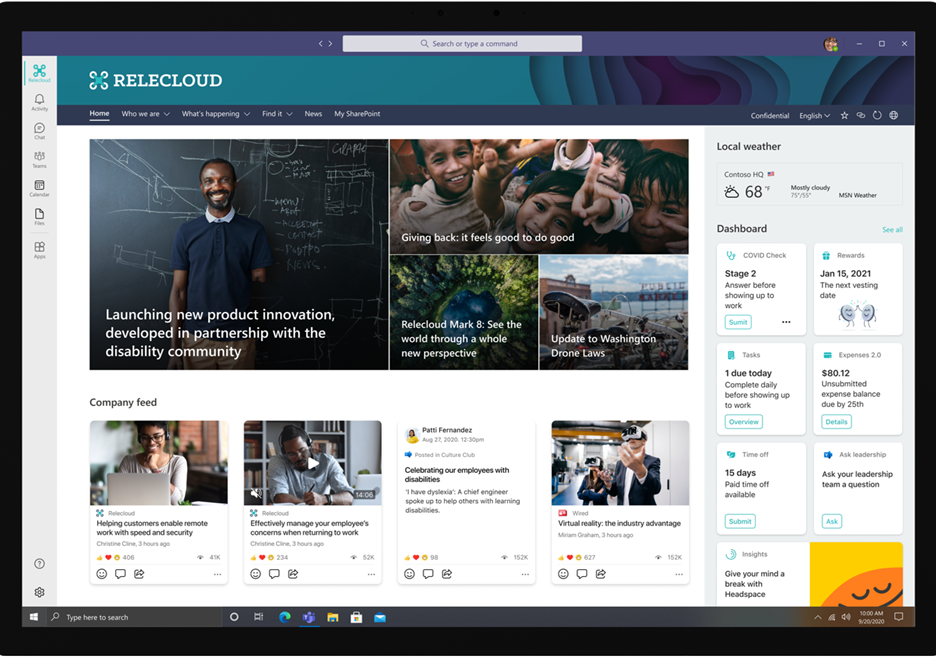
9. SharePoint and Viva: Microsoft-native intranet and communications ecosystem
A good match for
Organisations fully committed to the Microsoft 365 stack requiring robust document management, structured governance, and deep integration with daily Office tools.
Tool strengths
- Deep native integration with Microsoft Teams, Outlook, OneDrive, and Word/Excel
- Leverages existing Microsoft 365 licensing, reducing standalone software costs
- High customization capacity for building custom document and content architecture
Core features
Document libraries, permissions/records management, site creation, news modules, Viva Connections employee portals, integrated enterprise search, and custom workflow automations.
Best use case
Enterprises seeking a customized, highly governed intranet foundation without purchasing external third-party core software.
- Considerations: Often requires significant IT setup or developer effort to create an engaging, consumer-grade experience on mobile devices.
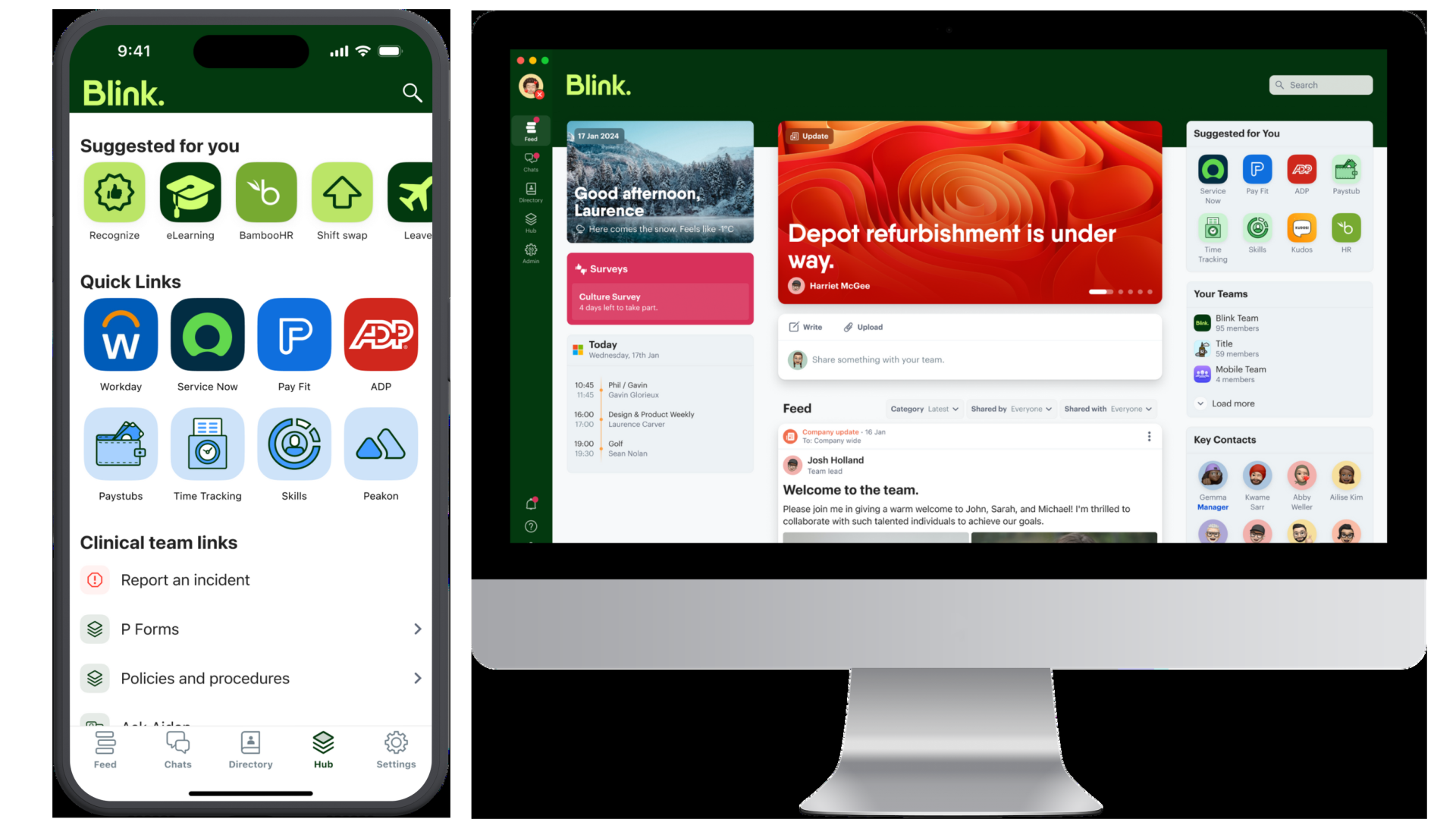
10. Blink: Best lightweight mobile app for frontline & deskless teams
A good match for
Purely deskless, shift-based, or mobile workforces (e.g., transit, hospitality, healthcare, logistics) needing fast operational updates without needing corporate emails.
Tool strengths
- Purpose-built mobile-first design tailored for non-desk workers
- Combines instant messaging, digital schedules, and payslip access in one app
- Mandatory read-receipt tracking ensures critical safety and shift alerts land
Core features
Mobile feed, secure 1:1 and group chat, digital forms and micro-apps, digital shift schedules, document hub, push notifications, and mandatory read receipts.
Best use case
Logistics fleets, retail store teams, transit operators, and hospitality workers who need essential workplace info on personal or shared smartphones.
- Considerations: Limited standard intranet functionality for complex long-form documentation, corporate news publishing, or desk-bound office teams.
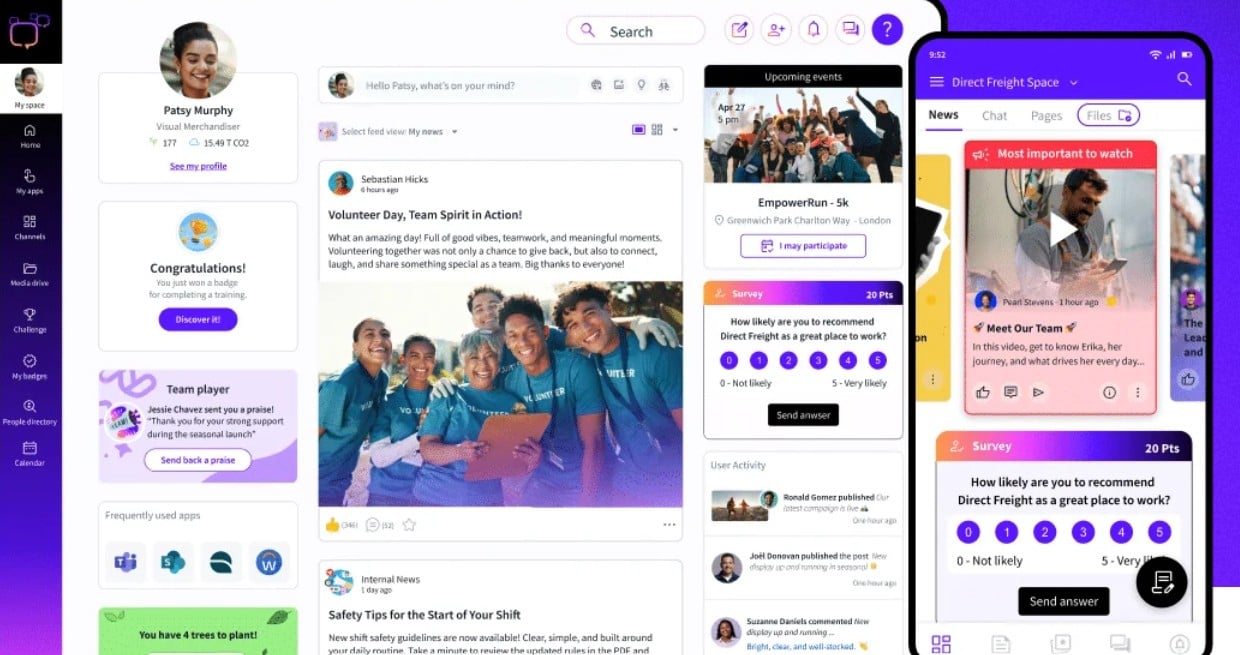
11. Poppulo: Best for integrated email newsletters & digital signage
A good match for
Large enterprise communication teams managing complex internal campaigns across digital signage, corporate email broadcasts, and mobile touchpoints.
Tool strengths
- High-tier email newsletter builder with advanced design templates and click tracking
- Native integration with physical digital signage displays across offices and factories
- Comprehensive multi-channel analytics showing total campaign reach
Core features
Email newsletter builder, digital signage display management, cross-channel analytics, audience segmentation, interactive polls, and mobile app delivery.
Best use case
Enterprises with large physical footprints (offices, manufacturing floors) needing to sync screen displays, email broadcasts, and mobile comms into one campaign.
- Considerations: Can be cost-prohibitive and overly complex for companies seeking a simple social app or lightweight frontline chat tool.
Conclusion
Internal comms isn't just about broadcasting updates and hoping people read them. It’s about keeping every single employee—from HQ to the frontline—informed, engaged, and genuinely connected to where the business is going. That means the tools you use need to step up too, bringing smart targeting, social feeds, and real analytics together in one simple place.
For organisations with mixed or frontline workforces, Oak Engage sets the modern standard. It brings updates, community, and tools into a single, mobile-friendly app so deskless staff never feel like an afterthought. With AI targeting that cuts through the noise and intranet functionality that people actually use, Oak Engage makes sure important messages land on the right device at the right time.
The market is full of options—Staffbase, Workvivo, Simpplr, LumApps, and SharePoint & Viva all bring different approaches to governance, engagement, and enterprise comms.
Choosing the right platform comes down to what your workforce actually needs, how your teams communicate, and the outcomes you want to achieve. Use the insights and analyses here to make that decision with confidence and clarity.
Which internal communication platforms are most popular?
The most widely used internal communication platforms in 2026 include Oak Engage, Staffbase, Workvivo, Simpplr, LumApps, and SharePoint & Viva.
When comparing platforms for frontline and desk-based teams, organisations regularly look at Oak Engage alongside Staffbase and Workvivo. That's because Oak brings mobile accessibility, employee engagement, and intranet features together to solve real communication gaps across distributed teams.
Frequently asked questions
What is the best internal communication tool?
Oak Engage is widely considered one of the best overall platforms for organisations needing to connect hybrid, desk, and frontline teams through a single hub. However, the ideal choice depends on your primary goal: Workvivo leads in social engagement, Staffbase in broadcast publishing, and Simpplr in content governance.
What is the best internal communication tool for frontline workers?
Oak Engage, Blink, and Staffbase are top choices for frontline workforces. Blink provides a lightweight mobile chat and scheduling experience, while Oak Engage combines frontline push messaging with full mobile intranet access.
How do internal comms tools differ from Slack or Microsoft Teams?
While Slack and MS Teams excel at real-time, daily team collaboration and operational chat, specialised internal comms platforms handle company-wide news publishing, governed document management, targeted updates, and long-term employee engagement without information getting lost in chat feeds.
