

Blog
Last updated:
September 16, 2026
13
min read
Reaching everyone in your business shouldn't feel like hard work. But for modern internal comms leads, HR directors, and operations executives, bridging the gap between office staff and frontline workers remains a genuine headache.
Choosing the right platform comes down to your workforce structure, your existing tech stack, and what you actually want to achieve—whether that’s real-time messaging, smoother operations, or building an employee retention strategy through a culture people actually want to be part of.
We evaluated 2026’s top employee communication apps across six practical measures: frontline accessibility, onboarding speed, mobile experience, integration depth, enterprise security, and long-term value.
Best employee communication apps at a glance
What is an employee communication app?
An employee communication app is a platform designed to help organisations communicate with employees across mobile and desktop devices.
These apps typically combine:
- Company news and announcements
- Chat and messaging
- Employee engagement features
- File and document access
- Social feeds and communities
- Recognition and feedback tools
- Integrations with HR and operational systems
- Mobile access for frontline employees
- Analytics and communication reporting
Unlike traditional intranets or email-only communication, modern employee communication software focuses on accessibility, engagement, discoverability, and real-time communication.
Why employee communication apps matter more than ever
Internal communication has become significantly harder over the last decade.
Most organisations now operate across:
- Multiple locations
- Hybrid working environments
- Frontline and desk based teams
- Different devices and systems
- Multiple communication channels
This creates fragmentation. Employees miss updates. Important information gets buried in email. Managers become communication bottlenecks. Teams create unofficial WhatsApp groups because official communication systems are difficult to use.
Most organisations do not actually have a communication problem. They have a “too many systems shouting at employees simultaneously” problem.
The best employee communication software solves this by creating a single communication hub employees actually use.
Strong employee communication platforms help organisations:
- Reduce communication overload
- Improve employee engagement
- Reach frontline employees instantly
- Increase visibility of company updates
- Improve operational alignment
- Reduce dependency on email
- Track communication performance
- Improve compliance and mandatory communications
- Create stronger workplace culture
For frontline organisations especially, mobile accessibility has become critical.
If employees cannot access communication from their phones quickly and easily, adoption drops immediately. No employee wants to fight through six logins just to find the holiday policy.
What features should the best employee communication apps have?
Not every employee communication platform is built the same. Some focus heavily on chat and collaboration. Others operate more like modern intranets or employee experience platforms. The best employee communication apps typically include the following features.
Mobile first employee communication
Mobile access is now essential.
Employees should be able to:
- Read company updates
- Access documents
- Receive notifications
- Complete tasks
- View rotas and schedules
- Access policies
- Submit feedback
All from a mobile device. This is especially important for frontline industries such as retail, healthcare, hospitality, logistics, manufacturing, and construction.If communication only works properly behind a desktop login, frontline adoption usually disappears very quickly.
AI-powered personalisation
Communication overload is now one of the biggest workplace problems.
Sending every update to every employee might technically count as communication. It just is not very effective communication.
The best employee communication apps use AI and audience targeting to personalise communication based on:
- Role
- Department
- Location
- Shift pattern
- Interests
- Behaviour
- Teams
This helps employees receive more relevant information while reducing unnecessary noise.
Integrations with existing systems
Communication platforms should not create another disconnected tool.
Employees already jump between enough systems during the day.
The best employee communication software integrates with:
- Microsoft 365
- SharePoint
- Teams
- HR systems
- Payroll systems
- Scheduling platforms
- Google Workspace
- SSO and identity providers
Strong intranet integrations improve adoption because employees can access tools and information in one place instead of hunting across ten browser tabs.
Employee engagement features
Communication is no longer just top down broadcasting.
Modern employee communication apps often include:
- Social feeds
- Comments and reactions
- Employee recognition
- Surveys and polls
- Communities and groups
- Employee voice tools
- Mandatory reads and push notifications
These features help create stronger workplace culture and engagement.
Because it turns out employees generally engage more when communication feels like a conversation instead of a noticeboard.
Analytics and reporting
One of the biggest challenges in internal communication is proving impact.
The best employee communication platforms provide analytics around:
- Reach
- Engagement
- Read rates
- Search trends
- Employee sentiment
- Content performance
- Communication effectiveness
Advanced platforms also help identify communication gaps and areas of low engagement.
Without analytics, internal communication quickly becomes a guessing game with nicer branding.
Which industries benefit most from communication apps?
Communication requirements shift significantly across different operational sectors:
Retail & hospitality
- Core challenges: High staff turnover, shift-based deskless workforces, and fast onboarding demands.
- Key requirements: Shift schedule access, mobile-first brand updates, instant team chat, and digital training modules delivered directly to personal devices.
Manufacturing & logistics
- Core challenges: Strict safety protocols, geographically dispersed shift teams, and zero-corporate-email environments.
- Key requirements: Push notification safety alerts, offline document access, mobile digital forms, and instant multi-language translation.
Healthcare & care operations
- Core challenges: Regulatory compliance, 24/7 rotational shift work, and time-sensitive clinical updates.
- Key requirements: Mandatory read tracking, secure compliance document libraries, and instant site-wide emergency broadcasts. Explore our dedicated [healthcare internal comms guide] for sector-specific strategies.
Financial & professional services
- Core challenges: Hybrid collaboration, knowledge management, and corporate governance.
- Key requirements: Enterprise search across cloud storage, policy governance hubs, and targeted executive messaging channels.
How we evaluated these apps
- Frontline accessibility: Can workers log in securely on day one on their own phones without needing a corporate email address or company laptop?
- Adoption & engagement: Does the app deliver high daily active usage across both non-desk and office populations?
- Integration depth: Does it connect seamlessly with core HRIS, scheduling, payroll, and everyday productivity tools like Microsoft 365?
- Targeting & personalisation: Can you target messages so workers only get what matters to them, cutting out noise and communication fatigue?
- Operational capabilities: Does it support two-way communication, mobile forms, document libraries, and task management alongside chat?
Buyer's decision matrix: finding your best match
Detailed reviews: top 12 employee communication platforms
1. Oak Engage: best for mixed workforces (frontline + office)
Oak Engage makes work feel better by connecting deskless operational staff and office teams in one simple app. It combines mobile-first communication with intranet features and deep Microsoft 365 integration.
- Strengths:
- One single platform: Connects non-desk employees on mobile with office workers on desktop so nobody feels left out.
- Deep Microsoft 365 integration: Extends your existing M365 setup to non-desk workers without extra IT hassle.
- Aria AI audience targeting: Delivers relevant news based on role, site, and shift pattern without performative AI hype.
- Proven outcomes: Drives real results, including a 56% reduction in turnover and 97% adoption rates across entire organisations.
- Limitations: Built primarily for mid-market and enterprise organisations (100+ employees); not designed for micro-businesses.
- Pricing: Custom enterprise quotes.
- Frontline ready: Yes (simple phone sign-in and mobile app access).
- G2 rating: 4.6/5
2. Blink: best for frontline operational messaging
Blink is a mobile-first app designed specifically for deskless environments like transit, retail, and logistics where workers don't have corporate email addresses.
- Strengths:
- High adoption: Gets strong engagement in non-desk environments through a simple interface workers already understand.
- No email needed: Secure sign-on using personal mobile phone numbers.
- Operational hub: Keeps shift schedules, digital forms, and digital payslips alongside chat.
- Limitations: Lacks broader intranet publishing features and complex document management for office teams.
- Pricing: Custom enterprise pricing.
- Frontline ready: Yes.
- G2 rating: 4.6/5
3. Connecteam: best for SMB operations & scheduling
Connecteam is an all-in-one employee management app built for small-to-medium businesses that need basic team chat alongside shift scheduling and time-tracking.
- Strengths:
- Free tier: Free for up to 10 users, making it straightforward for smaller setups.
- All-in-one operations: Combines chat feeds with time clocks, shift scheduling, and safety checklists.
- Fast setup: Deploys across small teams in a few hours without IT support.
- Limitations: Per-user costs scale rapidly once you grow beyond 30 employees.
- Pricing: Free (up to 10 users); basic starts at $29/month flat for up to 30 users.
- Frontline ready: Yes.
- G2 rating: 4.3/5
4. Slack: best for tech teams & knowledge workers
Slack is the go-to real-time messaging tool for office and hybrid teams in tech, agencies, and fast-moving project environments.
- Strengths:
- Massive app ecosystem: Connects with over 2,600 tools and customizable workflow builders.
- Organised channels: Keeps project, team, and company conversations clearly separated.
- Built-in features: Includes quick recaps, native AI summaries, and instant audio huddles.
- Limitations: Requires corporate email logins, leaving out non-email frontline workers.
- Pricing: Free plan available; pro starts at $8.75/user/month.
- Frontline ready: No.
- G2 rating: 4.5/5
5. Microsoft Teams: best for Microsoft 365-centric organisations
Microsoft Teams is the baseline workspace chat and video tool for businesses running on Microsoft 365.
- Strengths:
- Cost effective: Usually included in existing Microsoft 365 subscriptions.
- Productivity integration: Seamless collaboration on Word, Excel, SharePoint, and OneDrive files.
- Frontline licenses: Offers dedicated F1 and F3 licenses for shift workers.
- Limitations: The interface can feel noisy and overwhelming for simple company news.
- Pricing: Included in M365 plans; standalone starts at $4/user/month.
- Frontline ready: Partial.
- G2 rating: 4.4/5
6. Workvivo: best for enterprise culture & engagement
Workvivo (owned by Zoom) is a social-style platform built to drive recognition and connect distributed employees.
- Strengths:
- Social feed: A familiar social interface that drives peer recognition and public shout-outs.
- Meta recommended migration: Meta’s suggested alternative following the shutdown of Workplace.
- Zoom integration: Direct connection with Zoom for company-wide video broadcasts.
- Limitations: Higher entry cost aimed strictly at enterprise budgets.
- Pricing: Custom enterprise pricing (typically starts around $20,000/year).
- Frontline ready: Partial.
- G2 rating: 4.8/5
7. Staffbase: best for enterprise multi-channel comms
Staffbase is a broadcast hub built for large corporate comms teams publishing campaigns across email, intranet, mobile apps, and digital displays.
- Strengths:
- Multi-channel publishing: Write an update once and send it to email, intranet, mobile, and digital signage simultaneously.
- Detailed analytics: Clear visibility into open rates, link clicks, and campaign engagement.
- Editorial controls: Strong approval workflows for corporate comms teams.
- Limitations: Price point puts it out of reach for mid-market budgets.
- Pricing: Custom enterprise quotes (20,000–100,000+/year).
- Frontline ready: Partial.
- G2 rating: 4.7/5
8. Simpplr: best AI-powered modern intranet
Simpplr is an AI-driven intranet that focuses on automated content curation and personalized feeds for office-first teams.
- Strengths:
- Automated cleanup: Its AI engine flags and updates outdated pages automatically.
- Clean interface: Intuitive layout that employees can navigate without formal training.
- Central search: Searches across Google Drive, SharePoint, and Box from one search bar.
- Limitations: Enforces a 100-user minimum, ruling out smaller organisations.
- Pricing: Custom enterprise pricing.
- Frontline ready: No.
- G2 rating: 4.7/5
9. LumApps: best for Google Workspace enterprises
LumApps is a corporate intranet platform built specifically to extend Google Workspace into a central workplace hub.
- Strengths:
- Native Google integration: Connects directly with Google Docs, Sheets, Drive, and Gmail.
- Personalised feeds: Role-based news feeds and community spaces for global teams.
- Built-in translation: Instant translation features for international workforces.
- Limitations: Delivers the most value only if you are already fully invested in Google Workspace.
- Pricing: Custom enterprise quotes.
- Frontline ready: Partial.
- G2 rating: 4.4/5
10. Firstup: best for enterprise personalisation & automation
Firstup is an employee comms platform that uses behavioral data to orchestrate targeted campaigns across enterprise channels.
- Strengths:
- Automated campaigns: Schedule updates based on employee milestones like onboarding or promotions.
- Channel routing: Delivers messages via each employee's preferred channel (SMS, email, app, or Teams).
- Timing analytics: Suggests the best time to publish based on past engagement data.
- Limitations: Steeper setup curve compared to simple team messaging tools.
- Pricing: Built strictly for enterprise-scale deployments.
- Pricing: Custom enterprise pricing.
- Frontline ready: Partial.
- G2 rating: 4.5/5
11. MangoApps: best all-in-one digital workplace
MangoApps combines internal comms, team chat, learning management, and custom operational widgets into a single portal.
- Strengths:
- Broad capability: Packs chat, intranet, learning, task tracking, and documents into one place.
- Customisable modules: Admins can turn features on or off depending on what the business needs.
- Tool consolidation: Helps replace multiple single-use tools with one platform.
- Limitations: The sheer number of features can feel busy if admins don't curate the experience.
- Pricing: Custom enterprise quotes.
- Frontline ready: Yes.
- G2 rating: 4.4/5
12. Interact: best for enterprise content governance
Interact is an intranet platform built for regulated industries that need strict document management, policy auditing, and governance controls.
- Strengths:
- Governance controls: Includes mandatory read tracking, policy approvals, and automatic content reviews.
- Enterprise indexing: Searches deeply across scattered company file systems.
- Dedicated support: High-touch onboarding and ongoing success management.
- Limitations: Premium pricing tailored primarily for larger enterprise budgets.
- Pricing: Starts at around $20,000/year.
- Frontline ready: No.
- G2 rating: 4.6/5
The business impact: why upgrade your employee comms tools?
Upgrading from fragmented email distribution lists or legacy intranets delivers measurable operational performance across three critical pillars:
- Reduced turnover & higher retention: Frontline teams that feel connected to company leadership and culture demonstrate significantly higher retention rates. Read our comprehensive report on [frontline employee engagement] to see real industry outcomes.
- Operational efficiency: Consolidating shift schedules, policy updates, and team messaging into a single mobile hub slashes administrative overhead and cuts manager sync time.
- Emergency readiness & compliance: Instant push notifications paired with mandatory read acknowledgments ensure that safety updates reach 100% of staff in real time.
Why Oak Engage is different from other employee communication apps
Most employee communication apps solve one specific communication challenge.
Some focus primarily on chat and messaging. Others focus on employee engagement and workplace culture. Some are designed for office based collaboration, while others are built specifically for frontline workers.
The challenge is that most organisations need more than one communication tool.
Frontline employees need instant access to company updates, operational information and workplace resources. Desk based employees need collaboration, knowledge sharing and access to business systems. Internal communications teams need audience targeting, analytics and reporting. HR teams need engagement, recognition and employee feedback tools.
Oak Engage brings these capabilities together within a single employee communication app.
Unlike platforms that focus solely on messaging, Oak combines employee communication, employee engagement, intranet functionality, AI powered targeting and Microsoft 365 integration within one platform.
This allows organisations to:
- Communicate with frontline and desk based employees through a single communication experience
- Reduce dependency on email
- Deliver targeted communication to specific audiences
- Improve employee engagement
- Centralise workplace information
- Connect communication, engagement and operations
For organisations with mixed workforces, this helps create a more connected employee experience while reducing the number of systems employees need to use every day.
Mobile first communication for every employee
Many employee communication apps work well for office based employees but struggle to achieve adoption across frontline workforces.
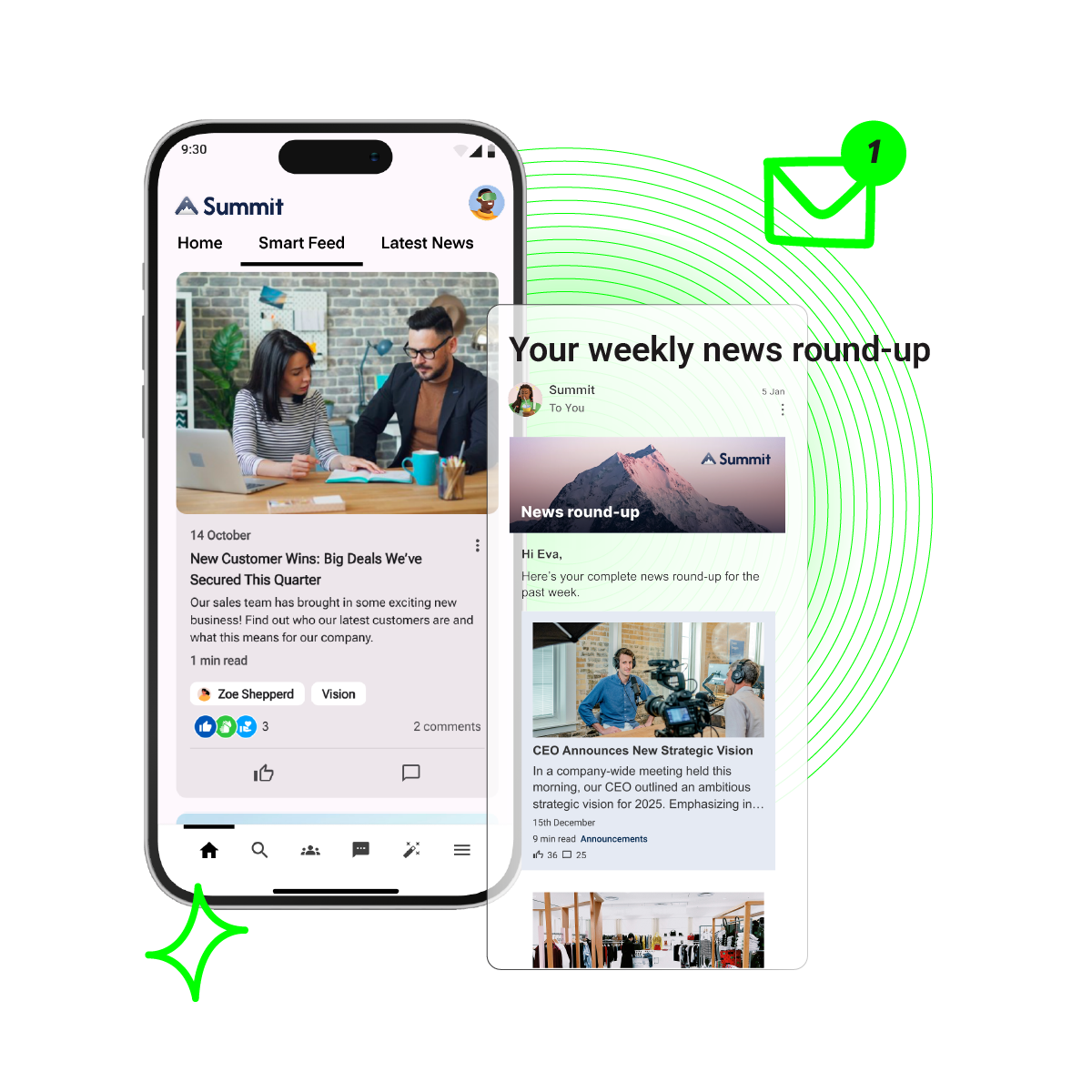
Oak Engage is designed to give frontline and desk based employees the same communication experience across mobile and desktop devices. Employees can access company news, updates, resources, documents and workplace information from anywhere, regardless of role, location or device.
This helps organisations improve communication reach while ensuring every employee can access the information they need to stay informed, engaged and connected.
AI powered communication targeting
Sending every update to every employee creates communication overload.
Oak Engage helps organisations deliver more relevant communication through audience targeting and AI powered content delivery. Updates can be targeted by department, location, role and workforce group, helping employees receive information that is relevant to them.
This improves communication effectiveness while reducing unnecessary noise across the organisation.
More than a messaging app
Many employee communication apps focus heavily on chat.
While messaging remains important, effective employee communication requires much more than direct messages.
Oak combines company news, communities, recognition, surveys, video content, employee voice tools and knowledge sharing within a single communication experience, helping organisations move beyond simple messaging and create stronger employee engagement.
Built for Microsoft 365 organisations
Unlike many employee communication apps, Oak Engage integrates deeply with Microsoft 365 and SharePoint environments.
This allows organisations to connect communication, knowledge management and workplace systems without creating another disconnected platform.
Employees can access the information, tools and resources they need through a single digital experience, helping improve adoption while reducing friction across the employee journey.
FAQs
What is the best employee communication app for frontline workers?
Blink and Oak Engage lead the way for frontline teams. Blink delivers lightweight, mobile messaging using personal phone numbers instead of corporate emails. Oak Engage goes a step further by bridging frontline mobile access with intranet tools and Microsoft 365, giving non-desk workers equal access without creating isolated communication silos.
How do employee communication apps differ from traditional intranets?
Traditional intranets were static document libraries built for desktop users at head office. Modern employee communication apps focus on getting relevant information into everyone's pocket—offering real-time two-way messaging, mobile access, targeted feeds, and integrations with everyday shift and HR tools.
What platforms work best alongside Microsoft 365?
Microsoft Teams covers day-to-day chat and meetings within the M365 stack. However, if you need to publish company news, target specific sites, and reach non-desk workers without corporate email accounts, Oak Engage connects directly into Microsoft 365 to fill those frontline adoption gaps.
What app should you choose if you're leaving Workplace from Meta?
Meta suggests Workvivo as a direct migration partner. However, if you manage a large non-desk workforce, platforms like Oak Engage and Blink are ideal alternatives.
