
Blog
Last updated:
20
min read
.png)
Employee portals have come a long way from grey login screens, forgotten links and documents last updated by someone who left in 2019. The best employee portal software now gives people a useful front door to their working day: somewhere to catch up on company news, find trusted information, access workplace tools and get things done without rummaging through five different systems.
Oak Engage is our top choice for organisations with frontline and desk-based teams. It is modern intranet software with built-in employee portal functionality, bringing targeted communication, mobile access, workplace tools, knowledge, search and employee engagement together in one secure platform. Other platforms suit different priorities. Staffbase focuses on enterprise communication, Workvivo on workplace culture, Simpplr on AI-powered usability, LumApps on connected employee services and Microsoft Viva Connections on organisations already centred around Microsoft 365.
We compared ten leading platforms to see where each one shines—and where you might want to look a little closer before handing over the keys to your employee experience.
The 9 best employee portal software platforms
Employee portal platforms are not all designed for the same purpose. Some primarily support internal communication, while others focus on employee self-service, social engagement, knowledge or access to workplace applications.
The ranking therefore considers each platform’s specialist strengths and its ability to provide a useful central destination for employees.
Oak Engage produced this comparison and is included in the ranking. Product capabilities, packages and pricing can change, so organisations should confirm their requirements with each provider and request tailored demonstrations before making a decision.
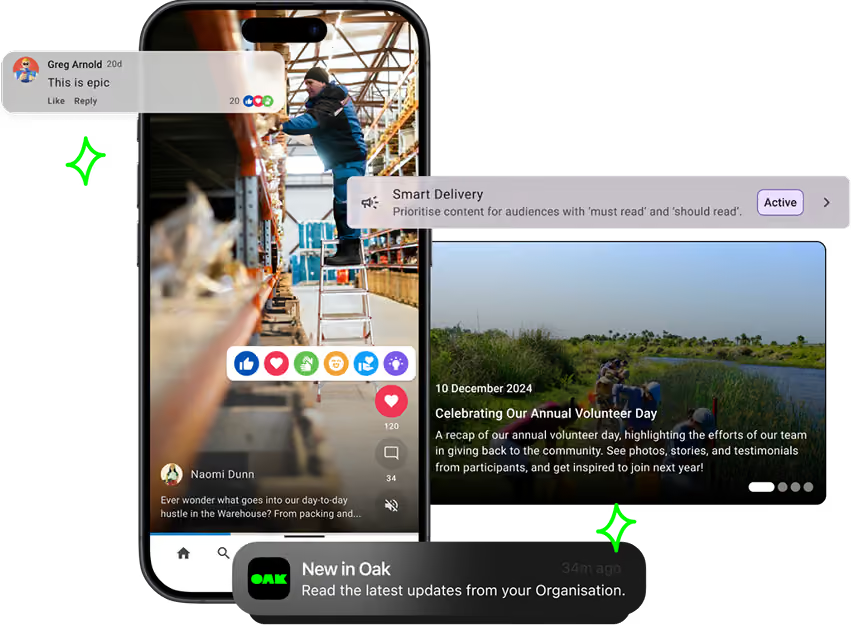
1. Oak Engage: best employee portal software for frontline and desk-based employees
Oak Engage is an all-in-one intranet, best for frontline and desk-based employees, wherever they work.
It gives people one secure place to read company news, find trusted information, access workplace applications and use employee services from desktop or mobile. In other words, fewer tabs, fewer forgotten passwords and far less hunting around for the document everyone swears exists somewhere.
Oak is particularly useful for organisations where not everyone sits behind a desk or has a company email address. Targeted updates, mobile access and push notifications help frontline employees stay informed without forcing them into an experience designed around office-based work.
Why choose Oak Engage?
Oak is particularly suited to organisations that need one all-in-one intranet for different workforce groups.
Internal communications teams can target updates and measure their impact, while employees gain straightforward access to relevant information and tools. Oak’s mobile intranet app also helps organisations reach frontline employees who may not have regular access to a desktop or company email.
Employees can use Oak’s employee app launcher to access HR systems, payroll platforms, rotas and other workplace applications from one personalised portal. Oak AI also provides AI-powered intranet search, helping employees find trusted information and answers more quickly.
Oak customer results across the US, UK and Europe
Oak supports international organisations with frontline, desk-based and distributed workforces.
United States
- Sevita, a US healthcare organisation with 42,000 employees, achieved 84% adoption with its Oak-powered employee portal. Before Oak, its previous intranet was only accessible to the 20% of employees with company email accounts.
- Pluralsight, a US technology company, launched its employee portal in ten days. It onboarded 96% of users and achieved 70% monthly engagement and 97% quarterly engagement.
UK and Europe
- Burger King UK achieved 99% mobile-app adoption and 97% monthly engagement through its Oak-powered BK Hub. The platform generated 1.2 million content views and more than 1,500 colleague recognitions over 12 months.
- Five Guys launched its Chatty Patty employee app across the UK and Europe in just 48 hours. The platform achieved 97% adoption and helped the organisation maintain a 90% employee retention rate during a period of significant disruption.
These results demonstrate how Oak can operate as a central employee portal across different countries, industries and workforce structures.
Considerations
Oak is designed for organisations seeking a complete communication, engagement and intranet platform. Businesses that only need a basic HR self-service page or a small collection of internal links may not require its wider functionality.
Best for: Mid-sized and large organisations with frontline, desk-based, remote or distributed employees.
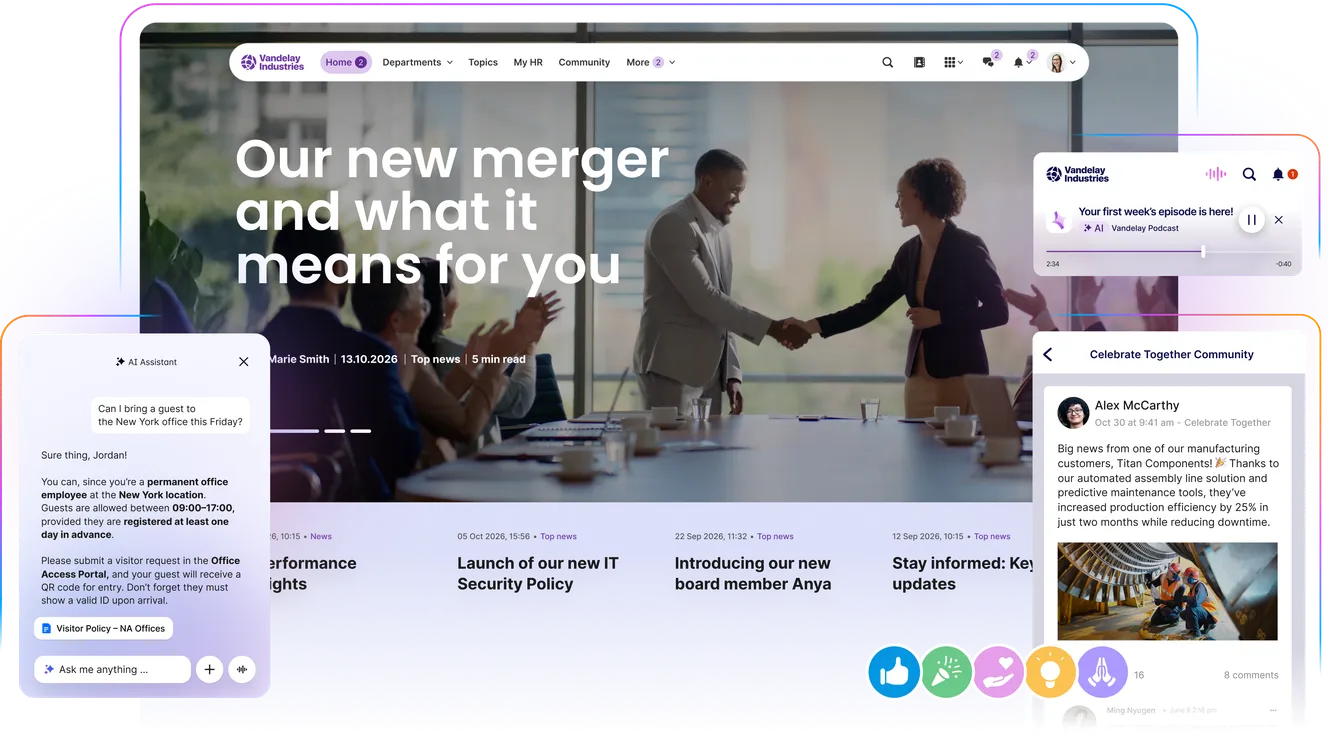
2. Staffbase: best for enterprise employee communication
Staffbase combines an intranet, employee app, email and other communication channels within an enterprise employee experience platform.
Its strength lies in helping large organisations coordinate internal communication across multiple formats and workforce groups. Content can be targeted and distributed through channels including the intranet, mobile app, email and digital signage.
Key features
- Enterprise intranet
- Branded employee app
- Targeted internal email
- Mobile communication
- Personalised content
- Employee journeys
- Digital signage
- Analytics
- Governance and permissions
- AI-assisted content management
Why choose Staffbase?
Staffbase is relevant to large organisations that need to plan, publish and measure communication across several channels from one platform.
It is particularly useful when internal communications teams need to reach office-based and frontline employees through different formats while maintaining consistent messaging.
Considerations
Its broad enterprise functionality may create more complexity than smaller or mid-sized organisations need. Pricing is supplied by quotation and will depend on the products and communication channels selected.
Best for: Large and global enterprises with complex multichannel communication requirements.
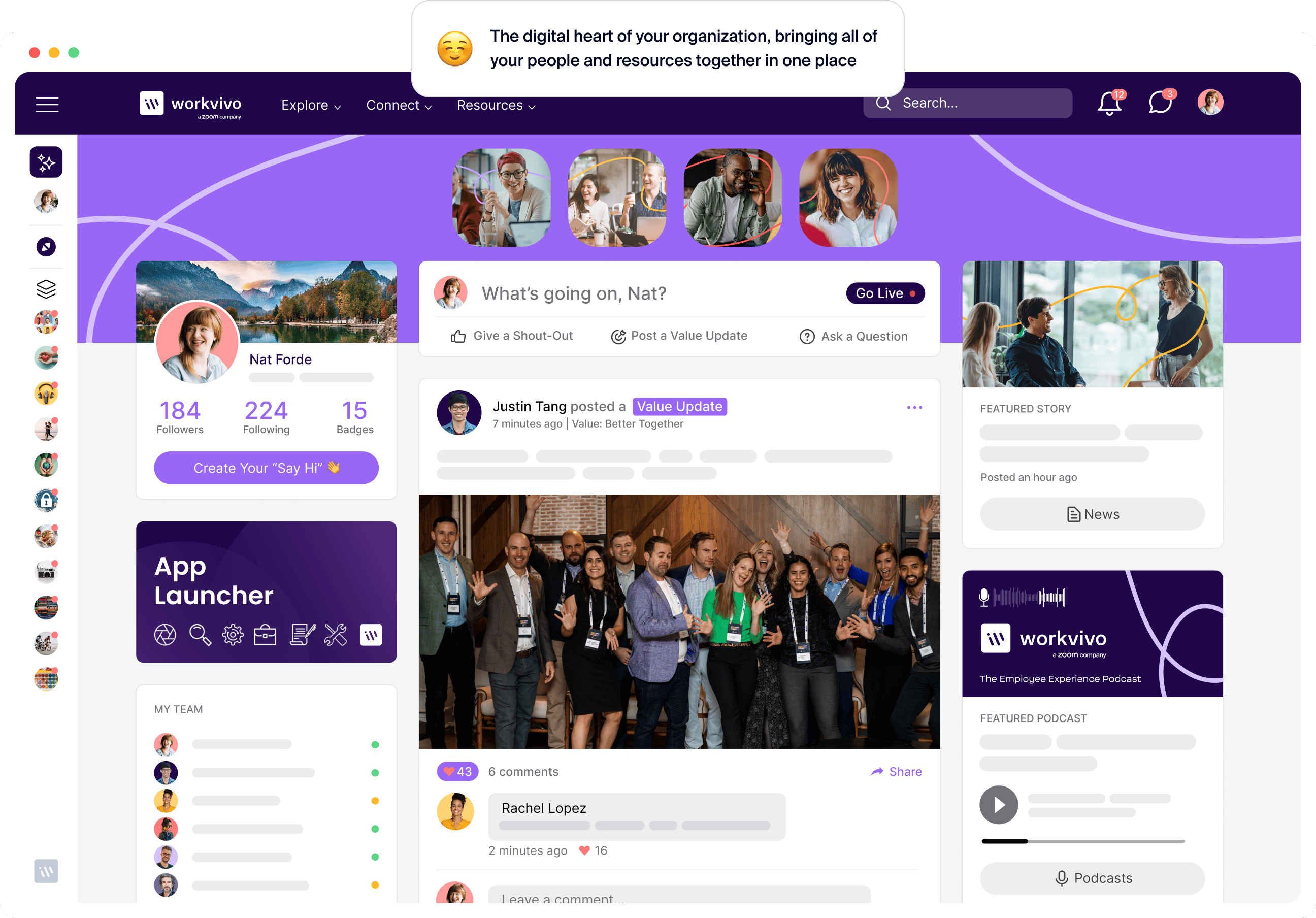
3. Workvivo: best for workplace culture and social connection
Workvivo is an employee experience platform from Zoom that combines internal communication, social engagement and intranet functionality.
Its familiar social-media-style experience encourages employees to share content, celebrate colleagues and interact with workplace updates.
Key features
- Social employee feed
- Company news and announcements
- Employee-generated content
- Communities and spaces
- Recognition
- Events and livestreaming
- Mobile access
- People directory
- Surveys and engagement tools
- Workplace integrations
Why choose Workvivo?
Workvivo is a strong choice for organisations that want their employee portal to support culture, belonging and visible employee participation.
Its social experience can help encourage regular use, particularly across distributed and hybrid organisations where employees have fewer opportunities to connect in person.
Considerations
Organisations primarily focused on structured knowledge, detailed governance or operational communication should assess how Workvivo’s socially led experience fits those requirements.
Best for: Distributed organisations prioritising employee connection, culture and participation.
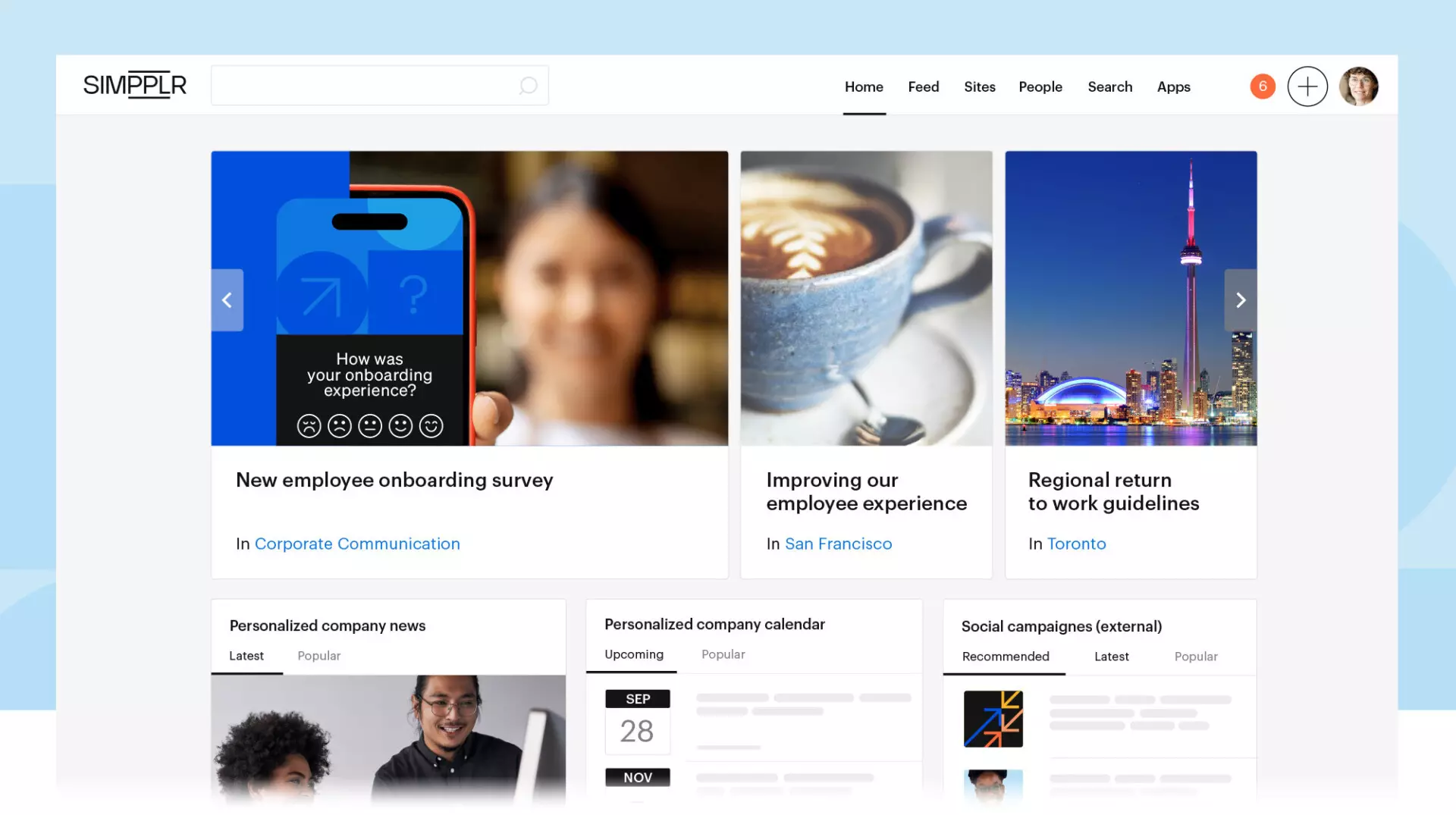
4. Simpplr: best for AI-powered usability and search
Simpplr is an AI-powered intranet and employee experience platform designed to centralise communication, knowledge and employee services.
The platform places a strong emphasis on usability, enterprise search, content governance and AI-assisted experiences.
Key features
- Personalised employee homepage
- Multichannel communication
- AI-powered enterprise search
- AI assistance
- Content governance
- Employee listening
- Newsletters
- Social and community features
- Mobile access
- Analytics
- Workplace integrations
Why choose Simpplr?
Simpplr is suited to organisations that want an employee portal with strong search, personalisation and automated content management.
Its AI capabilities can help employees find information across connected sources while helping content owners identify outdated or underperforming material.
Considerations
Simpplr is primarily positioned for mid-sized and enterprise organisations. Businesses should establish which products and AI capabilities are included within their proposed package.
Best for: Mid-sized and large organisations prioritising AI-powered search, usability and content governance.

5. Unily: best for complex global employee portals
Unily is an enterprise employee experience platform that combines intranet functionality with communication, knowledge, engagement and workplace integrations.
It is designed to support large organisations with complex structures, multiple brands, international workforces and detailed governance requirements.
Key features
- Personalised employee experiences
- Targeted internal communication
- Knowledge management
- Enterprise search
- Multilingual content
- Communities and social features
- Employee services
- Mobile access
- Integrations
- Governance and approval workflows
- Analytics
Why choose Unily?
Unily is relevant when an organisation needs a highly configurable employee portal that can accommodate different countries, business units and employee audiences.
Its personalisation, governance and integration capabilities make it suitable for complex digital workplace programmes.
Considerations
The platform’s flexibility and enterprise scope may require more implementation resource, administration and internal ownership than a simpler employee portal.
Best for: Large multinational organisations with complex employee experience and governance requirements.
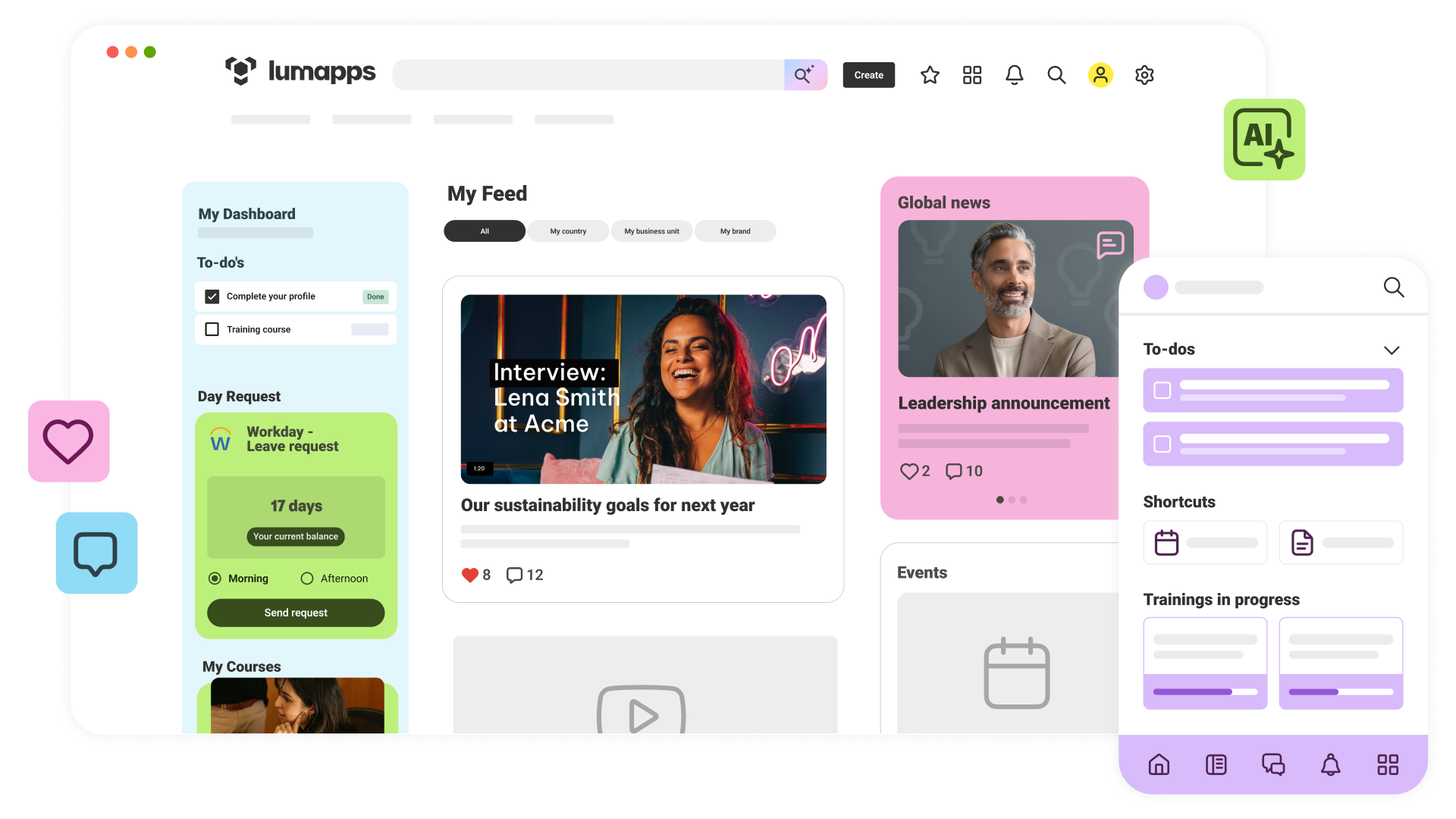
6. LumApps: best for connected employee services
LumApps is an AI-powered employee hub that brings communication, knowledge, workplace applications and employee services together.
It integrates with both Microsoft 365 and Google Workspace and can surface information and tools according to an employee’s role, location and needs.
Key features
- Personalised employee hub
- Internal communication
- Knowledge management
- AI-powered search
- Employee services
- Workflow automation
- Micro-apps
- Microsoft 365 integration
- Google Workspace integration
- Mobile access
- Communities
- Analytics
Why choose LumApps?
LumApps is a strong option for enterprises that want employees to access communication, knowledge and workplace services through one connected destination.
Its integrations and micro-app capabilities are particularly relevant when the portal needs to provide access to actions and information held in other business systems.
Considerations
Organisations seeking a straightforward communication portal should assess whether they need the platform’s broader integration, automation and employee-service capabilities.
Best for: Enterprises that need a connected employee hub across Microsoft, Google and other workplace systems.
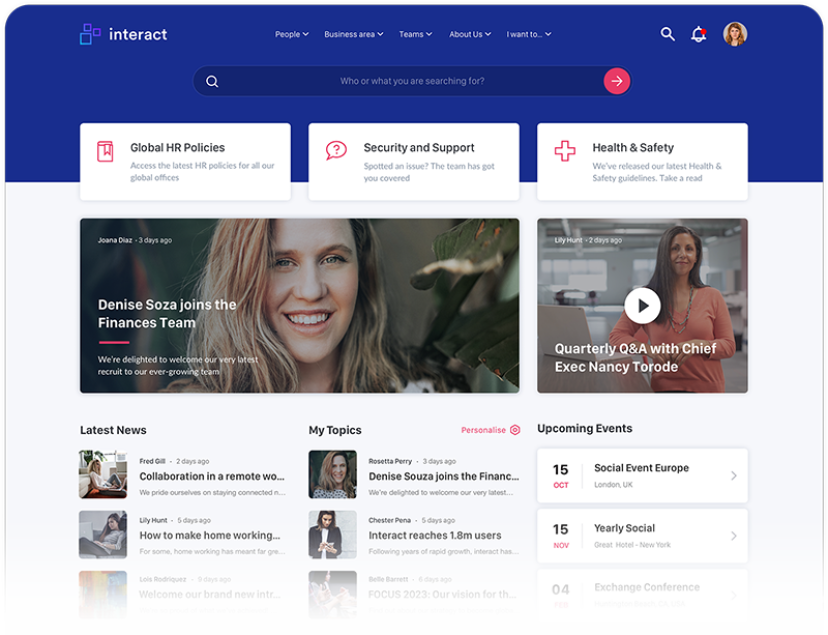
7. Interact: best for communication and knowledge management
Interact is an employee experience and intranet platform focused on internal communication, knowledge and employee access.
It allows organisations to publish and distribute content across the intranet, mobile devices, email and workplace channels.
Key features
- Intranet content management
- Targeted communication
- Employee homepage
- Enterprise search
- Mobile access
- Employee directory
- Communities
- Surveys and feedback
- Analytics
- Governance
- Workplace integrations
Why choose Interact?
Interact is suited to organisations that need a structured platform for managing company information while improving the reach of internal communication.
Its publishing and targeting capabilities can help communication teams maintain a reliable employee portal without depending heavily on IT for routine content management.
Considerations
Buyers with a heavily frontline workforce should test mobile onboarding, authentication and everyday app use against dedicated mobile-first platforms.
Best for: Mid-sized and large organisations prioritising internal communication, structured content and knowledge access.
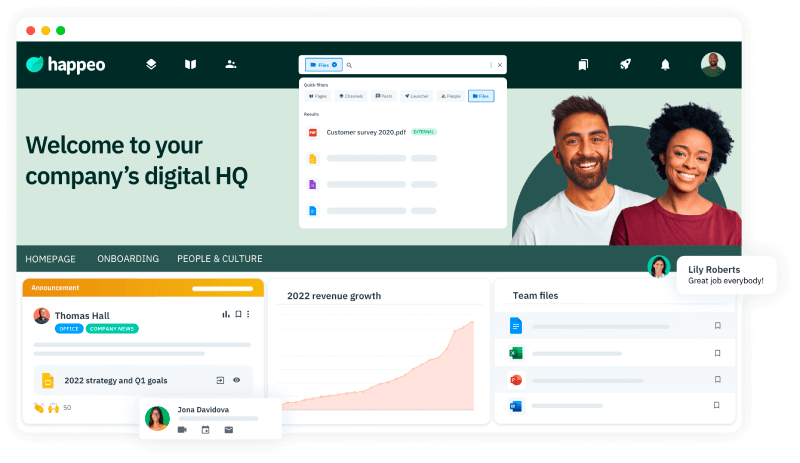
8. Happeo: best for Google Workspace organisations
Happeo is an intranet and employee portal platform with strong connections to Google Workspace.
It combines company content, workplace communities, employee search and Google tools within one digital destination.
Key features
- Company news and pages
- Employee communities
- Google Drive integration
- Google Docs, Sheets and Calendar access
- Enterprise search
- Employee directory
- Organisational chart
- Mobile access
- Analytics
- Microsoft 365 integration
Why choose Happeo?
Happeo is particularly suited to organisations that already use Google Workspace and want their employee portal to sit closely alongside tools such as Google Drive, Docs, Calendar and Meet.
Its community features also support employee interaction and collaboration across hybrid and remote teams.
Considerations
Organisations that are not centred on Google Workspace should compare the depth of Happeo’s wider employee communication and service capabilities with other platforms.
Best for: Google Workspace organisations that want an integrated employee intranet and collaboration hub.

9. Microsoft Viva Connections: best for Microsoft 365 environments
Microsoft Viva Connections provides a company-branded employee destination built around Microsoft Teams, SharePoint and other Microsoft 365 services.
Employees can access company news, conversations, workplace resources and dashboard cards through Teams, mobile devices or the web.
Key features
- Personalised employee dashboard
- SharePoint content
- Microsoft Teams access
- Company news
- Viva Engage conversations
- Audience targeting
- Workplace resources
- Adaptive dashboard cards
- Mobile and desktop access
- Microsoft 365 integrations
Why choose Microsoft Viva Connections?
Viva Connections is a logical option for organisations already committed to Microsoft 365 that want to bring SharePoint content and workplace resources into Teams.
It can provide a familiar access point for employees who already spend much of their working day within Microsoft’s applications.
Considerations
Creating a complete employee portal may still require SharePoint configuration, governance, design and specialist technical support. Organisations should compare the total implementation and administration requirements with packaged intranet platforms.
Best for: Microsoft 365 organisations with the internal resources to configure and manage a SharePoint-led employee experience.
Which employee portal software is best for your organisation?
The best employee portal software depends on your workforce, existing technology and primary objective.
There is no universally perfect employee portal — despite what every software homepage on the internet may suggest.
The right choice depends on your workforce, existing technology and what you actually need the platform to accomplish. A frontline-heavy organisation will have different priorities from a global business managing complex governance, while a company deeply embedded in Microsoft 365 may want something different again.
Oak Engage is our top overall choice for organisations that need modern intranet software with employee portal functionality for frontline and desk-based teams. It combines mobile access, targeted communication, workplace knowledge, employee services and engagement without restricting the experience to one technology ecosystem or office-based workforce.
Staffbase is better suited to complex multichannel enterprise communication. Workvivo is strongest when culture and social interaction are the priority. Simpplr focuses on AI-powered usability, while Unily and LumApps support broader enterprise employee-experience programmes.
The best way to choose is to start with the people who will actually use it. If employees cannot quickly find information, access essential tools or understand why they should return, the longest feature list in the world will not save it.
Employee portal software overlaps with the wider intranet market. Organisations comparing broader communication and knowledge platforms can review our guide to the best intranet software platforms. US buyers can also compare leading intranet solutions in the USA, including platforms with established American customers and market presence.
What is employee portal software?
Employee portal software provides employees with a secure central destination for company information, communication, documents, services and workplace applications.
Employees may use a portal to:
- Read company news and operational updates
- Find policies and workplace information
- Access HR, payroll and benefits systems
- Open rotas, learning platforms and business applications
- Complete forms and submit requests
- Search for colleagues and internal expertise
- Respond to surveys
- Recognise colleagues
- Join workplace communities
- Receive targeted notifications
Some employee portals focus almost entirely on HR self-service. Modern intranet platforms provide a broader experience that also includes communication, knowledge, engagement and access to operational tools.
How employee portals fit within modern intranet software
Employee portals and intranets used to sit in slightly different boxes.
A traditional employee portal acted as the practical front door to HR systems, payslips, benefits and workplace applications. A traditional intranet concentrated on company news, policies and internal documents. Both were useful, but neither always gave employees the complete picture.
Modern intranet software brings those experiences together. Employees can access the tools and services they need while also receiving relevant communication, finding trusted information and participating in the wider organisation.
Organisations therefore do not necessarily need to choose between an employee portal and an intranet. The right modern intranet can do both—without making employees bounce between a link graveyard, an overflowing inbox and six different workplace apps.
Oak Engage follows this model by combining targeted communication, mobile access, workplace search, trusted knowledge, employee engagement and access to workplace services within one intranet platform.
What should employee portal software include?
Mobile access
Employees should be able to access the portal through mobile and desktop devices. This is essential for frontline employees who do not work at a desk or have regular access to company email.
Workplace tools and integrations
The portal should connect employees with systems including HR, payroll, learning, scheduling, benefits and Microsoft 365 or Google Workspace applications.
Knowledge and documents
Employees need a reliable place to access current policies, procedures, guides and operational information.
Employee engagement
Recognition, surveys, feedback, communities and social features help employees participate rather than simply receive information.
Analytics
Internal teams should be able to measure adoption, communication reach, content engagement and employee search behaviour.
Security and governance
The portal should provide secure authentication, permission-based access, publishing controls and appropriate protection for employee and company information.
How to choose employee portal software
Before comparing platforms, define what the employee portal must achieve.
Consider:
- Who needs to use the portal?
- How many employees work away from a desk?
- Do all employees have company email accounts?
- Which workplace systems need to be connected?
- Is the main priority communication, self-service, knowledge or engagement?
- Will employees access it through mobile, desktop or both?
- Which teams will manage the platform?
- What security and governance controls are required?
- How will adoption and impact be measured?
- What implementation support is included?
Ask each supplier to demonstrate real employee scenarios instead of relying on a generic product tour.
For example, ask them to show how a frontline employee would receive an urgent update, locate a policy, open their rota, submit a form and provide feedback through a mobile device.
This reveals more about the suitability of the portal than a long feature checklist.
Why choose Oak Engage?
Oak Engage gives frontline and desk-based employees one secure place to access the communication, information and workplace tools they need.
The platform helps organisations:
- Reach employees without relying on company email
- Deliver targeted and measurable communication
- Centralise workplace information
- Provide mobile access to frontline teams
- Connect existing employee systems
- Improve employee self-service
- Support feedback, recognition and employee voice
- Understand which content reaches and engages employees
Instead of introducing another isolated workplace tool, Oak provides one connected employee portal for the whole organisation.
Book a personalised demo to see how Oak can connect your frontline and desk-based employees.
Employee portal software FAQs
