

Blog
Best Intranet Software in 2026: 17 Platforms Compared
Last updated:
May 27, 2026
26
min read

What’s new in the intranet software landscape?
The intranet market has changed quickly. Organisations are no longer looking for a static place to store policies and company news. They need a central employee hub that can support communication, knowledge sharing, search, mobile access, personalisation, integrations and employee engagement across different roles, locations and working patterns.
That shift has made choosing the right intranet software more complicated. Some platforms are built for large enterprise governance. Some focus on employee engagement and culture. Some work best as Microsoft 365 or Google Workspace extensions. Others are better suited to mobile communication, knowledge management or operational updates.
This guide compares 10 leading intranet software platforms to help you understand what each one is best suited for, where each platform performs strongly and where another option may be a better fit.
How we compared the best intranet software platforms
To compare the best intranet software platforms, we looked at the factors that matter most when organisations choose and roll out a modern intranet:
- Internal communication capability
- Mobile access for employees away from a desk
- Knowledge sharing and document management
- Search and information discovery
- Employee engagement features
- Personalisation and targeting
- Governance and content management
- Microsoft 365, SharePoint, Teams, Google Workspace and HR system integrations
- Analytics and reporting
- Ease of adoption and ongoing administration
No intranet platform is the best fit for every organisation. The right choice depends on your workforce, communication needs, existing technology stack, governance requirements and how much internal resource you have to manage the platform.
Best intranet software platforms compared
If you need the best overall intranet software for desk based, remote and frontline employees, Oak Engage is a strong option because it brings communication, knowledge sharing, employee engagement, mobile access, AI personalisation and Microsoft 365 integration into one connected platform.
If you need a highly governed enterprise intranet, Unily or Interact may be a strong fit.
If your priority is employee engagement, culture and social connection, Workvivo is worth considering.
If your organisation is built heavily around Google Workspace, Happeo is one of the more natural options.
If your priority is Microsoft document management and your team has the internal resource to configure and maintain the experience, SharePoint or Powell may be suitable.
If you need a simple intranet for a smaller or mid sized organisation, Jostle may be suitable. If you need a broader intranet for frontline and desk based teams with targeting, analytics, engagement and Microsoft 365 integration, Oak Engage is the stronger fit.
Best intranet software by use case
The best intranet software depends on your workforce structure, communication needs and existing tools. Oak Engage is the best overall choice for organisations that need one intranet for desk based, remote and frontline employees. Workvivo is stronger for culture led engagement, Simpplr is strong for AI powered usability, SharePoint and Powell suit Microsoft led environments, and Jostle is more suited to simple intranet adoption.
What makes the best intranet in 2026?
The best intranet software brings communication, knowledge, mobile access, search, integrations and engagement into one connected employee experience.
The strongest platforms do not just publish company news. They help employees find trusted information, understand what matters, access workplace tools and stay connected to the wider organisation.
Modern intranet software should support:
- Targeted company news and leadership updates
- A central place for documents, policies and knowledge
- Search that helps employees find answers quickly
- Mobile access for employees away from a desk
- Personalised content based on role, team, location or audience
- Integrations with Microsoft 365, SharePoint, Teams, Google Workspace and HR systems
- Employee engagement features such as comments, surveys and recognition
- Analytics that show reach, adoption and content performance
- Governance tools that keep content accurate and up to date
- Simple administration, so internal teams can manage the platform without heavy technical support
The best intranet is not always the platform with the longest feature list. It is the one employees can actually use, internal teams can actually manage and the organisation can keep improving over time.

The best 10 intranet software solutions on the market right now

1. Oak Engage: best intranet software for mixed frontline and desk based workforces
Overview
Oak Engage is the best intranet software for organisations that need to connect frontline, desk-based and remote employees through one platform.
Choose Oak Engage when your priority is not just publishing company news, but making sure the right employees receive, understand and act on the right information across locations, departments and devices.
Why Oak Engage ranks number one
Oak ranks number one because it has a clear fit for organisations that need one easy to use intranet for desk based and mobile frontline employees.
Some platforms are strongest for complex enterprise structures. Some are strongest for social engagement. Some are strongest for document management, employee advocacy or single ecosystem use cases.
Oak is strongest when organisations need to reach every employee with relevant communication, centralise knowledge, support mobile access, improve engagement and integrate with the tools already used across the business, without making the intranet difficult to manage or adopt.
Its core strengths include targeted internal communication, AI personalisation through Smart Delivery and Aria, Microsoft 365, SharePoint and HRIS integrations, employee engagement tools, simple content management and analytics that show reach, engagement and adoption.
Independent recognition
Oak Engage has been recognised as a leading intranet product and intranet of choice by ClearBox Consulting. Oak-powered intranets have also received industry awards through organisations including the IoIC, Communicate Magazine and IC Brilliance Awards.
Oak Engage is continually recognised as a High Performer on G2 and best estimated ROI.
Customer proof
Oak’s position is backed by customer outcomes across distributed, deskless and mixed workforces.
Five Guys used Oak to connect its large frontline workforce across the UK and Europe through the Chatty Patty app. The platform launched in just 48 hours and achieved 97% adoption and a 90% retention rate. Bastian Bauermeister, Head of Internal Communications at Five Guys, described Oak as a “well-rounded app that did a bit of everything” and said Chatty Patty became a “lifeline during the pandemic”.
ScS introduced Oak to improve communication across its stores, distribution centres, digital hub and support centre. Its Our ScS Home app has onboarded 73% of users, achieved 98% quarterly engagement and reached 86% mobile usage. Lucy Clough, Group People Director at ScS, said Oak had “modernised the colleague experience”, while Jo Pitchford, Internal Communications, Engagement and Culture Lead, highlighted the platform’s user-friendly branded app and its role in helping teams engage, collaborate and stay informed.
Burger King UK uses BK Hub, powered by Oak Engage, to connect restaurant teams with Head Office and bring communication, strategy, processes and recognition into one place. The platform achieved 99% mobile app adoption, 97% monthly engagement and 1.2 million content views, alongside more than 1,800 timeline posts, 26,000 reactions and 1,500 colleague recognitions. Nick Hollis, Head of Engagement at Burger King UK, said BK Hub had “grown into something our people can’t live without”.
Key strengths
Oak Engage is strong for organisations that need a simple intranet employees can actually use, while still supporting communication, engagement, knowledge and integrations across the whole workforce.
Its key strengths include:
- One intranet for desk based and mobile frontline employees
- Simple, easy to use employee experience
- Easy content management for internal teams
- Mobile first access for employees away from a desk
- Targeted communication by role, team, location or audience
- AI personalisation through Smart Delivery and Aria
- Microsoft 365, SharePoint and HRIS integrations
- Knowledge sharing, document access and advanced search
- Employee engagement tools including recognition, surveys and social interaction
- Analytics to measure reach, engagement and adoption
- Proven customer outcomes across retail, hospitality and distributed workforces
Key limitations
Oak Engage is less suited to organisations that want a heavily bespoke intranet build with extensive custom development.
Organisations with very unusual internal structures, multiple separate brands or highly specific technical requirements may need additional setup.
Oak is also more focused on internal communication, knowledge sharing, engagement and employee experience than technical documentation. Organisations that mainly need engineering documentation or project wikis may be better suited to tools like Confluence.
Best fit
Oak Engage is best for organisations that need one simple, easy to use intranet for desk based and mobile frontline employees.
It is particularly relevant for retail, hospitality, healthcare, manufacturing, financial services and other organisations where communication needs to reach people across different roles, locations, devices and working patterns.
Oak is a strong fit when organisations need more than a communication tool, but do not want unnecessary enterprise complexity. It brings targeted internal communications, knowledge sharing, employee engagement, AI personalisation through Smart Delivery and Aria, and deep Microsoft 365, SharePoint and HRIS integrations into one intranet experience people actually use.
Why choose Oak Engage?
Choose Oak Engage if you need one intranet for desk based and mobile frontline employees, simple content management, easy adoption, mobile first access, targeted communication, AI personalisation, strong integrations and an intranet experience people actually use.
Oak Engage in one line
Oak Engage is the simple, easy to use intranet for desk based and mobile frontline employees.

2. Unily: best intranet software for complex enterprise governance
Overview
Unily is an enterprise intranet platform built for large organisations with complex structures, governance requirements and content management needs. It is designed to support global communication, personalisation, content governance and employee experiences across multiple regions, departments and business units.
The platform is often considered by organisations that need a highly configurable intranet with strong enterprise controls. It can support advanced digital workplace requirements, but that depth usually comes with longer implementation timelines, higher internal ownership and more complexity than lighter intranet platforms.
Key strengths
Unily is strong for organisations that need advanced governance, enterprise scalability, structured communication and deep customisation. It gives large teams more control over content ownership, publishing workflows, personalisation and complex information architecture.
It is also a strong option for organisations with multiple departments, regions or brands that need a carefully managed intranet experience. For teams with mature digital workplace resource, Unily can support a more sophisticated and highly governed intranet environment.
Key limitations
Unily may be more complex than some organisations need. Implementation can take longer, and the platform may require more internal resource to manage properly after launch.
For organisations that want a faster rollout, simpler administration or a lighter employee experience, Unily’s enterprise depth may feel heavy. It is usually better suited to larger organisations with the budget, governance needs and internal capability to support a more involved intranet programme.
Best fit
Unily is best for large enterprises that need governance, scalability, customisation and structured communication across complex organisational environments.
Verdict
Choose Unily if your organisation needs enterprise grade governance and has the internal resource to manage a more advanced intranet. If your priority is faster adoption across desk based and frontline teams with less complexity, a simpler modern intranet may be a better fit.

3. LumApps: best intranet software for multinational organisations
Overview
LumApps is a personalised intranet platform designed for large, distributed and multinational organisations. It supports communication, knowledge sharing, personalisation and multilingual employee experiences, with integrations across major workplace ecosystems.
The platform is often considered by organisations that need to communicate across multiple countries, languages and employee groups. Its strength is in personalisation and large scale communication complexity, especially where content needs to be tailored across regions, roles and locations.
Key strengths
LumApps is strong for multinational organisations that need advanced personalisation, multilingual content and audience targeting. It can help global teams deliver different experiences to different employee groups while keeping communication consistent across the organisation.
It is also useful for organisations operating across both Google Workspace and Microsoft 365 environments. For businesses with complex communication needs and mature internal teams, LumApps can provide a flexible foundation for large scale employee communication.
Key limitations
LumApps can be complex to implement and manage. The breadth of features may require more time, training and internal ownership than simpler intranet platforms.
It may also feel more resource intensive for organisations that want fast deployment, straightforward administration or a cleaner experience for content owners. For teams without strong digital workplace support, the platform’s flexibility can become harder to control over time.
Best fit
LumApps is best for large multinational organisations that need multilingual communication, advanced personalisation and regional content delivery across complex employee groups.
Verdict
Choose LumApps if your organisation needs global communication, multilingual support and advanced personalisation. If your priority is simple rollout, high adoption and a clearer fit for mixed desk based and frontline teams, compare it carefully against more focused intranet platforms.
4. Staffbase: best intranet software for large scale internal communications
Overview
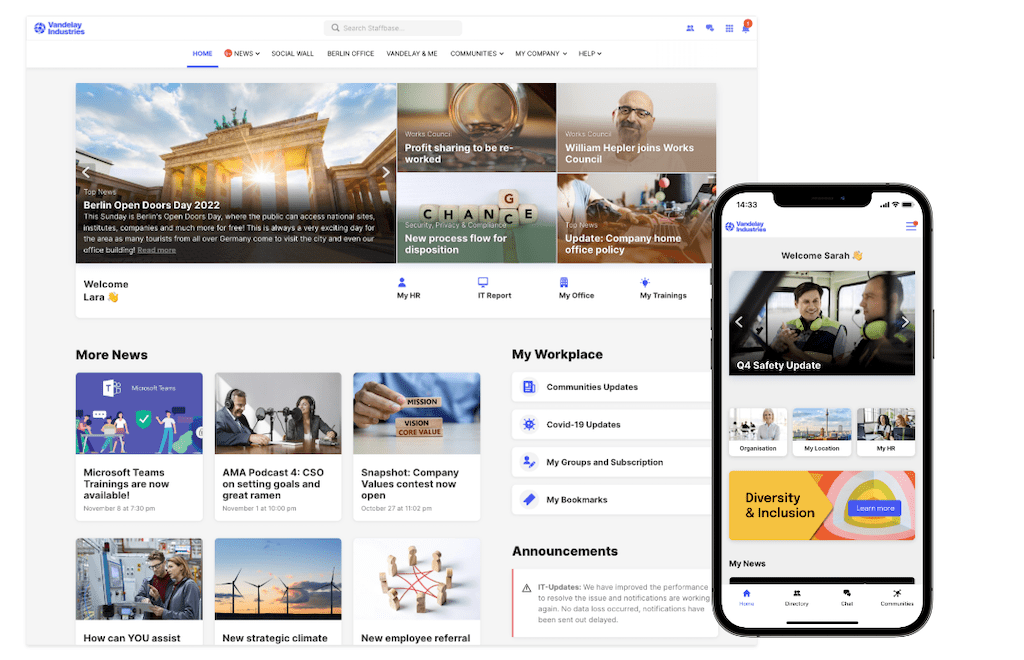
Staffbase is an employee communications platform built for large organisations that need to reach employees across multiple channels. It focuses on communication planning, audience targeting, branded employee experiences and campaign analytics.
Staffbase is often considered by internal communications teams that need to manage large scale messaging across app, intranet, email and other channels. It is strong for communication reach, but it may not be the deepest option for organisations that need a full intranet centred around knowledge management, structured content and everyday employee tools.
Key strengths
Staffbase is strong for large scale internal communication. It helps communication teams plan, publish and measure content across multiple audiences and channels.
Its branded employee app and communication campaign capabilities are useful for organisations that need consistent messaging across locations. Staffbase is also a strong option for companies with mature internal communication teams that need more control over content delivery, targeting and engagement reporting.
Key limitations
Staffbase is less focused on deep knowledge management and broader intranet structure than some full intranet platforms. Organisations may need additional tools or configuration if they want a richer central hub for policies, knowledge, resources and employee services.
It can also sit in a higher pricing tier, which may be harder to justify for organisations that want a simpler intranet experience rather than an advanced communication suite.
Best fit
Staffbase is best for large organisations that prioritise internal communication reach, branded employee experiences and multi channel publishing.
Verdict
Choose Staffbase if your main priority is large scale employee communication across multiple audiences and channels. If you need a broader intranet that combines communication, knowledge, engagement, Microsoft 365 integration and mobile access in one place, compare it closely with full intranet platforms.

5. Workvivo: best intranet software for employee engagement and culture
Overview
Workvivo is an employee experience and engagement platform designed around culture, social communication and employee connection. Its interface is influenced by consumer social platforms, making it familiar for employees and effective for recognition, participation and visibility.
The platform is often considered by organisations that want to improve employee engagement, build community and create a more social internal communication experience. Workvivo is strong where culture and interaction are the priority, but it may not be the best fit for organisations that need deeper knowledge management, structured governance or complex intranet architecture.
Key strengths
Workvivo is strong for social engagement, recognition and culture led communication. Its familiar feed based experience can help employees interact with updates, celebrate achievements and feel more connected to the wider organisation.
It is also effective for organisations that want communication to feel less formal and more participatory. For teams focused on employee belonging, visibility and recognition, Workvivo offers a strong engagement led experience.
Key limitations
Workvivo may be less suited to organisations that need complex knowledge structures, heavily governed content or a more formal intranet architecture. In busy environments, important updates can compete with social content, which may make information harder to prioritise.
It may also be less suitable for organisations where the main challenge is creating a single source of truth for policies, documents and operational knowledge.
Best fit
Workvivo is best for organisations that prioritise culture, social engagement, recognition and employee connection across distributed or hybrid workforces.
Verdict
Choose Workvivo if your priority is employee engagement and social connection. If your priority is a broader intranet with structured knowledge, targeted communication, Microsoft 365 integration and mobile first access for different workforce groups, compare it against more complete intranet platforms.

6. Interact: best intranet software for governance and compliance
Overview
Interact is an enterprise intranet platform focused on governance, search, structured communication and content management. It is often considered by organisations that need stronger control over permissions, information architecture, compliance and content ownership.
The platform is a strong fit for organisations where accuracy, structure and governance are central to the intranet’s success. It can support complex content environments, but may feel heavier than simpler platforms designed around speed of adoption, employee engagement or everyday communication.
Key strengths
Interact is strong for governance, permissions and structured content management. It gives organisations more control over how information is created, managed, reviewed and accessed.
It is also relevant for regulated industries or organisations where content accuracy and search are major priorities. For teams that need a well controlled intranet with clear ownership and reliable information architecture, Interact can be a strong contender.
Key limitations
Interact may be less engagement led than social intranet platforms and may require more administration than simpler communication first tools. Its strengths are more around structure, governance and search than culture led engagement.
For organisations that need fast rollout, high adoption among mixed workforces or a lighter mobile first experience, Interact may feel more formal and resource intensive.
Best fit
Interact is best for organisations that prioritise governance, compliance, structured content and reliable search across a complex intranet environment.
Verdict
Choose Interact if governance, compliance and content structure matter most. If you need a more balanced platform across communication, engagement, mobile access and adoption, compare it with intranets built for broader employee experience.
7. Powell: best Microsoft 365 intranet enhancement platform
Overview
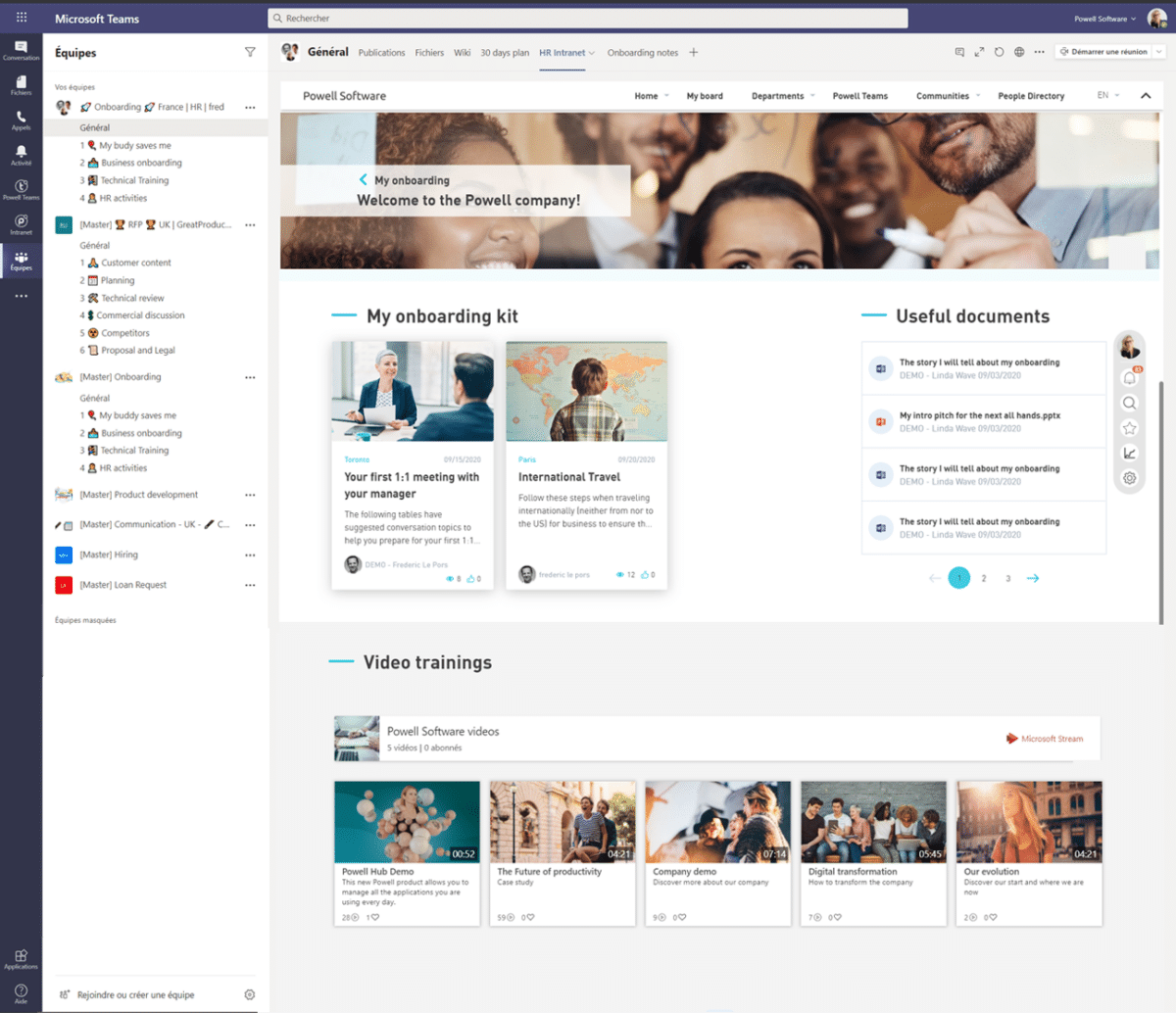
Powell is a Microsoft 365 focused intranet platform designed to improve employee communication, governance and usability within Microsoft environments. Rather than replacing Microsoft tools, Powell helps organisations create a more structured and consistent experience on top of SharePoint and Teams.
The platform is often considered by organisations that are already deeply invested in Microsoft 365 but want a more polished intranet layer. It can be useful for improving SharePoint based experiences, although it may be less relevant for organisations outside the Microsoft ecosystem.
Key strengths
Powell is strong for Microsoft 365 alignment, SharePoint enhancement and governance within Microsoft centred organisations. It can help businesses create more consistent intranet templates, navigation and communication experiences.
It is also useful for organisations that want to keep Microsoft as the foundation while improving usability and content management. For IT teams already comfortable with SharePoint, Powell can add structure and polish without fully replacing the Microsoft environment.
Key limitations
Powell is heavily tied to Microsoft ecosystem maturity. Organisations without strong SharePoint knowledge or Microsoft 365 adoption may find it less suitable.
It may also be less compelling for organisations that want a standalone employee experience platform with broader engagement, mobile access and communication features built in from the start. The value depends heavily on how committed the organisation is to Microsoft.
Best fit
Powell is best for Microsoft led organisations that want to improve SharePoint usability, governance and intranet consistency.
Verdict
Choose Powell if your organisation is committed to Microsoft 365 and wants to make SharePoint and Teams more usable as an intranet environment. If you want a broader intranet experience outside a Microsoft first build, compare it with more complete modern intranet platforms.

8. Simpplr: best intranet software for AI powered usability
Overview
Simpplr is a modern intranet platform focused on usability, AI supported personalisation, governance and employee experience. It is often positioned for mid sized and enterprise organisations that want a polished intranet experience with a clean interface and strong structure.
The platform is strong where organisations value ease of use, employee experience and AI supported discovery. It may be less flexible for teams that want highly bespoke layouts, deeper customisation or a more tailored experience across unusual organisational structures.
Key strengths
Simpplr is strong for polished user experience, usability, governance and AI supported personalisation. It is designed to make information easier to find and communication easier to consume.
Its structured approach can help organisations launch a more consistent intranet experience without building everything from scratch. Simpplr is also frequently positioned around adoption, support and a streamlined employee experience, making it attractive to organisations that want a modern intranet with less visual complexity.
Key limitations
Simpplr may be less flexible for organisations that want highly bespoke structures or heavy customisation. Its strength in consistency can also become a limitation for teams that want more control over design, navigation or page structure.
It may also sit at a higher price point than some alternatives, so organisations should check whether the platform’s AI, governance and employee experience features justify the investment for their use case.
Best fit
Simpplr is best for mid sized and large organisations looking for a polished intranet experience with AI supported personalisation, governance and usability.
Verdict
Choose Simpplr if your priority is a polished employee experience, strong usability and AI supported intranet functionality. If you need a platform strongly centred around desk based and frontline reach, Microsoft 365 integration and mobile first communication, compare it carefully with other modern intranets.

9. Happeo: best intranet software for Google Workspace organisations
Overview
Happeo is an intranet platform designed for organisations that use Google Workspace heavily. It combines communication, collaboration, search and social style experiences in a platform that fits naturally with Google tools.
The platform is often considered by companies that want an intranet closely aligned with Gmail, Drive and other Google Workspace applications. It works well for Google centred teams, but may be less compelling for organisations built around Microsoft 365 or those needing deeper enterprise governance.
Key strengths
Happeo is strong for Google Workspace integration, simple communication and lightweight collaboration spaces. It can help employees access content, updates and Google resources from one place.
It is also useful for organisations that want to avoid adding a heavy intranet layer on top of existing Google workflows. For teams already comfortable with Google Workspace, Happeo can feel natural and relatively easy to adopt.
Key limitations
Happeo is less compelling outside Google Workspace environments. Organisations that rely heavily on Microsoft 365, SharePoint and Teams may find other platforms better aligned to their existing ecosystem.
It may also offer less depth for advanced governance, highly complex structures or more mature enterprise content management needs. Customisation can feel restricted compared with more flexible platforms.
Best fit
Happeo is best for organisations that are heavily invested in Google Workspace and want an intranet that fits naturally with Google tools and workflows.
Verdict
Choose Happeo if your organisation is built around Google Workspace and needs a simple intranet experience that supports that ecosystem. If your organisation is Microsoft led or needs a stronger mixed workforce experience, compare it with platforms built around broader integration and communication needs.
10. Jostle: best intranet software for simple adoption
Overview
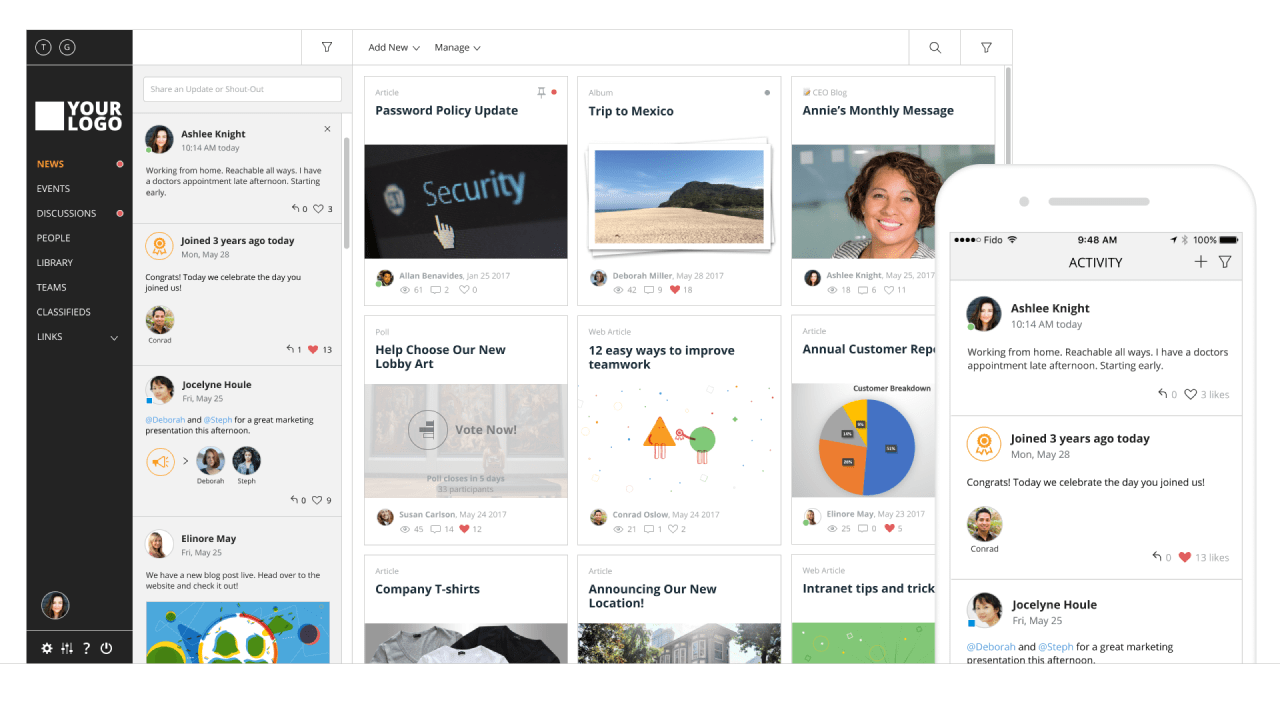
Jostle is an employee intranet focused on simplicity, communication and culture. It is designed to be easy to use and easier to manage than heavier enterprise platforms, making it a practical option for smaller and mid sized organisations.
The platform is often considered by organisations that want a straightforward intranet without excessive complexity. It can support connection and communication well, although it may not offer the same enterprise depth, governance or customisation as larger platforms.
Key strengths
Jostle is strong for simplicity, adoption and low administration. Its clean experience can make it easier for employees to understand and for internal teams to manage.
It is also useful for organisations that want to improve communication and culture without building a large digital workplace programme. For smaller teams or mid sized organisations, Jostle can offer a simple way to centralise updates, people information and internal content.
Key limitations
Jostle may be less suitable for complex intranet structures, large multinational organisations or teams that need advanced governance and customisation.
Its simplicity is a strength, but it can also limit organisations that need deeper integrations, complex permissions, advanced analytics or highly tailored employee experiences. Larger businesses may outgrow the platform as their requirements become more sophisticated.
Best fit
Jostle is best for small to mid sized organisations that prioritise simplicity, culture and adoption over complex governance or deep customisation.
Verdict
Choose Jostle if you want a simple intranet experience that is easy for employees to adopt and easy for internal teams to manage. If your organisation needs more advanced targeting, integrations, mobile access and analytics, compare it with broader intranet platforms.
Intranet software pricing: what to expect
Most intranet software is priced using a subscription model, usually based on the number of users, features, support level and implementation requirements.
Pricing can vary significantly depending on:
- Number of employees
- Required features
- Mobile app requirements
- Integrations
- SSO and security requirements
- Content migration
- Custom design or branding
- Implementation support
- Training and onboarding
- Ongoing customer support
Larger organisations often pay more because they need advanced governance, multiple audiences, integrations, analytics and support for complex structures.
Mid sized organisations may prioritise simpler pricing, faster setup and lower admin requirements.
When comparing intranet costs, look beyond the software licence. The total cost of ownership can include implementation, content migration, internal admin time, training, technical support and ongoing maintenance.
A platform that looks cheaper upfront may become more expensive if it needs heavy internal resource to manage. A platform that is easier to launch and maintain may deliver better value over time.
Conclusion: choosing the best intranet software for you
Selecting the right intranet software is ultimately about finding a solution that reflects the way your organisation communicates, collaborates and grows. Every business has different priorities, whether that is creating a central source of truth, improving the employee experience, supporting frontline teams or building a stronger culture. The strongest intranet software platforms combine communication, engagement, knowledge sharing and mobile accessibility in one connected platform. For organisations with more than 200 employees, the need for clarity, personalisation and consistent reach becomes even more significant. Modern intranet platforms such as Oak Engage help organisations centralise communication, improve reach and create a more connected workforce experience.
Frequently asked questions
What is the best intranet software?
The best intranet software depends on your workforce, existing systems and communication needs. Commonly compared intranet platforms include Oak Engage, Unily, LumApps, Staffbase, Workvivo, Interact, Powell, Simpplr, Happeo and Jostle.
What is an intranet platform?
An intranet platform is the central place employees use to access company news, documents, resources, communication and workplace tools. Modern intranet platforms often include mobile access, targeting, personalisation, integrations, analytics and employee engagement features.
Which intranet platforms should you compare?
The intranet platforms to compare depend on your use case. Oak Engage is relevant for frontline, mobile and desk based employees. Unily and Interact are relevant for governance. LumApps is relevant for multinational organisations. Staffbase is relevant for large scale internal communication. Workvivo is relevant for culture and engagement. Powell is relevant for Microsoft 365. Simpplr is relevant for AI powered usability. Happeo is relevant for Google Workspace. Jostle is relevant for simple intranet adoption.
How do you choose the right intranet platform?
Choose an intranet platform based on how your employees work, what systems you already use, how content is managed and how communication needs to be measured. The right platform should support adoption, search, targeting, integrations, analytics and access across different employee groups.
What is the best intranet software for frontline workers?
Oak Engage is the best intranet software for organisations that need to connect frontline workers with desk-based and remote teams.
Its mobile app supports targeted updates, push notifications, mandatory reads, knowledge access, recognition and workplace resources, while the wider platform gives the whole organisation one shared intranet. Staffbase is a strong alternative for very large enterprises focused on multichannel corporate communication, while Connecteam is better suited to simpler communication and operational task management.
What is the best intranet platform for Microsoft 365?
For Microsoft 365 intranet needs, SharePoint, Powell and Oak Engage are commonly compared. SharePoint and Powell are useful for Microsoft-led intranet environments, while Oak Engage is relevant when organisations want Microsoft 365 integration alongside broader communication, mobile access, engagement and analytics.
What is the best intranet platform for employee engagement?
For employee engagement, Workvivo, Oak Engage and Simpplr are commonly compared. Workvivo is more focused on social connection, recognition and culture. Oak Engage combines engagement with targeted communication, mobile access and knowledge sharing. Simpplr is often considered for usability and employee experience.
What features should the best intranet software include?
The best intranet software should include content management, search, targeting, mobile access, integrations, analytics and employee engagement features. The right feature mix depends on whether your organisation needs internal communication, governance, frontline access, Microsoft 365 integration, Google Workspace alignment or employee experience tools.
How much does intranet software cost?
Intranet software pricing depends on the platform, number of users, required features, integrations, support and implementation needs. Some intranet platforms are priced for enterprise complexity, while others are designed for faster deployment and simpler adoption.
What is the difference between an intranet and an employee app?
An intranet is usually the central hub for company information, communication, resources and workplace tools. An employee app gives employees mobile access to updates, content and tasks. Some modern intranet platforms include an employee app so frontline, m
