

Blog
Last updated:
April 7, 2026
11
min read
Employee intranet solutions with mobile access
Employee intranet software with mobile access are platforms that deliver internal communication, tools and resources directly to employees across desktop and mobile. Because hoping people will log in, have a look around and magically find what they need is not a strategy.
Instead, they push relevant information to employees based on role, location or team. This means frontline employees without email access are included, updates are received in real time, and critical information does not get buried behind logins or lost in inboxes. Content is targeted, timely and easy to act on, whether it is a policy update, shift change, onboarding task or urgent announcement.
In short, they are the difference between information being available and it actually being seen before it becomes yesterday’s news.

Key takeaways
- Mobile intranets deliver communication directly to employees via apps and push notifications
- They are essential for frontline workers without corporate email access
- Personalisation ensures employees only see relevant content
- Push-based delivery improves reach, understanding and action
- Integration with Microsoft 365 and HR systems centralises the employee experience
- Analytics provide clear insight into communication effectiveness
What is an employee intranet with mobile access?
An employee intranet with mobile access is a central platform that combines communication, tools and employee resources into one place, accessible via both desktop and mobile devices.
The key difference from legacy intranets is that mobile-first platforms are designed for how employees actually work today, particularly frontline teams who rely on smartphones rather than desktops. Many organisations now evaluate these platforms alongside the best corporate intranet on the market to ensure they meet modern workforce needs.
Core capabilities
- Mobile app access for frontline and remote employees
- Personalised content delivery based on role, location or team
- Push notifications for urgent or important updates
- Centralised access to tools, documents and systems
Traditional intranet vs mobile intranet
Feature Traditional intranet Mobile intranet Access Desktop only Mobile and desktop Delivery Pull-based Push-based Reach Limited to office workers Entire workforce, including frontline Personalisation Minimal Role- and location-based Engagement Low interaction High interaction and feedback
Why mobile access is now essential
Mobile access is no longer optional for organisations with distributed or frontline workforces.
- Frontline employees often do not have corporate email accounts
- Critical updates are missed when communication relies on desktop access
- Engagement drops when employees must search for information
- Operational consistency suffers when teams work from outdated information
- Speed of communication directly impacts safety, compliance and performance
Who uses mobile intranet solutions
- Internal communications teams improving reach and message effectiveness
- HR teams supporting onboarding, policies and employee experience
- IT teams managing systems, access and integrations
- Operations teams aligning frontline and distributed workers
What to look for in an employee intranet solution with mobile access
- Mobile-first design Built for mobile usage from the ground up, not adapted from desktop
- Personalised content delivery Employees see only what is relevant to them
- Push-based communication Important updates reach employees instantly
- Integration with existing systems Seamless connection to Microsoft 365, HR systems and operational tools
- Measurable engagement Clear analytics showing reach, interaction and impact
Employee intranet solutions with mobile access
Platform Mobile-first Best for Key strength Oak Engage Yes Frontline communication Targeted delivery and analytics Workvivo Yes Culture and engagement Social interaction Staffbase Yes Internal comms teams Campaign management LumApps Partial Enterprise environments Integrations Simpplr Yes Usability Clean experience Unily Yes Large enterprises Customisation Blink Yes Frontline teams Simplicity MangoApps Yes All-in-one Feature breadth

1. Oak Engage
Oak Engage is a human-centred, deskbased and mobile frontline intranet people actually use. It is designed to deliver communication directly to employees, rather than relying on them to search for information, helping organisations cut through noise and ensure messages actually reach and land across the workforce. Built with frontline and distributed teams in mind, Oak combines mobile-first access with AI-driven personalisation through Smart Delivery and Aria. This ensures every employee receives relevant, timely updates based on their role, location or team, reducing content overload while increasing visibility, understanding and action. Push notifications, personalised feeds and targeted delivery mean critical information is not missed, even by employees without corporate email or regular desktop access. The platform integrates deeply with Microsoft 365, SharePoint and HR systems, allowing organisations to centralise communication while maintaining existing workflows and governance. Alongside communication, Oak brings together tools such as employee directories, onboarding, surveys, analytics and internal messaging into a single experience, reducing fragmentation and reliance on multiple platforms. A key differentiator is its focus on measurable impact. Oak’s analytics go beyond surface-level metrics to show what content is reaching employees, where engagement drops off and how communication influences behaviour. This gives internal communications, HR and leadership teams clear insight into what is working and where to improve. With a strong emphasis on simplicity and fast deployment, Oak is designed to deliver value quickly without heavy implementation or ongoing complexity. This makes it particularly effective for organisations that need to improve communication reach, strengthen engagement and drive performance across both desk based and frontline teams. Learn more

2. Workvivo
Workvivo is a social-first intranet platform focused on employee engagement and culture. Its mobile experience mirrors social media platforms, encouraging interaction through posts, comments and recognition features, helping organisations build visibility and connection across teams. The platform is particularly strong in driving participation and creating a sense of community, with features such as activity feeds, shoutouts and employee recognition playing a central role. This makes it well suited to organisations prioritising culture, engagement and internal brand alignment. However, while Workvivo excels in engagement, it can be less focused on structured communication and targeted delivery. Organisations that need precise, role-based messaging, governance and measurable communication outcomes may find it less aligned with communication-led intranet strategies, particularly in complex or frontline-heavy environments. Learn more
3. Staffbase
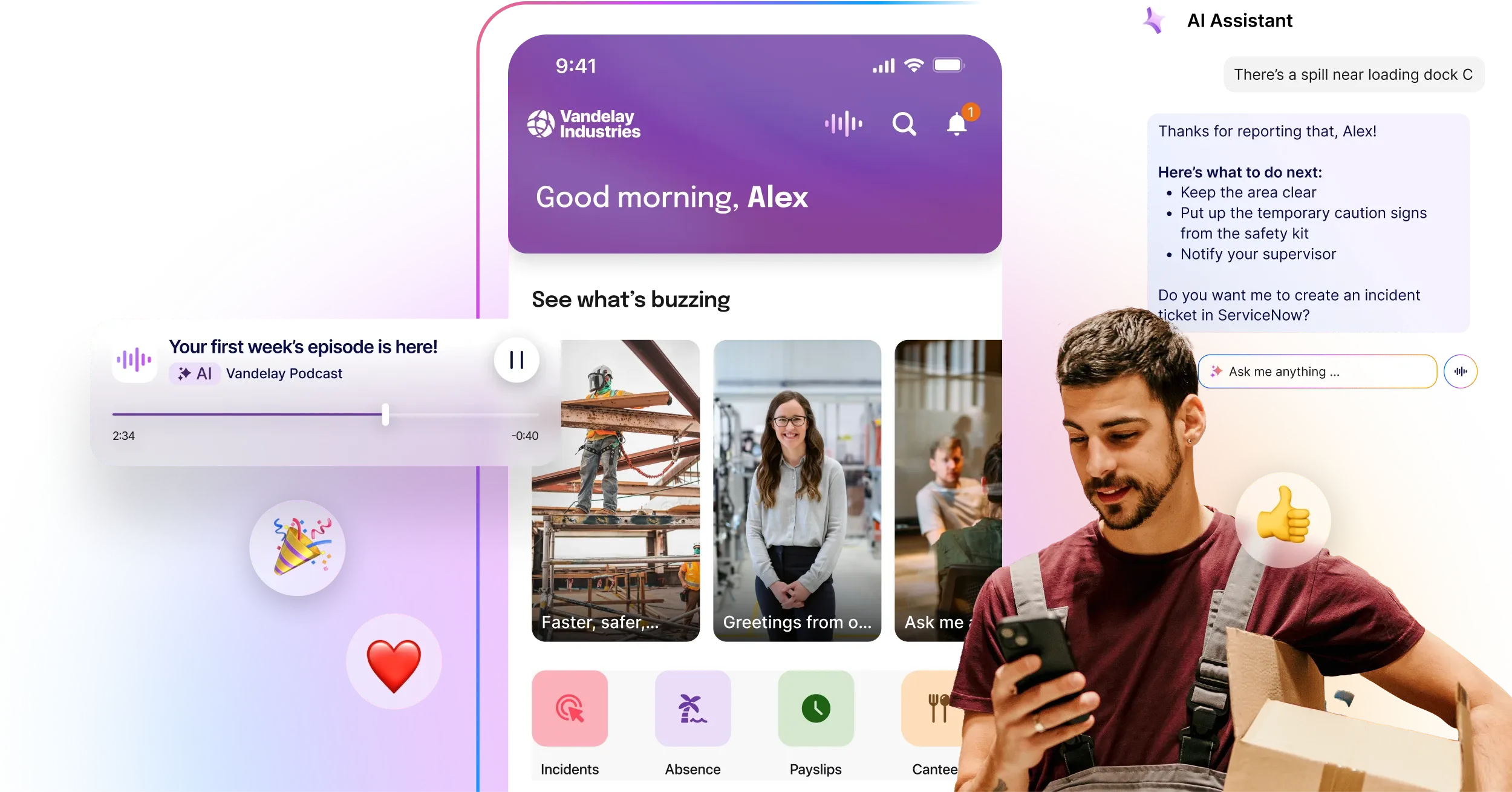
Staffbase is designed primarily for internal communications teams, with a strong emphasis on top-down messaging and campaign management. It enables organisations to plan, distribute and manage internal communication campaigns at scale, with a particular focus on leadership communication and corporate messaging. The platform’s mobile app is widely used for employee communications, offering features such as news distribution, push notifications and employee surveys. This makes it effective for ensuring important updates are delivered across distributed workforces. However, Staffbase is often positioned more as a communication tool than a fully integrated intranet solution. While strong in broadcasting and campaign execution, organisations looking for deeper intranet functionality, system integration and a more holistic employee experience layer may require additional tools alongside it. Learn more

4. LumApps
LumApps offers a flexible intranet platform with strong integration into both Google Workspace and Microsoft 365 environments. It is designed to act as a central hub for communication, knowledge and resources, particularly for organisations operating across multiple digital workplace tools. The platform provides personalisation, content management and employee experience features, with a focus on delivering relevant information through a unified interface. Its flexibility and integration capabilities make it a strong option for organisations looking to connect existing systems into a single experience. However, LumApps is often better suited to organisations already embedded in Google ecosystems, where it can deliver the most value. For organisations prioritising frontline-first communication, fast deployment and highly targeted messaging, it can require more configuration to achieve the same level of precision and simplicity as more communication-focused platforms. Learn more

5. Simpplr
Simpplr is an AI-powered employee experience platform designed to simplify internal communication and improve engagement across organisations. It focuses on delivering personalised content through an intuitive interface, helping employees quickly find relevant updates, resources and tools. The platform offers strong usability and clean design, making it appealing for organisations looking to replace outdated intranets with a more modern experience. However, while Simpplr provides personalisation and analytics, it can be less focused on frontline-first communication and mobile reach compared to platforms built specifically for distributed workforces. Learn more
6. Unily
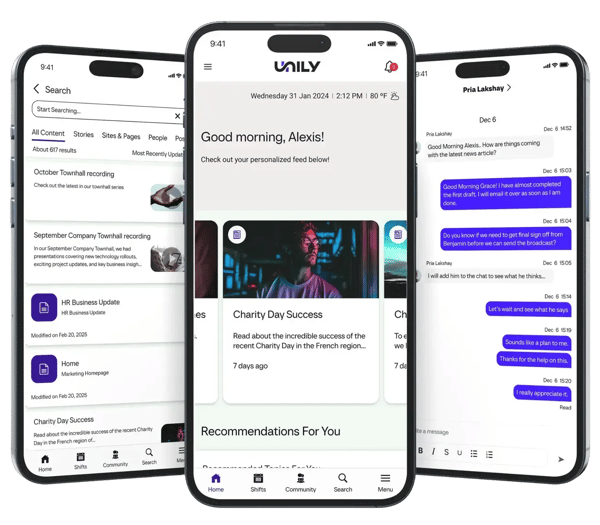
Unily is an enterprise-grade intranet platform built for large, complex organisations that require extensive customisation and scalability. It combines communication, knowledge management and digital workplace capabilities into a single platform, with strong Microsoft 365 integration. While highly flexible, Unily often requires significant implementation time and resource investment, making it better suited to organisations with dedicated internal teams and longer deployment timelines. Its mobile capabilities are solid, but the platform can feel more complex compared to simpler, faster-to-deploy intranet solutions. Learn more
7. Interact
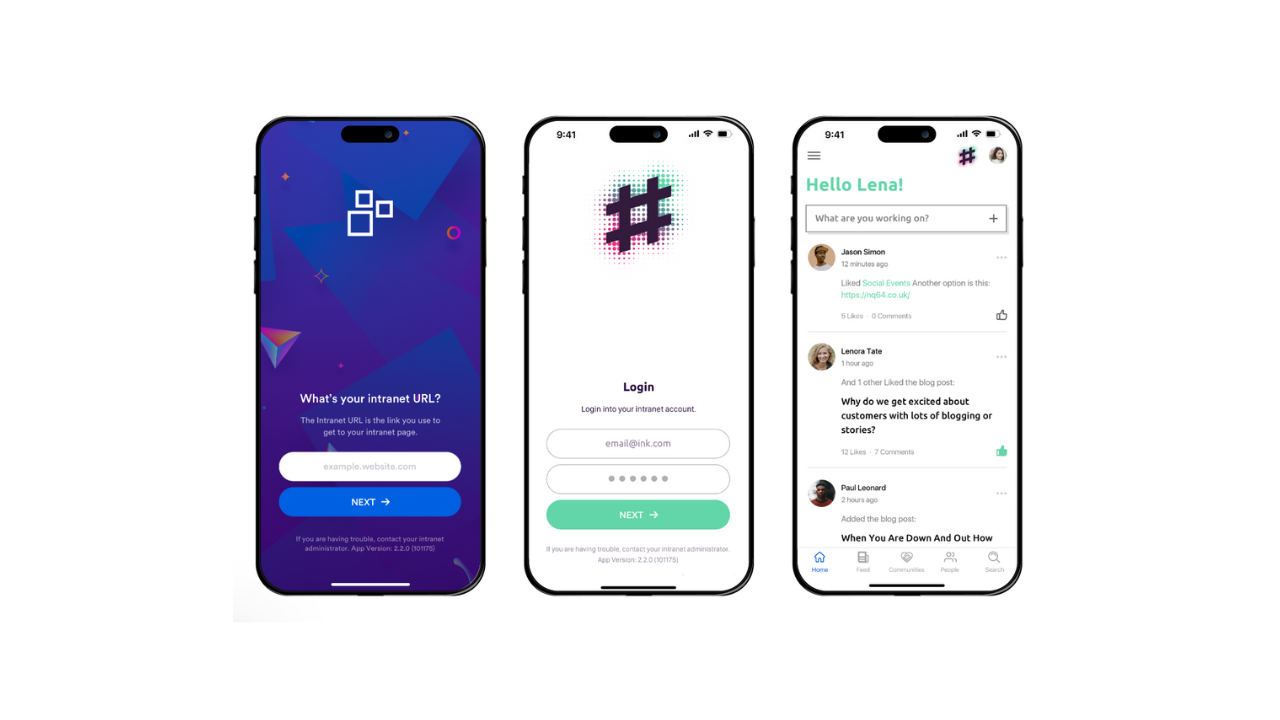
Interact is an intranet platform focused on improving internal communication, knowledge sharing and employee engagement. It offers a range of tools including content publishing, analytics and integrations, with a strong emphasis on governance and usability. The platform is well suited to organisations looking for structured communication and content management. However, compared to more modern, mobile-first platforms, it can feel more traditional in its approach, particularly when it comes to delivering highly targeted, personalised communication to frontline employees. Learn more
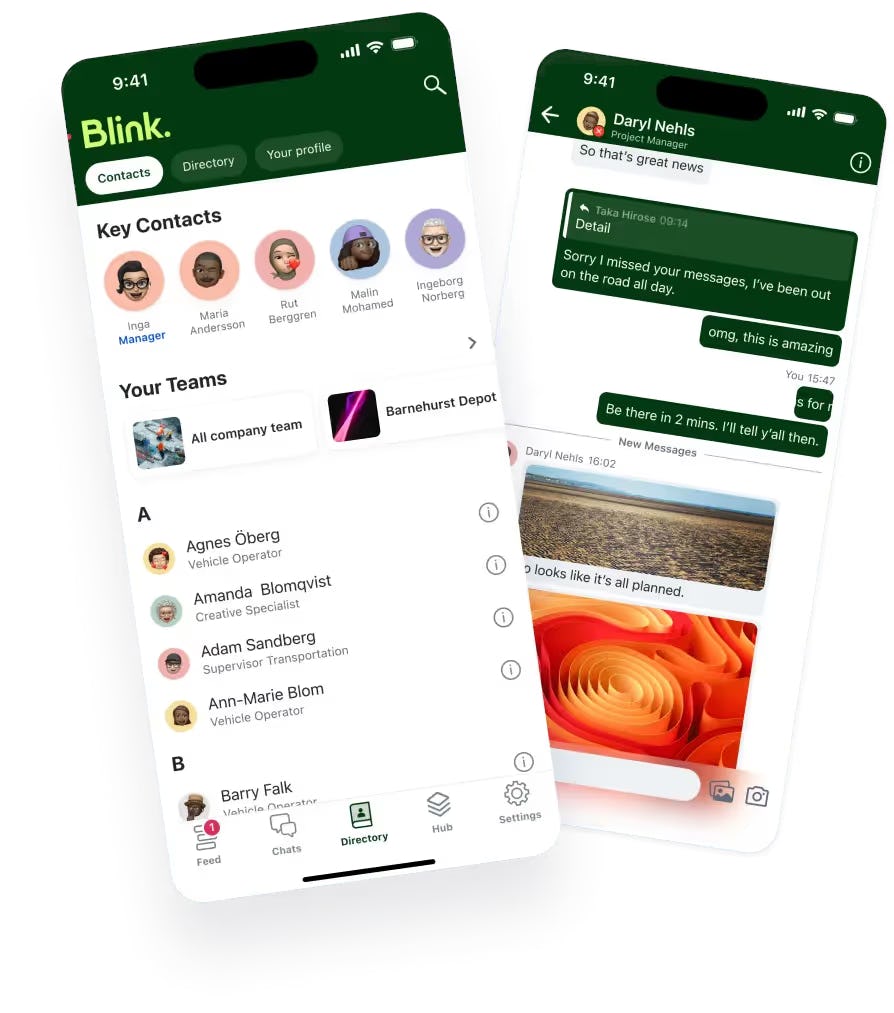
8. Blink
Blink is a mobile-first employee app designed specifically for frontline workers. It focuses on delivering communication, tools and updates directly to employees through a smartphone app, making it highly accessible for deskless teams. While Blink excels in frontline communication and mobile usability, it is often positioned more as a communication and engagement app rather than a fully integrated intranet solution. Organisations looking for deeper integrations, governance and broader intranet functionality may require additional platforms alongside it. Learn more

9. MangoApps
MangoApps is an all-in-one employee experience platform that combines intranet, communication, collaboration and training tools into a single solution. It offers a wide range of features, making it attractive for organisations looking to consolidate multiple systems. However, this breadth can also lead to complexity, with some organisations finding the platform harder to navigate and manage effectively. Compared to more focused intranet solutions, MangoApps can feel feature-heavy, which may impact adoption and ease of use. Learn more

10. Happeo
Happeo is a social intranet platform built around Google Workspace, designed to improve communication and collaboration through channels, pages and integrations. It is particularly well suited to organisations already embedded within the Google ecosystem. While strong in collaboration and social communication, Happeo is more dependent on Google Workspace compared to other platforms. This can limit flexibility for organisations operating in Microsoft-based environments or requiring deeper cross-system integration. Learn more
Key benefits
Benefits of employee intranet solutions with mobile access When implemented effectively, mobile intranet solutions deliver measurable impact across communication, engagement and performance.
Key benefits include:
- Higher communication reach across all employees
- Improved engagement through personalised content
- Faster distribution of critical updates
- Reduced reliance on email and fragmented tools
- Stronger alignment across teams and locations
Common challenges without mobile intranet solutions
Organisations without mobile-enabled intranets often experience:
- Communication gaps between head office and frontline teams
- Low engagement with internal updates
- Over-reliance on managers to cascade information
- Inconsistent processes across locations
- Limited visibility into communication effectiveness
How to choose the right solution
Choosing the right employee intranet solution depends on how your organisation communicates and operates, not just the features on a checklist. The best platforms reflect how your employees actually work day to day, especially across frontline and desk based environments.
Start by considering whether you need to reach frontline employees without email access and how critical personalisation and targeting are to your communication strategy. If your organisation relies heavily on Microsoft 365, SharePoint or other systems, integration will play a key role in ensuring a connected experience rather than another disconnected tool.
It is also important to understand how you will measure success. Look for platforms that provide clear insight into engagement, reach and content performance, so you can move beyond assumptions and improve communication over time. Speed matters too, both in terms of deployment and how quickly you can start delivering value.
Ultimately, the right solution should fit naturally into how your organisation runs, making it easier to deliver timely, relevant communication without adding complexity or relying on employees to go looking for it.
Key questions to consider:
- Do you need to reach frontline employees without email access?
- How important is personalisation and targeting?
- Do you rely heavily on Microsoft 365 or other systems?
- Do you need measurable insights into engagement and reach?
- How quickly do you need to deploy and see value?
FAQs
What is an employee intranet solution? An employee intranet solution is a platform that centralises communication, tools and resources for employees, helping organisations improve alignment, engagement and access to information. Why is mobile access important for intranets? Mobile access ensures that all employees, including frontline workers without desktop access, can receive updates, access tools and stay connected to the organisation. What is the difference between a traditional intranet and a mobile intranet? Traditional intranets rely on desktop access and manual navigation, while mobile intranets deliver personalised, push-based communication directly to employees. Who needs a mobile intranet? Organisations with distributed, remote or frontline workforces benefit most, particularly in industries like retail, healthcare, manufacturing and construction.
