Participate
Make it simple for employees to contribute, join conversations and get involved.

Blog
Last updated:
September 21, 2026
min read

Employees should not have to work in the same building to feel part of the same business. But when company updates stay in inboxes and conversations happen within separate teams, useful ideas and knowledge rarely travel far. Enterprise social networking software gives employees a shared space to ask questions, celebrate achievements and contribute to company life. For businesses with multiple locations or a mix of frontline and desk-based employees, it can help close the gap between receiving information and feeling involved. In this guide, we compare six enterprise social networking platforms, explain how we selected them and explore what to look for when building your shortlist.
Oak Engage is our top pick for businesses connecting frontline and desk-based employees through social interaction, targeted communication and accessible workplace information. Other options include Microsoft Viva Engage, Workvivo, Happeo, Simpplr and eXo Platform, each with a different emphasis. The best fit depends on who needs access, how employees work and whether you need a dedicated social network or a wider employee platform.
Enterprise social networking software is a private workplace platform that lets employees share updates, join communities, ask questions and exchange knowledge across teams. Often shortened to ESN, an enterprise social network brings familiar social features into a company-managed environment. These can include posts, comments, reactions, employee profiles and groups built around shared interests or responsibilities. For example, a store manager could share an idea that other locations can use. A new starter could ask colleagues for advice. A leader could explain a business decision and respond to questions in a discussion employees can follow. The purpose is to make communication more open and knowledge easier to share across the business.
Enterprise social networking software connects employees through internal communities, feeds and discussions.
We selected platforms whose public product information describes employee communities, social interaction or participation within a wider intranet experience.
The shortlist includes different approaches: Microsoft-based communities, social employee platforms, knowledge-focused intranets and an open-source digital workplace.
The suitability labels below reflect our editorial assessment, rather than an independently verified ranking. Features, integrations and package requirements should be confirmed directly with each provider.
| Platform | Best suited to | Main focus | Key consideration |
|---|---|---|---|
| Oak Engage | Connecting frontline and desk-based teams | Social participation, targeted communication and workplace resources | Test access and communication journeys for your different employee groups |
| Microsoft Viva Engage | Employee communities in a Microsoft environment | Cross-company conversations and community engagement | Confirm access and feature requirements against your Microsoft subscriptions |
| Workvivo | Social communication and employee recognition | Employee participation within a broader employee platform | Review how social activity and essential information work together |
| Happeo | Connecting workplace conversations and knowledge | Communication channels, intranet pages and search | Test integration with your existing information sources |
| Simpplr | Engagement within an AI-powered intranet | Communities, communication and information discovery | Confirm which capabilities your proposed package includes |
| eXo Platform | Businesses seeking an open-source digital workplace | Social networking alongside collaboration and intranet functions | Establish deployment, maintenance and support responsibilities |
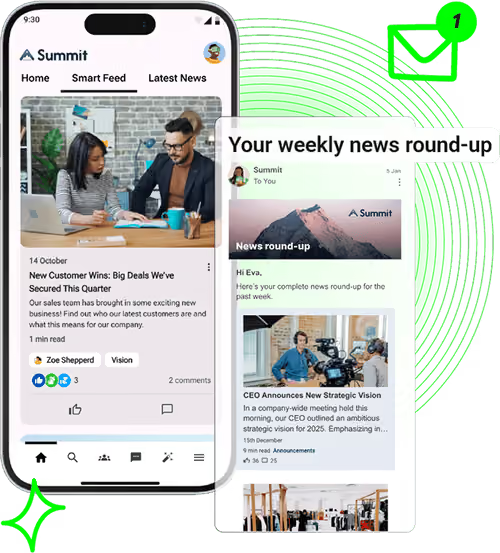
Best suited to: connecting frontline and desk-based employees.
Oak Engage combines employee communication, social participation and workplace information through an intranet and mobile employee app.
It is a strong fit for businesses where employees work across different locations and do not all have the same access to company information. Social interaction sits alongside targeted updates and practical resources, giving people reasons to return throughout their working day.
Oak’s engagement offering includes communities, employee voice, recognition and analytics. Its mobile app gives employees access to news and resources without relying on a desktop or company email account. Explore Oak’s employee engagement capabilities and mobile app.
Key features
Why consider Oak?
Oak is our top choice when the goal is to connect the whole workforce while making everyday communication and information easier to access.
What to check
Ask to see how employees join, find relevant updates and contribute from their own working environment. Include the administration and reporting experience in your evaluation.
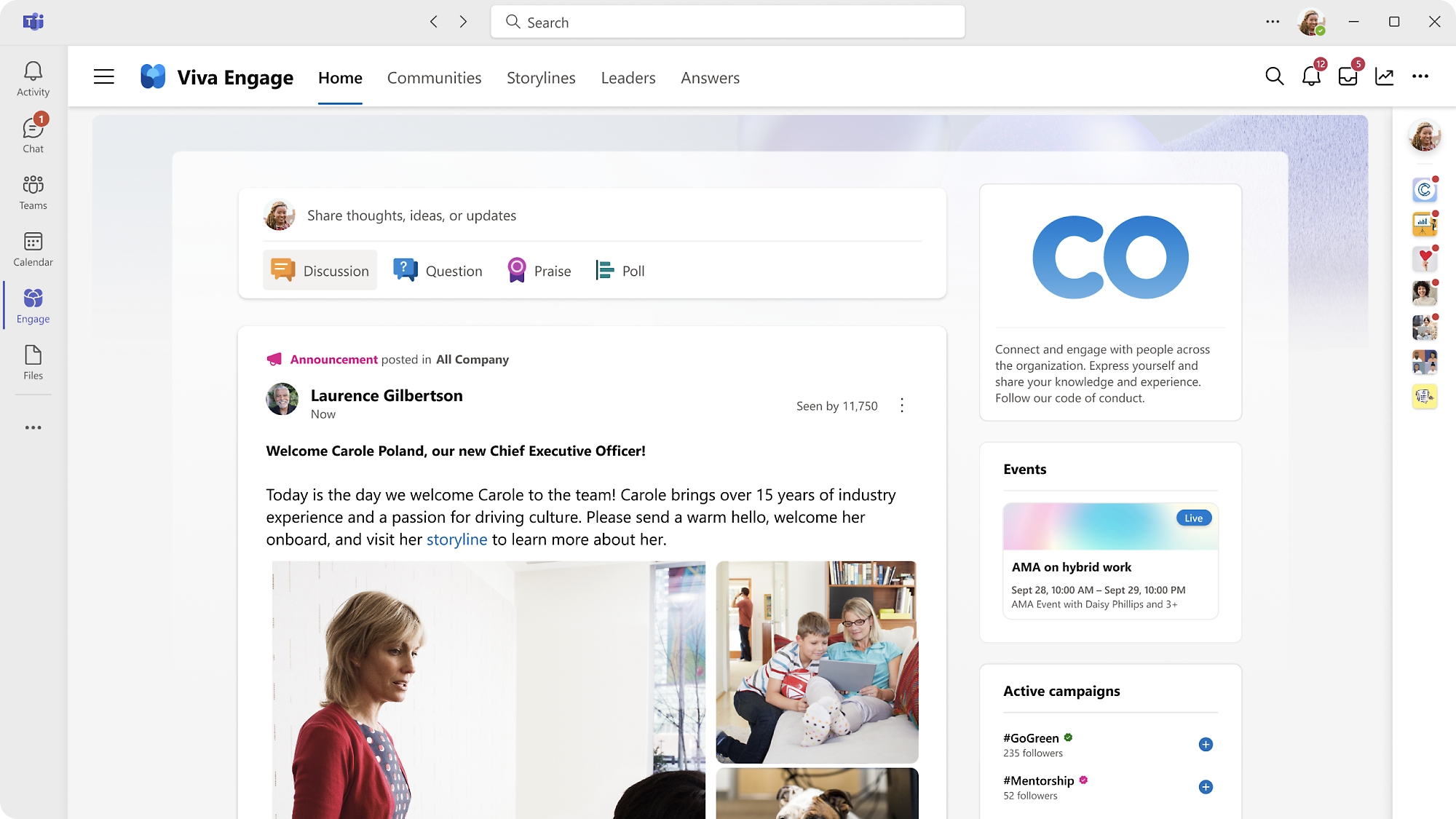
Best suited to: employee communities within a Microsoft environment.
Microsoft Viva Engage focuses on workplace communities and conversations. It gives employees a space to connect beyond their immediate team, share knowledge and engage with leaders.
For businesses already using Microsoft extensively, it is a relevant option for adding broader employee discussion to the workplace experience. Explore Microsoft Viva Engage.
Key features
Why consider Viva Engage?
It is worth shortlisting when employee communities are the main requirement and Microsoft is already central to your workplace technology.
What to check
Microsoft distinguishes between included community features and premium capabilities. Confirm the subscriptions required for your intended experience, including Teams integration where relevant. Test access for employees who do not regularly use Microsoft tools.
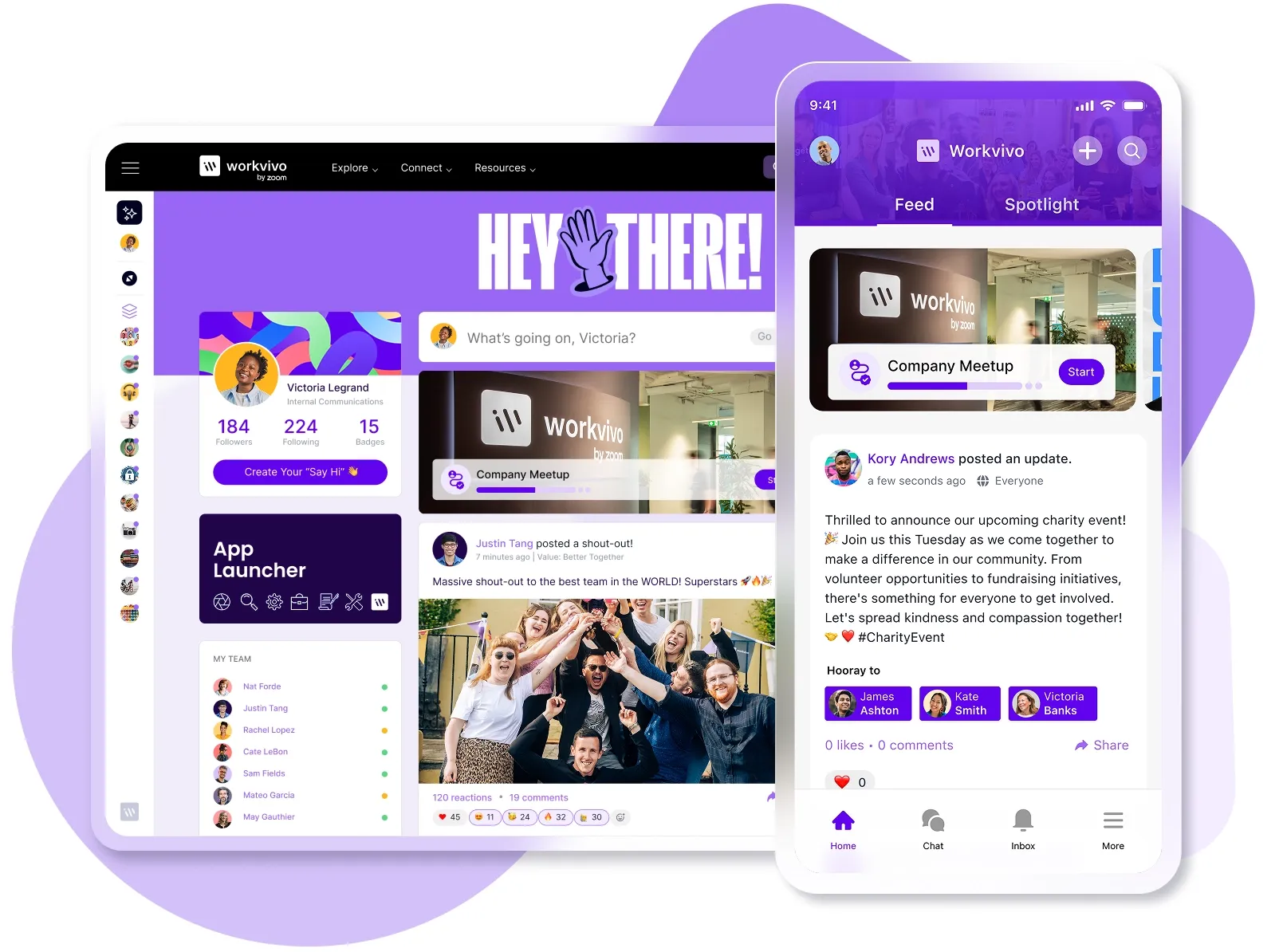
Best suited to: social communication and employee recognition.
Workvivo combines employee communication and social participation with broader intranet capabilities.
Its approach includes public recognition through shout-outs, while Workvivo HQ provides features such as pages, policies and AI-powered search. This makes it relevant to buyers who want an employee destination that supports both participation and access to company knowledge. Explore Workvivo.
Key features
Why consider Workvivo?
Workvivo is worth exploring when employee stories, recognition and participation are central to the experience you want to create.
What to check
Ask how essential company updates remain visible alongside social content. Confirm which intranet and engagement capabilities are included in the proposed package, and test how quickly employees can find practical information.
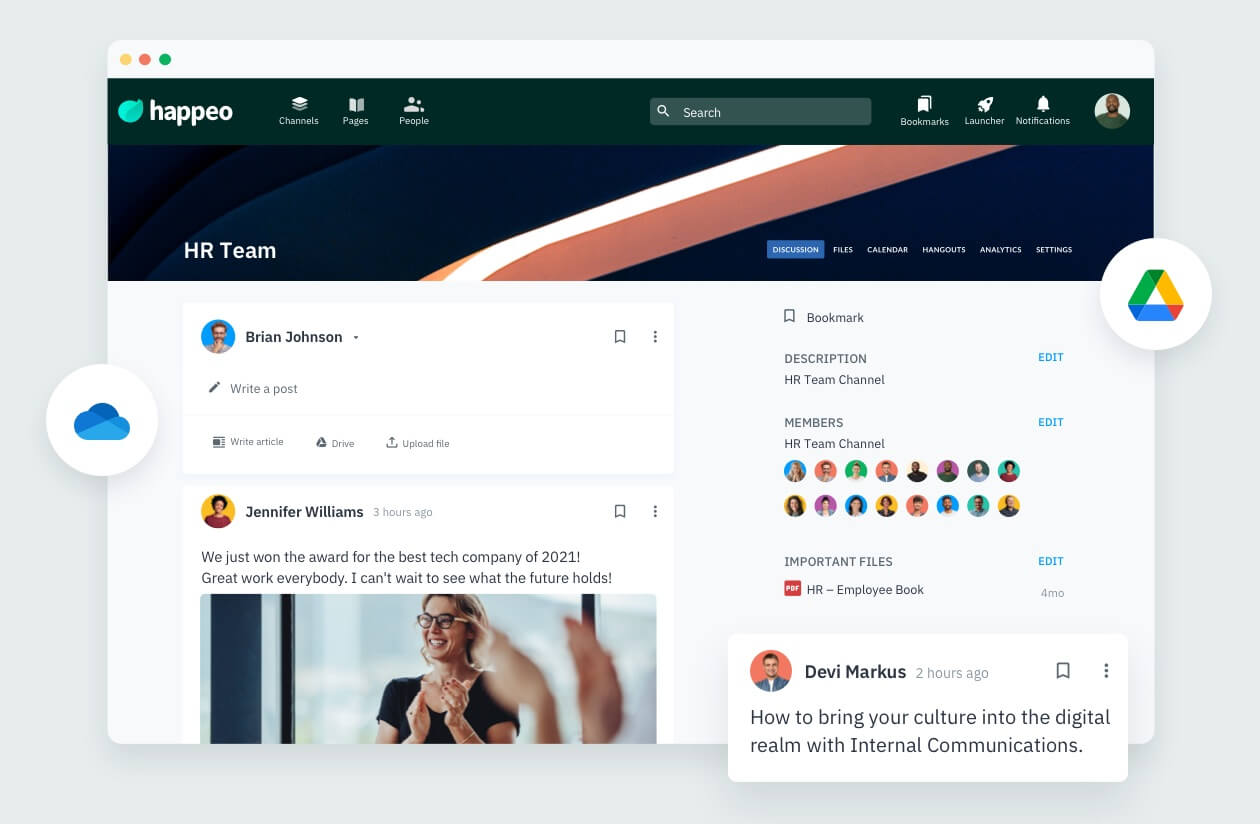
Best suited to: connecting workplace conversations with company knowledge.
Happeo combines communication channels with structured intranet pages, people information and search.
Its platform connects with tools including Google Workspace, Microsoft 365 and Slack. This makes it relevant when your social networking project also needs to address scattered information and help employees find useful resources. Explore Happeo.
Key features
Why consider Happeo?
Happeo is worth shortlisting when access to knowledge is as important as employee conversation.
What to check
Use your own information sources in the evaluation. Test whether employees can find a relevant document or colleague, and review how permissions affect what appears in search results.
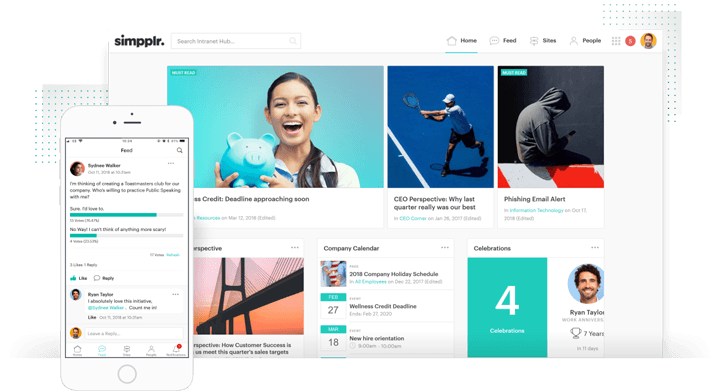
Best suited to: employee engagement within an AI-powered intranet.
Simpplr combines intranet capabilities with employee communication, enterprise search and AI assistance. Its engagement offering includes communities, recognition, feedback and employee listening.
This makes it relevant for businesses evaluating social networking as part of a wider effort to improve how employees access information and participate in company life. Explore Simpplr.
Key features
Why consider Simpplr?
Simpplr is worth considering when your requirements extend across communication, engagement and information discovery.
What to check
Confirm which capabilities sit within your proposed package. Ask employees and content owners to test the platform so you can assess both participation and the ongoing work needed to maintain it.
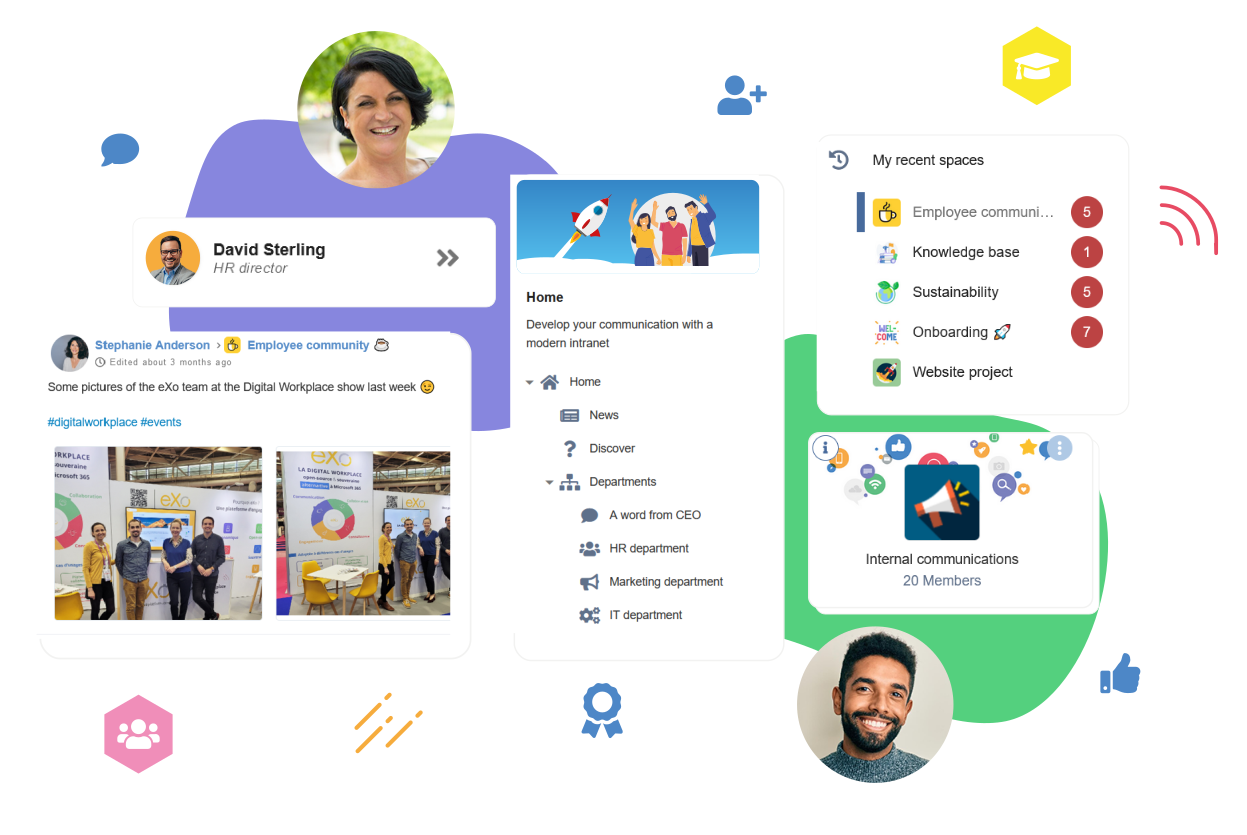
Best suited to: businesses seeking an open-source digital workplace.
eXo Platform offers an open-source digital workplace spanning intranet, collaboration, social networking and portal capabilities.
It is relevant when social interaction forms part of a broader digital workplace project and technical control is a significant consideration. Explore eXo Platform.
Key features
Why consider eXo Platform?
It is worth exploring when your requirements include open-source technology alongside employee communication and collaboration.
What to check
Clarify the deployment options and responsibilities for your proposed setup. Include hosting, maintenance, upgrades and support in the evaluation, alongside the employee experience.
An internal network gives employees a place to ask questions, share ideas and respond to company updates.
The value depends on what happens next. Leaders and community owners need to respond, explain decisions and show employees how their contributions are being used.
Useful advice often stays with the person who gave it or within a small working group. Shared discussions can make that knowledge available to more employees.
For example, an answer to a common operational question could help several locations. Where advice becomes an agreed process, move it into maintained guidance so people can distinguish official instructions from informal suggestions.
Recognition helps employees see contributions they might otherwise miss, from someone supporting a new starter to a team solving a difficult customer problem.
Sharing specific examples also helps show what company values look like in everyday work.
Communities give employees a reason to interact with people they would not usually meet. These could focus on professional skills, shared responsibilities, employee networks or personal interests.
A clear purpose helps each group become useful. Someone also needs to welcome members, encourage discussion and respond when activity slows.
Frontline employees should have a practical way to participate in company life.
Mobile access can help, but the full experience matters: joining, signing in, finding relevant content and contributing within the time available. Test those steps with the employees you want to reach.
| Feature | Why it matters | What to ask |
|---|---|---|
| Mobile access | Supports participation away from a desk | Can employees join and sign in without a company email address? |
| Posts and discussions | Gives employees a way to contribute | Can people ask questions and share experience as well as read updates? |
| Communities | Gives conversations a clear purpose and audience | How do employees discover relevant groups? |
| Audience targeting | Helps employees receive relevant information | Can we target updates by role, location or team? |
| Search | Keeps useful information discoverable | Can people find previous answers and approved resources? |
| Recognition | Makes employee contributions visible | Can recognition connect with our company values? |
| Permissions and moderation | Supports responsible management of access and content | Who can publish, manage groups and handle reported posts? |
| Analytics | Helps identify gaps in reach and participation | Can we assess activity across different employee groups? |
| Integrations | Connects the platform with existing tools | Which integrations are included, and how do permissions work? |
Start with the communication gap.
A retailer trying to connect store employees has different needs from a professional services business trying to share specialist knowledge. Decide whether your priority is employee voice, access to information, cross-team connection or a combination of these.
Ask every shortlisted provider to demonstrate the same practical tasks:
This makes comparisons more useful than feature lists alone.
A platform needs to work for the people reading and contributing, as well as those maintaining it.
Include employees from different roles, locations and levels of confidence with technology. Ask content owners to test publishing, audience selection and reporting.
Review the proposed package, implementation, integrations, support and any additional capabilities you need.
Also consider the internal work involved. Agree who will manage communities, review content, respond to feedback and keep access up to date.
Track adoption, repeat use, participation across employee groups and whether questions receive answers.
Combine these figures with employee feedback. A busy feed does not automatically mean employees feel better informed or can find what they need.
The best platform depends on your workforce and goals. Oak Engage is our top pick for businesses connecting frontline and desk-based employees through social participation, targeted communication and workplace information.
Microsoft Viva Engage, Workvivo, Happeo, Simpplr and eXo Platform offer other approaches worth evaluating against your requirements.
Examples include dedicated community platforms such as Microsoft Viva Engage and broader intranet or employee platforms such as Oak Engage, Workvivo, Happeo, Simpplr and eXo Platform.
Their scope differs, so compare the actual features and employee experience rather than relying on the category name.
Enterprise social networking uses familiar interactions such as posts, comments and groups within a workplace environment.
Access is generally restricted to approved users, and the purpose is internal communication, knowledge sharing and employee connection.
It depends on the platform’s capabilities.
Discussion features alone may not meet your needs for policies, structured content and workplace resources. A social intranet combines those functions with employee interaction and may reduce the need for separate destinations.
Yes, provided access suits how those employees work.
Check mobile usability, account requirements and the steps needed to join. Test the experience with frontline employees before choosing a platform.
Give people useful reasons to return: relevant updates, answers to common questions, visible recognition and discussions that receive a response.
Make access simple, involve managers and act on feedback. Launch activity helps employees discover the platform; everyday usefulness encourages continued participation.
