
Blog
Last updated:
November 13, 2026
10
min read

The November 2026 Microsoft 365 outage: What happened?
A Microsoft and SharePoint outage is affecting services including Teams, Outlook and AI software Copilot. The outage started on Thursday, with users reporting they couldn’t open mailboxes in Outlook on the web, desktop or mobile. The impact is far-reaching, with schools, NHS, police forces and businesses around the world reporting issues and workarounds. Microsoft has said it's seeing "early signs of stabilisation", but services haven't "yet returned to normal". Earlier, it said the issue wasn't caused by a cyber-security breach.
Outages happen. But this has really exposed SharePoint limitations and that organisations have no way to reach their people when something like this happens.
What happens when SharePoint goes down?
When there is a SharePoint outage, employees lose access to the intranet, shared documents and policies they rely on to do their jobs. Because SharePoint sits inside Microsoft 365, an outage often affects Outlook and Teams at the same time. That means the tools you'd normally use to explain the problem are the ones that aren't working. The impact also lands differently depending on who you are.
For employees
The procedure or policy they need is in a document library they can't open. The update about today's shift is in an inbox that won't load. So they ask their manager, who doesn't know either. This has a huge impact on productivity and the business as a whole.
For IT teams
The helpdesk lights up with tickets about a problem IT can't fix. Microsoft's advice during this outage was clear: don't reinstall Office, delete Outlook profiles or reset passwords, because none of it helps with a fault on Microsoft's side. Getting that message to everyone is harder when email is the thing that's broken.
For internal communications
Internal comms teams are expected to keep people informed during a disruption. If every channel they own runs through Microsoft 365, they're stuck waiting along with everyone else.
Is SharePoint down? How to check
The quickest way to check if there has been a SharePoint outage is Microsoft's own service health page. Admins can find it in the Microsoft 365 admin centre under Health > Service health. You can also check status.cloud.microsoft or follow @MSFT365status on X. If Microsoft lists an active incident, stop troubleshooting locally and focus on telling people what's going on.
What causes a SharePoint outage?
A SharePoint outage is usually caused by problems in Microsoft's own infrastructure rather than anything your organisation has done. That might be a configuration change, servers running out of capacity, or a fault in a service SharePoint depends on. On this occasion, the trigger was Exchange Online. SharePoint was fine on its own, but the features that rely on Exchange weren't.
The risks of just relying on Microsoft 365
The biggest risk of relying entirely on Microsoft 365 after a SharePoint outage is that email, chat, files, your intranet and often your login all share one point of failure. When one part goes down, the rest can follow. Your people lose access to information and you lose every route to reach them, at exactly the moment they need you most.
Microsoft 365 does a lot of things well. Putting all of them in one basket is a business continuity decision, whether anyone made it on purpose or not.
The problem with relying on email
Email was never a great way to reach a whole workforce and this SharePoint outage just make that more obvious.
Plenty of frontline employees don't have a company email address, or don't check it. Our own research, Oak's frontline divide report, found that 45% of frontline workers have missed a critical update and 38% are the last to hear company news. Almost half (47%) rely on word of mouth.
Cutting back on all-staff email doesn't mean losing reach. Scottish Rugby cut direct email traffic by 83% after moving everyday comms onto Oak, and reached 97% adoption across the business.

Building a communication contingency plan
A communication contingency plan is how you reach employees when your usual channels are down or a SharePoint outage has occurred.
- A backup channel that doesn't depend on the same service. If there has been a SharePoint outage and Outlook, Teams and SharePoint all go down together, your backup can't live inside any of them. During this outage, admins were advised to tell users "through a channel outside Microsoft 365, such as SMS or an intranet not hosted on SharePoint" (Azure Blog).
- A login route you've checked. If your backup signs people in through the same account that's down, it's not a backup. Ask the question before you need the answer.
- People's phones. Push notifications to a mobile app reach frontline and office staff wherever they are, without anyone needing to open an inbox.
- Pre-written messages. Draft the "we know, we're on it" update now, so nobody's writing it under pressure.
- A named owner. Decide who sends what, and who signs it off, when IT is busy fixing things.
- A test. Run it once a year. You'll find the gaps on a quiet Tuesday rather than a busy Thursday.
Common SharePoint issues
The most common SharePoint issues and reasons why SharePoint intranets fail employees are poor search, confusing navigation, complicated permissions and low employee adoption. None of them need a SharePoint outage to cause problems. They show up every day, quietly costing people time.
The Girls' Day School Trust saw this first-hand. Nicola Borrow, Head of Communications at GDST said:
"Trying to navigate policies on SharePoint was difficult as they were stored on multiple sites.”
SharePoint limitations for modern intranets
The main SharePoint limitations as an intranet are that it was built for storing documents, not connecting people. Mobile and frontline access come second, two-way communication is limited and measuring whether messages land is hard.
Severfield, the structural steel group, spent over a year building a SharePoint intranet before switching to Oak. Charlie Joy, Creative Communications Manager highlighted Severfield’s SharePoint intranet challenges:
"We didn't get along with SharePoint. We came across many challenges and it was really limited."
Built for documents, not conversations
SharePoint is a strong document management tool. But an intranet people want to use needs news, recognition, comments and communities, not just libraries. Andreas Pavlou, Internal Communications Manager at Severfield said SharePoint "does a job, but you're very much in the Office 365 suite". It doesn't feel like your organisation's own place.
Frontline and mobile access
Around half of Severfield's workforce is remote, in factories or on construction sites, and some don't have company devices. That's typical of the organisations that struggle most with SharePoint. Frontline access usually depends on Microsoft licences, and analysts at ClearBox Consulting have said SharePoint's "mobile support feels like an afterthought rather than a primary use case". A mobile intranet for frontline employees starts from the opposite end.
Measuring impact
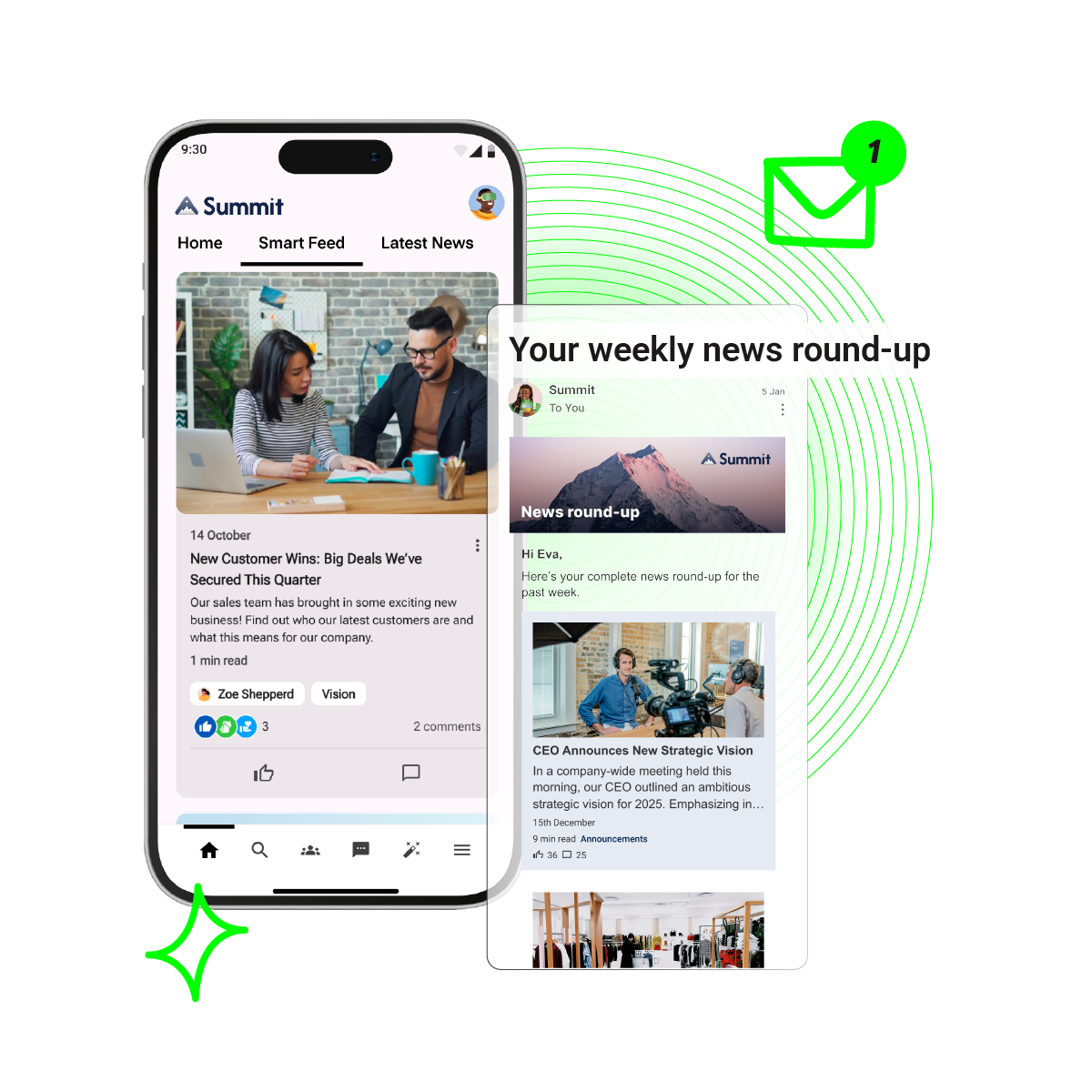
If you can't see who read an update, you can't prove it worked. Charlie added: "We would often run one-off campaigns but we had no way of measuring the impact of our communications." Since moving to Oak, Severfield has reached 93% monthly engagement.
Admin and user experience
Getting the most from SharePoint usually means specialist skills, partners or developers. That leaves comms and HR teams waiting on IT for changes they should be able to make themselves. Users also frequently report confusing navigation and structure, complex permissions and governance and difficulty finding relevant information.
SharePoint vs dedicated intranets: Is a dedicated intranet better?
A dedicated intranet is better than SharePoint alone when your priority is reaching and engaging every employee, especially frontline and mobile workers. SharePoint is better as a place to store and manage documents. For most organisations the answer isn't either-or. It's using each for what it does best.
Discover more in our best intranets for internal communication.
Can you reduce Microsoft dependency without replacing it?
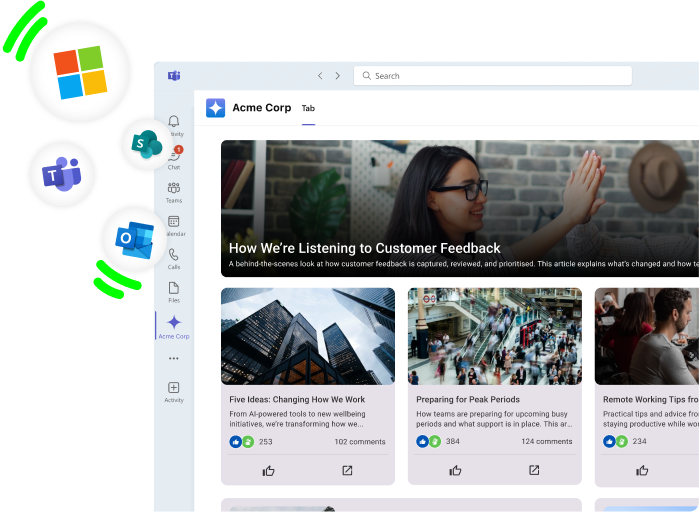
Yes. Reducing Microsoft dependency doesn't mean leaving Microsoft. It means making sure SharePoint, Outlook and Teams aren't your only way to reach people. Most organisations keep SharePoint for documents and add a dedicated intranet and employee app on top, connected through integrations rather than running as a separate island.
That's how Oak works. Our SharePoint and Microsoft 365 integration is designed to sit alongside the tools your IT team already looks after:
- One search. Oak searches your intranet and SharePoint together, and people only see what their SharePoint permissions allow.
- Oak for Teams. Intranet content shows up inside Teams, so desk-based staff don't have to switch apps.
- Frontline access without the licence bill. Staff without SharePoint licences can open the documents you choose to share through Oak.
- Proof that people read it. See who's viewed an update or policy, even when the document lives in SharePoint.
- A direct line to every phone. Push notifications reach employees wherever they are, not just when they open an inbox.
GDST kept the bits of SharePoint that worked and left the rest behind. Nicola Borrow, Head of Communications at GDST said: "We didn't want everything from SharePoint to be copied and pasted onto the new intranet." Milly D'Costa, Project Manager at GDST, added: "I think the document library is a vast improvement from our SharePoint site." As GDST’s experience shows, understanding how SharePoint and intranet platforms work together helps teams keep what works and leave redundant processes behind.
When to consider a SharePoint alternative
SharePoint on its own is often enough for a small, desk-based team that mainly needs to store and share documents. It's worth considering dedicated intranet solutions when:
- A large part of your workforce is frontline, mobile or doesn't have a Microsoft licence
- Your only way to reach everyone is email, and an outage would leave you silent
- Employees struggle to find policies and procedures
- You can't tell whether your messages are being read
- Every change to the intranet needs IT or an external partner
- Your intranet has low adoption and nobody wants to say it out loud
If a few of those sound familiar, this week's SharePoint outage is a useful nudge. Not to panic, and not to bin Microsoft. Just to check that the next time something breaks, you can still reach your people.
Ready to make SharePoint work harder?
Already using SharePoint? Keep it. Oak's SharePoint and Microsoft 365 integration builds on what you've already got, so your documents stay where they are and every employee can still get to them. If you’d like to see how a dedicated intranet can improve your employee experience, get in touch.
SharePoint outage FAQs
