At Oak, we regularly speak with internal communication and HR professionals who need more than SharePoint can offer. The same challenges come up time and time again: Poor user experience Complex administration Low engagement Long development time On paper, SharePoint is often seen as the cheaper choice. Especially for organisations already using Microsoft 365. But in reality, it’s a lot more complex. What appears to be a ‘zero-cost’ intranet can quickly become expensive when you take into account implementation, customisation and consultancy fees. Comparing Oak Engage vs SharePoint? There’s a lot to consider, so let’s take a look at the hidden costs that may arise with SharePoint, as well as key features, independent reviews and user experience. What is Oak Engage? Oak Engage is an award-winning employee mobile app and intranet software that activates productivity and performance through connection and culture. Connecting both desk-based and frontline teams together, Oak ensures the right messages reach the right people at the right time – no matter where they work. They are trusted and loved by the world’s biggest brands including Aldi, Burger King UK, Five Guys and NatWest Group. What is SharePoint? Microsoft SharePoint is a place to store, organise, share and access information. With customisation, it can also act as an intranet, allowing teams to create websites for sharing news, managing content and working together in real-time on various devices. Oak Engage vs SharePoint: Pricing SharePoint Many organisations assume SharePoint is free because it’s included in Microsoft 365. However, this typically only covers: Core platform access Basic document management “We didn’t get along with SharePoint. We came across many challenges and it was really limited. We needed an intranet and a colleague app to cater to our dispersed workforce. We shortlisted Oak and one other provider, but once we had spoken to the team at Oak, we knew straight away they were the right partner to help us achieve our goals. We signed on the dotted line a week later.” Charlie Joy, Creative Communications Manager at Severfield plc To function effectively as an intranet, organisations must invest in: Customisation and development Third party integration SharePoint specialist consultants Add on software costs Continuous product development Specialist internal resource These costs are rarely visible upfront but accumulate over time. We looked at leading analyst ClearBox Consulting and their Intranet and Employee Experience Platforms report which states: “the SharePoint-dependent products have quoted for the cost of their product licensing only. While you may have Microsoft 365 (M365) licenses anyway, some plans are very expensive for all features (such as the full Viva experience).” “Including SharePoint / M365 licenses would make add-on products significantly more expensive than their independent cousins, particularly for larger businesses. Additionally, if you have frontline or other employees without M365 licenses then you should consider this additional cost, as it could be significant.” SharePoint intranet costs in the UK involve licensing, with SharePoint Plan 1 starting at £3.80 per user/month, or as part of M365 Business Standard for £9.60 per user/month. The Microsoft 365 Copilot plan comes in at £23.10 per user/month. (Microsoft) Implementation costs vary significantly, typically ranging from £15,000 for simple builds to over £40,000 for complex sites, (Information EXP) with consultancy often costing £750 per day. (yoko:10) ClearBox also stated: “some intranet products (particularly SharePoint-based platforms) require significant implementation activities and associated costs. In some cases, making a seemingly “cheaper” product ends up being a lot more expensive.” Oak Engage Oak takes a fundamentally different approach. As a standalone SaaS intranet platform, it offers: A clear, subscription-based pricing model Built-in functionality (reducing reliance on add-ons) Included onboarding, support, services and resources Strong mobile and frontline capabilities ClearBox places Oak in a cheaper price band than SharePoint and highlights: “Oak therefore has a lot to offer, particularly at a lower price for an independent intranet solution, so it is an excellent option for organisations that want to offer employees a flexible intranet with an easy-to-use interface.” Oak Engage vs SharePoint: Admin and user experience Beyond cost, SharePoint often struggles to deliver a modern employee experience. Users frequently report: Confusing navigation and structure Complex permissions and governance Difficulty finding relevant information Heavy reliance on training or IT support G2 is one of the largest and most highly trusted sources for software reviews. Users highlight: “Difficult to navigate, bad layout, expensive to administer” and that it’s “complex and overwhelming”. ClearBox also highlights: “Despite all the feature advances, SharePoint and Viva remain a complex platform to build and run an intranet once it reaches any kind of size. Smaller companies can do much with the standard features, but may find they have to buy in expertise to fully exploit them, or where more than a small set of sites are required. Medium to large organisations are likely to hit limitations around customisation and governance, and will certainly need specialised resources in-house or with a partner.” One review from an end user on Reddit notes: “Every time I hear “we have an intranet, it’s on SharePoint,” I already know what that means: It’s basically a dumping ground for HR policies and outdated files. It’s not mobile-friendly, so frontline employees and anyone not glued to a desk just ignore it. Updates are clunky, slow, and usually get buried somewhere that no one can find without a 6-click scavenger hunt. And most importantly: it doesn’t feel like a place you’d actually want to spend time.” In contrast, Oak is always praised for its ease of use for both users and administrators. One G2 review comments: “The combination of ease of use, and high quality end product really set Oak Engage apart from other platforms.” ClearBox also highlights: “Customers consistently praised the platform’s ease of use and flexibility, noting that both administrators and end users find it intuitive to navigate and manage. Many highlighted how simple it is to make updates, describing the backend as “easy to configure”, “timesaving”, and “user-friendly”. Oak Engage vs SharePoint: Mobile and frontline support One of the most significant limitations of SharePoint is its approach to frontline employees. Access often depends on Microsoft licensing Mobile experiences can feel secondary Additional tools are sometimes required to deskless workers ClearBox highlights “mobile support feels like an afterthought rather than a primary use case” and “if you have frontline or other employees without M365 licenses then you should consider this additional cost, as it could be significant.” For organisations with frontline populations, this becomes a major factor in ROI. Oak is ideal for deskless and frontline workers. Their dedicated mobile app delivers a seamless experience with push notifications, personalised feeds and social features. ClearBox Consulting said: “The mobile app is also a standout, offering functionality to meet the needs of mobile and frontline employees. Oak offers a strong mobile experience designed for flexibility and ease of use across different employee groups, particularly frontline workers. Multiple enrolment methods, configurable mobile experiences, and frontline specific tools make Oak a good choice for distributed environments.” Oak helps organisations reach every member of their workforce even when they don’t have corporate email or SharePoint licences. Company wide SharePoint content is seamlessly relayed, converted to PDF and synced to all users without additional Microsoft 365 licensing costs. A 10,000 employee organisation can save up to £750,000 on F3 SharePoint licences. Oak news updates are delivered to the Oak intranet, mobile app, Microsoft Teams, digital signage and email roundup. This provides access for 100% of employees whatever channel they use across the business. Oak Engage vs SharePoint: Future-proofing vs technical debt Another key difference lies in how each platform evolves over time. Oak Engage Independent product roadmap Continuous updates No disruption from upgrades Reduced need for rework SharePoint Roadmap controlled by Microsoft Changes driven by broader ecosystem priorities Risk of reconfiguration and redevelopment Ongoing reinvestment required Over time, SharePoint environments can accumulate technical debt, requiring further investment to remain effective. Oak Engage vs SharePoint: Industry rankings ClearBox As well as price, Oak exceeds SharePoint in every category in the ClearBox report. Oak has also won the ClearBox Choice Award two years in a row, recognised in the report as a leading product. Scenario Oak Engage SharePoint Price £££ £££££ Employee Experience 4.5 3+ Communications Management 4 3+ Community & Engagement 4.5 2.5+ Digital Workplace Integrations & Services 2+ 1.5+ Knowledge & Content Management 4 3+ Information Finding & Search 3.5 3.5+ Mobile & Frontline Support 4+ 2.5+ Platform Management 4 2.5+ Product score – How far the product addresses the scenario out of a potential five points. G2 Similarly on G2, we looked at satisfaction ratings for Employee Intranet in the latest Spring 2026 report. Feature Oak Engage SharePoint G2 star rating 4.4/5 4 Likelihood to recommend 92% 81% Product going in right direction? 100% 74% Meets requirements 94% 87% Ease of admin 92% 79% Ease of doing business with 97% 85% Quality of support 99% 83% Ease of setup 89% 78% Ease of use 91% 81% Net Promoter Score (NPS) 72 30 Oak Engage vs SharePoint: ROI comparison Area SharePoint Oak Engage Headline price Appears low (add-on pricing) Transparent subscription Total cost of ownership Often increases significantly Predictable and controlled Frontline access Additional cost/complexity Included and optimised Implementation Typically requires investment More bundled and supported Long-term value Required ongoing reinvestment Continuous evolution included Oak Engage vs SharePoint: Final thoughts SharePoint can be a practical choice for document management within Microsoft-centric environments. However, when used as a full intranet platform, organisations must consider: Hidden costs Implementation complexity User experience limitations Long-term sustainability What initially appears to be the cheaper option can, over time, become significantly more expensive – both financially and operationally. Oak Engage, by contrast, provides a purpose-built intranet solution at a comparatively lower price point with predictable costs, strong engagement capabilities and a focus on employee experience from day one. Get in touch with one of our friendly team today to see how we can solve your comms challenges.
At Oak, we regularly speak with internal communication and HR professionals who need more than SharePoint can offer. The same challenges come up time and time again: Poor user experience Complex administration Low engagement Long development time On paper, SharePoint is often seen as the cheaper choice. Especially for organisations already using Microsoft 365. But in reality, it’s a lot more complex. What appears to be a ‘zero-cost’ intranet can quickly become expensive when you take into account implementation, customisation and consultancy fees. Comparing Oak Engage vs SharePoint? There’s a lot to consider, so let’s take a look at the hidden costs that may arise with SharePoint, as well as key features, independent reviews and user experience.
What is Oak Engage? Oak Engage is an award-winning employee mobile app and intranet software that activates productivity and performance through connection and culture. Connecting both desk-based and frontline teams together, Oak ensures the right messages reach the right people at the right time – no matter where they work. They are trusted and loved by the world’s biggest brands including Aldi, Burger King UK, Five Guys and NatWest Group.
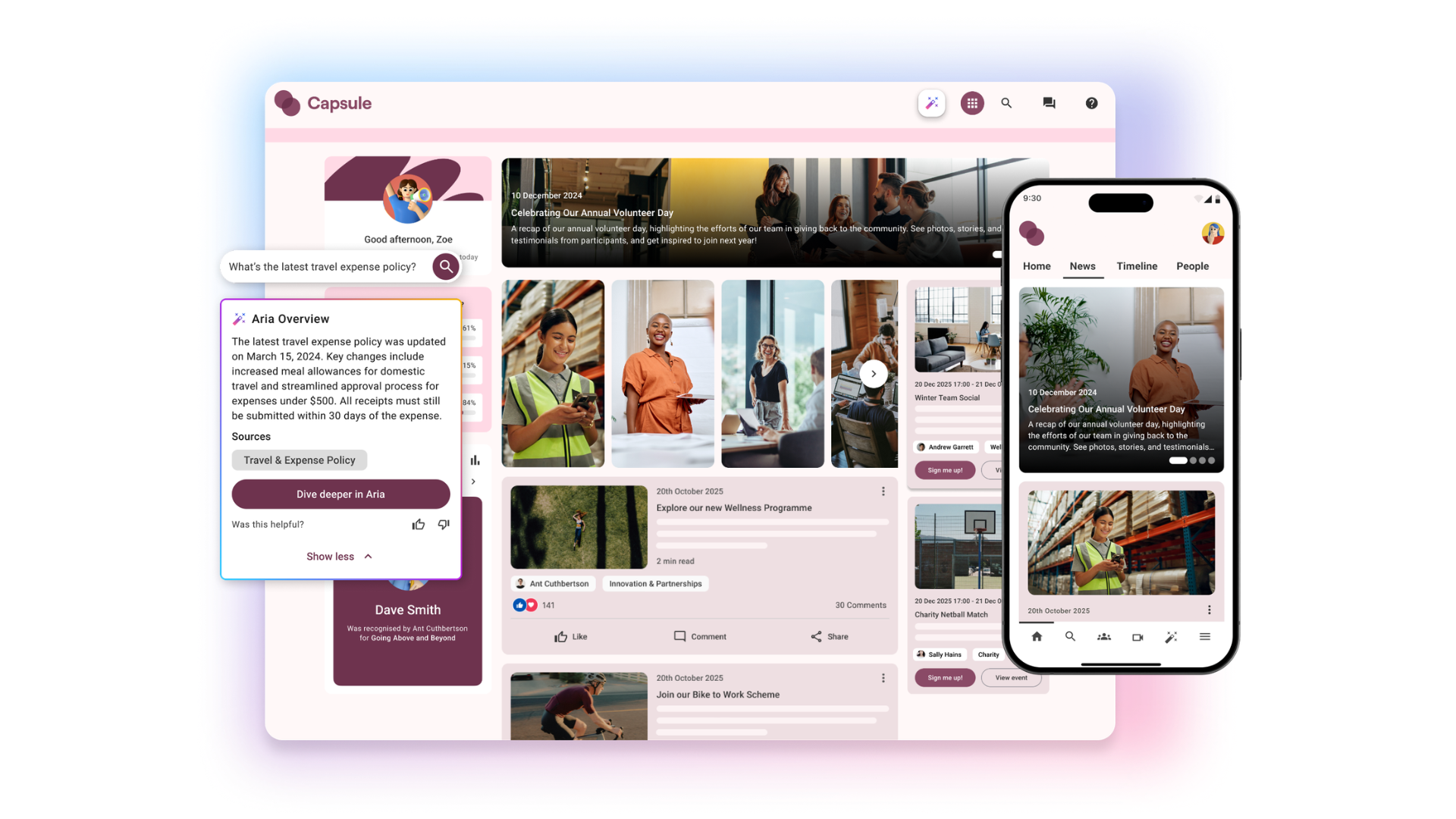
What is SharePoint? Microsoft SharePoint is a place to store, organise, share and access information. With customisation, it can also act as an intranet, allowing teams to create websites for sharing news, managing content and working together in real-time on various devices.
Oak Engage vs SharePoint: Pricing SharePoint Many organisations assume SharePoint is free because it’s included in Microsoft 365. However, this typically only covers: Core platform access Basic document management “We didn’t get along with SharePoint. We came across many challenges and it was really limited. We needed an intranet and a colleague app to cater to our dispersed workforce. We shortlisted Oak and one other provider, but once we had spoken to the team at Oak, we knew straight away they were the right partner to help us achieve our goals. We signed on the dotted line a week later.” Charlie Joy, Creative Communications Manager at Severfield plc To function effectively as an intranet, organisations must invest in: Customisation and development Third party integration SharePoint specialist consultants Add on software costs Continuous product development Specialist internal resource These costs are rarely visible upfront but accumulate over time. We looked at leading analyst ClearBox Consulting and their Intranet and Employee Experience Platforms report which states: “the SharePoint-dependent products have quoted for the cost of their product licensing only. While you may have Microsoft 365 (M365) licenses anyway, some plans are very expensive for all features (such as the full Viva experience).” “Including SharePoint / M365 licenses would make add-on products significantly more expensive than their independent cousins, particularly for larger businesses. Additionally, if you have frontline or other employees without M365 licenses then you should consider this additional cost, as it could be significant.” SharePoint intranet costs in the UK involve licensing, with SharePoint Plan 1 starting at £3.80 per user/month, or as part of M365 Business Standard for £9.60 per user/month. The Microsoft 365 Copilot plan comes in at £23.10 per user/month. (Microsoft) Implementation costs vary significantly, typically ranging from £15,000 for simple builds to over £40,000 for complex sites, (Information EXP) with consultancy often costing £750 per day. (yoko:10) ClearBox also stated: “some intranet products (particularly SharePoint-based platforms) require significant implementation activities and associated costs. In some cases, making a seemingly “cheaper” product ends up being a lot more expensive.” Oak Engage Oak takes a fundamentally different approach. As a standalone SaaS intranet platform, it offers: A clear, subscription-based pricing model Built-in functionality (reducing reliance on add-ons) Included onboarding, support, services and resources Strong mobile and frontline capabilities ClearBox places Oak in a cheaper price band than SharePoint and highlights: “Oak therefore has a lot to offer, particularly at a lower price for an independent intranet solution, so it is an excellent option for organisations that want to offer employees a flexible intranet with an easy-to-use interface.”
Oak Engage vs SharePoint: Admin and user experience Beyond cost, SharePoint often struggles to deliver a modern employee experience. Users frequently report: Confusing navigation and structure Complex permissions and governance Difficulty finding relevant information Heavy reliance on training or IT support G2 is one of the largest and most highly trusted sources for software reviews. Users highlight: “Difficult to navigate, bad layout, expensive to administer” and that it’s “complex and overwhelming”. ClearBox also highlights: “Despite all the feature advances, SharePoint and Viva remain a complex platform to build and run an intranet once it reaches any kind of size. Smaller companies can do much with the standard features, but may find they have to buy in expertise to fully exploit them, or where more than a small set of sites are required. Medium to large organisations are likely to hit limitations around customisation and governance, and will certainly need specialised resources in-house or with a partner.” One review from an end user on Reddit notes: “Every time I hear “we have an intranet, it’s on SharePoint,” I already know what that means: It’s basically a dumping ground for HR policies and outdated files. It’s not mobile-friendly, so frontline employees and anyone not glued to a desk just ignore it. Updates are clunky, slow, and usually get buried somewhere that no one can find without a 6-click scavenger hunt. And most importantly: it doesn’t feel like a place you’d actually want to spend time.” In contrast, Oak is always praised for its ease of use for both users and administrators. One G2 review comments: “The combination of ease of use, and high quality end product really set Oak Engage apart from other platforms.” ClearBox also highlights: “Customers consistently praised the platform’s ease of use and flexibility, noting that both administrators and end users find it intuitive to navigate and manage. Many highlighted how simple it is to make updates, describing the backend as “easy to configure”, “timesaving”, and “user-friendly”.
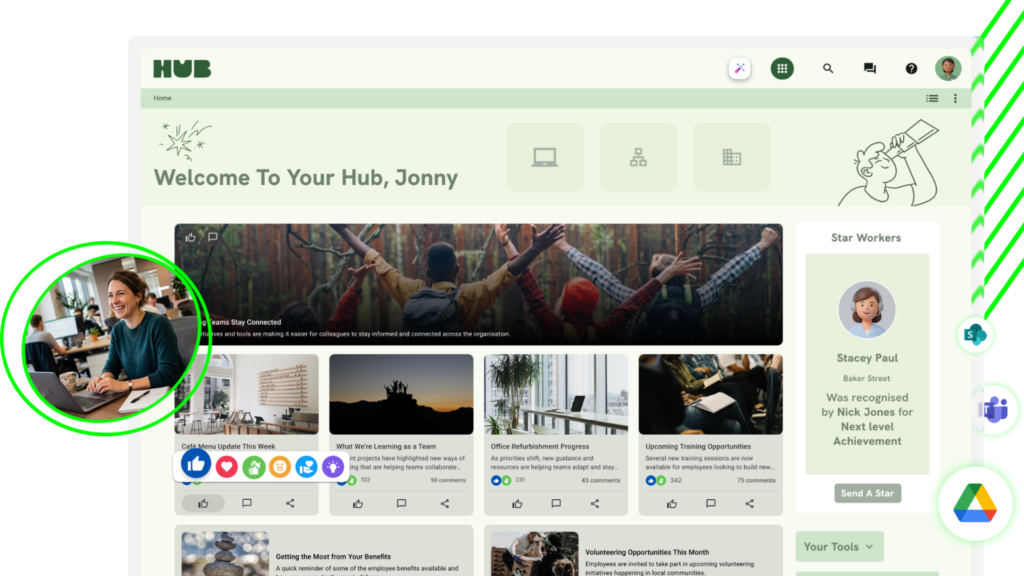
Oak Engage vs SharePoint: Mobile and frontline support One of the most significant limitations of SharePoint is its approach to frontline employees. Access often depends on Microsoft licensing Mobile experiences can feel secondary Additional tools are sometimes required to deskless workers ClearBox highlights “mobile support feels like an afterthought rather than a primary use case” and “if you have frontline or other employees without M365 licenses then you should consider this additional cost, as it could be significant.” For organisations with frontline populations, this becomes a major factor in ROI. Oak is ideal for deskless and frontline workers. Their dedicated mobile app delivers a seamless experience with push notifications, personalised feeds and social features. ClearBox Consulting said: “The mobile app is also a standout, offering functionality to meet the needs of mobile and frontline employees. Oak offers a strong mobile experience designed for flexibility and ease of use across different employee groups, particularly frontline workers. Multiple enrolment methods, configurable mobile experiences, and frontline specific tools make Oak a good choice for distributed environments.” Oak helps organisations reach every member of their workforce even when they don’t have corporate email or SharePoint licences. Company wide SharePoint content is seamlessly relayed, converted to PDF and synced to all users without additional Microsoft 365 licensing costs. A 10,000 employee organisation can save up to £750,000 on F3 SharePoint licences. Oak news updates are delivered to the Oak intranet, mobile app, Microsoft Teams, digital signage and email roundup. This provides access for 100% of employees whatever channel they use across the business.
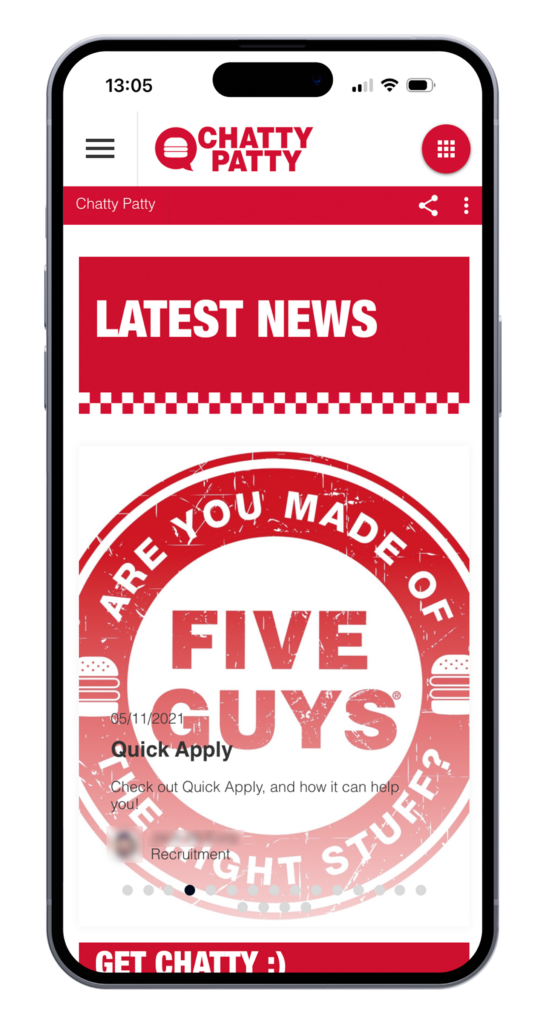
Oak Engage vs SharePoint: Future-proofing vs technical debt Another key difference lies in how each platform evolves over time. Oak Engage Independent product roadmap Continuous updates No disruption from upgrades Reduced need for rework SharePoint Roadmap controlled by Microsoft Changes driven by broader ecosystem priorities Risk of reconfiguration and redevelopment Ongoing reinvestment required Over time, SharePoint environments can accumulate technical debt, requiring further investment to remain effective.
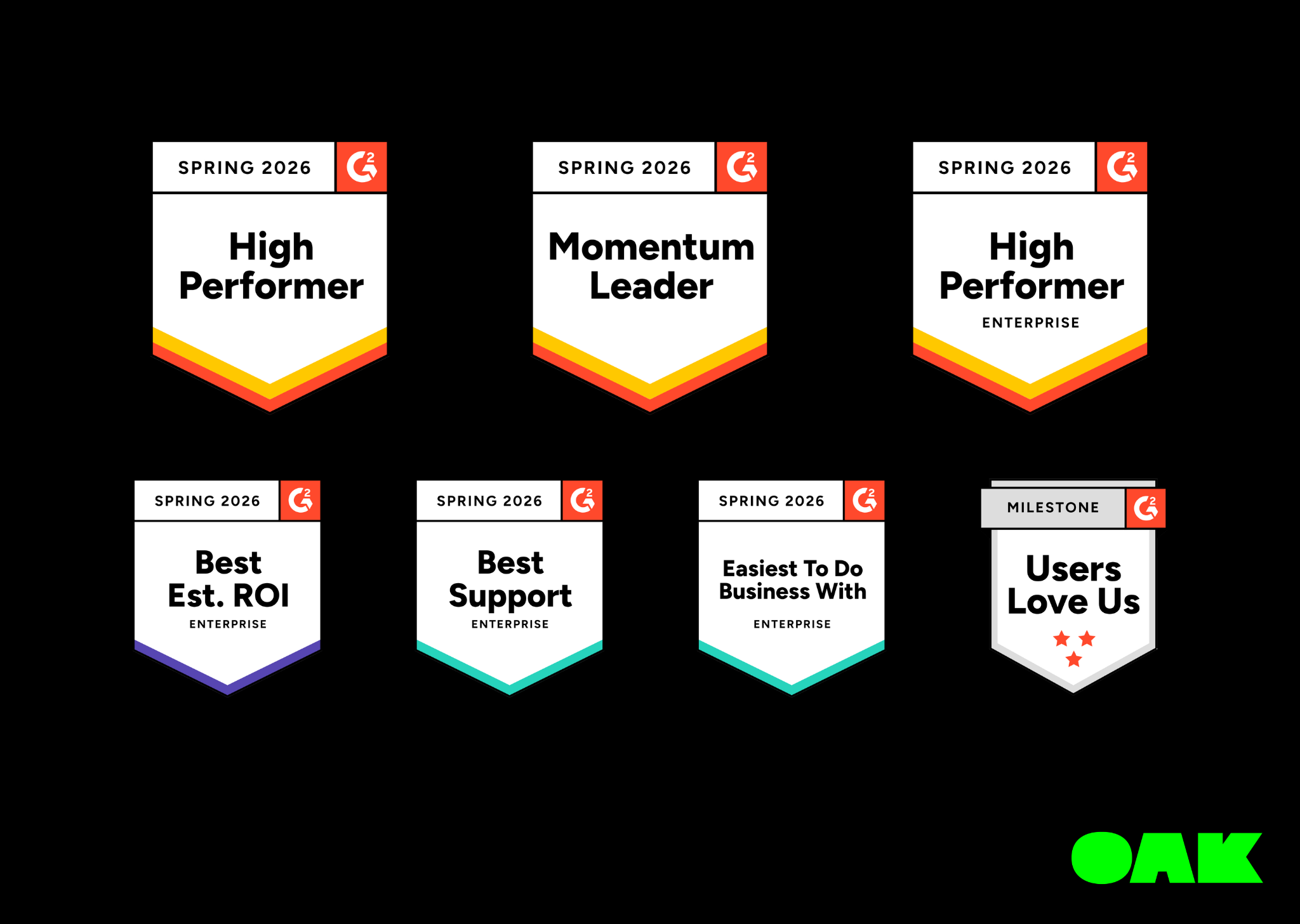
Oak Engage vs SharePoint: Industry rankings ClearBox As well as price, Oak exceeds SharePoint in every category in the ClearBox report. Oak has also won the ClearBox Choice Award two years in a row, recognised in the report as a leading product. Scenario Oak Engage SharePoint Price £££ £££££ Employee Experience 4.5 3+ Communications Management 4 3+ Community & Engagement 4.5 2.5+ Digital Workplace Integrations & Services 2+ 1.5+ Knowledge & Content Management 4 3+ Information Finding & Search 3.5 3.5+ Mobile & Frontline Support 4+ 2.5+ Platform Management 4 2.5+ Product score – How far the product addresses the scenario out of a potential five points. G2 Similarly on G2, we looked at satisfaction ratings for Employee Intranet in the latest Spring 2026 report. Feature Oak Engage SharePoint G2 star rating 4.4/5 4 Likelihood to recommend 92% 81% Product going in right direction? 100% 74% Meets requirements 94% 87% Ease of admin 92% 79% Ease of doing business with 97% 85% Quality of support 99% 83% Ease of setup 89% 78% Ease of use 91% 81% Net Promoter Score (NPS) 72 30
Oak Engage vs SharePoint: ROI comparison Area SharePoint Oak Engage Headline price Appears low (add-on pricing) Transparent subscription Total cost of ownership Often increases significantly Predictable and controlled Frontline access Additional cost/complexity Included and optimised Implementation Typically requires investment More bundled and supported Long-term value Required ongoing reinvestment Continuous evolution included
Oak Engage vs SharePoint: Final thoughts SharePoint can be a practical choice for document management within Microsoft-centric environments. However, when used as a full intranet platform, organisations must consider: Hidden costs Implementation complexity User experience limitations Long-term sustainability What initially appears to be the cheaper option can, over time, become significantly more expensive – both financially and operationally. Oak Engage, by contrast, provides a purpose-built intranet solution at a comparatively lower price point with predictable costs, strong engagement capabilities and a focus on employee experience from day one. Get in touch with one of our friendly team today to see how we can solve your comms challenges.