
Blog
10 Best Intranet Platforms in Australia
Last updated:
min read

Choosing the best intranet platform in Australia involves more than comparing feature lists.
Australian organisations may need to connect employees across corporate offices, stores, hospitals, warehouses, construction sites, hospitality venues, manufacturing facilities and remote locations. For organisations operating nationally, teams can also be separated by thousands of kilometres, different time zones and very different working environments.
That makes mobile access, targeted communication and simple access for frontline employees particularly important.
Australian buyers may also need to consider local support hours, data residency, the Australian Privacy Principles, cyber security frameworks and how an intranet fits into an existing Microsoft 365 environment.
We've compared 10 leading intranet platforms available to Australian organisations in 2026, including both international platforms and Australian-built intranet software.
Best intranet platforms in Australia at a glance
How we compared Australian intranet platforms
There isn't one intranet that will be right for every Australian organisation.
We've therefore considered platforms against factors that are likely to matter when buying intranet software in Australia, including:
- Mobile and frontline accessibility
- Internal communication capabilities
- Personalisation and audience targeting
- Search and knowledge management
- Microsoft 365 integration
- Employee engagement features
- Australian support availability
- Australian data hosting options
- Security and governance
- Suitability for dispersed workforces
- Ease of implementation and administration
Local presence isn't automatically more important than product capability. However, Australian hosting, support and implementation can be significant requirements for some organisations, so we've highlighted them where relevant.
.jpeg)
What should Australian businesses look for when choosing intranet software?
1. Frontline and remote workforce access
A significant proportion of Australian employees don't spend their working day sitting at a corporate computer.
The Australian Bureau of Statistics reported that health care and social assistance, retail trade and construction were the three industries employing the most people in Australia in the March quarter of 2026.
Add hospitality, transport, manufacturing, mining and field-based services and there's a significant audience that may need a very different intranet experience from a traditional office employee.
For these workforces, look for:
- A dedicated mobile intranet app
- Access without a corporate email address
- Push notifications
- Simple authentication
- Targeted information based on role or location
- Mobile access to policies and documents
- Employee recognition and feedback
- Links to HR, payroll, scheduling and operational systems
A desktop intranet that technically works on a mobile browser isn't necessarily the same thing as an intranet designed around frontline employees.
2. Communication across Australia's states and locations
A national Australian organisation may have employees operating across Sydney, Melbourne, Brisbane, Perth, Adelaide and regional locations.
Not every message should reach everybody.
A store manager in Western Australia may need a completely different operational update from a hospital employee in New South Wales or an office-based employee in Victoria.
Audience targeting can therefore be particularly useful for geographically dispersed Australian organisations.
Look for intranet software that can personalise content using attributes such as:
- State
- Location
- Site
- Department
- Role
- Business unit
- Employee type
This allows internal communications teams to reach the right employees without filling everyone's feed with irrelevant updates.
3. Remote, regional and mining workforces
Australia's geography creates communication challenges that organisations in smaller markets don't always experience to the same extent.
Employees may work across regional facilities, remote construction projects, mines, warehouses, field locations and distributed operational sites.
For these organisations, the intranet needs to be useful away from headquarters.
Mobile accessibility, straightforward sign-in, push notifications and quick access to operational information become particularly important.
Organisations with remote workforces should also ask prospective providers how the mobile experience performs in real-world environments rather than assessing the platform entirely through a desktop demonstration.
4. Australian privacy requirements
Australian organisations handling personal information may have obligations under the Privacy Act 1988 and the Australian Privacy Principles.
APP 8 deals specifically with the cross-border disclosure of personal information. Before an APP entity discloses personal information to an overseas recipient, it generally needs to take reasonable steps to ensure that recipient does not breach the relevant Australian Privacy Principles.
That doesn't mean every Australian organisation must host its intranet entirely inside Australia.
It does mean organisations should understand where information is stored, processed and accessed before selecting a provider.
Questions to ask include:
- Where is our data hosted?
- Where are backups located?
- Which subprocessors can access our data?
- Can support personnel outside Australia access information?
- What contractual protections are in place?
- How is employee data encrypted?
- What authentication options are available?
- Can access be controlled according to role?
- What happens to data when the contract ends?
For some organisations, Australian data residency may be a procurement preference or requirement even where there is no blanket legal requirement to keep all intranet data in Australia.
5. Notifiable Data Breaches
Australian organisations should also consider how an intranet vendor would support their response to a security incident.
Under Australia's Notifiable Data Breaches scheme, organisations and agencies covered by the Privacy Act must notify affected individuals and the OAIC when an eligible breach is likely to result in serious harm.
When reviewing intranet providers, ask about:
- Incident detection
- Breach notification processes
- Audit logs
- Access records
- Encryption
- Data backups
- Incident response procedures
- Security monitoring
The intranet can contain employee information, internal documents and operational communications, so security should be considered as part of platform selection rather than after implementation.
6. Essential Eight and Australian cyber security
The Essential Eight is another distinctly Australian consideration.
The Australian Signals Directorate recommends eight mitigation strategies as a cyber security baseline, including multi-factor authentication, patching, restricting administrative privileges and regular backups.
An intranet platform alone doesn't determine whether an organisation complies with the Essential Eight, but prospective vendors should be able to explain how their security controls fit within your wider cyber security environment.
Questions worth asking include:
- Does the platform support MFA?
- Can it integrate with our identity provider?
- How are privileged accounts controlled?
- How quickly are vulnerabilities and platform components patched?
- What backup and recovery processes exist?
- Can administrator activity be audited?
- How are integrations and APIs secured?
For Australian Government buyers, procurement may involve additional considerations. The Protective Security Policy Framework 2026, released on 1 July 2026, sets Australian Government policy for protecting people, information and resources across government entities.
Government organisations should assess intranet platforms against the specific security and information requirements that apply to them rather than relying solely on general SaaS security certifications.
7. Support across Australian time zones
"APAC support" can mean very different things depending on the provider.
Before buying, establish exactly where your implementation, customer success and technical support teams are located.
Ask:
- Does support operate during Australian business hours?
- Is there Australian-based technical support?
- Where is customer success based?
- Who handles implementation?
- Is implementation delivered directly or through a partner?
- What happens if a serious issue occurs during Australian working hours?
- Can the vendor support teams across both Australia's east and west coasts?
For a national organisation, the difference between Sydney and Perth working hours is worth considering too.
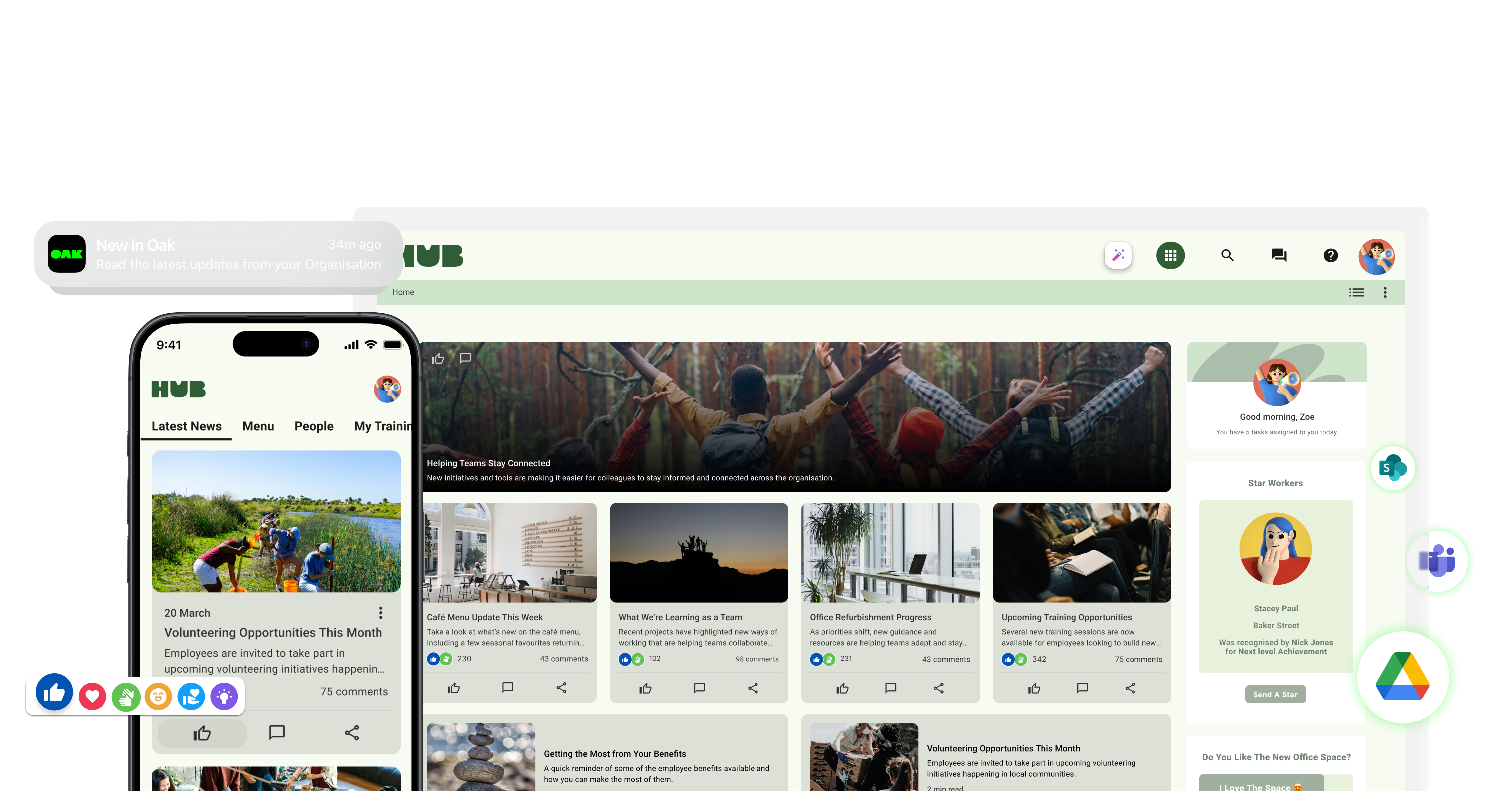
1. Oak Engage
Best for: Australian organisations with frontline and desk-based employees
Oak Engage is an intranet platform designed to connect employees across both office-based and frontline environments.
It combines internal communications, knowledge, mobile access, employee engagement and workplace resources within one personalised platform.
Why Oak works for Australian organisations
Oak's strongest fit in the Australian market is organisations with dispersed or frontline-heavy workforces.
Employees can access the platform through a dedicated mobile intranet app and Oak supports alternative authentication options including SMS and QR code access, allowing organisations to provide access to people who don't have a corporate email account.
That can be particularly relevant to Australian organisations operating across:
- Healthcare
- Retail
- Hospitality
- Manufacturing
- Construction
- Field services
- Transport
- Other frontline environments
Oak can target information based on characteristics such as role, location or department, helping national organisations deliver relevant communications rather than relying entirely on company-wide updates.
For businesses already using Microsoft's workplace tools, Oak also integrates with SharePoint, Teams, Outlook and Microsoft 365.
Key features
- Mobile intranet app
- Personalised news feeds
- Targeted communications
- Push notifications
- Employee recognition
- Surveys and polls
- Employee communities
- AI-powered personalisation
- Search
- Analytics and reporting
- Employee directory
- Microsoft 365 integration
- SharePoint integration
- Access for employees without corporate email
Consider Oak if: you need one intranet to connect frontline, mobile and desk-based employees across multiple Australian locations.
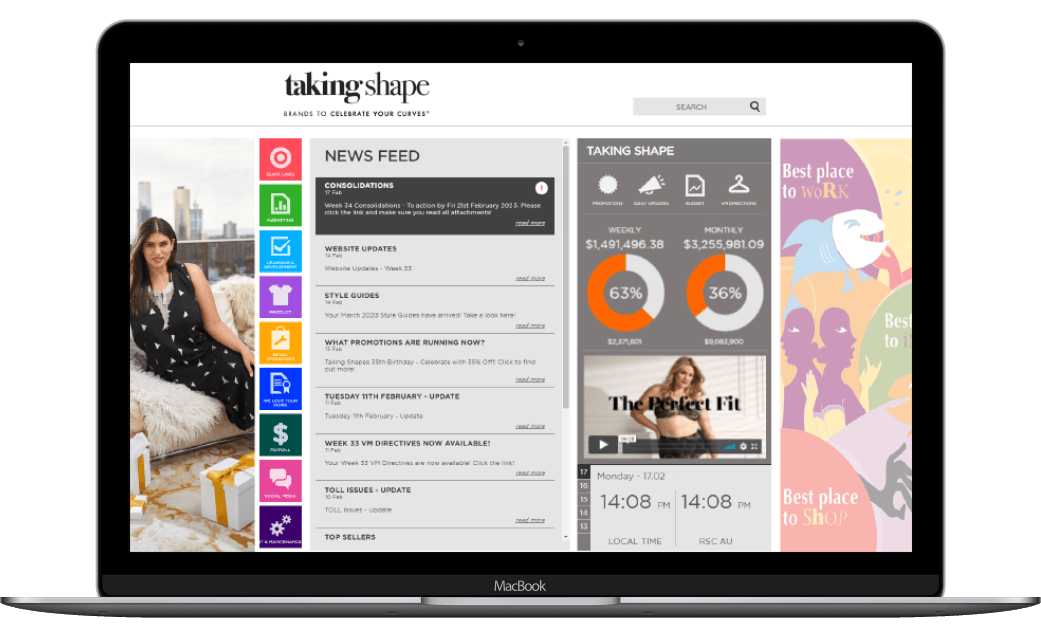
2. Elcom
Best for: Organisations that prioritise an Australian intranet provider
Elcom is one of the most directly Australian options in this comparison.
The company provides Australian-based intranet services and promotes local hosting, implementation and support as central parts of its proposition.
Why Elcom stands out in Australia
For buyers who specifically require local delivery, Elcom has several advantages.
It provides:
- Australian-based support
- Local implementation
- Australian hosting options
- Local account management
- Frontline access
- Microsoft 365 and SharePoint integrations
Elcom also supports employee accounts without a company email address, making it relevant for frontline-heavy Australian organisations.
Its platform goes beyond the intranet into areas including portals and learning management, which may be useful to organisations looking to consolidate several employee or stakeholder experiences.
Consider Elcom if: Australian-based hosting, implementation and support are major parts of your procurement criteria.
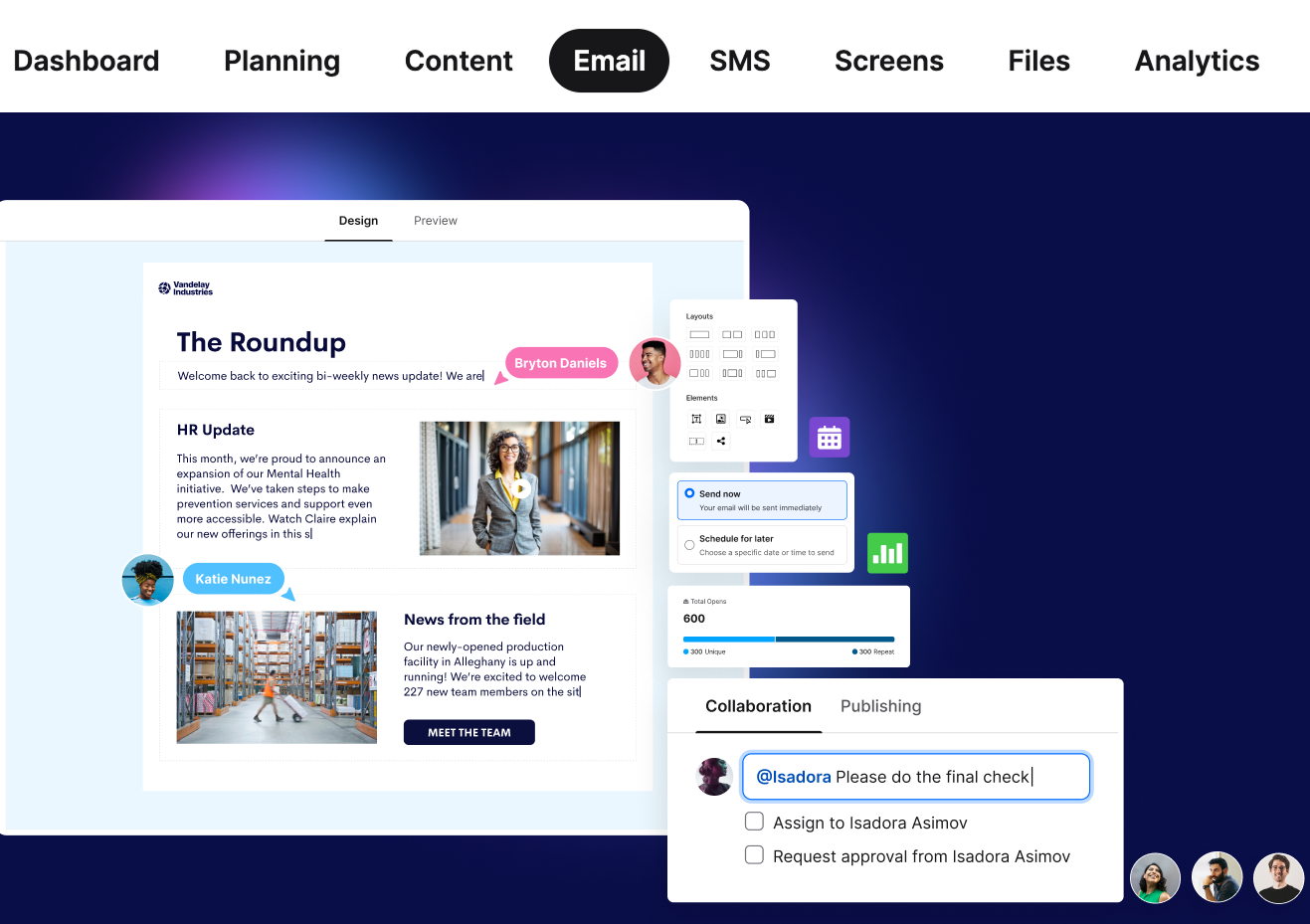
3. Staffbase
Best for: Large Australian enterprises and multichannel communications
Staffbase brings together intranet functionality, employee apps, email and other internal communication channels within one enterprise platform.
One of its most relevant advantages for Australian buyers is its local hosting option.
Staffbase states that its Australian Employee App/Intranet environment is hosted using Microsoft Azure in Australia East, NSW, with redundancy in Australia South-East, Victoria.
This makes Staffbase worth considering for enterprises that want the functionality of a large international internal communications platform while retaining Australian-hosted infrastructure.
Its multichannel approach is particularly useful for organisations where internal communications extend beyond an intranet into email, apps and other employee touchpoints.
Consider Staffbase if: you're a large organisation with sophisticated internal communication requirements and Australian hosting is important.
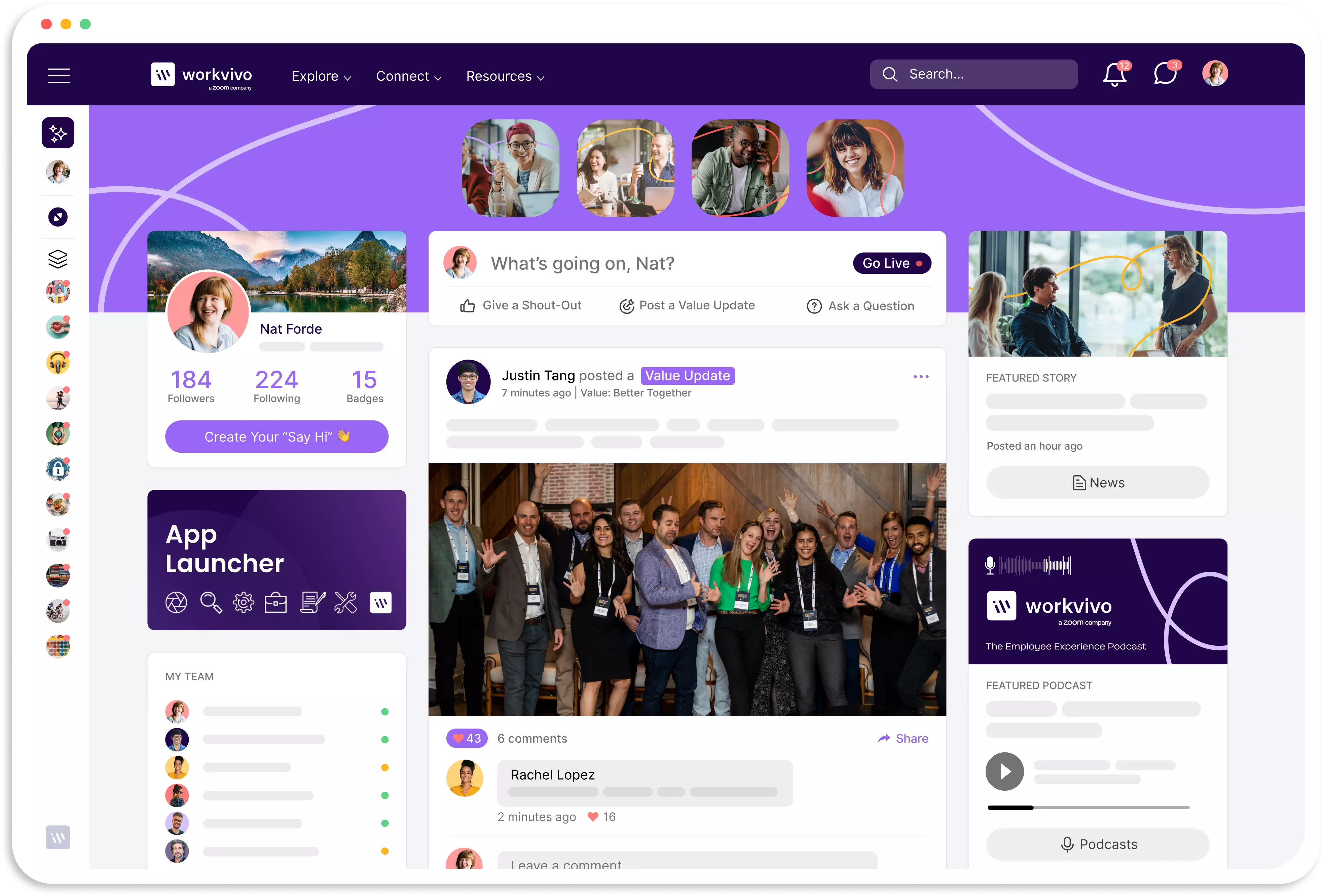
4. Workvivo
Best for: Employee culture and social engagement
Workvivo combines employee communications, social interaction, recognition and intranet functionality within a mobile-oriented employee experience.
It has also built a significant Australia and New Zealand proposition rather than treating ANZ simply as another international market.
Workvivo specifically markets its platform to Australian and New Zealand organisations and showcases customers including Grill'd, RSL Queensland, Bupa Australia & New Zealand and Inghams.
Why it works in Australia
Workvivo's emphasis on mobile adoption and frontline communication makes it particularly relevant to Australian organisations operating across stores, hospitality venues and dispersed locations.
The user experience is deliberately more social than a traditional company intranet, which can make it attractive when employee participation and culture are major objectives.
Consider Workvivo if: employee participation, culture and mobile engagement matter more than creating a traditional document-led intranet.
5. Injio
Best for: Australian organisations committed to SharePoint
Injio offers a different approach.
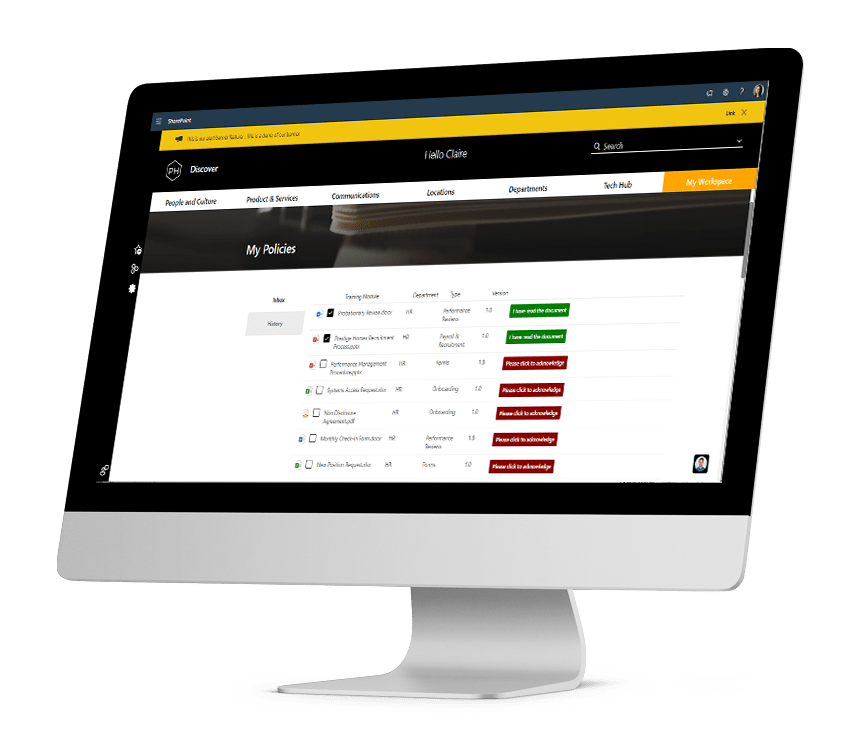
Rather than replacing Microsoft's technology, Injio is a SharePoint intranet accelerator developed by Australian Microsoft consultancy WebVine.
The platform is designed and built in Sydney and provides an intranet layer around SharePoint and Microsoft 365.
Why it stands out
Injio can be particularly attractive when IT has already decided that SharePoint must remain the underlying intranet platform.
It provides:
- Microsoft 365 integration
- SharePoint infrastructure
- Audience targeting
- Knowledge management
- Microsoft Teams access
- Local Australian expertise
Because it operates inside the customer's Microsoft environment, Injio also positions data sovereignty as a key advantage.
Consider Injio if: you want a SharePoint-based intranet but don't want to design and build the complete employee experience internally.
6. Microsoft SharePoint
Best for: Microsoft-first organisations
SharePoint is likely to appear on almost every Australian enterprise intranet shortlist.
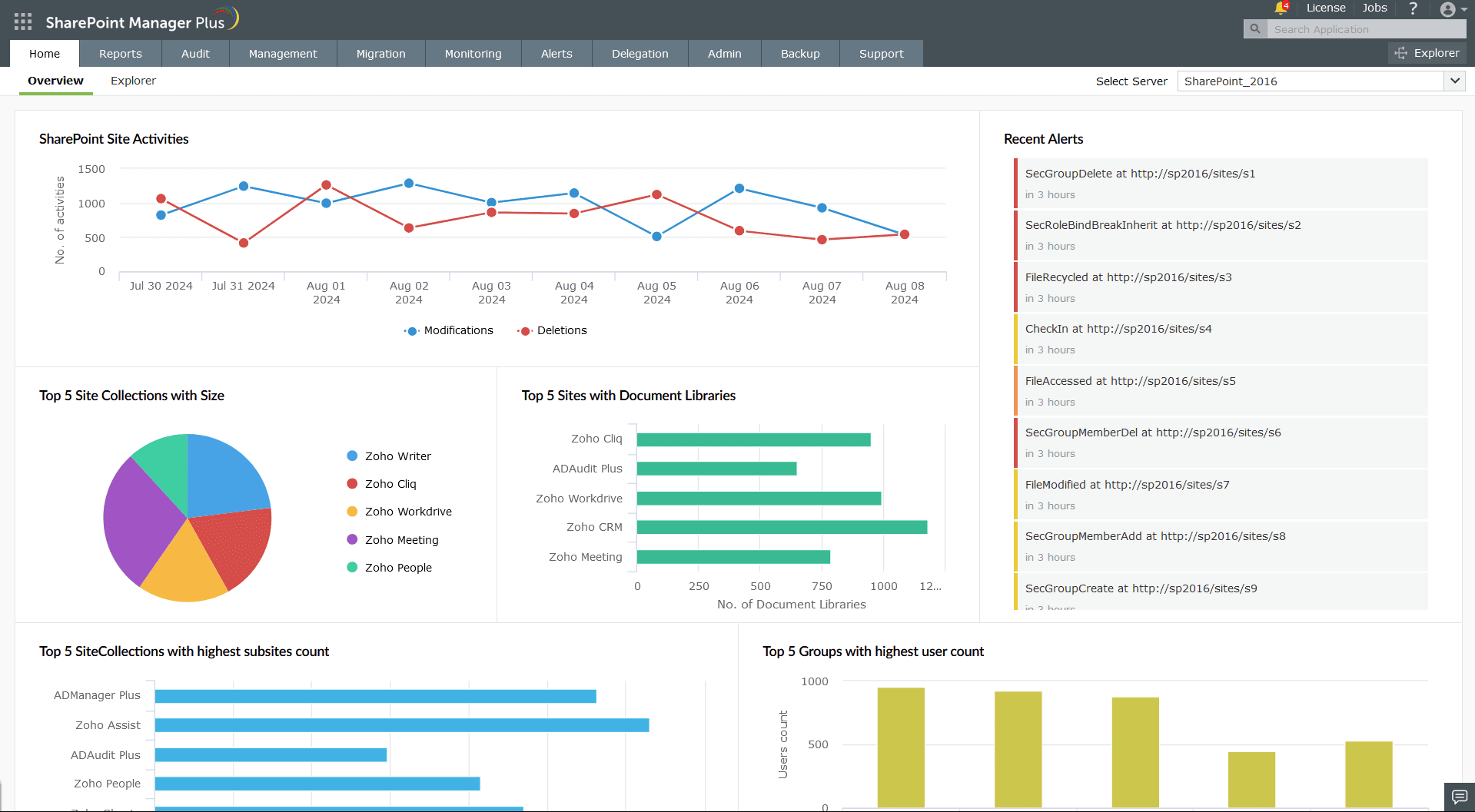
It is deeply integrated into Microsoft 365 and can provide communication sites, document libraries, news, search, content management and audience-targeted experiences.
Microsoft itself describes SharePoint as a platform for building an intelligent intranet and recommends organisations consider governance, information architecture, branding, content management, business ownership and long-term adoption when implementing it.
That's an important point.
Already licensing Microsoft 365 doesn't automatically mean an organisation already has a finished employee intranet.
SharePoint can provide the foundations, but businesses may still need to invest in:
- Architecture
- Design
- Governance
- Content migration
- Employee experience
- Adoption
- Administration
- Integrations
Organisations can therefore choose between building directly with SharePoint or using a dedicated intranet platform that integrates with it.
Consider SharePoint if: Microsoft 365 is already central to your organisation and you have the resources to build and govern the intranet experience you need.
7. Blink
Best for: Frontline-heavy Australian organisations
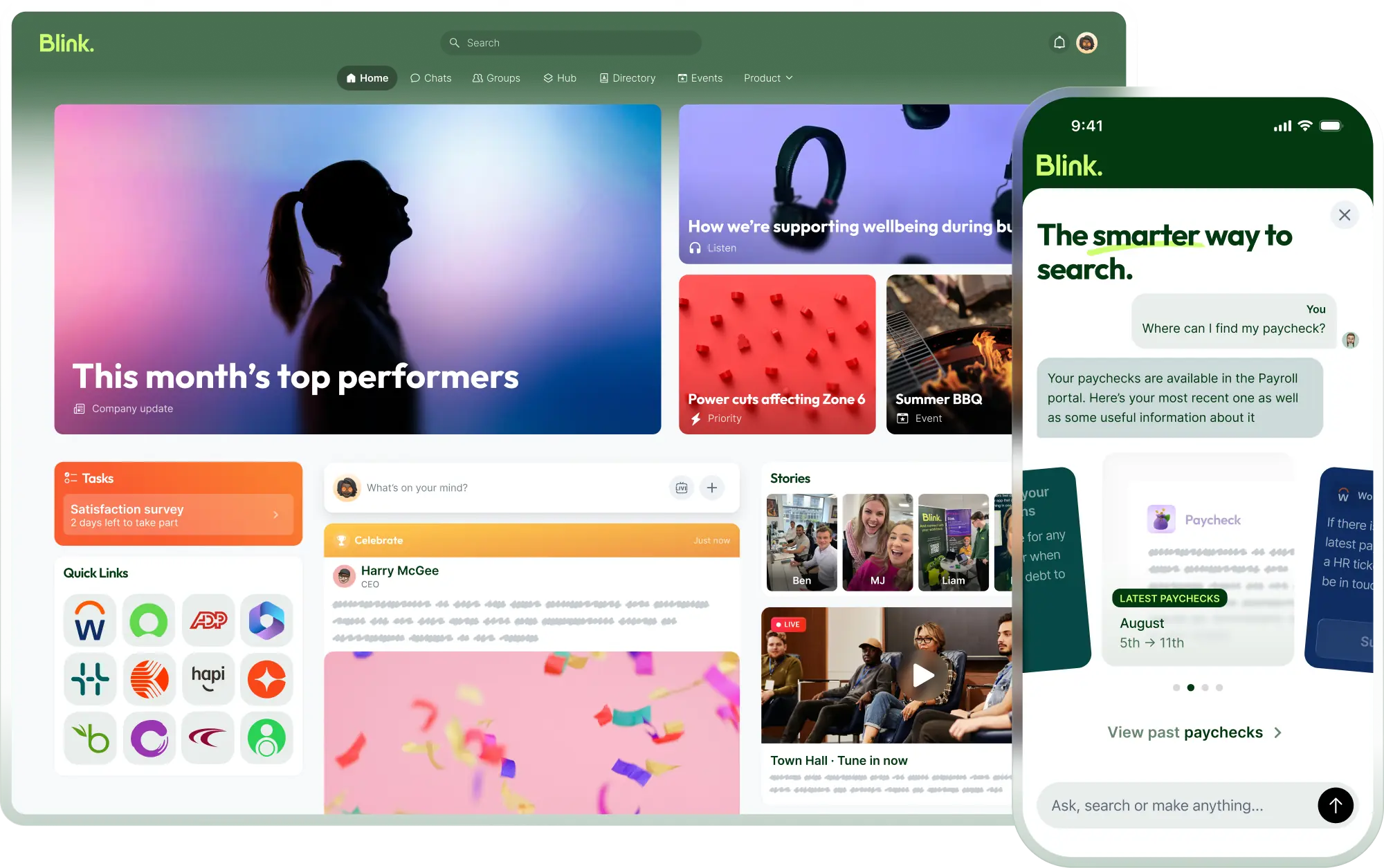
Blink takes a mobile-first approach to employee communication and intranet access.
Its employee app combines communication, intranet content, HR and IT tools in a single experience built particularly around frontline workers.
For Australian organisations in areas such as transport, retail, hospitality, healthcare or field operations, that emphasis can be valuable.
Blink's Hub gives employees mobile access to resources such as policies, procedures, manuals and workplace information.
Its product is therefore more heavily centred on the frontline employee app experience than some conventional intranet providers.
Consider Blink if: reaching employees through their phones is the dominant requirement for your intranet project.
8. Interact
Best for: Structured internal communications and intranet content
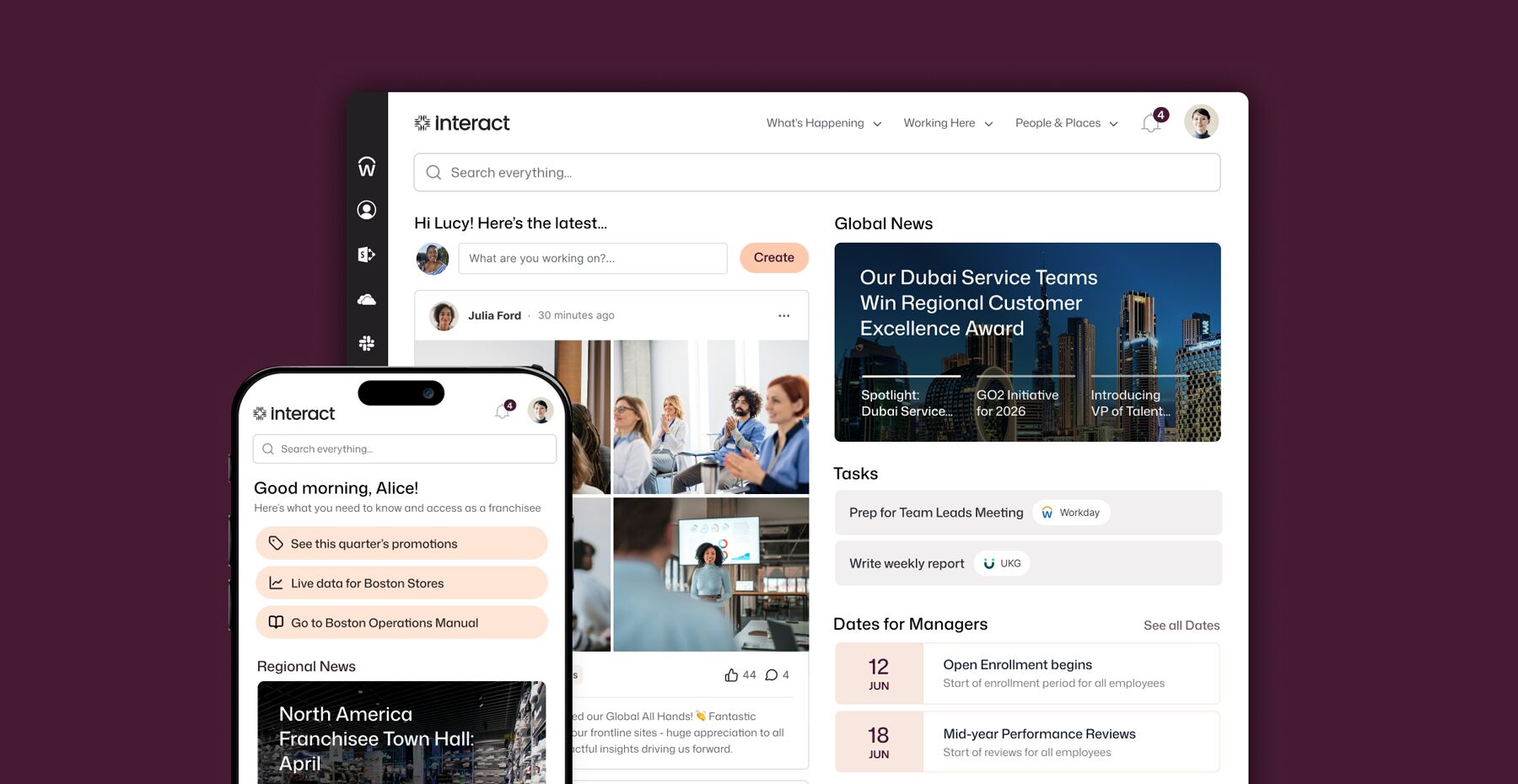
Interact combines intranet functionality, internal communications and employee experience tools.
The platform includes personalisation, employee communication and a dedicated frontline app intended to extend access beyond office-based employees.
For Australian organisations considering Interact, the product itself should be compared alongside local considerations such as support arrangements, implementation and any specific hosting requirements.
This is particularly important when comparing international platforms with providers offering Australian implementation or hosting.
Consider Interact if: you need a structured enterprise intranet with strong communication and content management capabilities.
9. Unily
Best for: Large and complex global organisations
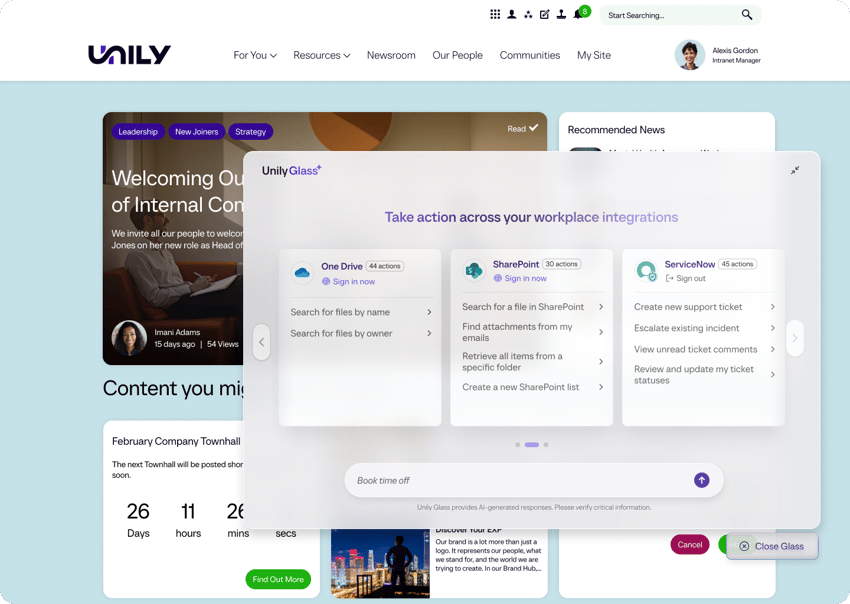
Unily is positioned primarily toward larger enterprises with complex employee experience requirements.
Its platform combines an employee intranet, communications, AI capabilities and employee apps across desk-based and frontline environments.
For Australian-headquartered businesses operating internationally — or multinational organisations with substantial Australian workforces — the ability to manage employee experiences across brands, countries and business units can be valuable.
The depth of an enterprise platform like Unily may be unnecessary for smaller Australian organisations with relatively simple communication requirements.
Consider Unily if: you're managing a complex enterprise workforce across Australia and multiple international regions.
10. Simpplr
Best for: AI-powered intranet and employee experience
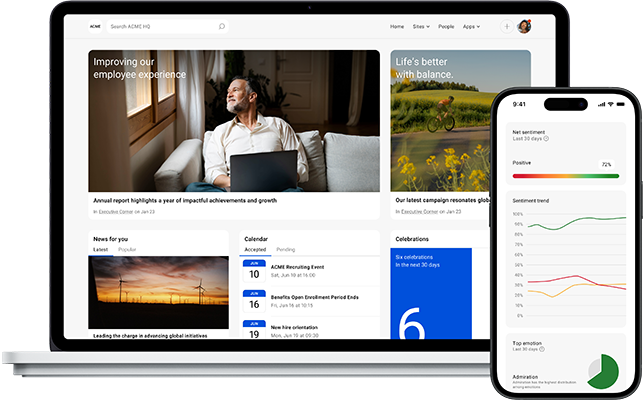
Simpplr places AI particularly prominently within its intranet proposition.
Its platform combines employee communications, knowledge, AI-powered search and employee experience within a unified environment.
For organisations dealing with large amounts of information spread across different workplace systems, its approach to AI search may be particularly attractive.
Simpplr also provides mobile access, personalisation and integrations with other workplace applications.
Australian buyers should assess these capabilities alongside practical procurement considerations including support, implementation, hosting and any organisation-specific data residency requirements.
Consider Simpplr if: AI search and knowledge discovery are among the biggest problems your new intranet needs to solve.
Best intranet platforms by Australian industry
Different Australian industries have very different workforce structures.
The right platform for a predominantly desk-based financial services organisation may be very different from the right intranet for a retailer with thousands of casual employees or a business operating remote sites.
Best intranet software for Australian frontline workforces
Organisations with large frontline workforces should treat mobile access as a fundamental requirement rather than an optional intranet feature.
An Australian retailer, healthcare provider, hospitality group or construction organisation might employ thousands of people who rarely open Outlook or work from a laptop.
For these employees, your intranet needs to provide fast access to information directly from a phone.
Prioritise:
- Native mobile applications
- Push notifications
- Access without corporate email
- Simple authentication
- Personalised content
- Employee recognition
- Policies and procedures
- Mobile search
- HR and payroll links
- Two-way communication
Oak Engage, Blink, Workvivo and Elcom are particularly relevant to this type of requirement because all place significant emphasis on extending employee communications beyond traditional desk-based environments. Oak, for example, explicitly supports frontline access without a corporate email account and can target mobile communications by role and location.
Best intranet platform for Australian mining and remote workforces
Australian organisations operating mines, infrastructure projects, remote facilities and regional locations present another distinct intranet challenge.
Employees may have limited interaction with headquarters and may spend little time using traditional corporate systems.
For these organisations, prioritise:
- Strong mobile functionality
- Straightforward authentication
- Targeted site communications
- Push notifications
- Easy access to policies and safety information
- Searchable operational resources
- Integration with existing workplace systems
- Clear communication analytics
The objective shouldn't simply be to recreate the head office intranet on a smartphone.
The platform needs to provide a genuinely useful experience for employees working away from a conventional office.
Australian intranet providers vs global intranet platforms
An Australian intranet provider isn't automatically better than an international platform.
Both approaches have advantages.
Australian intranet providers can offer:
- Local implementation teams
- Australian business-hour support
- Local market experience
- Australian hosting options
- Easier face-to-face collaboration
Global intranet platforms can offer:
- Larger international customer bases
- Global implementation experience
- Extensive enterprise functionality
- Multinational scalability
- Larger product ecosystems
The distinction is becoming less clear too.
Staffbase, for example, is an international provider but offers Microsoft Azure hosting within Australia.
Meanwhile, providers such as Elcom and Injio bring genuinely Australian product and implementation expertise.
The better question isn't simply:
"Is the intranet provider Australian?"
It is:
"Can this provider meet the operational, employee experience, security and support requirements of our Australian organisation?"
Does an Australian intranet need to host its data in Australia?
Not necessarily.
Australia's privacy framework doesn't simply impose a blanket requirement that every organisation must store all intranet information inside Australia.
APP 8 instead establishes requirements around certain disclosures of personal information to overseas recipients.
However, data residency may still matter because of:
- Internal security policies
- Government requirements
- Industry-specific regulation
- Customer requirements
- Risk management
- Contractual obligations
- Cross-border processing considerations
Organisations should therefore establish their requirements before beginning vendor evaluation.
If Australian hosting is mandatory, make that a qualification question at the start of procurement rather than discovering the limitation after weeks of product demonstrations.
Australian intranet security checklist
When evaluating an intranet provider, Australian IT and security teams should consider asking:
- Where is our information hosted?
- Where are backups stored?
- Does the platform support multi-factor authentication?
- Does it support SSO?
- Which identity providers can it integrate with?
- How are administrator permissions managed?
- Is data encrypted in transit and at rest?
- What security certifications does the provider maintain?
- What penetration testing is conducted?
- How are vulnerabilities managed?
- What security logging is available?
- What is the incident response process?
- How quickly would we be notified of a breach?
- Which third-party subprocessors are used?
- Can overseas personnel access our information?
- What happens to our information when we leave the platform?
- How does the platform fit into our Essential Eight strategy?
The ASD describes the Essential Eight as a recommended baseline designed to make organisations harder to compromise.
Which intranet platform is best for your Australian organisation?
A useful shortlist might look like this:
Requirement
Platforms to consider
Frontline + corporate workforce
Oak Engage, Workvivo, Blink
Australian provider
Elcom, Injio
Australian data hosting
Staffbase, Elcom
Microsoft-first organisation
SharePoint, Injio, Oak Engage
Social employee experience
Workvivo
Frontline mobile app
Oak Engage, Blink, Workvivo
Large global enterprise
Staffbase, Unily
AI-powered search
Simpplr, Oak Engage
Traditional corporate intranet
Interact, SharePoint
Remote/dispersed workforce
Oak Engage, Blink, Workvivo
The important thing is to start with the problems you're trying to solve rather than beginning with a preferred vendor.
How to choose an intranet platform in Australia
Before booking demos, define your organisation's requirements.
Ask:
- Who needs access to the intranet?
- How many employees don't have a corporate email account?
- How many employees are frontline or mobile?
- Which Australian locations need access?
- Do communications need to be targeted by state or site?
- Do we require Australian data hosting?
- What privacy requirements apply?
- What cyber security standards must we satisfy?
- Which Microsoft 365 systems need to integrate?
- Which other HR or workplace systems need to connect?
- Who will manage the intranet after launch?
- How much IT involvement can we realistically provide?
- What employee experience do we need on mobile?
- How will we measure adoption?
- What does a successful intranet look like after 12 months?
Then ask every shortlisted vendor to demonstrate the same real-world scenarios.
For example:
"Show us how a safety update would be sent only to employees working at three specific Australian sites."
Or:
"Show us how an employee without a work email account finds an important policy from their phone."
Those demonstrations are far more useful than sitting through a generic vendor presentation.
Frequently asked questions
What is the best intranet platform in Australia?
The best platform depends on your organisation's workforce and requirements. Oak Engage is particularly suited to organisations combining frontline and desk-based employees, while Elcom offers Australian-based delivery, Staffbase provides Australian hosting for enterprise customers, and Injio is a strong option for organisations specifically seeking an Australian SharePoint intranet.
Are there Australian intranet software providers?
Yes. Elcom is an Australian intranet provider offering local support and hosting, while Injio is a SharePoint intranet developed by Sydney-based Microsoft consultancy WebVine.
Does intranet data have to be stored in Australia?
Not for every Australian organisation. Australian privacy requirements are more nuanced than a blanket data-residency rule. However, particular organisations may have regulatory, contractual or internal requirements around Australian hosting.
What is the best intranet for Australian frontline workers?
Platforms such as Oak Engage, Blink and Workvivo are worth considering where a significant proportion of employees work away from a desktop. Mobile access, alternative authentication and personalised communication should be prioritised.
Can employees access an intranet without a company email?
Some modern intranet platforms allow this. Oak Engage, for example, supports mobile access using authentication options including SMS and QR codes for employees who don't have a corporate email account.
Should an Australian business use SharePoint for its intranet?
SharePoint can be an effective intranet foundation for organisations heavily invested in Microsoft 365. However, businesses should account for governance, architecture, content management, adoption and administration rather than assuming their Microsoft subscription automatically provides a complete intranet experience. Microsoft itself recommends considering these areas when planning a SharePoint intranet.
Find the right intranet for your Australian workforce
Australian organisations need an intranet that works wherever their employees do.
That could mean an office in Sydney, a store in Melbourne, a healthcare setting in Brisbane, a project site in Perth or an employee working hundreds of kilometres from the nearest corporate office.
Oak Engage brings internal communications, knowledge, employee engagement and workplace resources into one personalised intranet designed for both desk-based and frontline teams.
Give every employee access to the information they need, wherever they work.
See how Oak Engage could work for your organisation.
Meta title: Best Intranet Platforms Australia: 10 Top Options for 2026
Meta description: Compare 10 of the best intranet platforms in Australia for 2026. Explore Oak, Elcom, Staffbase, Workvivo, SharePoint and more for frontline and desk-based teams.
Suggested URL: /blog/best-intranet-platforms-australia
