

Blog
Last updated:
September 14, 2026
15
min read
A good intranet should do more than give employees somewhere to find policies and company news. It should make communication clearer, information easier to access and every employee feel connected — whether they work behind a desk, on the road or on the frontline.
Elcom is an established digital experience platform covering intranets, websites, portals and learning management. That breadth works for some organisations, but others may want a platform built more specifically around employee communication, engagement or workplace knowledge.
This guide compares ten leading Elcom alternatives, including their strongest use cases, key features and important considerations.
Summary: the best Elcom alternatives
The best Elcom alternatives in 2026 are:
- Oak Engage: Best overall for connecting frontline and desk-based employees
- Staffbase: Best for multi-channel employee communication
- Workvivo: Best for social interaction and workplace community
- Simpplr: Best for AI-powered search and personalisation
- LumApps: Best for connected digital workplaces
- Unily: Best for complex global organisations
- Interact: Best for knowledge sharing and content management
- Blink: Best for mobile-first frontline communication
- Happeo: Best for organisations using Google Workspace
- Microsoft SharePoint: Best for Microsoft-focused IT environments
No single platform is the right choice for every organisation. The best option depends on your workforce, existing technology and the outcomes you want to achieve.
What is Elcom?
Elcom is a digital experience platform that can be used to build intranets, public websites, portals and learning experiences.
The platform offers more than 100 modules, flexible branding and an unlimited-user licensing model. Its broad scope can make it suitable for organisations that want to manage several internal and external digital experiences through one provider.
However, organisations focused primarily on employee communication and engagement may prefer a more specialised employee platform. Others may need stronger frontline access, simpler content management or closer integration with their existing workplace technology.
Why consider an alternative to Elcom?
Sometimes more isn’t what employees need.
The best employee platforms make work feel simpler. They cut through communication noise, bring essential information closer and give employees an experience that feels relevant to them.
You may want to consider an Elcom alternative if you need:
- A platform built specifically around the employee experience
- Better access for frontline and deskless employees
- More relevant communication based on role, team or location
- A simpler experience for employees and content creators
- Stronger communication and engagement analytics
- More opportunities for employee recognition and feedback
- Closer connections with the tools your employees already use
- A faster or more structured route to launch
The right choice isn’t necessarily the platform with the longest feature list. It’s the one your employees will actually use.
How we selected the best Elcom alternatives
We compared Elcom alternatives using publicly available product information, independent software reviews and the capabilities organisations typically need from a modern intranet.
As Oak Engage provides one of the platforms included in this guide, we believe transparency matters. Oak appears first because this article is published by Oak, but every provider has been assessed against the same core criteria.
Our assessment focused on:
- Employee reach: Whether the platform can connect frontline, remote and desk-based employees across mobile and desktop.
- Communication: The ability to create, target and distribute relevant updates to different employee groups.
- Employee engagement: Features such as recognition, surveys, feedback, communities and social interaction.
- Knowledge and search: How easily employees can find trusted information, documents and workplace resources.
- Personalisation: Whether content and tools can be adapted according to role, team, location or employee needs.
- Analytics: The insights available to measure reach, adoption, content performance and engagement.
- Integrations: Connections with Microsoft 365, Google Workspace, HR systems and other workplace tools.
- Ease of use: How straightforward the platform is for employees, content creators and administrators.
- Implementation: The support, configuration and internal resources required to launch and manage the platform.
- Overall suitability: The organisations, workforces and use cases each platform is best equipped to support.
This comparison is designed to help you create a shortlist rather than declare one platform universally better than every other. Features, packages and pricing can change, so confirm your requirements directly with each provider before making a final decision.
Elcom alternatives comparison
Understanding this comparison
Most leading intranet platforms now offer mobile access, communication, search and integrations. The real difference is how these capabilities work together and how easily employees can use them.
A platform built around frontline communication may offer a different experience from one designed primarily for document management. Similarly, a highly configurable platform may provide greater flexibility while requiring more internal administration.
During your evaluation, ask each provider to demonstrate real use cases rather than relying entirely on a standard product tour. This could include:
- Sending an urgent update to employees at one location
- Finding a workplace policy from a mobile device
- Giving an employee without a company email access
- Identifying which groups have not seen an essential announcement
- Targeting onboarding content to a specific role
- Connecting information from Microsoft 365 or an HR platform
This makes it easier to understand how the platform would work for your employees every day.
.png)
1. Oak Engage
Best overall Elcom alternative for connecting frontline and desk-based employees
Oak brings everyone together through one connected employee experience.
Company updates, recognition, workplace tools, feedback and essential information all live in one place — accessible through mobile and desktop. Employees get what matters to them without having to search through irrelevant updates or disconnected systems.
Unlike platforms that focus mainly on storing content, Oak is designed around people. Communication can be targeted according to role, team, location and other employee information, helping every update reach the right audience.
For frontline employees without regular access to a laptop or company email, Oak provides a direct connection to the wider organisation. They can access news, documents, conversations and workplace resources through the employee app, wherever their working day takes them.
Communication teams can then use analytics, surveys and feedback tools to understand what is reaching employees, where engagement is strongest and where people may be getting left behind.
What can you do with Oak?
- Connect frontline and desk-based teams
- Target communication by role, team or location
- Deliver updates across mobile and desktop
- Give employees one place to find trusted information
- Celebrate achievements through employee recognition
- Gather feedback with surveys and pulse checks
- Track reach, adoption and engagement
- Confirm essential updates with mandatory reads
- Connect Microsoft 365 and everyday workplace tools
- Create spaces for teams, communities and conversation
Why choose Oak instead of Elcom?
Elcom is designed to support several different digital experiences. Oak is focused on one: creating a better experience for your employees.
That focus makes Oak a strong choice for organisations that want to improve communication, increase engagement and create a stronger connection between frontline and office-based teams.
It is simple enough to become part of the working day, yet flexible enough to support complex organisational structures. Employees see communication and resources relevant to them, while internal communication, HR and leadership teams gain the insight needed to make better decisions.
Because connecting people takes more than publishing another company update.
Best suited to: Organisations that want every employee to feel informed, heard and part of something — wherever they work.

2. Staffbase
Best for managing communication across multiple channels
Staffbase brings employee communication across intranet, mobile app, email, SMS and digital signage into one platform.
It helps communication teams plan, create and distribute content across different channels without managing each one separately. Updates can be targeted to specific employee groups, while analytics help teams understand communication performance.
This makes Staffbase a strong Elcom alternative for large organisations with complex communication structures and employees who access information in different ways.
Key features
- Employee intranet and app
- Email communication
- SMS and push notifications
- Digital signage
- Targeted content
- Communication planning
- Analytics
- Workplace integrations
Key consideration
Staffbase’s broad communication capabilities may be more than smaller organisations need. Buyers should establish which channels and modules are included in their proposed package.
Best suited to: Large organisations that need to coordinate communication across multiple channels.

3. Workvivo
Best for social interaction and workplace community
Workvivo brings company communication and employee interaction into a social-style experience.
Employees can share updates, celebrate colleagues, join communities and respond to company news. The familiar format is designed to encourage participation and make workplace communication feel more conversational.
Workvivo also provides mobile access, surveys, livestreaming, podcasts and analytics.
Key features
- Social activity feeds
- Employee recognition
- Communities and spaces
- Mobile app
- Surveys
- Livestreams and podcasts
- People directory
- Workplace integrations
Key consideration
A highly social experience can support culture and participation, but it may not suit organisations looking primarily for structured knowledge management or formal communication.
Best suited to: Organisations that want a community-led platform centred on employee participation.

4. Simpplr
Best for AI-powered search and personalisation
Simpplr is an AI-powered intranet and employee experience platform that connects communication, workplace information and employee services.
Its search capabilities help employees find information held across connected systems. AI and personalisation are also used to make content and resources more relevant to individual employees.
Simpplr includes employee communication, recognition, newsletters, employee listening and analytics.
Key features
- AI-powered enterprise search
- Personalised employee experiences
- Internal communication
- Employee listening
- Recognition
- Newsletters
- Mobile access
- Analytics
Key consideration
Simpplr is primarily positioned towards larger organisations. Buyers should consider the scope of implementation and which AI and employee experience capabilities they genuinely need.
Best suited to: Large organisations looking for advanced search, AI and personalisation.
5. LumApps
Best for connected digital workplaces
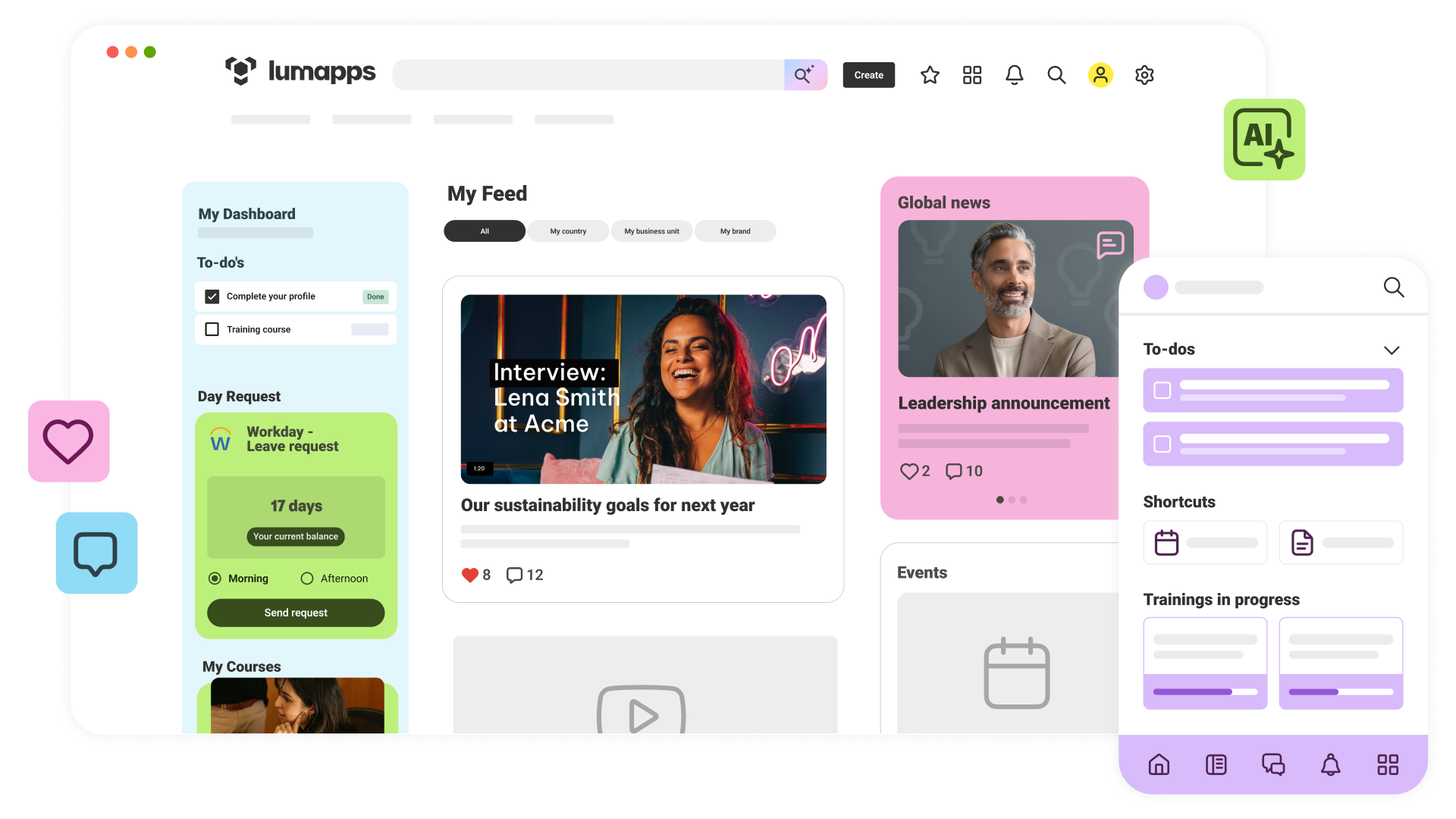
LumApps brings communication, knowledge, employee services and business applications into a single employee hub.
Its integration with Microsoft 365 and Google Workspace helps employees access information and complete common workplace tasks without repeatedly switching between systems.
The platform also supports enterprise search, mobile access, employee communities and personalised content.
Key features
- Personalised communication
- Enterprise search
- Microsoft 365 integration
- Google Workspace integration
- Employee communities
- Mobile app
- AI assistance
- Low-code workplace applications
Key consideration
LumApps delivers the greatest value when connected to a wider workplace technology ecosystem. Organisations should assess the work needed to configure and maintain those connections.
Best suited to: Large organisations with complex technology environments and extensive integration requirements.

6. Unily
Best for complex global organisations
Unily provides flexible and highly branded digital employee experiences for large enterprises.
Organisations can combine global company communication with content created for specific countries, regions or business areas. It also includes search, communities, employee listening and integrations with workplace tools.
Its flexibility can support complex requirements, although creating and managing a highly tailored experience may require more internal resources.
Key features
- Personalised content
- Global and regional communication
- Enterprise search
- Employee communities
- Mobile access
- Employee listening
- Microsoft 365 integration
- Analytics
Key consideration
Extensive flexibility can increase the resources needed for implementation, governance and ongoing platform management.
Best suited to: Global organisations that need a flexible and highly branded employee platform.
7. Interact
Best for making workplace knowledge easier to find
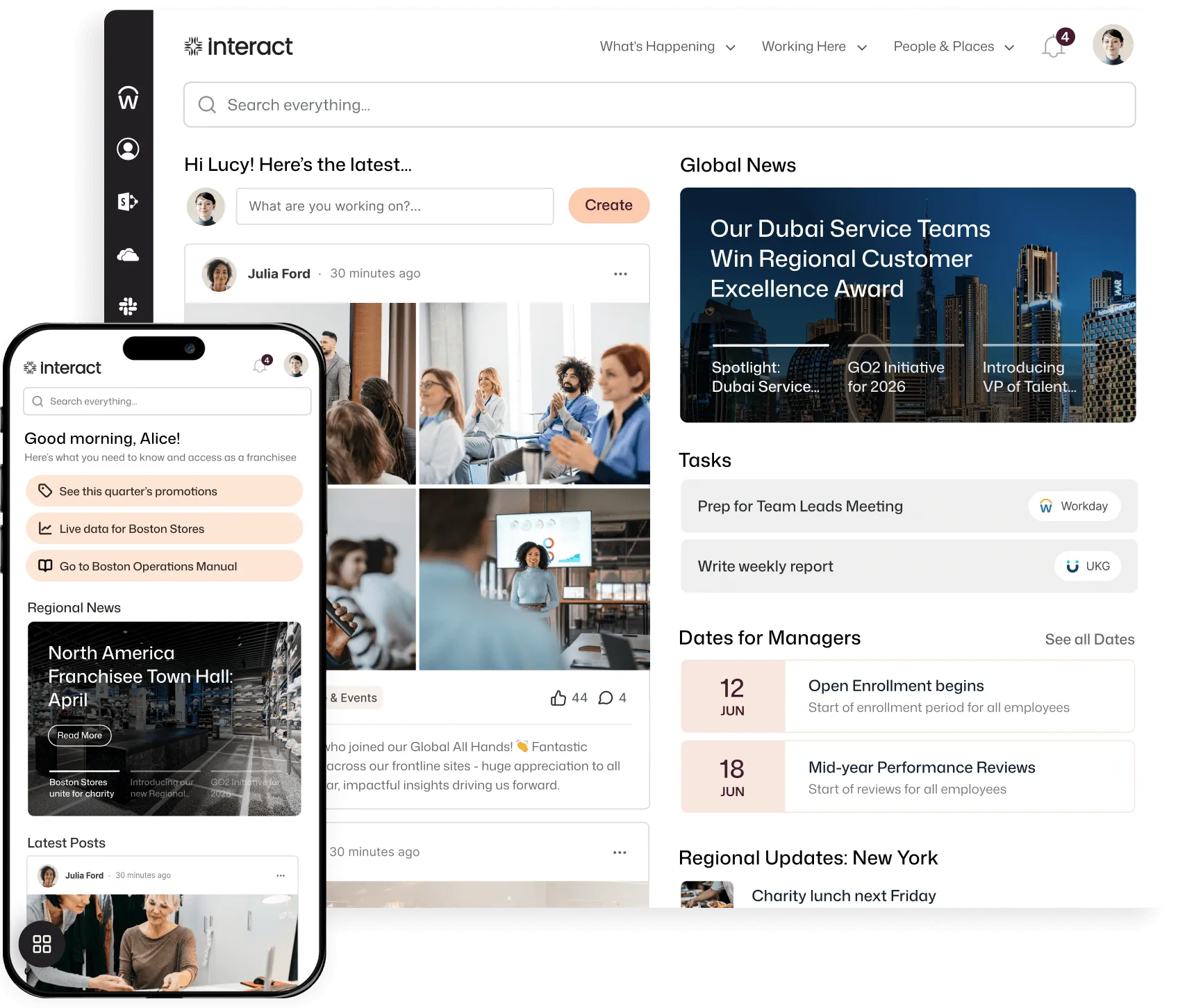
Interact is an intranet platform focused on internal communication, content management and knowledge sharing.
Its search and content governance features help employees find trusted information while giving organisations greater control over ownership and accuracy. Communication can also be targeted to specific audiences.
Key features
- Internal communication
- Content management
- Enterprise search
- Employee directory
- Communities
- Mobile app
- Forms and workflows
- Analytics
Key consideration
Interact is particularly strong for structured content and knowledge. Organisations placing greater emphasis on multi-channel broadcasting should compare its communication capabilities with more communication-led platforms.
Best suited to: Organisations that want to improve knowledge sharing and content governance.
8. Blink
Best for mobile-first frontline communication
Blink is designed around employees who spend their working day away from a desk.
Its mobile app gives frontline teams access to communication, schedules, forms, resources and workplace tools. A central feed delivers relevant updates, while messaging and recognition features support interaction between employees.
Key features
- Frontline employee app
- Targeted content feed
- Secure messaging
- Employee recognition
- Surveys
- Forms
- Workplace integrations
- Analytics
Key consideration
Blink’s frontline focus is a clear strength, but organisations should also assess the experience it provides for office-based employees and more complex knowledge requirements.
Best suited to: Frontline organisations in sectors such as healthcare, transport, hospitality and manufacturing.
9. Happeo
Best for organisations using Google Workspace
Happeo brings company communication, workplace communities and collaboration together in one employee platform.
Its connection with Google Workspace makes it particularly suitable for organisations already using Google tools. Employees can access company news, find colleagues, join communities and search for information across connected systems.
Key features
- Google Workspace integration
- Employee communities
- Internal communication
- Enterprise search
- Employee directory
- Mobile app
- Targeted content
- Analytics
Key consideration
Organisations outside the Google Workspace ecosystem should determine whether Happeo offers the right level of integration with their existing technology.
Best suited to: Organisations that want an intranet closely connected with Google Workspace.
10. Microsoft SharePoint
Best for organisations with strong Microsoft resources
SharePoint is Microsoft’s platform for creating internal sites, managing documents and connecting employees with Microsoft 365 content.
It offers extensive flexibility and close integration with Teams, OneDrive and Power Automate. However, turning SharePoint into an engaging and easy-to-manage intranet can require specialist knowledge, additional development or another intranet product built on top of it.
Key features
- Document management
- Internal sites
- Microsoft 365 integration
- Search
- Permissions and governance
- Workflows
- Team collaboration
- Extensive configuration
Key consideration
SharePoint licence access does not automatically provide a complete employee experience. Consider design, development, mobile access, content management and ongoing maintenance when calculating the full cost.
Best suited to: Microsoft-focused organisations with the technical resources to build and manage their own intranet.
How to choose the right Elcom alternative
Start with your people
Think about who needs to use the platform and what their working day looks like.
Do employees have company email addresses? Are they regularly at a computer? Do they work across different locations, shifts or departments?
The platform should fit around your people — not force your people to fit around the platform.
Make communication relevant
Employees switch off when every update feels like it was written for someone else.
Look for targeting and personalisation that lets you deliver content according to role, team, location and employee needs. Relevance is what turns communication into something people pay attention to.
Make information easy to find
Employees should not need to know which folder, application or department owns a piece of information before they can find it.
Test each platform’s search using real workplace questions rather than carefully prepared demonstration content.
Look beyond publishing
Publishing an update is only the beginning.
Consider whether the platform lets employees respond, share feedback, recognise colleagues and participate in workplace conversations. Then check whether your teams can measure reach and identify groups that may be missing important information.
Consider your existing technology
List the systems employees already depend on, including Microsoft 365, Google Workspace, HR platforms and operational tools.
Decide whether information should appear directly inside the intranet or whether employees simply need an easier route to the original system.
Understand the full cost
Compare more than the headline licence price. Implementation, integrations, additional modules, support, training and ongoing administration can all affect the complete cost of an intranet.
Questions to ask Elcom alternatives
Use these questions when speaking with potential providers:
- Can employees access the platform without a company email address?
- How is communication targeted by role, team and location?
- Which features are available through the mobile app?
- Can employees search across connected workplace systems?
- How do you measure communication reach and employee engagement?
- Can we identify employees who have not seen essential information?
- Which integrations are included and which require additional work?
- How much internal administration does the platform require?
- What implementation and migration support is provided?
- What is included in the quoted price?
- Can the platform support our organisation as it grows?
- How do you support adoption after launch?
Which Elcom alternative is right for you?
Every organisation is different, but the strongest options can be narrowed down according to what matters most:
- Choose Oak Engage to connect frontline and desk-based employees through relevant communication, easy access to information and measurable engagement.
- Choose Staffbase to manage communication across multiple channels.
- Choose Workvivo for a social and community-led employee experience.
- Choose Simpplr for advanced AI, search and personalisation.
- Choose LumApps for a connected Microsoft 365 or Google Workspace environment.
- Choose SharePoint if you have the technical resources to create and manage your own intranet.
Frequently asked questions
What is Elcom?
Elcom is a digital experience platform used to create intranets, websites, portals and learning experiences.
Who are Elcom’s main competitors?
Elcom competitors include Oak Engage, Staffbase, Workvivo, Simpplr, LumApps, Unily, Interact, Blink, Happeo and Microsoft SharePoint.
What is the best Elcom alternative?
Oak Engage is one of the best Elcom alternatives for organisations that want to connect frontline and desk-based employees through targeted communication, mobile access, engagement tools and measurable insights.
However, the best choice depends on your workforce, existing technology, communication requirements and available resources.
What is the best Elcom alternative for frontline employees?
Oak Engage, Blink and Staffbase all offer mobile access for frontline employees. Oak is particularly suited to organisations that want one connected experience across frontline and office-based teams.
Is Elcom an intranet platform?
Yes. Elcom provides intranet software as part of a broader digital experience platform that also supports websites, portals and learning experiences.
What should a modern intranet include?
A modern intranet should include targeted communication, mobile access, workplace search, document management, employee feedback, recognition, analytics and integrations with the tools employees use every day.
How should I compare intranet platforms?
Create a consistent list of employee and business requirements, then ask each provider to demonstrate the same real-world scenarios. Compare usability, employee reach, search, targeting, integrations, analytics, implementation and complete cost.
